
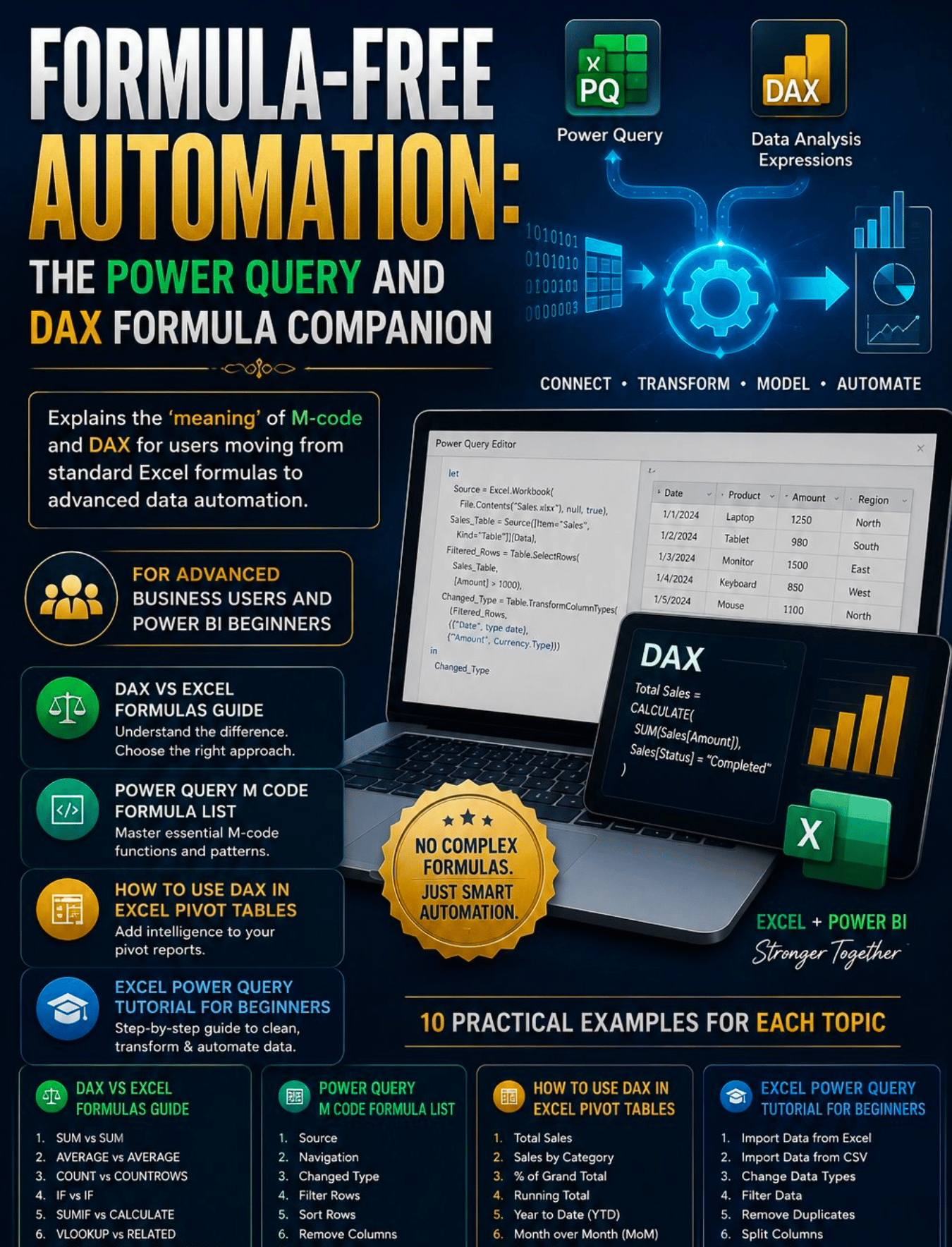
Formula-Free Automation- The Power Query and DAX Formula Companion.pdf
You already know Excel. Now it is time to go to the next level.
You can write a VLOOKUP, build a SUMIFS, and nest an IF statement without thinking twice. You are comfortable with formulas and you use them every day. But at some point you hit the ceiling — the dataset got too big, the report got too complex, or someone asked for a calculation that standard Excel formulas simply cannot produce.
That ceiling has a name. And this guide shows you how to break through it.
Formula-Free Automation: The Power Query and DAX Formula Companion is the complete guide for advanced business users and Power BI beginners who are ready to move from standard Excel formulas to intelligent, scalable data automation using Power Query and DAX.
No computer science degree required. No coding experience needed. Just your existing Excel knowledge and this guide.
What's Inside:
✅ Introduction — Why Power Query and DAX are the natural next step for every serious Excel user and exactly how they build on the formula skills you already have
✅ Chapter 1 — DAX vs Excel Formulas Guide — 10 side-by-side comparisons showing the Excel formula you know alongside its DAX equivalent including SUM, AVERAGE, IF, SUMIF, VLOOKUP, COUNTIF, and dynamic date calculations
✅ Chapter 2 — Power Query M Code Formula List — 10 essential M-code examples with full syntax including connecting to sources, filtering rows, changing data types, grouping data, merging tables, unpivoting columns, and combining multiple files automatically
✅ Chapter 3 — How to Use DAX in Excel Pivot Tables — 10 practical DAX measures you can build today including Total Sales, Running Totals, Year-to-Date, Month over Month Change, Same Period Last Year, Top N Products, Distinct Customer Count, and Dynamic Measures with Slicers
✅ Chapter 4 — Excel Power Query Tutorial for Beginners — 10 step-by-step guides covering importing from Excel and CSV, fixing data types, filtering, removing duplicates, splitting and merging columns, pivoting and unpivoting, combining multiple files, and loading to the Data Model
✅ Chapter 5 — Building your first complete Power Query workflow — a real-world sales data transformation from raw messy file to clean analysis-ready data model in 10 steps
✅ Chapter 6 — DAX Advanced Patterns — deep dives into CALCULATE, FILTER, and Time Intelligence with working code examples for the most powerful patterns in the DAX language
✅ Chapter 7 — Moving from Excel to Power BI — how to take your new Power Query and DAX skills directly into Power BI Desktop without starting from scratch
✅ Bonus — Quick Reference Card with the top 40 DAX and M-Code functions — syntax, description, and use case for every function in one place you can save and return to every time you write a formula
This guide is perfect for:
- Excel power users ready to move beyond formula limitations
- Business analysts who work with large datasets and need faster, more reliable data preparation
- Finance, operations, and sales professionals who build reports and dashboards regularly
- Power BI beginners who want to understand DAX and Power Query before diving into the tool
- Anyone who has heard about Power Query or DAX but had no idea where to start
Every formula in this guide is real. Every example uses actual syntax you can copy directly into Excel or Power BI. Every tutorial walks you through the exact steps in the exact order.
No theory without practice. No concepts without code. Just the practical, working knowledge that turns an Excel user into a data automation professional.
Instant digital download. Open Excel alongside this guide and start building today.
Note: Requires Excel 2016 or later for Power Query. Power Pivot available in Excel 2013 and later. Power BI Desktop is free to download from Microsoft.
© 2026 Lexi Grace Products | LexiGraceProducts@gmail.com | payhip.com/LexiGrace