

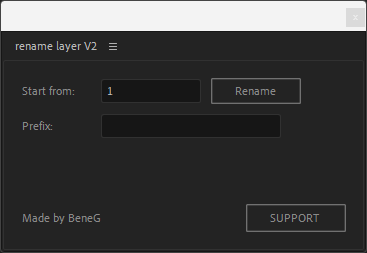
Rename layer by BeneG
On Sale
$0.00
Windows:
- Open Adobe After Effects.
- Go to the folder:
- C:\Program Files\Adobe\Adobe After Effects [version]\Support Files\Scripts\ScriptUI Panels\
- Copy the file rename layer by BeneG.jsxbin into this folder.
- Restart After Effects.
- In After Effects, go to the top menu:
- Window > rename layer by BeneG.jsxbin
- The script will open as a panel, ready to use.
Mac:
- Open Adobe After Effects.
- Navigate to:
- /Applications/Adobe After Effects [version]/Scripts/ScriptUI Panels/
- (or: right-click the AE app → Show Package Contents → Contents → Resources → Scripts → ScriptUI Panels)
- Paste the file rename layer by BeneG.jsxbin into this folder.
- Restart After Effects.
- From the top menu, select:
- Window > rename layer by BeneG.jsxbin
- The script will open as a panel inside AE.
✅ Tip:
Make sure the file has the .jsxbin extension and is placed exactly in the ScriptUI Panels folder — otherwise it won't appear under the Window menu.
You can find my social networks HERE