
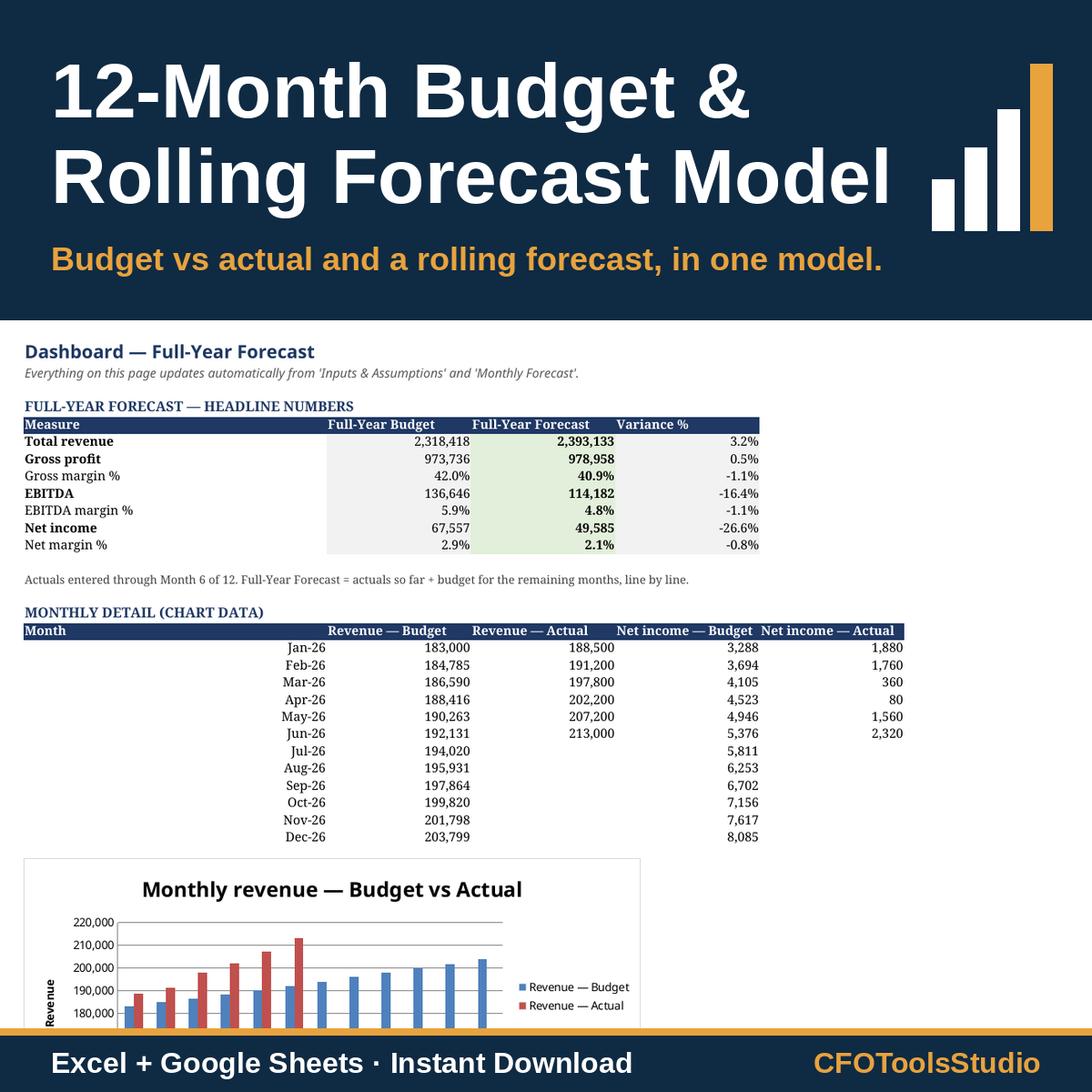
12-Month Budget & Rolling Forecast Model
A 12-month budget that rolls forward every month - so your forecast is never more than 30 days out of date. Pre-filled with a complete worked example; overwrite the yellow cells with your own numbers and you have a board-ready budget in about an hour. Most budgets are dead by February. They were built in November, on assumptions that were wrong by January, and nobody updates them because updating means rebuilding the whole thing. This model is built to roll: every month you drop in the actuals, the forecast moves forward one month, and the variance tells you exactly where you are against plan - while you still have time to fix it. This is the budget I build for every client who has outgrown a spreadsheet with 12 columns and a prayer. It starts with last year's actuals, builds a monthly budget by revenue line and cost line, and then - every month - you replace the forecast with the actual and the next 12 months roll forward. WHAT'S INSIDE - 8 TABS. 1. START HERE - How to use the model in about an hour. Yellow = type here. Grey = formula. Green = key answer. Enter your starting month, your revenue and cost assumptions, and the budget builds itself. 2. REVENUE - Monthly revenue by line: product sales, services, subscriptions, and other. Enter the monthly amount or a growth rate; the model spreads it across the year. 3. COSTS - Monthly costs by line: payroll, rent, suppliers, marketing, and other. Enter the monthly amount or a fixed annual total; the model spreads it across the year. 4. BUDGET - The 12-month view itself: revenue, costs, and profit by month, with a running total and a full-year summary. 5. ACTUALS - Drop in the month's actuals and the model calculates the variance for every line - in dollars and in percent - and flags anything more than 10% off plan. 6. ROLLING FORECAST - The next 12 months, always. Actuals stay locked; the forecast months update from your latest assumptions. The dashboard shows whether you're tracking ahead or behind for the year. 7. DASHBOARD - One page, four charts: revenue vs budget, costs vs budget, profit by month, and year-to-date variance. Print it for the board. 8. SCENARIOS - Three versions side by side: Base Case, Down 10% (revenue falls 10%), and Up 10% (revenue rises 10%). See which one breaks your profit. THE WORKED EXAMPLE - THE CORNER BAKERY (FICTIONAL). A 12-person bakery with $85,000 a month in revenue. In March, wholesale orders jump 20% and the bakery beats its revenue budget by $11,000 - but flour costs rise 15% at the same time, so profit is only $2,000 ahead. The variance sheet flags the flour line in red. The rolling forecast says: if flour stays at the new price, full-year profit falls $18,000 - unless the bakery raises wholesale prices 5% in April. HOW TO USE IT. 1. Start on START HERE. Enter your starting month and your revenue and cost assumptions. 2. Drop in the actuals each month. The variance tells you where you are against plan. 3. Check the ROLLING FORECAST. If the year is slipping, fix it now - not in December. WHAT YOU GET: One Excel workbook (.xlsx, 8 tabs). Yellow cells are the only ones you type in; everything else is a formula. No macros, no add-ins, no external links. REQUIREMENTS: Microsoft Excel (2016 or later / Microsoft 365) or Google Sheets (free - File > Import). The formulas use standard functions only and calculate identically in Excel, Google Sheets and LibreOffice. LICENCE: For use inside one business (including with your accountant, lender or advisor working for that business). Please don't resell or redistribute the file publicly. (c) 2026 CFOToolsStudio. SUPPORT: If a formula looks broken, message me through the shop with your Excel/Sheets version and a screenshot. This is a budgeting tool, not financial, legal, tax or lending advice - verify every number before you rely on it. Want the full picture? The 12-Month Budget answers 'Will I hit my profit target this year?' The 13-Week Cash Flow Forecast answers 'Will I run out of cash?'
Free bonus — check your real business, not just the model:
SENALO (by the same author) turns your actual monthly figures into a financial health score, break-even buffer and cash runway. The basic check is free: https://senalo-business-financial-health-check-448107437531.australia-southeast1.run.app