

Transient — Transient Shaper for Max 4 Live
A compact, stock-style transient shaper with an envelope you can see and drag.
By ELXR.
Overview
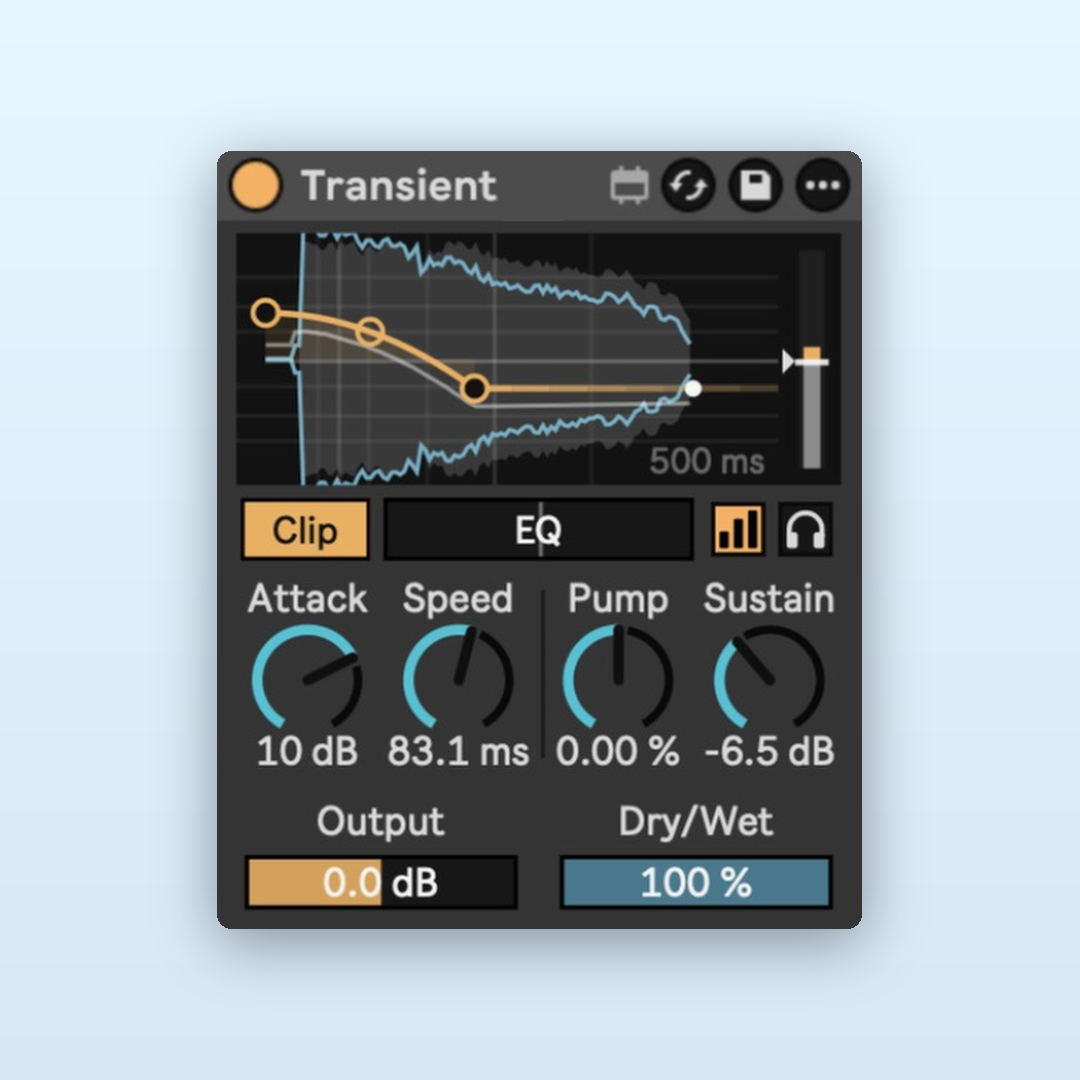
Make drums punchier or softer, tighten tails or bring out the room. The display shows every hit coming in and how it's being shaped.
New in version 1.1
- Every hit gets caught: each hit is shaped in proportion to how strong it is, so none are missed and quieter hits are treated more gently.
- Steadier Auto Gain: the level stays matched without pumping along with the groove.
- Cleaner Clip: smoother soft clipping with less harshness on bright material.
Why I made it
Inspired by Kilohearts' Transient Shaper. I wanted the same four simple controls with a Sampler-style envelope you drag right on the device, so you can see what each hit is doing.
Features
Attack
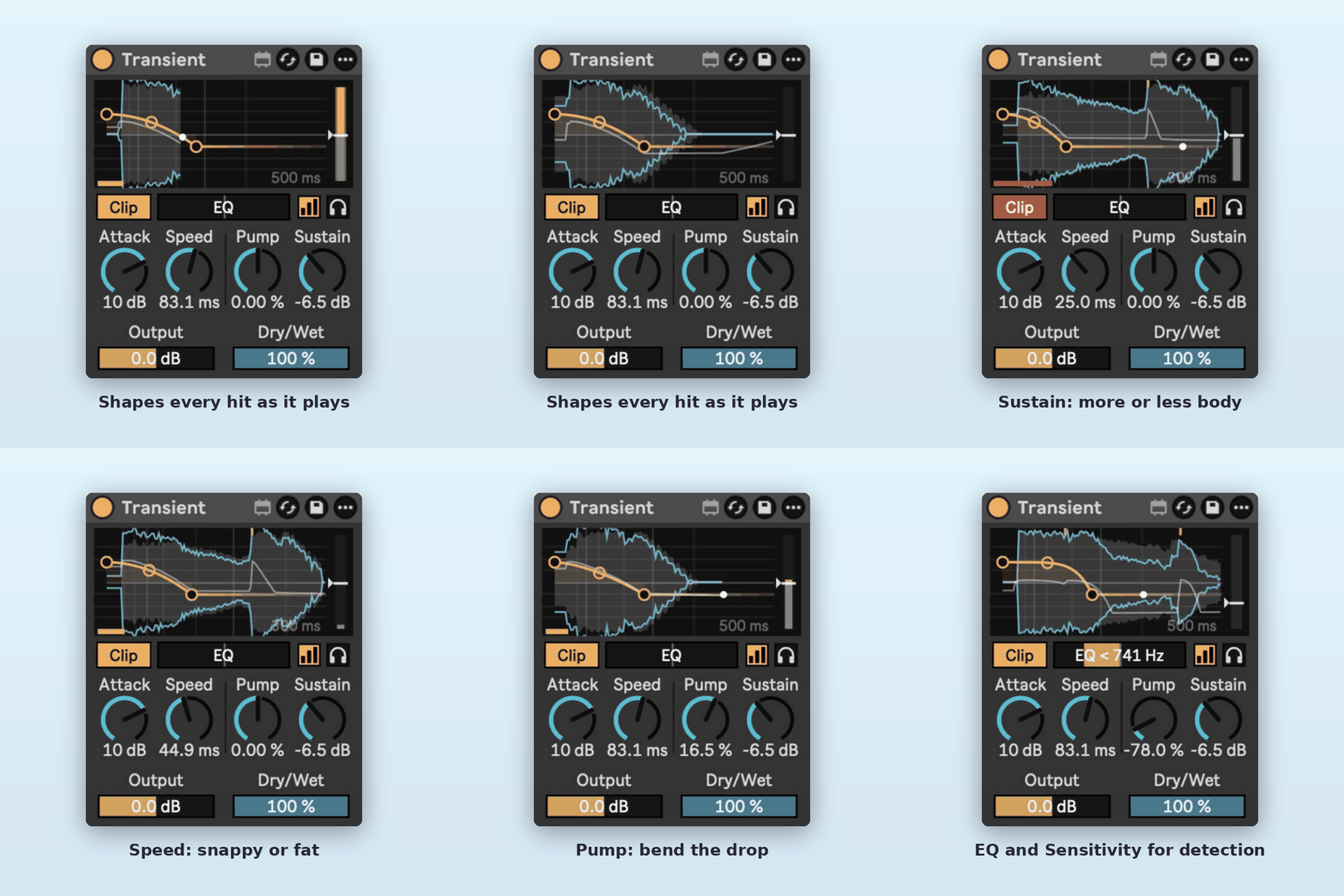
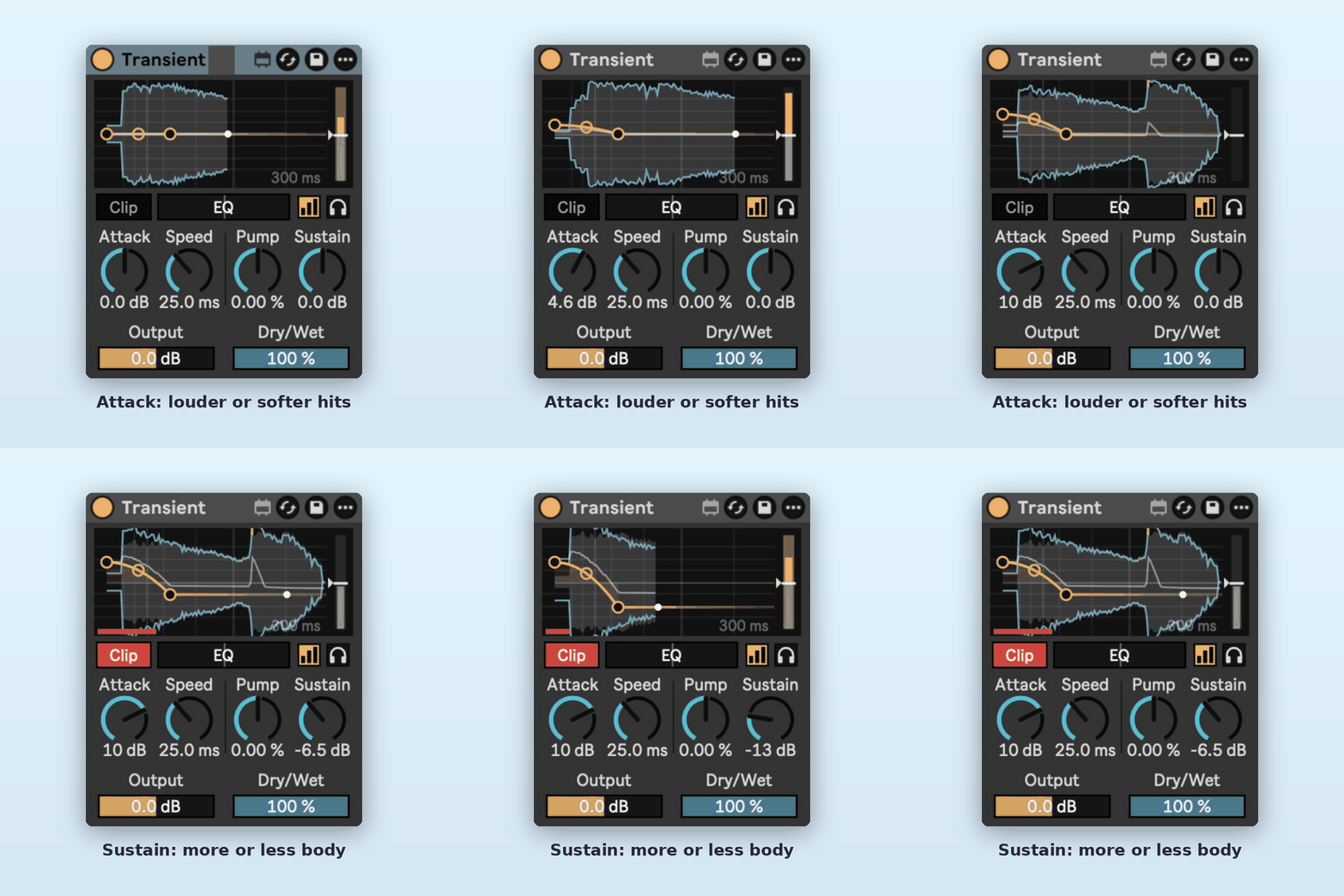
Louder or softer hits. Drag the first handle or turn the dial.
Sustain
More or less body and tail after the hit, for tighter or roomier drums.
Speed
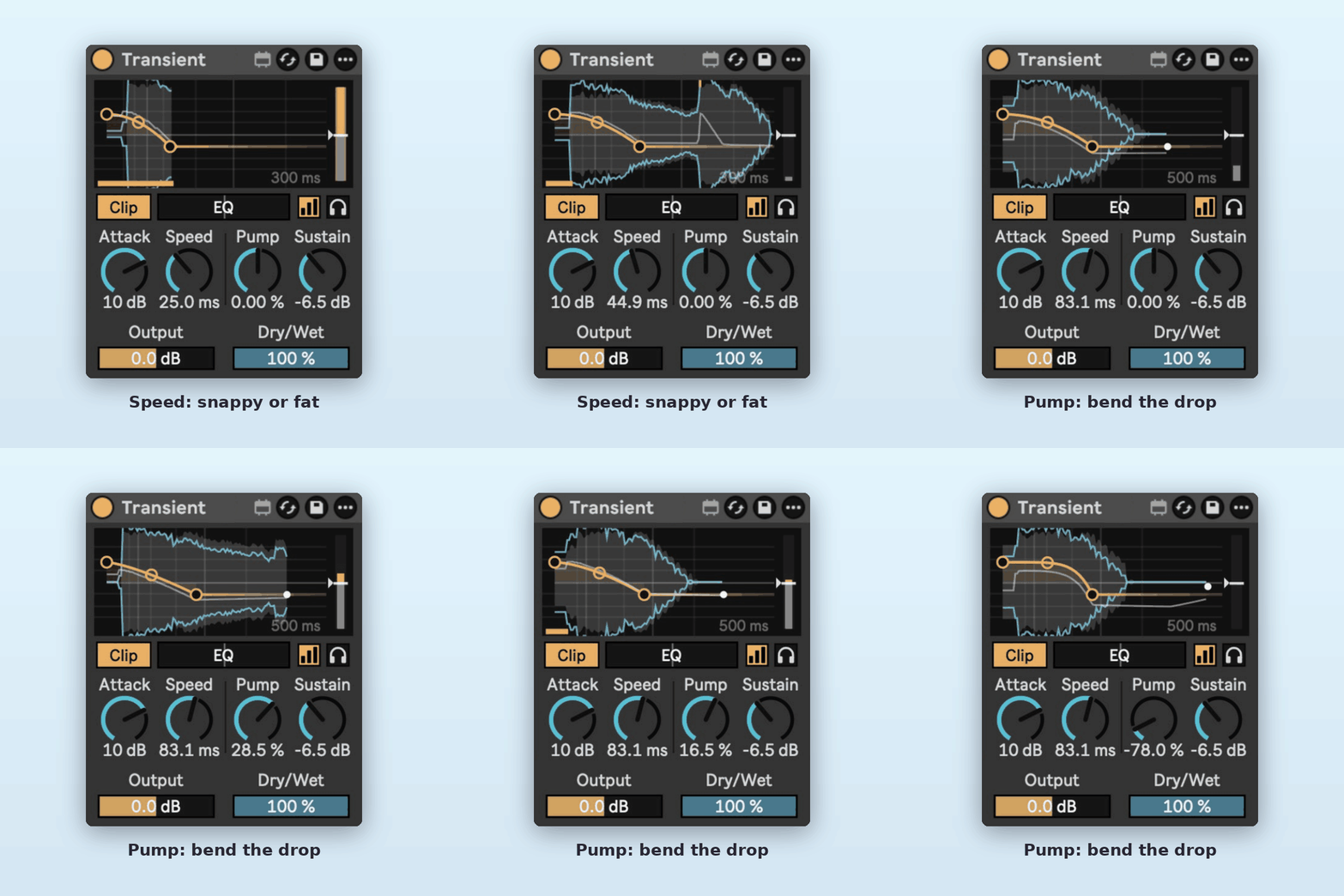
How long the attack lasts: short for clicky, long for fat punch.
Pump
Bends the drop from Attack to Sustain, from spiky to held.
See every hit
Grey is the hit coming in, blue is the shaped result, and a thin line shows the gain applied.
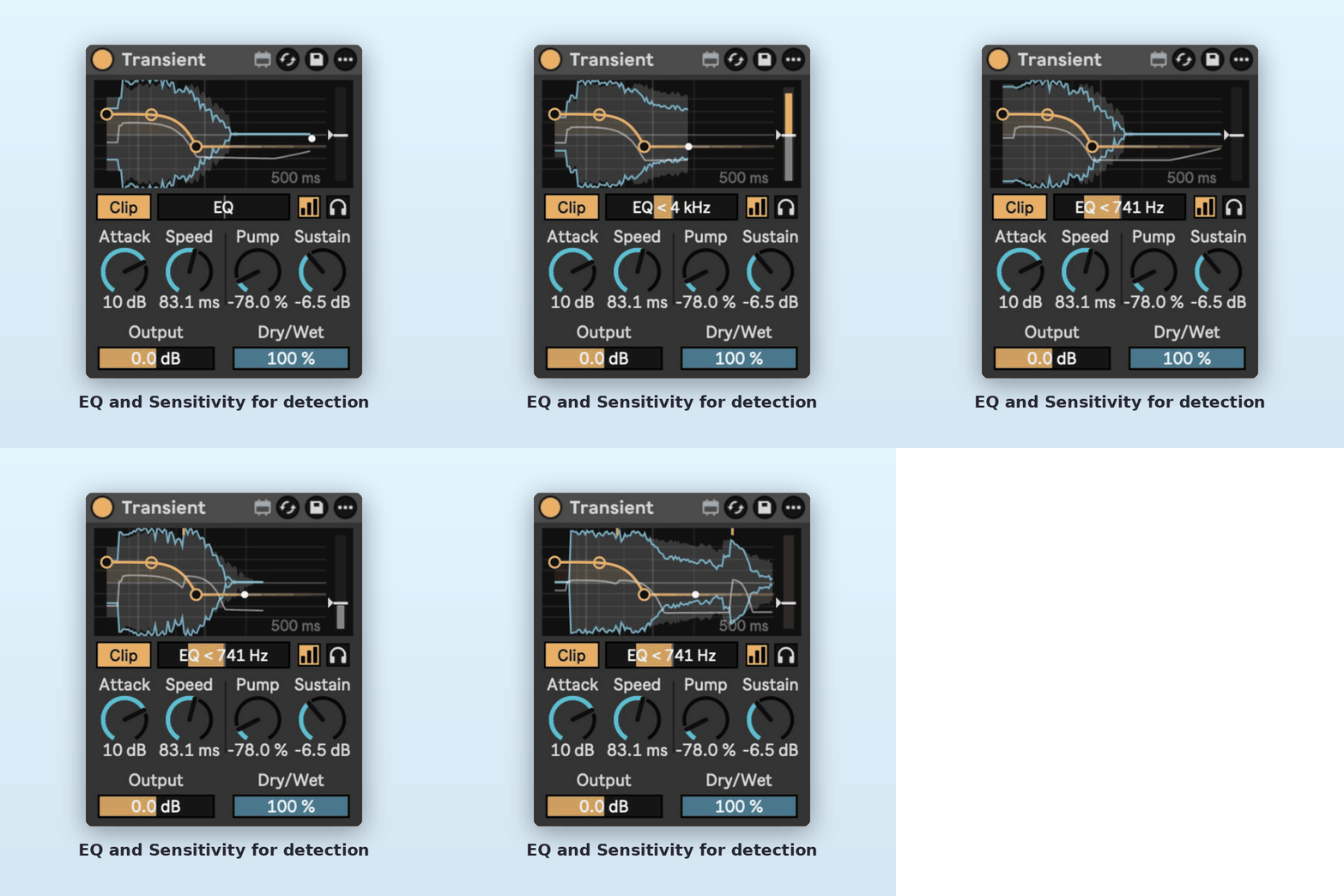
EQ and Sensitivity
Choose which frequencies trigger the shaping, and drag the meter line to catch more or fewer hits.
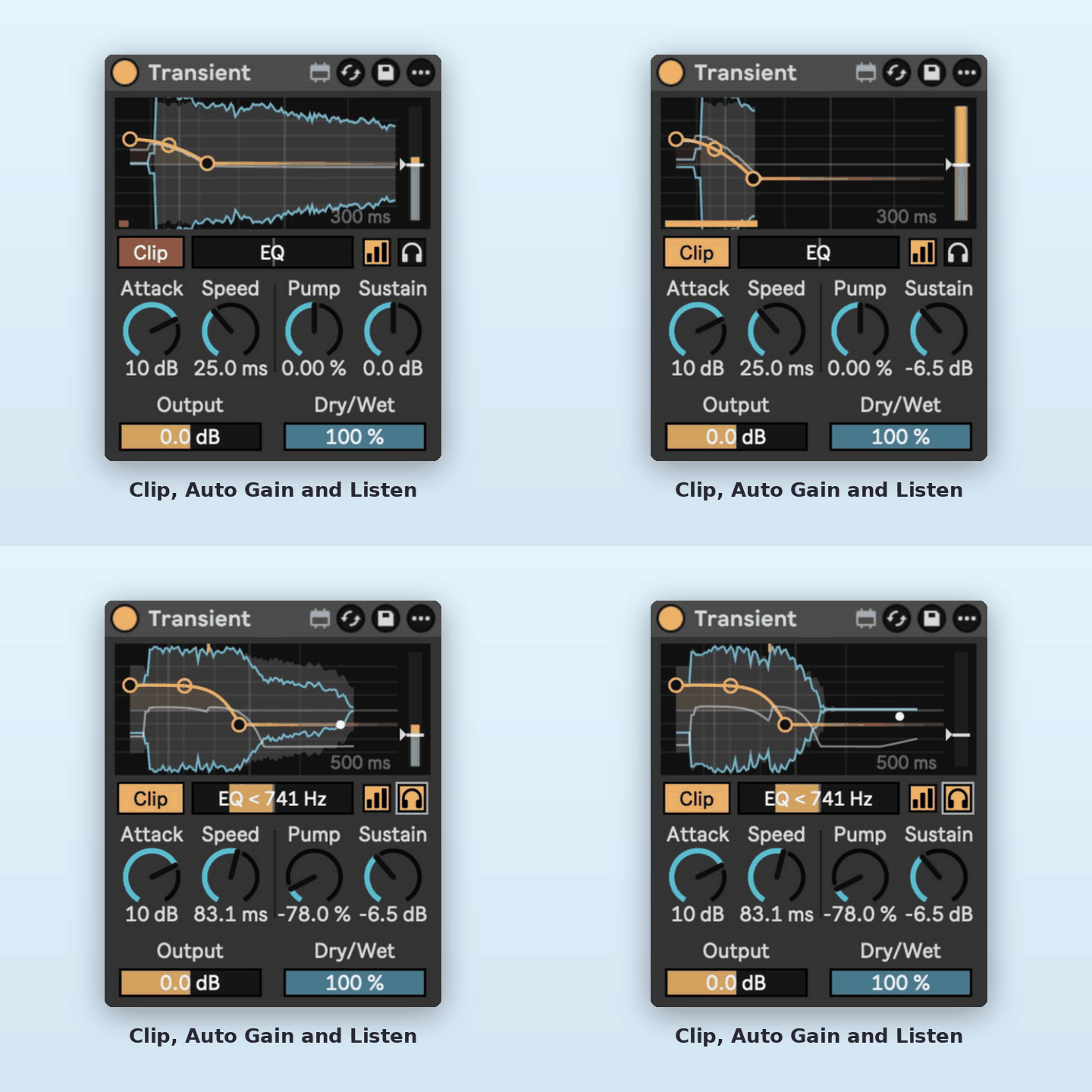
Clip, Auto Gain and Listen
Soft-clip boosted hits, keep the level matched while you tweak, or hear only what the device changes.
Output and Dry/Wet
Set the final level and blend in the original.
Requirements
- Ableton Live 12 with Max for Live.
- Reports its latency to Live, so it stays in time with the rest of your set.
- Works on any audio track or MIDI track (after the instrument).
Install
Download Transient.amxd and drag it into your User Library, or straight onto a track.