










Organize Your AI Workflow - Complete Kit
Organize Your AI Workflow — Complete Kit for Solo Business Owners
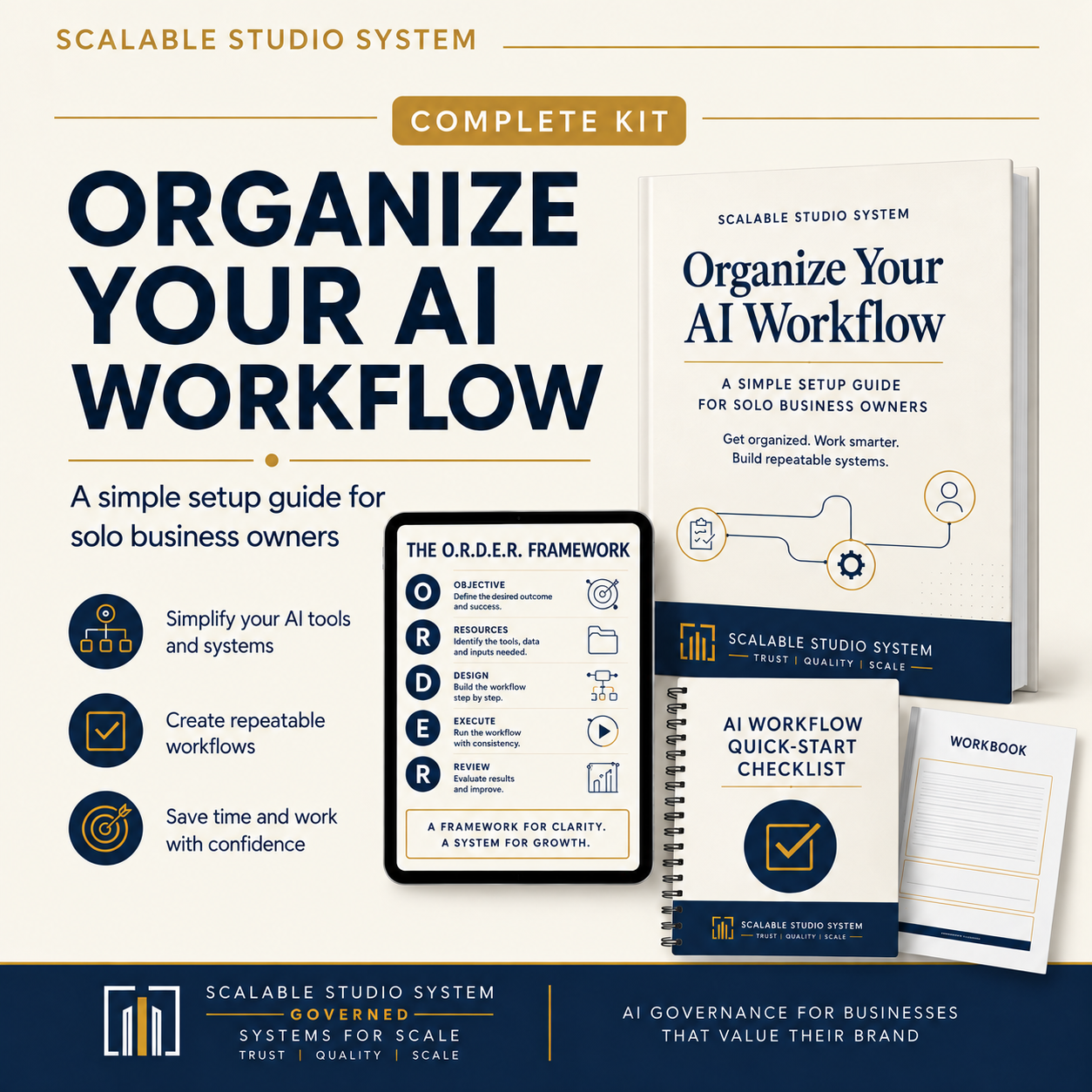
Turn scattered AI tools, prompts, files, and recurring tasks into one clear, repeatable business system.
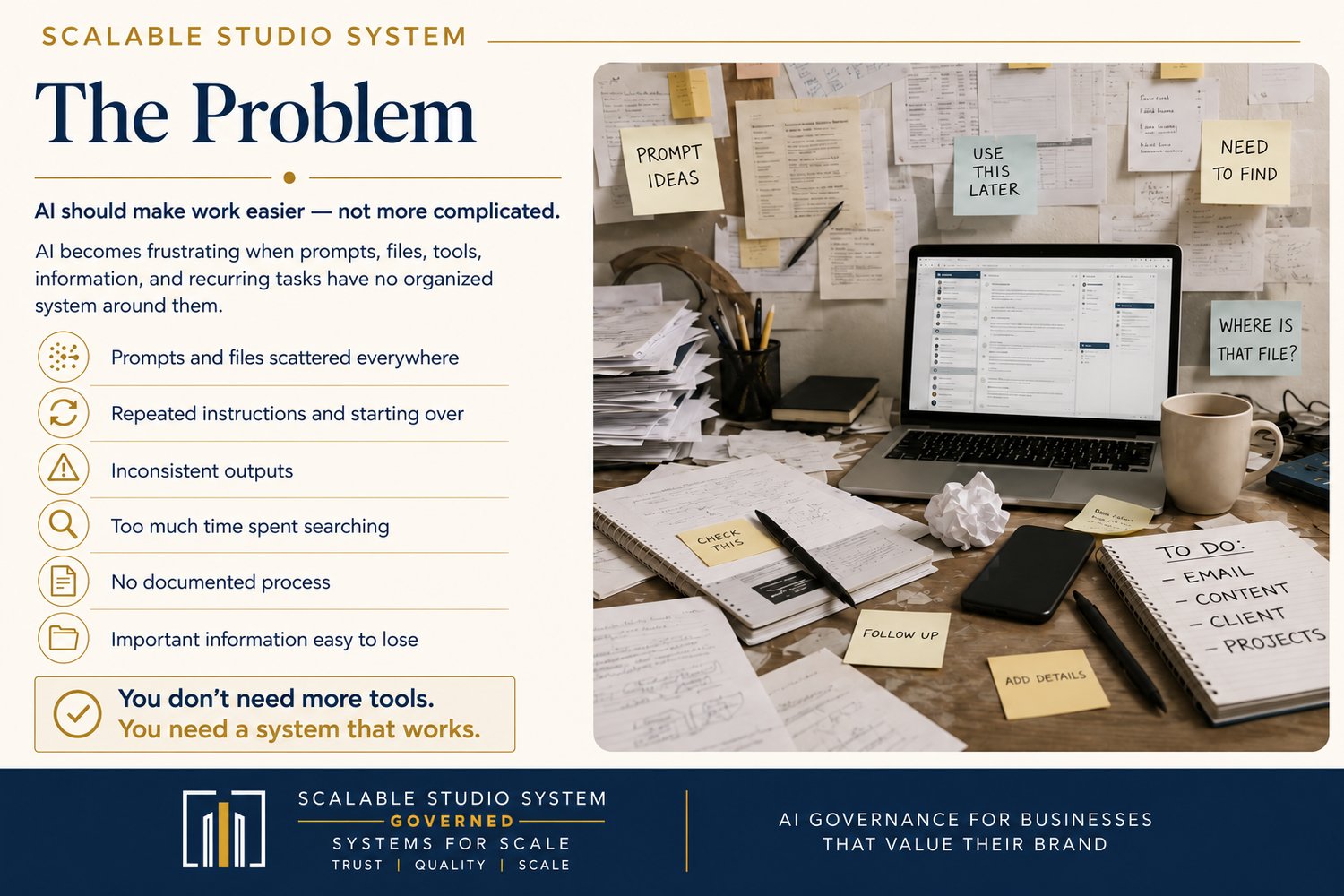
AI is supposed to make work easier.
But when useful prompts are buried in old chats, business information lives in multiple places, drafts are mixed with finished work, and every recurring task starts from scratch, AI can create more friction instead of less.
Organize Your AI Workflow is a practical organization system for solo business owners who want to use AI more consistently without jumping straight into complex automation.
Using the O.R.D.E.R. Framework, you’ll create a dependable structure for your AI tools, prompts, business context, source material, recurring workflows, outputs, and human-review process.
No coding. No complex automation. No need to add more AI tools.
Stop Starting Over Every Time You Use AI
This kit is designed for the business owner who already uses AI — or is beginning to — but still finds themselves:
- Searching old chats for the prompt that worked
- Re-explaining the same business information again and again
- Saving prompts, source material, and outputs in random places
- Using multiple AI tools without a clear job for each one
- Repeating the same business task differently every time
- Mixing unfinished AI drafts with approved work
- Wondering which version is current
- Relying on memory instead of a documented process
- Thinking about automation before the underlying workflow is organized
The problem may not be the AI tool.
The problem may be the system around it.
This kit helps you build that system.
What You’ll Build
By working through the kit, you’ll create:
- One organized AI Home Base
- A current inventory of the AI tools you actually use
- A clear primary purpose for each tool you keep
- A reusable Business Context source
- An organized Prompt Library
- Clear naming standards for prompts and outputs
- Separate Draft, Review, and Approved output stages
- One documented and tested AI-assisted workflow
- Defined Human-Review Points
- Approval Gates for higher-risk actions
- A practical daily AI routine
- A weekly workflow-review process
- A method for improving workflows without rebuilding everything at once
The goal is not to automate your entire business.
The goal is to make your current AI-supported work clearer, easier to find, easier to repeat, and easier to review.
The O.R.D.E.R. Framework
The Complete Kit is built around a five-step system for organizing AI-supported work before automating it.
O — Observe Your Work
Identify how you currently use AI, where friction occurs, what information each task requires, and which recurring tasks are the strongest candidates for organization.
R — Reduce the Clutter
Review tools, prompts, files, subscriptions, and storage habits. Remove unnecessary duplication and give every active tool, prompt, folder, and workflow one clear primary job.
D — Divide Work Into Categories
Create predictable homes for your Business Context, Prompt Library, Workflows, Source Material, Outputs, and Archive inside one AI Home Base.
E — Establish Repeatable Workflows
Turn one recurring business task into a documented process with a clear trigger, required inputs, ordered steps, AI-supported task, Human-Review Point, expected output, storage location, and completion checkpoint.
R — Review and Improve
Review both the AI output and the workflow that produced it. Identify what caused problems and improve one controlled part of the system at a time.
Organized first. Automated later.
What’s Included
8 Core Files
1. Read Me First — PDF
Your complete package guide.
Use it to understand what each file does, choose your starting path, set up your files correctly, and decide where to begin without turning organization into another large project.
2. Organize Your AI Workflow Ebook — PDF
The complete beginner-friendly guide to building an organized AI workflow system.
The ebook explains the O.R.D.E.R. Framework, AI Home Base, prompt organization, workflow documentation, Human Review, output management, and daily and weekly routines.
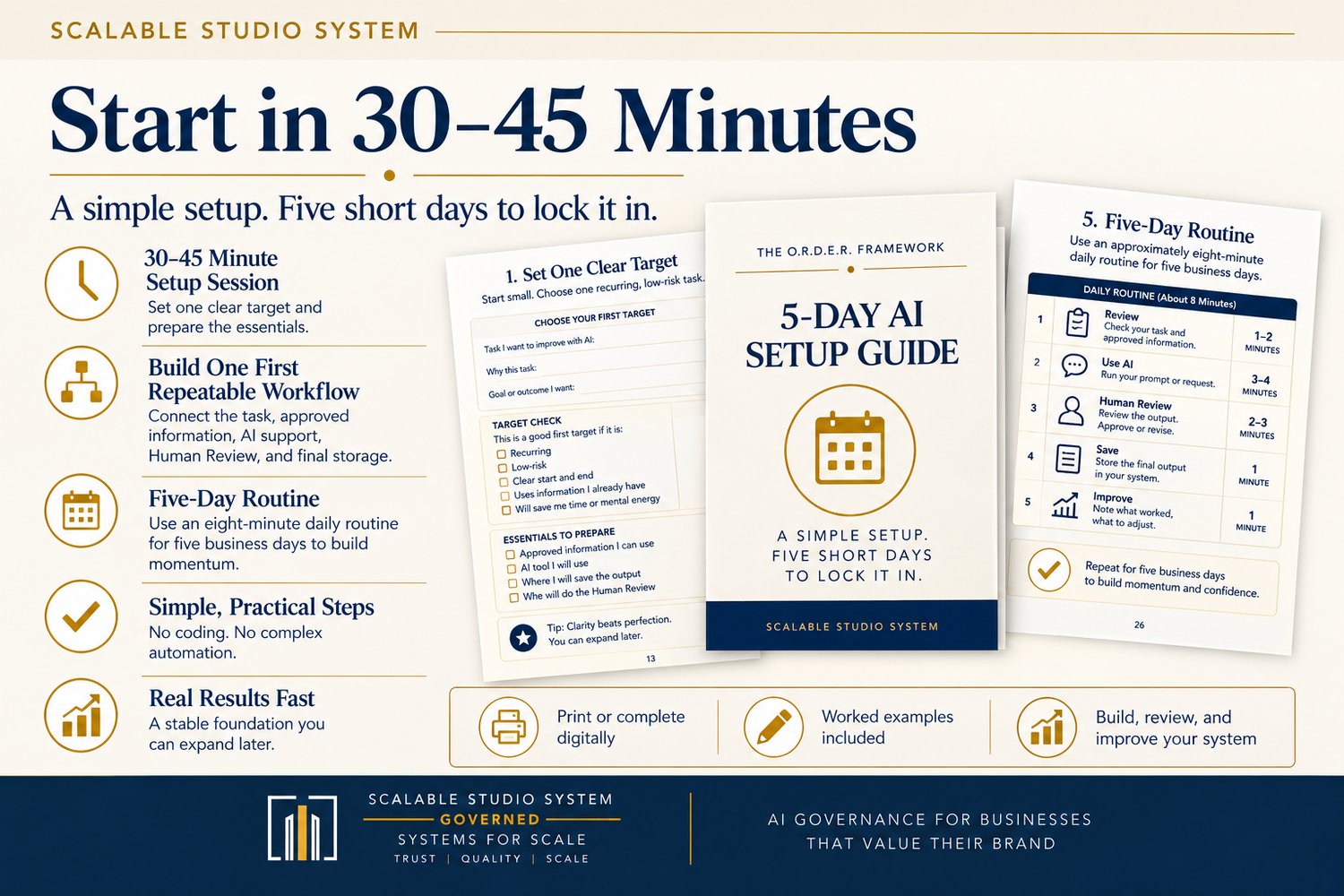
3. AI Workflow Quick-Start Checklist — PDF
Want to start quickly?
Use this focused checklist to organize one recurring, low-risk AI-assisted task.
The Quick-Start setup is designed for approximately 30–45 minutes, followed by a simple five-business-day routine to help make the new system consistent.
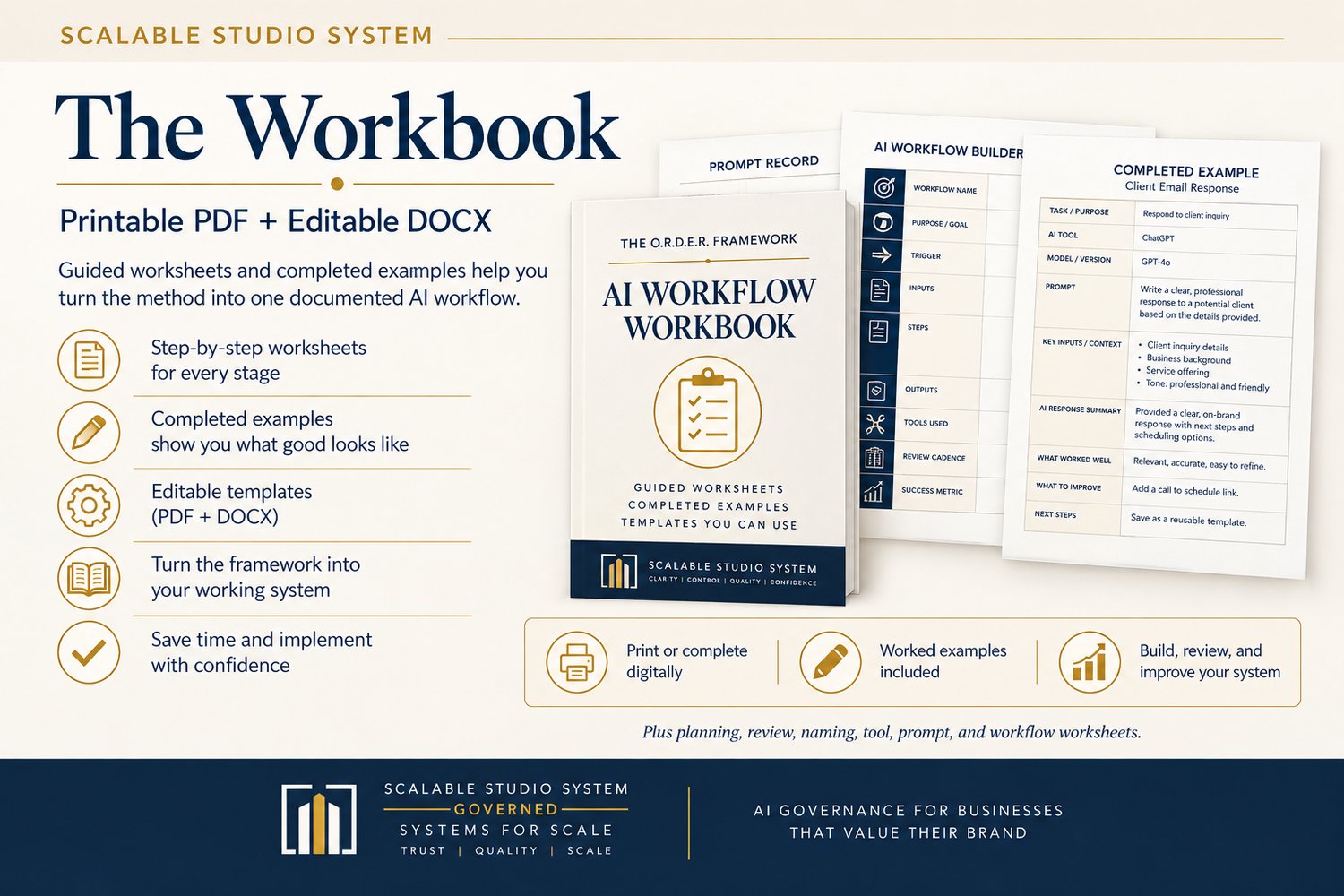
4. Complete AI Workflow Workbook — Printable PDF
A practical workbook for implementing the system in your own business.
Worksheets help you organize:
- Your current AI workflow
- AI-supported tasks
- Tool inventory
- Prompt cleanup
- Subscriptions and clutter
- Business task categories
- Your AI Home Base
- Folder structure
- Business Context
- Prompt Records
- Workflow Records
- Output review
- Daily planning
- Weekly workflow reviews
Completed examples are included to show you what a finished Prompt Record and documented AI Workflow can look like.
5. Complete AI Workflow Workbook — Editable DOCX
Prefer to work digitally?
The Complete Workbook is also included as an editable Word document so you can type directly into the worksheets, update them over time, and maintain a reusable working copy for your business.
6. License & Terms of Use — PDF
Clear usage terms for the Complete Kit.
The standard license is designed for one purchaser and one licensed business.
7. Tool Data-Safety Check — PDF
A dedicated worksheet to help you decide what information each AI tool is allowed to receive.
The worksheet uses three information tiers:
Open — Internal — Restricted
It also gives you a place to record:
- The exact AI tool and plan
- Whether the tool trains on your inputs
- The maximum information tier you allow
- Where you verified the information
- When you checked it
- When it should be reviewed again
8. Tool Data-Safety Check — Editable DOCX
An editable version of the Tool Data-Safety Check so you can maintain your records as tools, plans, settings, and vendor policies change.
Plus 6 Bonus Visual Guides
The Complete Kit also includes six visual reference resources designed to make the system easier to understand and implement:
- Kit Map
- O.R.D.E.R. Framework Guide
- Implementation Tracker
- AI Workflow Maturity Scale
- From Scattered to Organized
- Tool Data-Safety Guide
Use these as quick-reference resources while you work through the ebook and workbook.
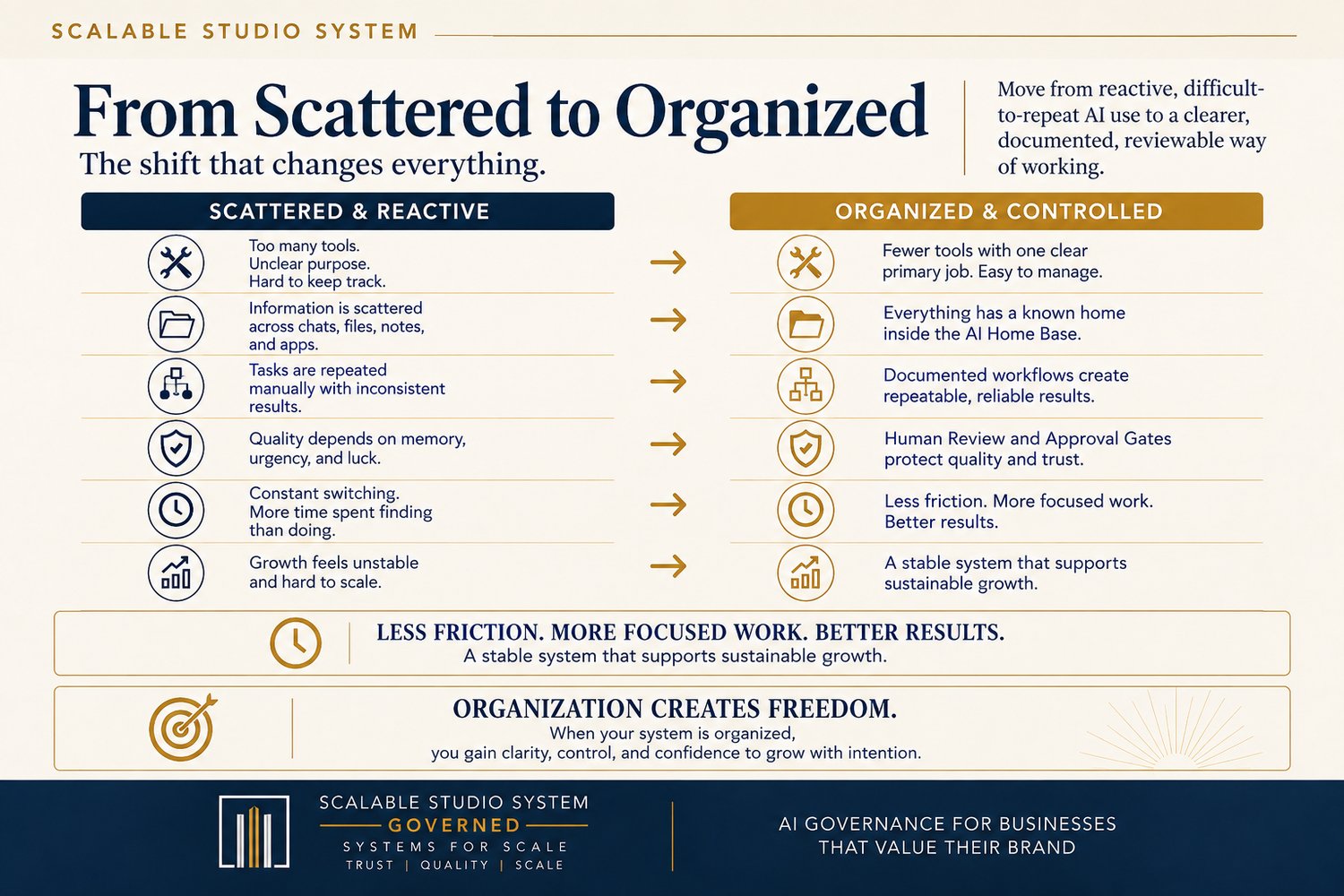
From Scattered to Organized
Before
Your prompts are scattered across chats and files.
You rewrite your business information every time.
Drafts and approved work are mixed together.
Recurring tasks depend on memory.
AI tools overlap.
Review happens inconsistently.
You spend too much time finding, repeating, and correcting work.
After
You have one AI Home Base.
Business Context has a known location.
Your Prompt Library contains controlled, reusable prompts.
Recurring work is documented.
Draft, Review, and Approved outputs are clearly separated.
Human Review is built into the process.
Every tool has one clear primary job.
Your AI-supported work becomes easier to find, repeat, review, and improve.
Designed for Solo Business Owners Who Want Practical AI Systems
This kit may be a strong fit if you:
- Use ChatGPT or other AI tools in your business
- Have useful prompts scattered across multiple places
- Frequently repeat the same AI-assisted tasks
- Want more consistent outputs
- Want to reduce tool and prompt clutter
- Need a better system for storing AI-related work
- Want to document recurring business processes
- Want Human Review built into your AI workflow
- Are interested in automation but know your process needs to be organized first
- Prefer practical business systems over complicated technology
You Do Not Need
You do not need:
- Coding experience
- Advanced automation software
- Dozens of AI subscriptions
- A technical team
- A large technology budget
- A complicated database
- An autonomous AI agent
- A perfect system before you begin
Start with one recurring workflow.
Build from there.
Start With the Path That Fits You
You do not need to complete every resource before the kit becomes useful.
Fast Path
If you want immediate organization, begin with the AI Workflow Quick-Start Checklist.
Choose one recurring, low-risk business task and organize it first.
Guided Path
If your current AI use feels scattered or inconsistent, work through the ebook alongside the Complete AI Workflow Workbook and implement the O.R.D.E.R. Framework step by step.
Both paths lead toward the same goal:
A clear, documented, controlled AI workflow system you can actually maintain.
Why Organization Comes Before Automation
Automation makes a process move faster.
But if the process itself is unclear, inconsistent, or poorly documented, automation can simply move the confusion faster.
This kit takes a different approach.
First:
Organize the information.
Then:
Document the workflow.
Then:
Test the process.
Then:
Review and improve it.
Only after the workflow is clear and repeatable should you decide whether automation would actually help.
Frequently Asked Questions
Do I need to know how to code?
No.
This kit does not require coding or software-development experience. It focuses on organizing AI-supported business work using practical folders, documents, prompts, workflows, and review processes.
Do I need to use a specific AI platform?
No.
The system is built around your business workflow rather than one specific AI tool.
You can apply the organization method to the AI tools you already use.
Do I need multiple AI subscriptions?
No.
In fact, one part of the system helps you review the tools you already have, identify overlapping functions, and give every tool you keep one clear primary job.
Is this suitable for beginners?
Yes.
The kit is designed for solo business owners who are beginning to use AI as well as those who already use AI regularly but do not yet have an organized system around it.
Is the workbook editable?
Yes.
You receive both:
- A printable PDF workbook
- An editable DOCX workbook
The Tool Data-Safety Check is also supplied in printable PDF and editable DOCX formats.
Can I print the worksheets?
Yes.
The original purchaser may print reasonable copies for use within the licensed business, subject to the included License & Terms of Use.
Is this an automation course?
No.
This product intentionally focuses on organization before automation.
You are building the structured foundation that makes future workflow improvement and appropriate automation easier to evaluate.
Can I use what I learn for client work?
Yes, within the included license terms.
You may apply the methods and use your own final business outputs while serving clients through the licensed business.
The original Product files, blank templates, editable source files, and reusable kit materials may not be distributed to clients.
Please review the included License & Terms of Use for the complete conditions.
Can I share the kit with employees, contractors, or another business?
The standard license is for one purchaser and one licensed business.
Employees or contractors may view completed internal materials or final outputs when necessary for the licensed business, but they do not receive independent rights to the Product, blank templates, editable source files, or reusable kit materials.
A separate or expanded license would be required for uses outside the included terms.
Is this a physical product?
No.
This is a digital product. No physical item will be shipped.
Important Note About AI and Data
AI systems can produce inaccurate, incomplete, outdated, biased, or invented information.
Important business outputs should always be reviewed before use.
The Complete Kit includes Human-Review Points, Approval Gates, and a Tool Data-Safety Check to help you build more deliberate review and information-handling practices into your workflows.
The materials provide general educational and business-organization guidance and do not replace legal, financial, accounting, cybersecurity, privacy, tax, medical, or other professional advice.
Build a Better System Around the AI You Already Use
You do not need another collection of disconnected prompts.
You do not need another AI tool just because it is new.
And you do not need to automate everything.
You need a clear way to manage the tools, information, prompts, workflows, and outputs you already use.
Organize your tools.
Organize your prompts.
Organize your files.
Document your workflows.
Keep Human Review in the process.
Then decide what deserves automation.