

Therapist Client Balance Tracker | Payment Plan Installment Ledger, Aging Buckets, Reminder Dates | Notion Template + Google Sheets
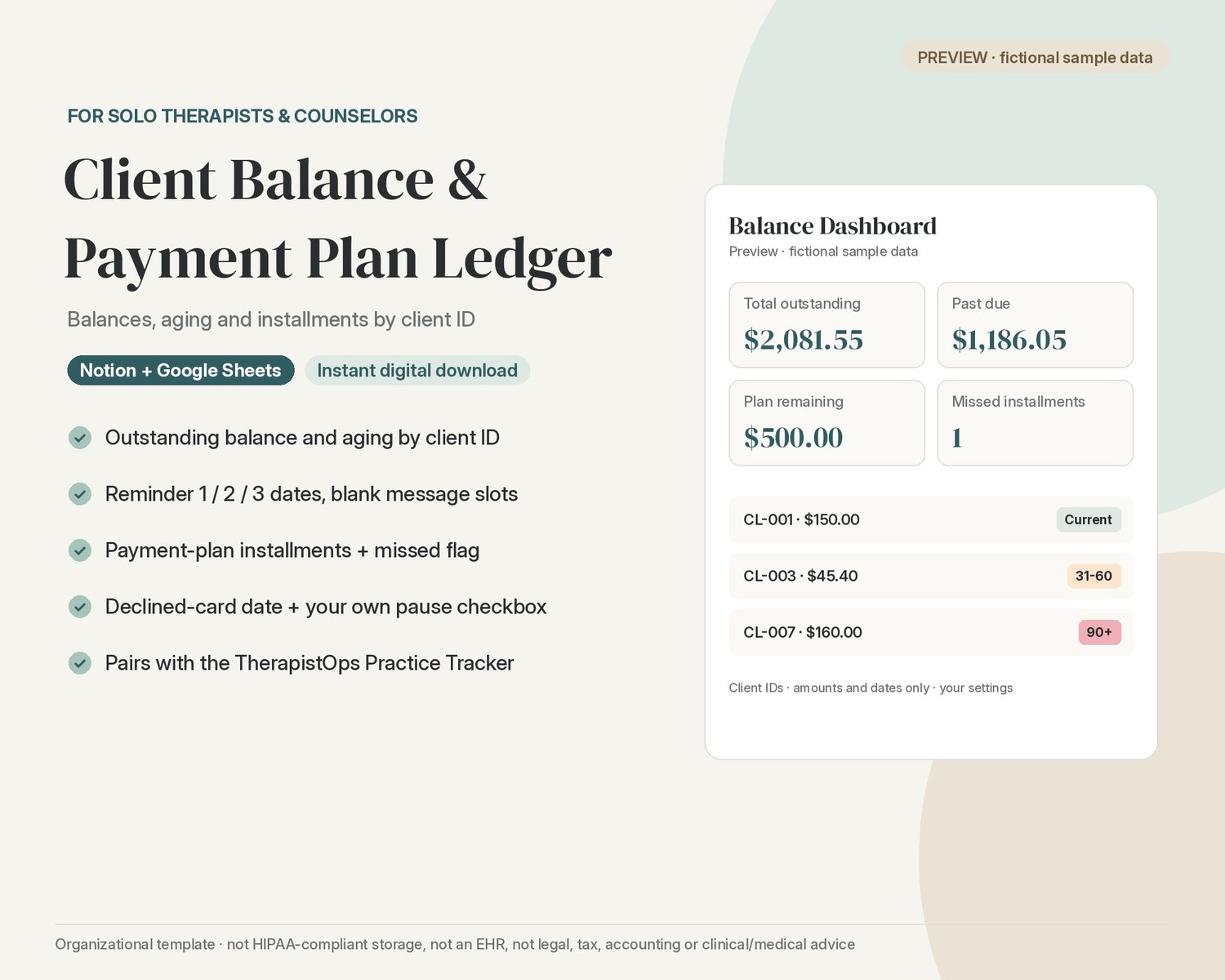
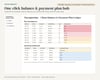
See every client's outstanding balance, how many days past due it is, and where each payment plan stands, in Notion or Google Sheets. A ledger of amounts and dates, sized for a solo practice.
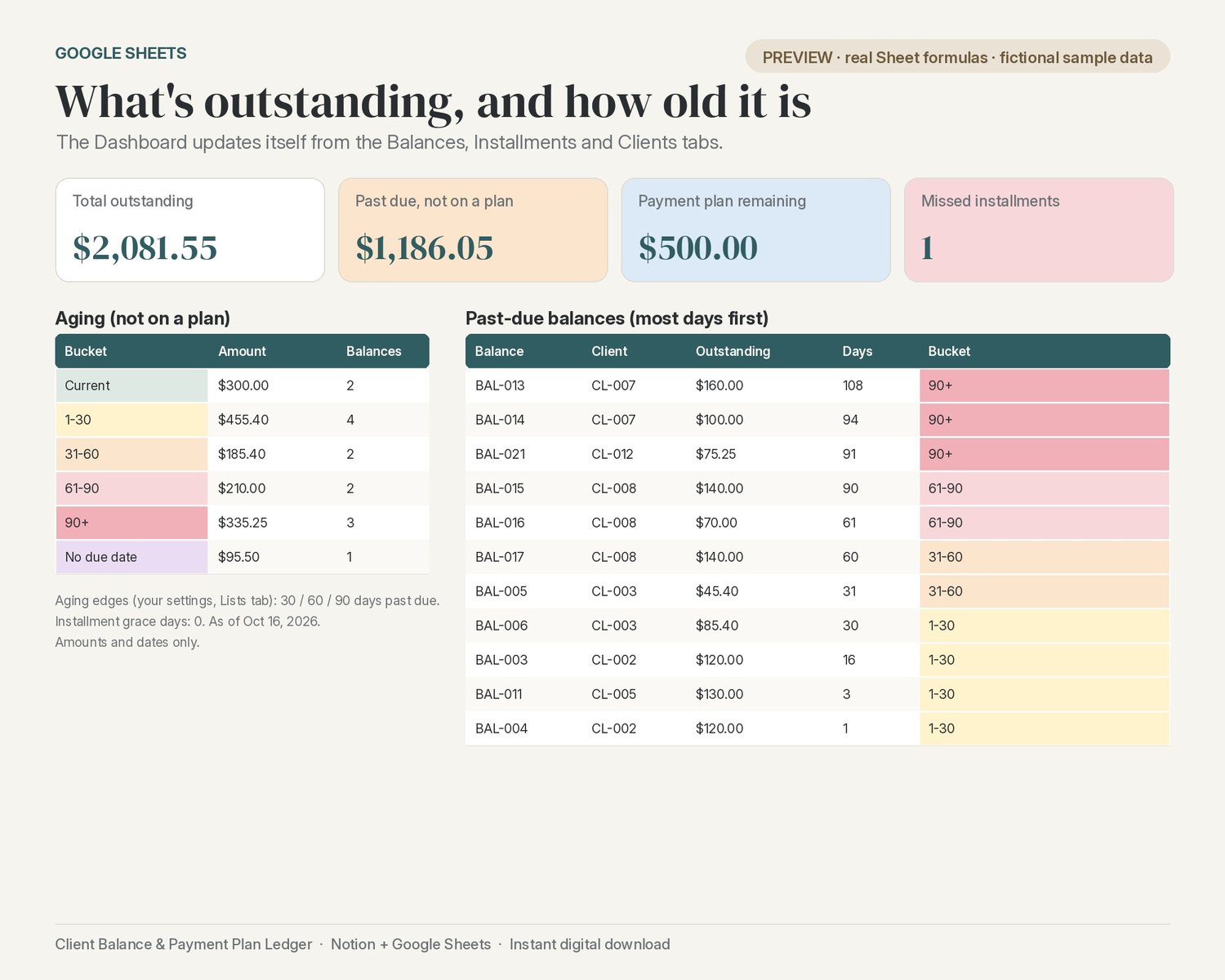
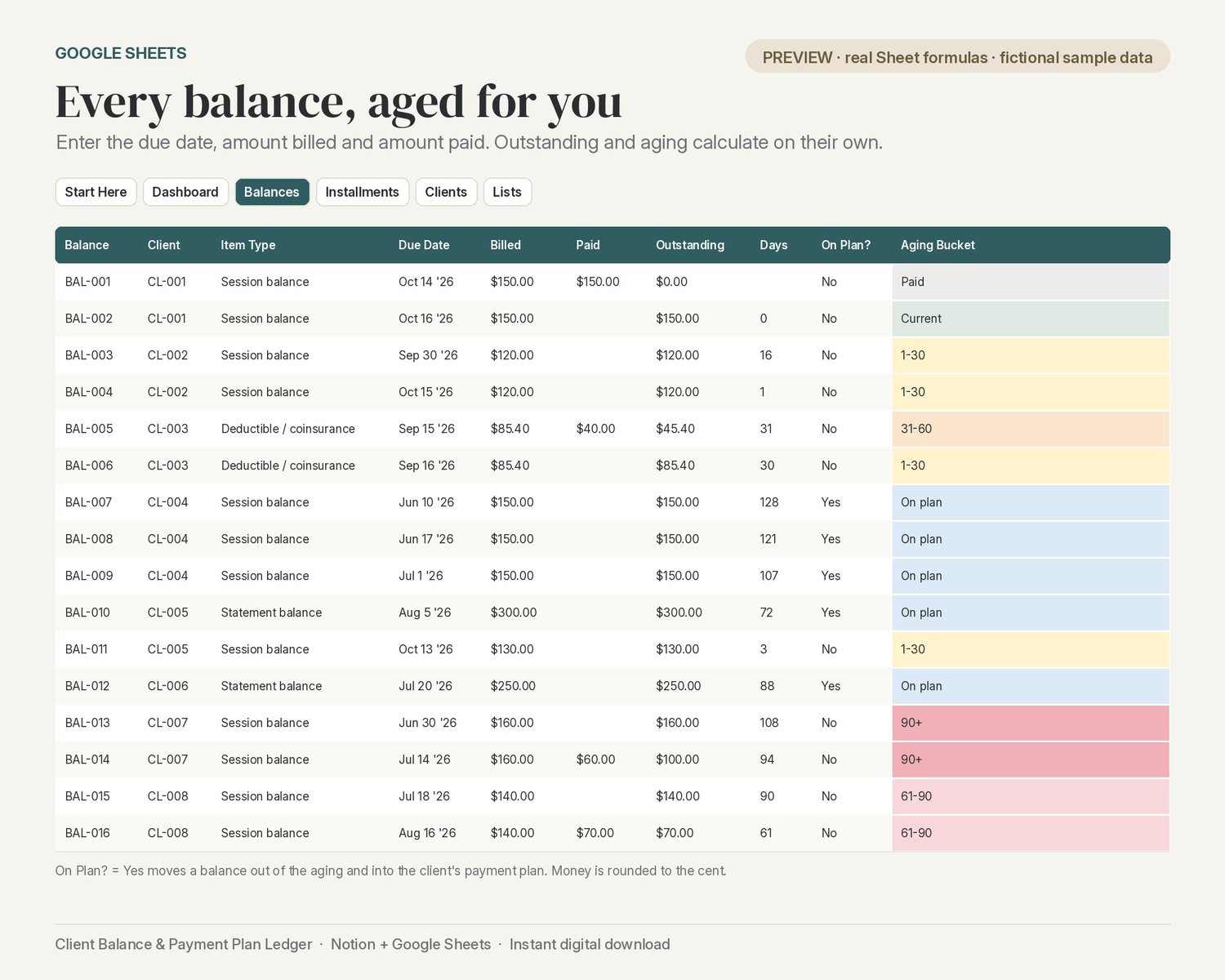
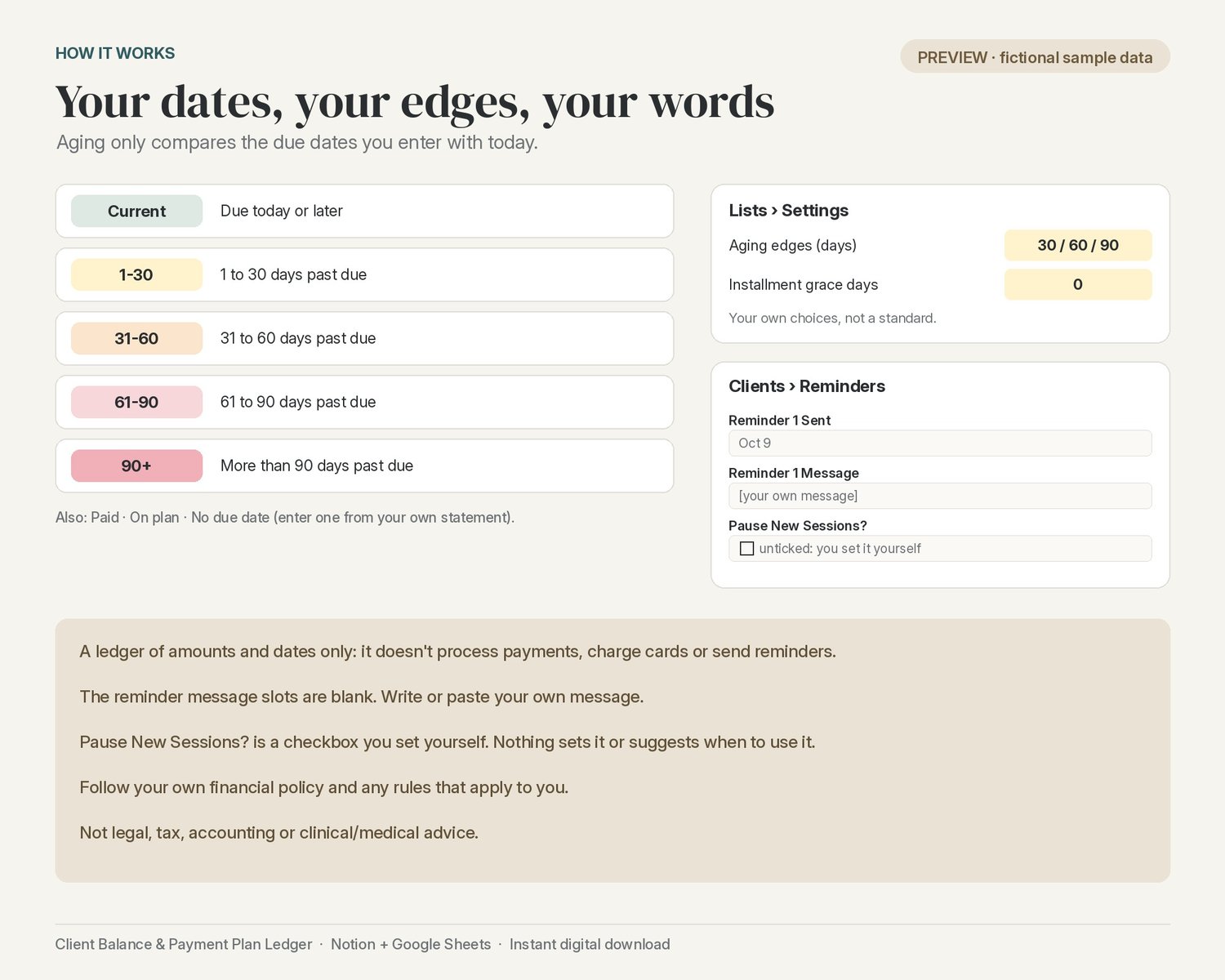
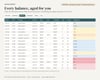
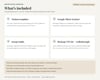
Balance and aging by client ID. One row per amount owed (session balance, deductible / coinsurance, statement balance, other) with its due date, amount billed and amount paid. Outstanding and days past due calculate on their own, and each balance lands in an aging bucket: Current, 1-30, 31-60, 61-90 or 90+ days past due. The edges are your own settings.
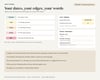
Reminder dates, your own words. Log the date you sent reminder 1, 2 and 3. Each has a blank message slot for your own wording: the template includes no sample messages.
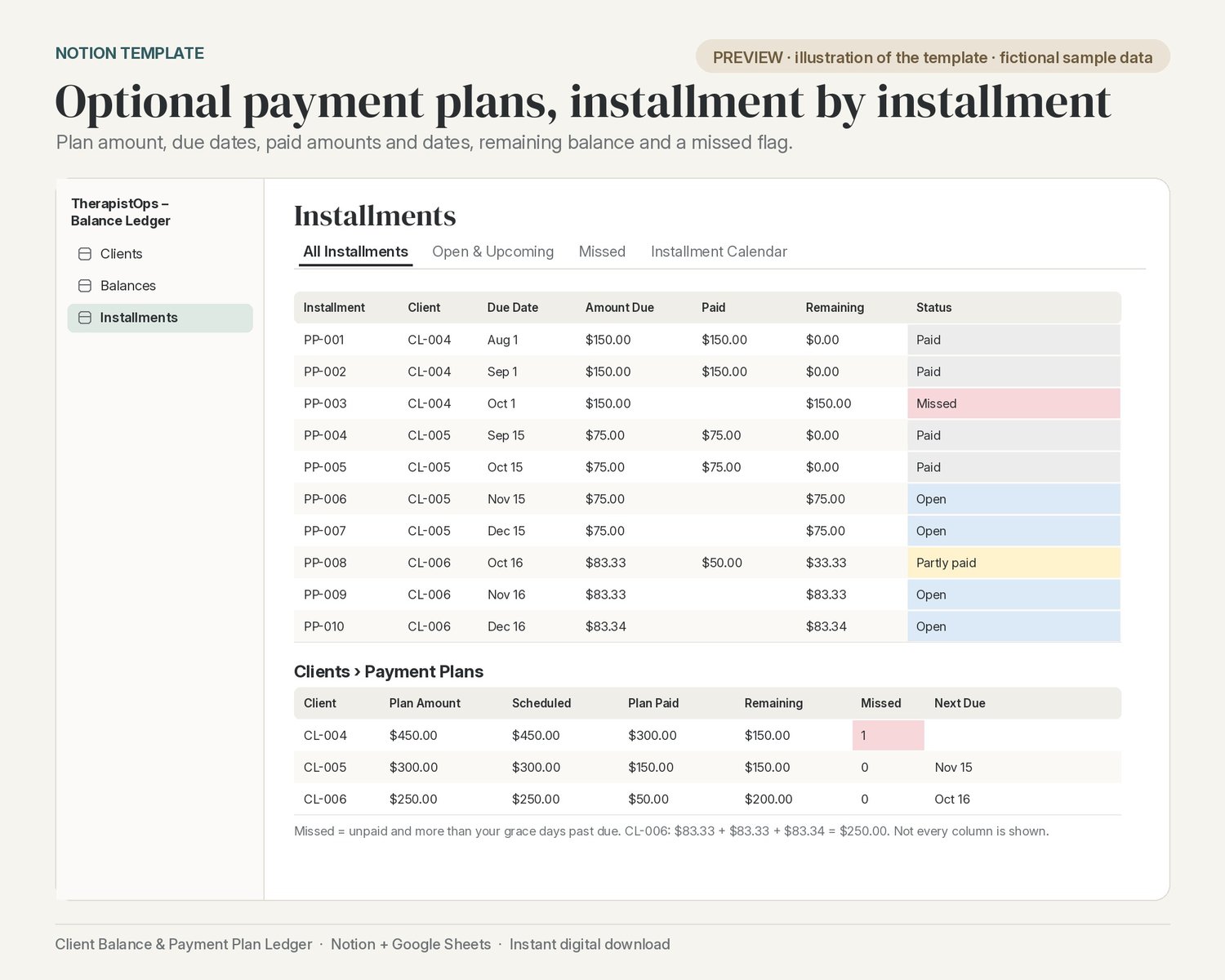
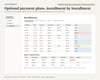
Optional payment plans. Enter the plan amount, then one row per installment with its due date, amount, paid amount and paid date. See what's paid, what remains, the next installment due, and a missed-installment flag (unpaid and past your own grace days).
Declined-card date and a Pause New Sessions? checkbox. Record the date a card was declined (a date only, never card details). Pause New Sessions? is a checkbox you set yourself; nothing in the template sets it or suggests when to use it.
Pairs with the TherapistOps Practice Tracker. Uses the same CL-001 client IDs and client Status options, so it sits beside the Practice Tracker.
Two ways to use it (both included):
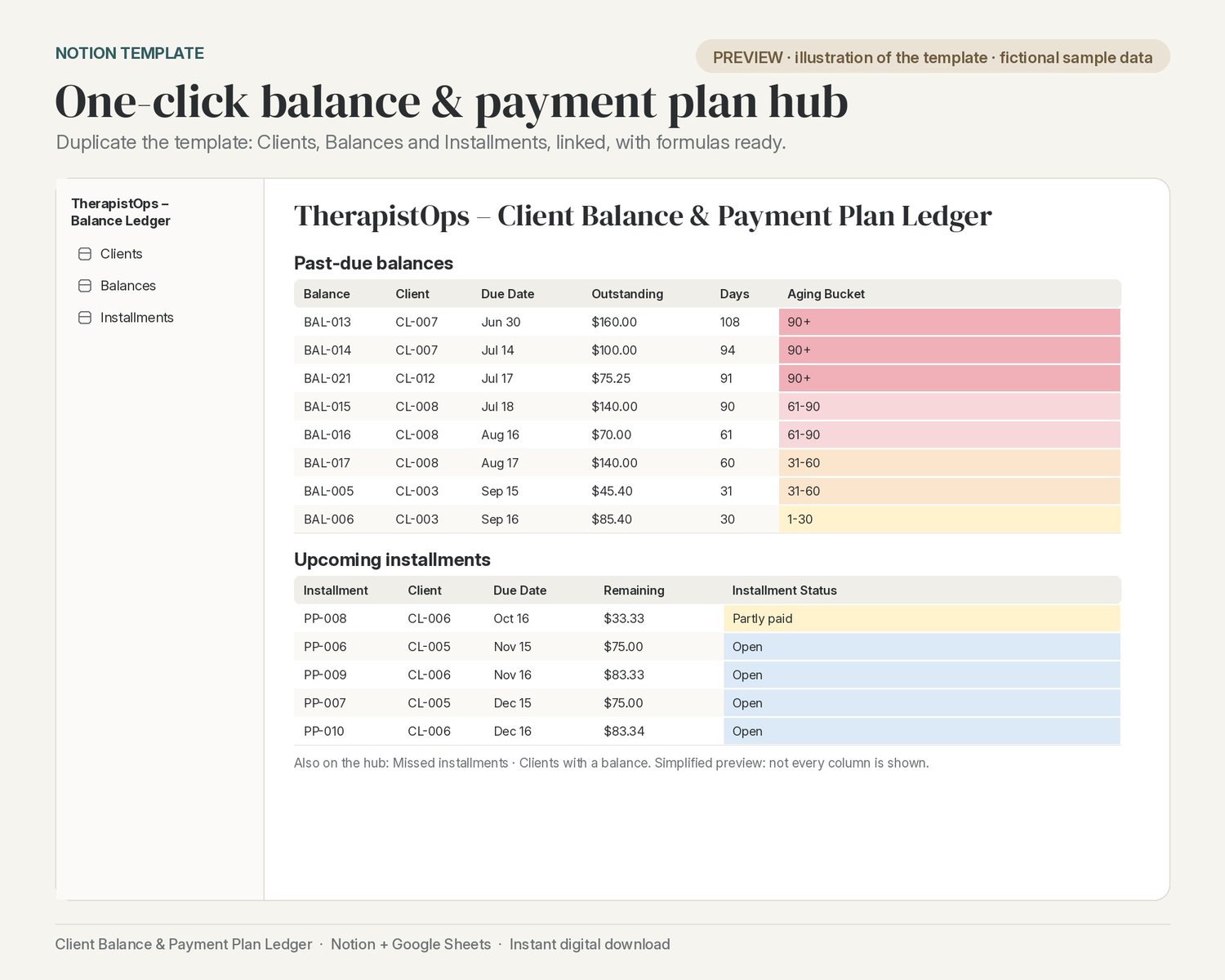
- Notion template: one click to Duplicate into your workspace. The ledger hub has 3 linked databases (Clients, Balances, Installments) with the relations, formulas and views already set up for you, including All Balances, Outstanding, Past Due, By Aging Bucket (board), On Plan, All Installments, Open & Upcoming, Missed, Installment Calendar, All Clients, With a Balance, Reminder Log, Payment Plans and Pause New Sessions, plus four linked views on the hub page.
- Google Sheet: a Start Here tab, a Dashboard with totals, an aging table, past-due balances and missed installments, and Balances, Installments, Clients and Lists tabs with dropdowns and money rounded to the cent.
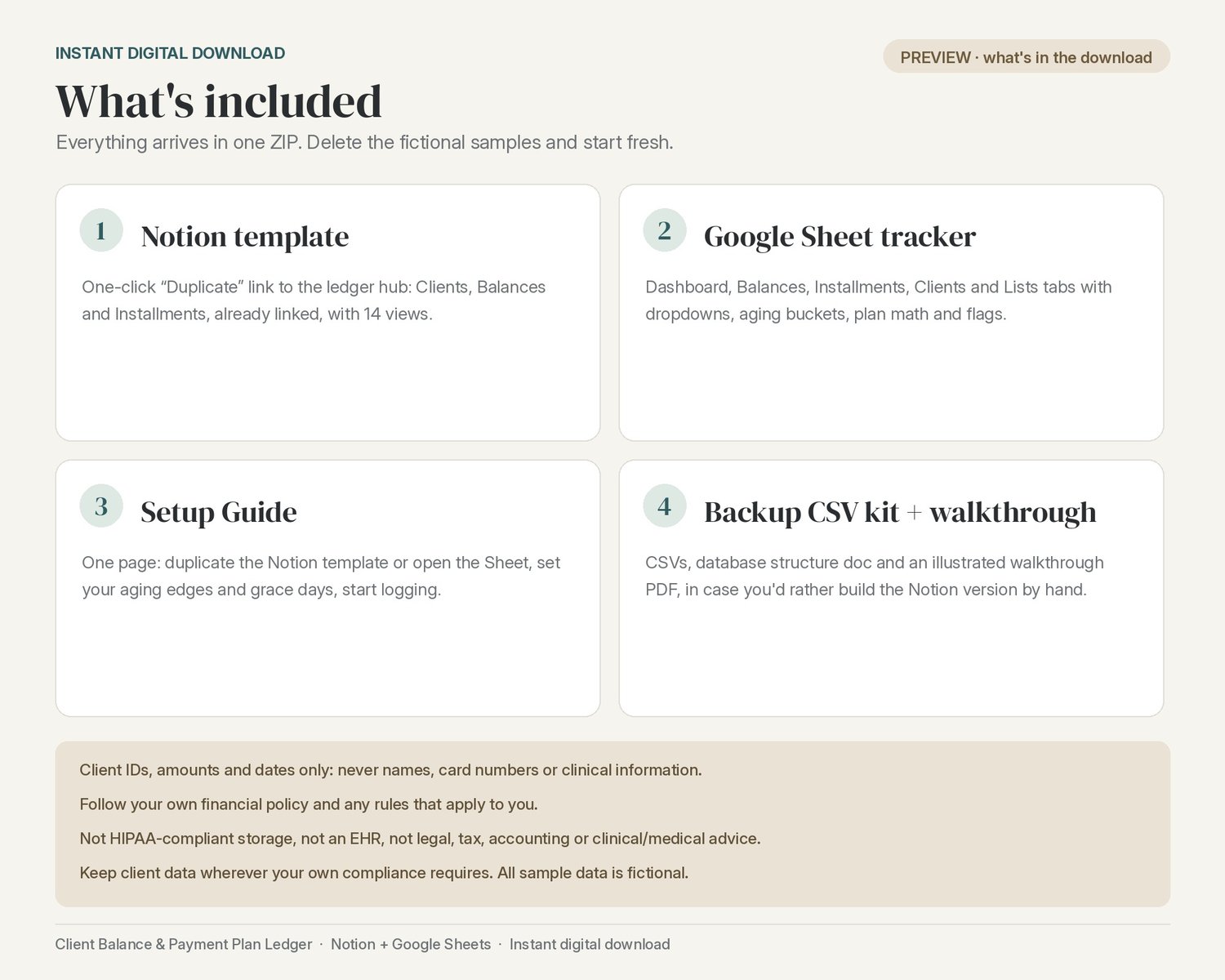
What you get (instant digital download, one ZIP):
- Google Sheet tracker (.xlsx; open it in Google Sheets)
- One-page Setup Guide (PDF + DOCX) with the Notion template link
- Notion Setup Walkthrough (illustrated PDF)
- Backup CSV kit for building the Notion version by hand: 3 CSV files and a database structure doc (relations must be linked by hand after import)
Setup time: about 2 minutes for the Notion template and about 5 minutes for Google Sheets. The optional manual Notion build from the CSV kit takes about 25 minutes.
Fictional sample client IDs (12 clients, 21 balances, 10 installments) are included so you can see how everything works; delete them when you're ready.
Please note: A ledger of amounts and dates only: it does not process payments, charge cards or send reminders, and it is not payment processing, accounting, legal or tax advice. Every amount, date and reminder is yours to enter. Follow your own financial policy and any rules that apply to you. Never enter names, contact details, card numbers or clinical information.
Fine print
Not HIPAA-compliant storage. Not an EHR. Not legal, tax, accounting or clinical/medical advice. This is an organizational template only. Keep client data wherever your own compliance requires.
Follow your own financial policy and any rules that apply to you.
Scope: A ledger of amounts and dates only: it does not process payments, charge cards or send reminders, and it is not payment processing, accounting, legal or tax advice. Every amount, date and reminder is yours to enter. Follow your own financial policy and any rules that apply to you.
Privacy: This ledger holds client IDs, amounts and dates (admin data) only, e.g. CL-004. Never enter names, contact details, card numbers, diagnoses or any clinical information. The reminder message slots are blank on purpose: write or paste your own message from your own financial policy. Pause New Sessions? is a checkbox you set yourself; nothing in the template sets it or suggests when to use it. The aging buckets and the installment grace days are adjustable settings, not a standard or rule.
All sample data is fictional.