
Renovation Budget Control System PRO | Excel Home Renovation Budget Spreadsheet (USD)
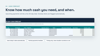
Know your real renovation cost before the final invoice does.
A home renovation budget spreadsheet in Microsoft Excel for homeowners. Track estimates, approved commitments, payments and change orders, with a live forecast, contin
Description
Renovations rarely go over budget all at once. They drift: a quote comes in higher, an upgrade gets added "while we're at it", a payment is due sooner than you planned. By the time the total is obvious, the money is already committed.
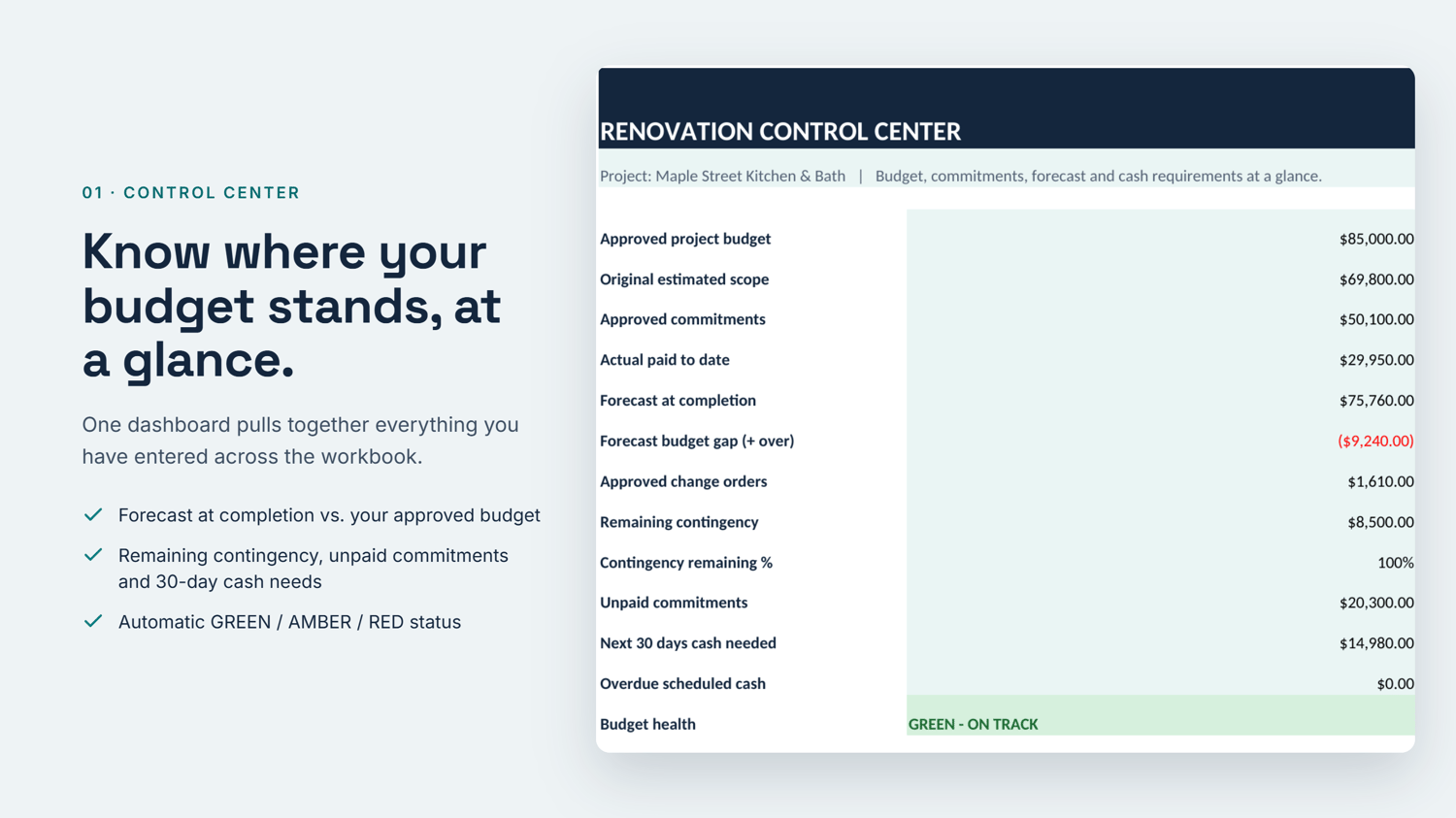
The Renovation Budget Control System PRO gives you one place to see where your project really stands. Enter your budget once, list your scope items, and log payments and changes as they happen. The Control Center does the math and tells you, in plain colors, whether you are on track.
What it helps you do
- See your forecast at completion, not just what you have spent so far.
- Protect your contingency so it stays a safety net, not an upgrade fund.
- Catch problems early with automatic GREEN / AMBER / RED status.
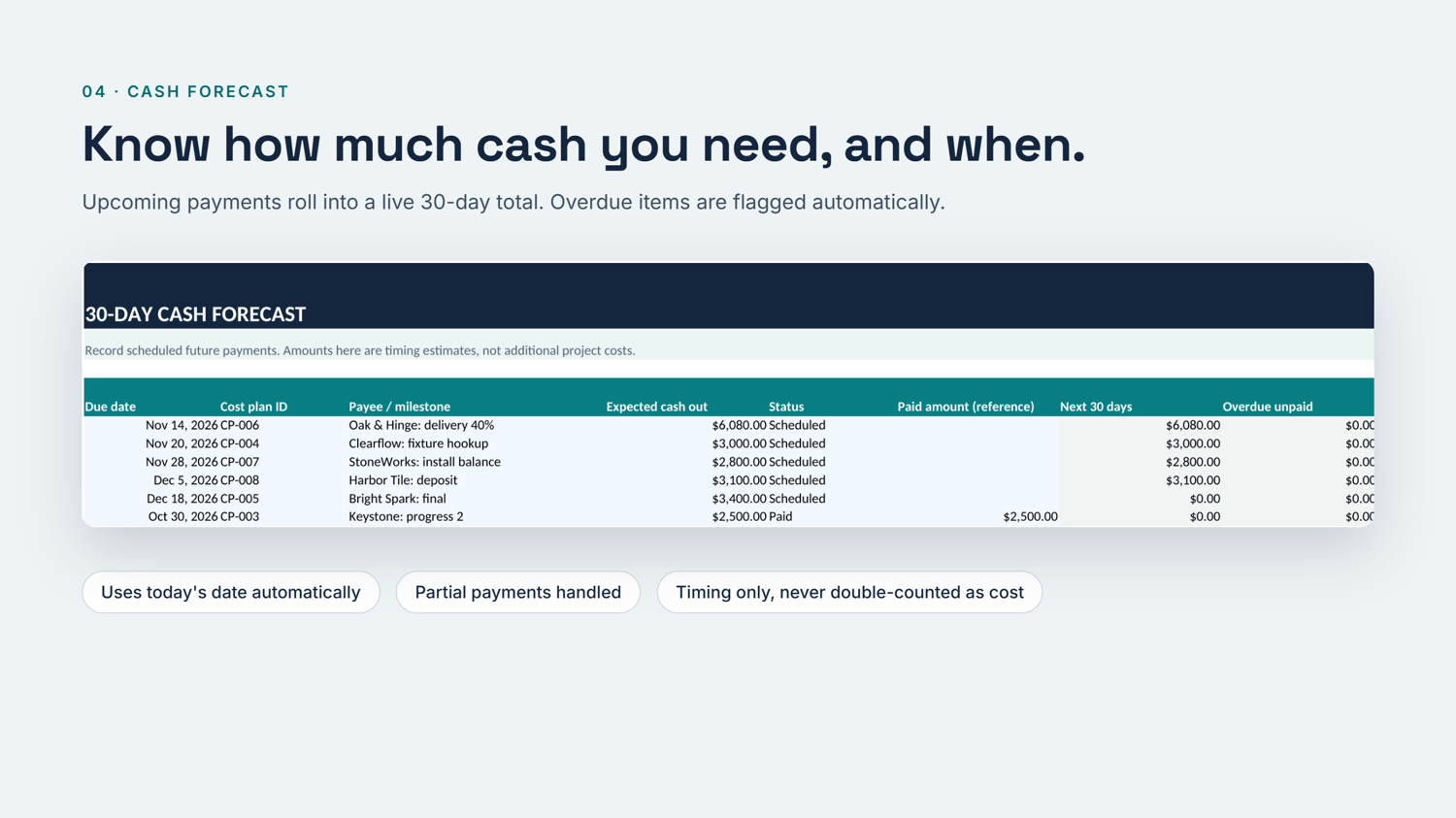
- Plan your cash with a live total of what is due in the next 30 days.
- Decide on upgrades calmly by testing them in the Decision Lab before you commit.
Features
- Control Center dashboard: budget, forecast, gap, remaining contingency, unpaid commitments, 30-day cash need and overall status.
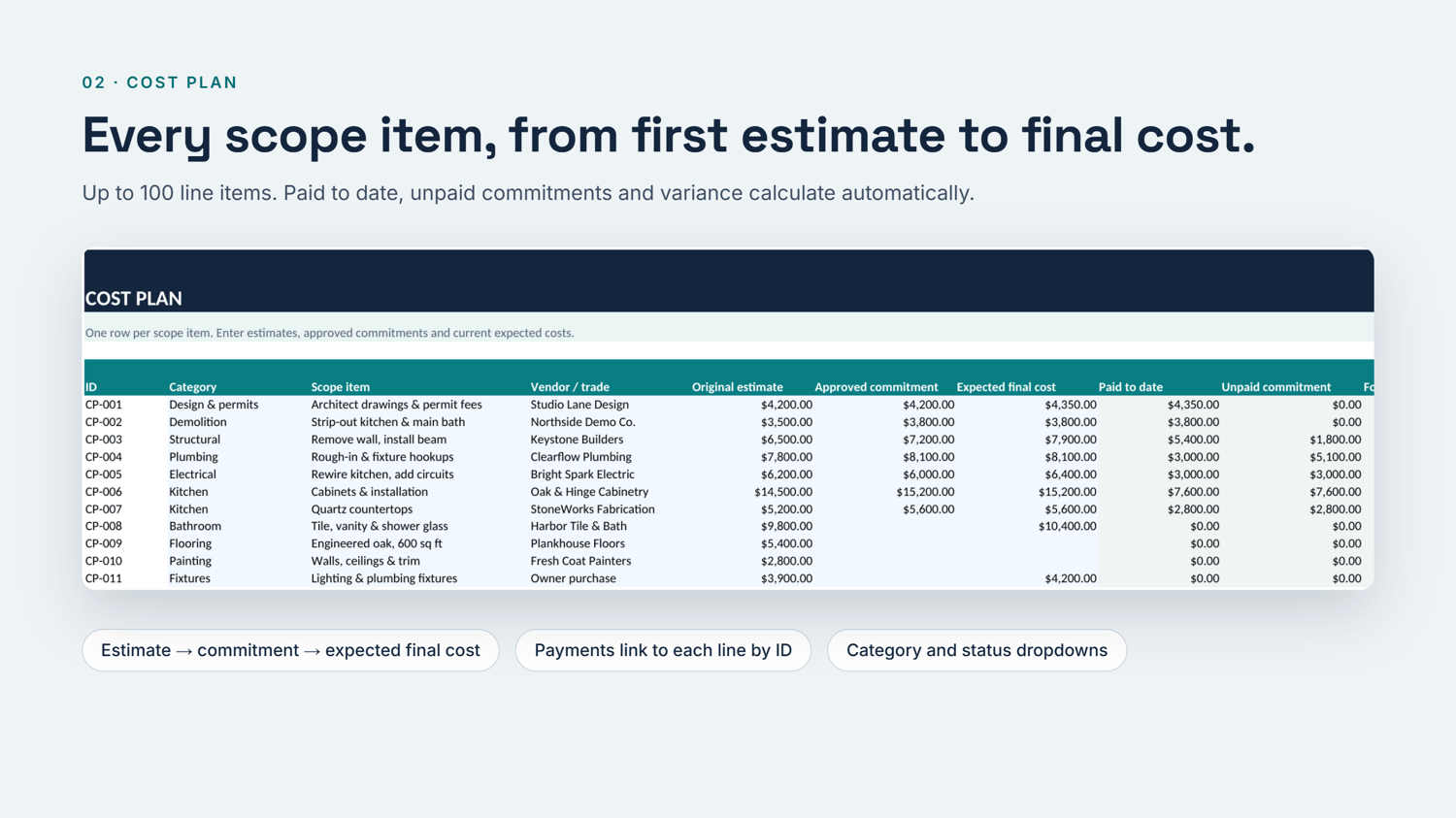
- Cost Plan: up to 100 scope items, each tracked from original estimate to approved commitment to expected final cost.
- Payment Log: up to 200 payments, linked to scope items by ID through dropdown lists.
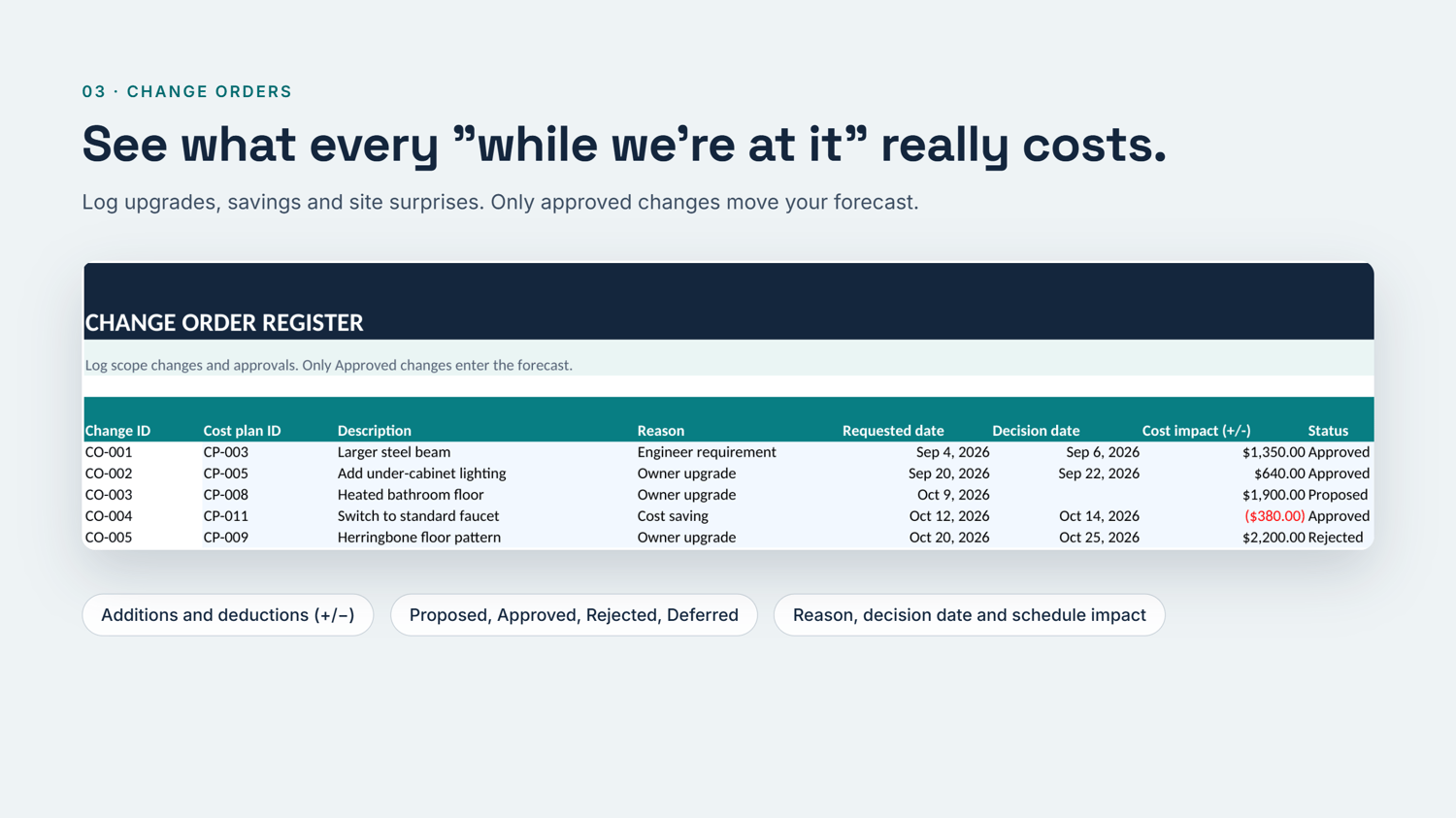
- Change Order Register: up to 80 additions or deductions. Only approved changes move the forecast.
- 30-Day Cash Forecast: upcoming payments, with overdue items flagged automatically.
- Decision Lab: test what-if scenarios without touching your real numbers.
- Built-in safeguards: a setup check, an alert for payments not linked to a cost line, and locked formula cells so nothing breaks by accident.
What's included
- Renovation_Budget_Control_System_PRO_USD.xlsx (7 tabs)
- 9-page PDF User Guide and FAQ, including how to reset the workbook for a new project
Requirements
- Microsoft Excel for Windows or Mac (desktop version).
- Not tested in Google Sheets, Apple Numbers or Excel on the web or mobile. These may open the file, but formula locking, dropdowns and tab links can behave differently.
- Amounts display in US dollars. The calculations work with any single currency.
Frequently Asked Questions
Is this a physical product? No. It is an instant digital download. Nothing is shipped.
Do I need accounting knowledge? No. You type numbers into the blue cells, and the workbook does the rest. The PDF guide explains every field.
Can I use it for more than one project? Yes. Keep a clean copy of the download and start each project from it. The guide also explains how to reset it.
Will it work for a contractor managing client jobs? It is designed for one homeowner project per file. Contractors can use it per job, but it has no client invoicing.
Is this financial or construction advice? No. It is a planning tool. Confirm costs, contracts and permits with qualified professionals where you live.
Refund policy: If the file does not open in a supported version of Excel, message us within 14 days for us to send you a working file.