
Comment Reactions (OneComme)
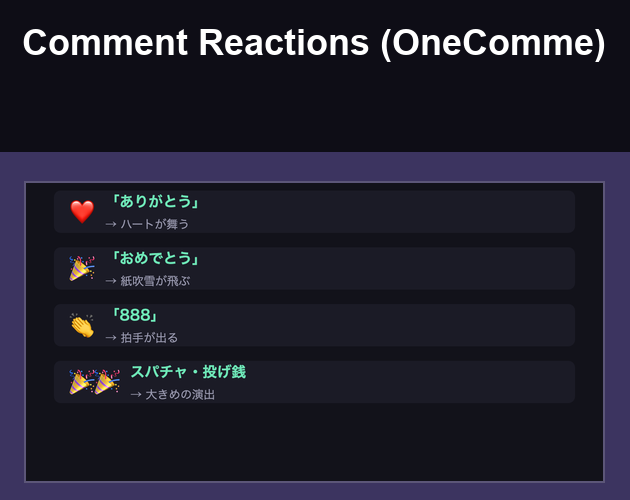
Turn chat comments into on-screen moments. When a viewer's comment contains a keyword you choose, an emoji effect flies across the screen — hearts for "thank", confetti for "congrat", and an extra-large burst for Super Chats and tips. Reads Twitch chat directly: in the OBS Browser Source, untick "Local file" and paste view.html's file:/// address into the URL box with ?twitch=YOURCHANNEL at the end (drag view.html into Chrome to copy the address; no account, no API key). Prefer OneComme (free) for YouTube / multi-platform chat? That works too. No server, no account, no monthly fee. Twitch direct connects read-only to Twitch's own chat server; used only through OneComme, it makes no internet connection of its own.
- Up to 4 fully custom keyword -> emoji rules, checked live as comments arrive
- Automatic bigger burst for Super Chats / tips
- Fall from the top or float up gently — count, size, and duration all adjustable
- Live control panel: every change applies instantly to OBS, no save button, no restart
- Preview instantly with a built-in demo mode (?demo), no live chat needed
- Emoji only — no images to load, so it stays lightweight
- OBS Browser Source, Windows / macOS, commercial use OK, free updates