
2027 Debt Payoff Spreadsheet & Budget Planner: Snowball vs Avalanche
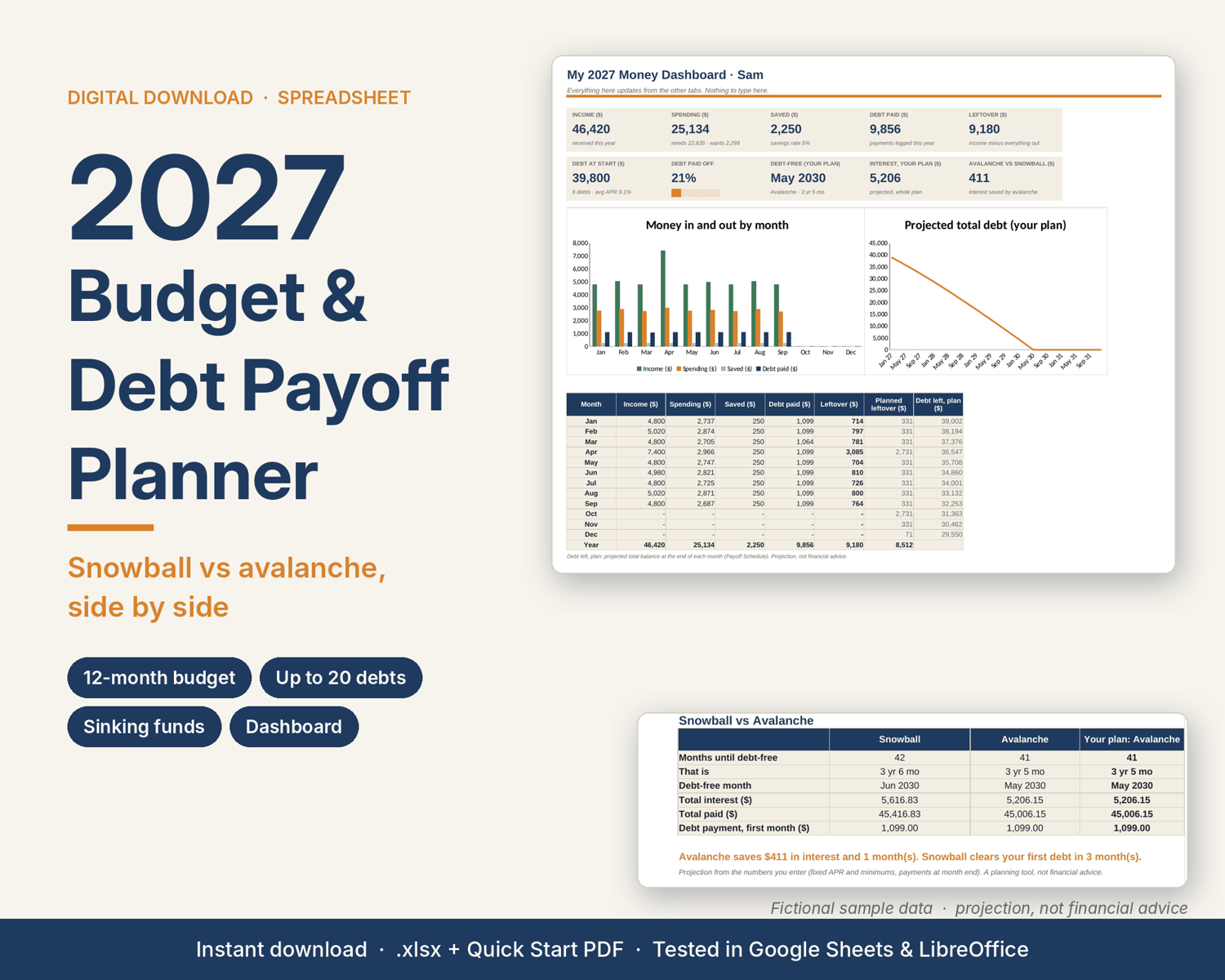
A 2027 debt payoff spreadsheet and budget planner. List up to 20 debts once and see the snowball and avalanche methods side by side: months until debt-free, total interest, and the payoff month for every debt. A 12-month budget (plan vs actual), sinking funds and a dashboard are in the same file. Standard .xlsx file, tested in Google Sheets and LibreOffice Calc (more under Works in). Made with an AI tool and tested by us on sample data (details below). Educational tool, not financial advice.
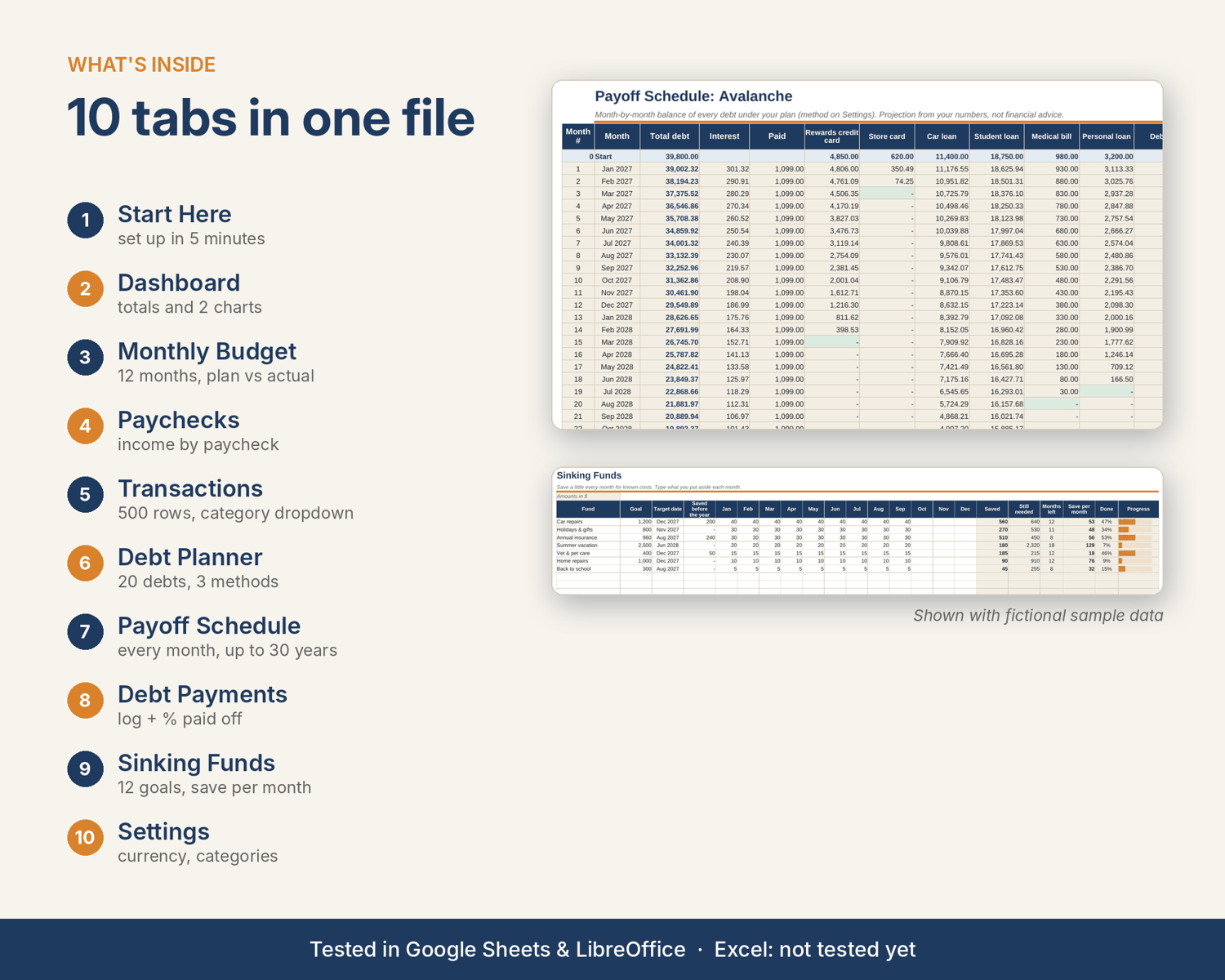
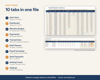
WHAT'S INSIDE: ONE SPREADSHEET, 10 TABS
- Start Here: 5 setup steps and the snowball, avalanche and custom methods in plain words
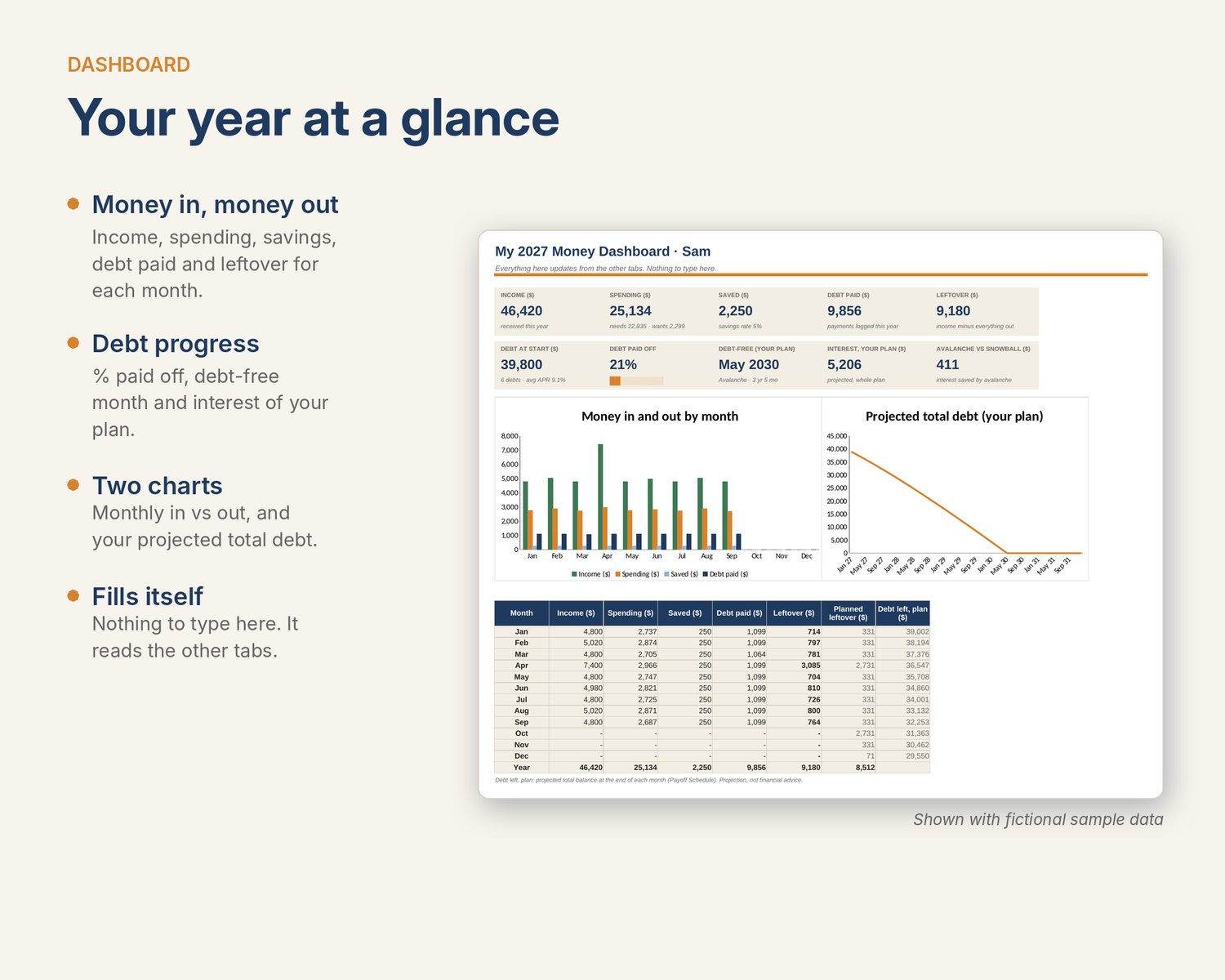
- Dashboard: 10 totals for the year (income, spending split into needs and wants, savings and savings rate, debt paid, leftover, debt at start, % paid off, projected debt-free month, projected interest, interest difference between the two methods), a month-by-month table and 2 charts
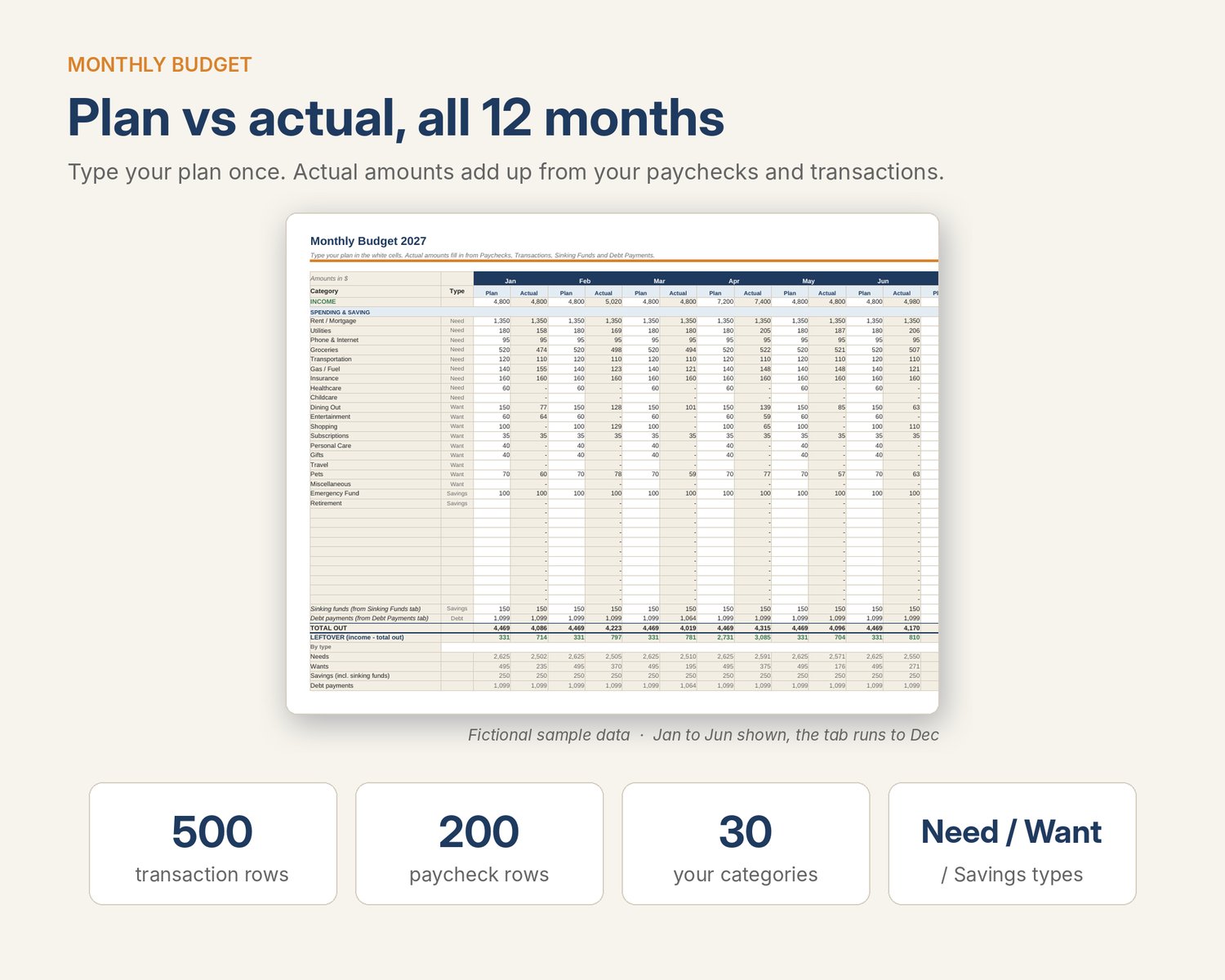
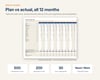
- Monthly Budget: plan vs actual for all 12 months. Income comes from your paychecks, spending from your transactions. 30 category slots (20 ready-made, rename or add your own), each marked Need, Want or Savings
- Paychecks: 200 rows (date, source, type, amount)
- Transactions: 500 rows with a category dropdown. Refunds are entered as a minus
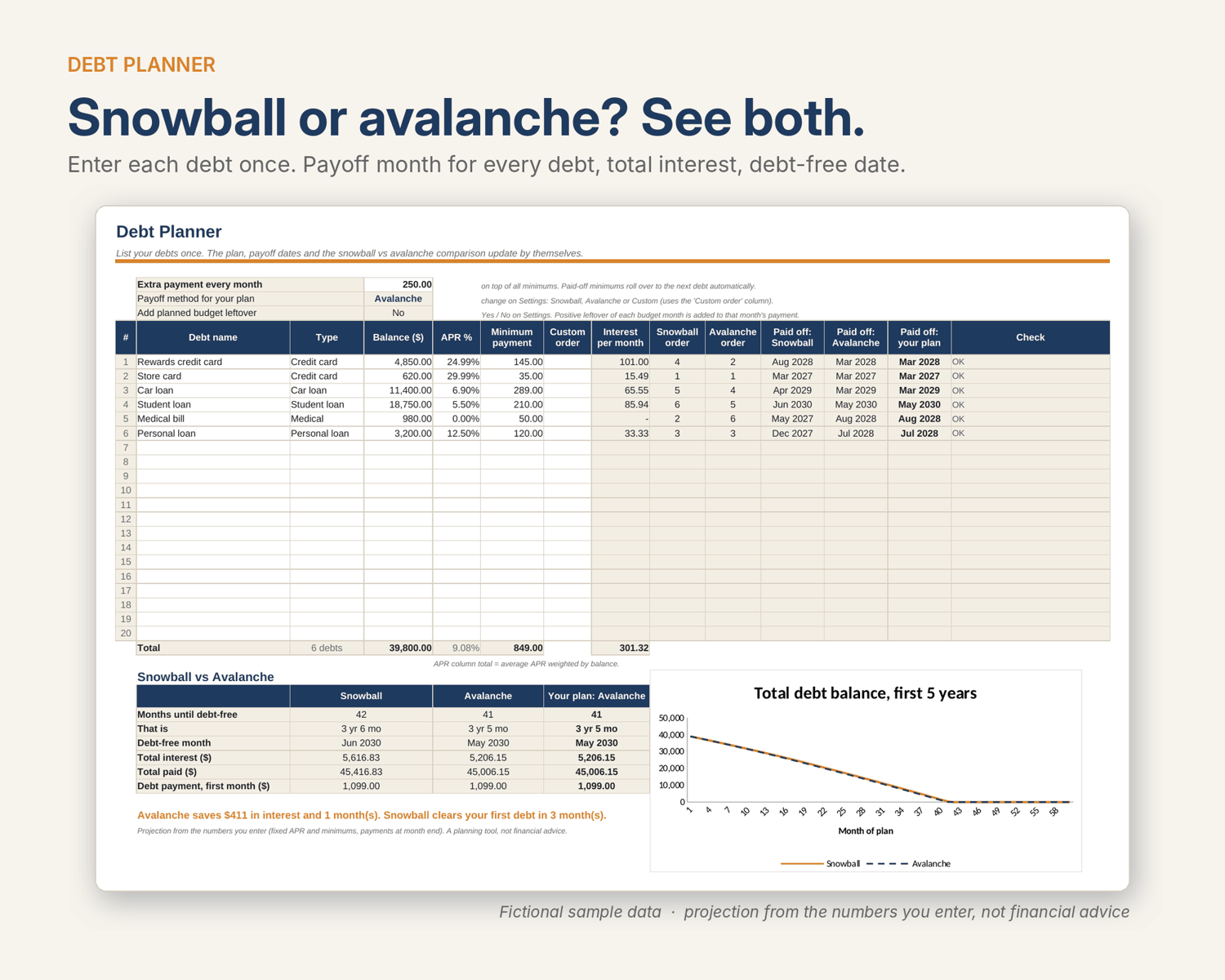
- Debt Planner: up to 20 debts (balance, APR, minimum payment). Snowball, avalanche and your own custom order are calculated side by side, with the payoff month of each debt under each method. A warning shows if a minimum payment does not cover the monthly interest
- Payoff Schedule: the balance of every debt, month by month, for up to 30 years. When a debt is paid off, its minimum payment rolls over to the next debt automatically
- Debt Payments: a 300-row log of what you actually paid, with % paid off for each debt
- Sinking Funds: 12 savings goals with target date, how much to set aside each month and a progress bar
- Settings: your name, currency symbol, budget year, plan start month, payoff method, and an option to add your planned budget leftover to your debt payments
YOU GET
- Budget-Debt-Planner-2027.xlsx
- Quick Start PDF (the first 5 minutes)
You get a download link right after purchase. Nothing will be shipped.
WORKS IN
- Google Sheets (free): upload the .xlsx to Google Drive and open it with Google Sheets, then File > Save as Google Sheets.
- LibreOffice Calc (free): press Ctrl+Shift+F9 once after opening to recalculate.
- Microsoft Excel: it is a standard .xlsx file with classic formulas only, but we have not tested it in Excel yet.
Tested in Google Sheets and LibreOffice Calc. Not tested yet in Microsoft Excel or Apple Numbers.
ABOUT THE NUMBERS
The payoff plan is a projection from the numbers you enter. It assumes fixed APRs and minimum payments, with payments at month end. Real balances change with new charges, rate changes and fees, so update your balances from your statements from time to time. This is an educational planning tool, not financial advice. Results depend on your inputs.
GOOD TO KNOW
- Formula cells are locked in the file without a password, so you can't break them by accident. Google Sheets may not keep this lock after upload. White cells are for your input.
- Fictional example rows (3 debts, 2 paychecks, 4 transactions, 2 funds) show how it works. Clear them before you start.
- Any currency: set your currency symbol on the Settings tab.
- English only.
- Personal use only. Please don't resell or share the file.
HOW IT WAS MADE
Made by our small studio with an AI tool: the layout, formulas, tab instructions and the Quick Start guide were created with AI, then tested by us on sample data before release. We recalculated the file in LibreOffice, compared the payoff results with a separate month-by-month calculation on 5 sample scenarios (from 3 to 20 debts), and opened and tested it in Google Sheets. It has not been tested in Microsoft Excel yet. Product images are screenshots of the spreadsheet with fictional sample data.
FAQ
Do I need to buy Excel?
No. Free Google Sheets works. Upload the file to Google Drive and open it with Google Sheets.
Snowball or avalanche: which one should I use?
The spreadsheet shows both for your own debts, so you can compare months and interest and pick. Snowball pays the smallest balance first. Avalanche pays the highest APR first. Custom lets you set your own order.
Is this financial advice?
No. It is an educational planning tool that calculates a projection from the numbers you enter.
Can I use it on my phone?
We have tested it on a computer only. Setup and planning work best on a computer.
Is it a printable?
No. It is a spreadsheet that does the math for you.
I start in March, not January. Does that work?
Yes. Set the plan start month on the Settings tab.
Something doesn't work or looks wrong?
Reply to your receipt email with a screenshot and we'll help you fix it.