
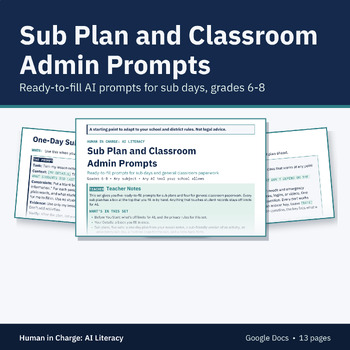
AI Sub Plan Prompts and Classroom Admin Prompts, Any Subject, Middle School
Ready-to-fill AI prompts for sub days and general classroom paperwork
A sub plan has to be ready the night before, and an emergency plan has to be ready before you need it. This set gives you five ready-to-fill prompts for sub plans and four for general classroom paperwork. Every sub plan has a box at the top that you fill in by hand with what the sub needs to know about students. Anything that touches student records stays off limits for AI.
What's Included
• Teacher notes: how to use the set and the ground rules
• Before You Start: a clear list of what stays off limits for AI (student names and seating charts, medical and allergy information, IEP or 504 details, custody notes, crisis or emergency plans for one student, discipline or incident reports, and progress notes about one student), plus the privacy rules for this set
• Your Details: a block you fill in once, then paste into any prompt
• Sub plans, five sets: a one-day sub plan from your lesson notes, a sub-friendly version of an activity, an emergency sub day to keep on file, a classroom routines page for the sub, and a note-back form the sub fills in at the end of the day
• Classroom admin, four sets for general items only: a class newsletter, a supply list, a meeting agenda, and a room procedures page
• Each set has a ready-to-fill prompt, a filled-in example, and a You Still Check list
• Terms of use page
• Made for Google Drive: you get your own editable copy of the Google Doc.
How Teachers Use It
• Add the set to your Google Drive and fill in Your Details once.
• Build an emergency sub day and a routines page early, and keep them on file.
• When you'll be out, turn your lesson notes into a one-day plan.
• Fill in the "Add by hand" box yourself, on paper or in your school's systems.
• Do every step of You Still Check, and share the plan the way your school says.
Why It Works
• Only your own lesson notes and materials go into the prompts, never student information.
• Student needs are added by hand, so they never pass through AI.
• The sub's filled note-back form stays on paper or in your school's systems.
• Each set ends with a check you do yourself. Asking AI again does not count as a check.
Pairs Well With
• Classroom AI Policy Kit: the three statuses and the AI Use Note, set as the AI policy for your class.
• AI Use Note Slips (free): short slips students turn in to show how they used AI, or that they didn't.
Good to Know
• This set is a starting point to adapt to your school and district rules. It is not legal advice.
• The admin prompts are for general classroom items only. Nothing here is for a meeting or a message about one student.
• One license covers one teacher. Each additional teacher needs their own license.
• You may give copies of the sub plans you make to the substitutes who cover your class.
• Made for Google Drive: after checkout, open the link in your download and click Make a copy to get your own editable version. You need a Google account.
• Format: Google Docs.
• 13 pages in Google Docs.
• Grades 6-8, any subject.
About Us
We're a husband-and-wife team: a former elementary and middle school English teacher and structured literacy coach with a master's in instructional design, and a pilot.
The Human in Charge Team