
Project Info Filler for Revit – Batch Parameter Importer (Free pyRevit Tool)
On Sale
$0.00
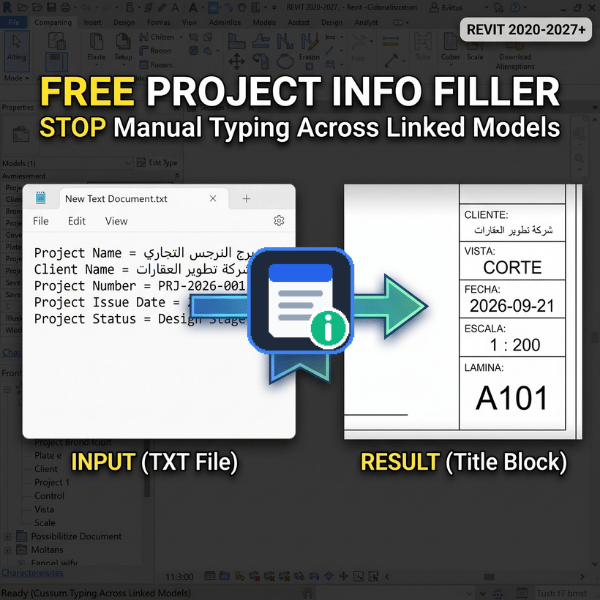
Setting up project details (Client Name, Project Number, Issue Date, Address, etc.) across multiple disciplines (Architecture, Structure, and MEP) is repetitive and prone to typos. Project Info Filler automates this entire process in a single click.
Simply create a lightweight text or CSV file with your project details, click the button in Revit, and watch all parameters update instantly on your title blocks!
Key Features:
- One-Click Batch Fill: Automatically updates Project Name, Number, Client, Date, Status, and Address in seconds.
- Universal Parameter Discovery: Dynamically detects parameters regardless of your Revit UI language (English, Spanish, French, German, etc.) and supports custom shared parameters.
- Universal Encoding (UTF-8 and Arabic Safe): Full support for international characters, Arabic text, and UTF-8 BOM without crashes.
- Flexible Delimiters: Works with common formats (Key = Value, Key: Value, or comma-separated).
- Safe and Non-Destructive: Skips read-only parameters gracefully, handles pinned elements safely, and groups updates into a single undoable transaction.
- 100% Free and Open: Lightweight pyRevit pushbutton ready for your toolbar.
What is Included:
- ProjectInfoFiller_Free.pushbutton.zip containing:
- script.py (Clean, universal Revit API code)
- bundle.yaml (Toolbar metadata)
- icon.png (High-resolution custom ribbon icon)
Compatibility:
- Autodesk Revit: 2020, 2021, 2022, 2023, 2024, 2025, 2026, 2027+
- Environment: pyRevit (Supports both IronPython 2.7 and CPython 3 engines)
How to Install:
- Extract the downloaded ProjectInfoFiller_Free.pushbutton folder.
- Place it inside any of your existing .extension panel folders (e.g., YourName.extension\YourTab.tab\Model.panel).
- Reload pyRevit (or hold Shift and click Reload).
- Run the tool and select your text file!