
Timeblock OS - Notion template
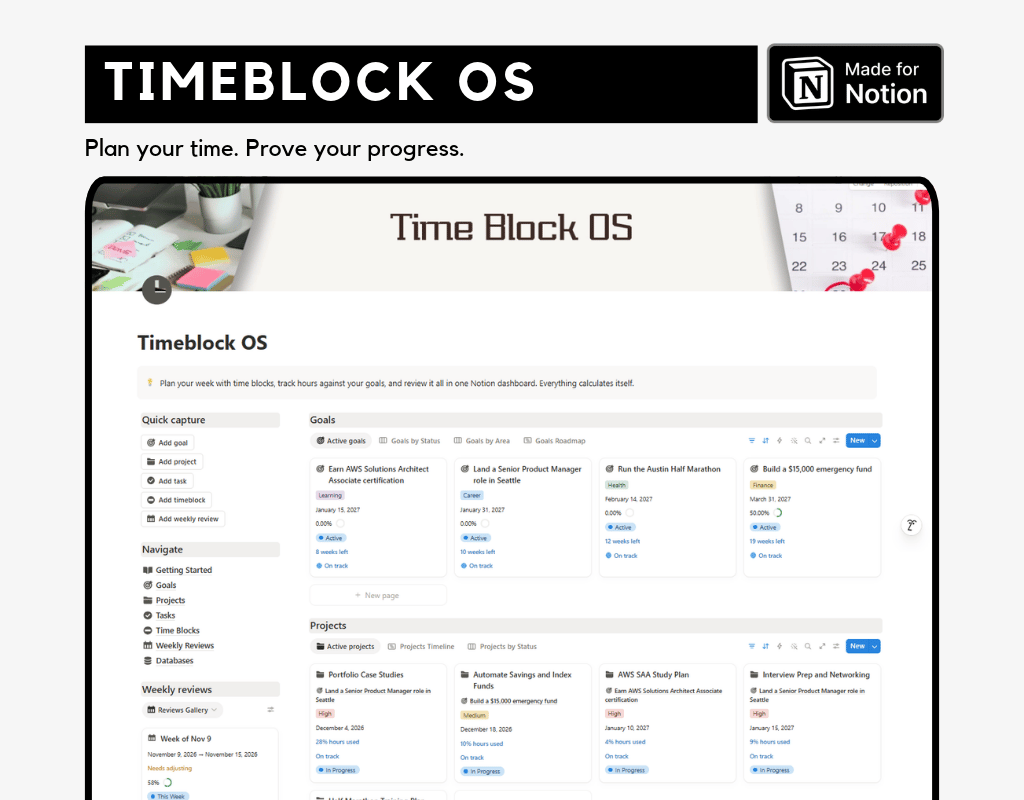
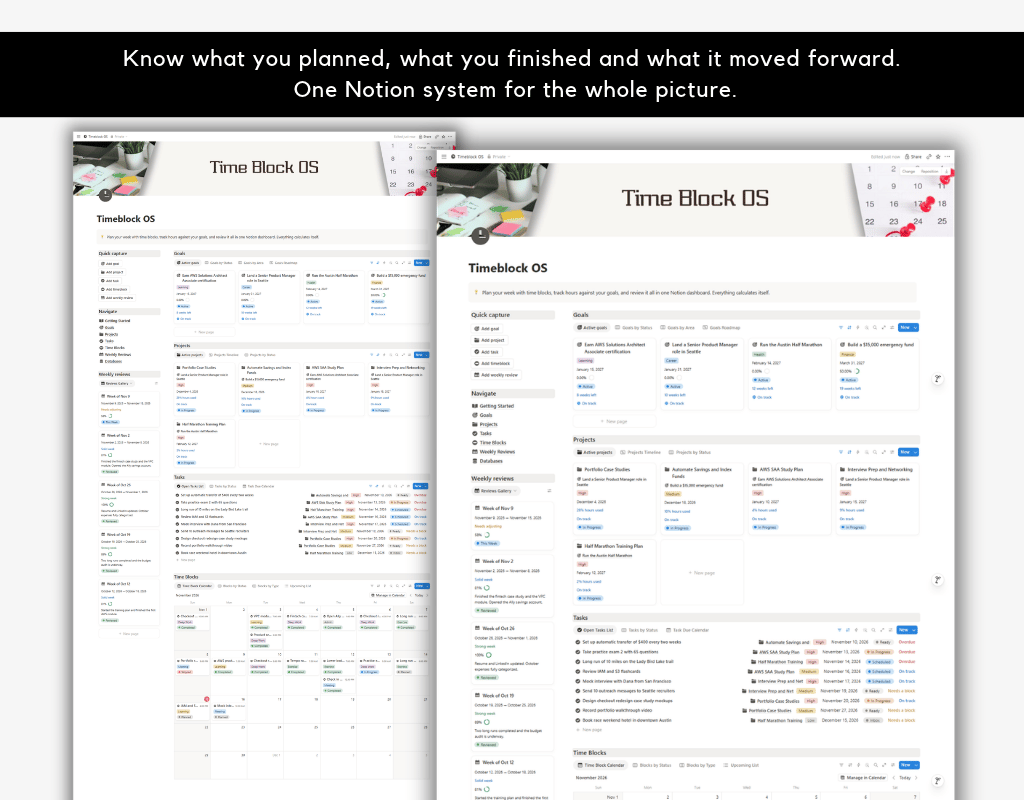
Most planners show you what you plan to do. Timeblock OS shows you what actually happened, and what it means for the goals you care about.
Every hour you schedule and complete rolls up from your calendar to your tasks, projects, goals and weekly reviews automatically. You never add up totals by hand, and you always know whether your time matches your priorities.
WHO IT IS FOR
- Professionals juggling a career, side projects and personal goals
- Students planning study time against exams and certifications
- Freelancers and creators who want to see where their hours really go
- Anyone who has tried time blocking and wants it connected to a bigger plan
HOW IT WORKS
Plan top down and track bottom up.
- Set your Goals.
- Break each goal into Projects.
- Break each project into Tasks.
- Place tasks on your calendar as Time Blocks.
- Review each week and adjust.
WHAT IS INSIDE
Five connected databases
- Goals: outcomes with an area, target date and weekly hour target. See project progress, hours scheduled and completed, weeks left and a goal health label.
- Projects: finite pieces of work with estimated hours. See progress from tasks done, hours used against your estimate, and a project health label.
- Tasks: single actions with estimates, priority and energy type. See hours scheduled and completed, estimate used, and a task health label that flags overdue tasks and tasks that still need a time block.
- Time Blocks: your calendar of planned work with start and end times. Duration, completed hours and project are calculated for you. Rate your focus after each block.
- Weekly Reviews: one page per week that totals planned hours, completed hours, completion rate, target hit and average focus, with a short verdict. Add your wins, lessons and next week focus.
Getting Started guide
A beginner friendly walkthrough with a relationship map, how each database works, how relations and rollups flow, a weekly workflow and tips for best use.
GOOD TO KNOW
- This is a digital product. No physical item will be shipped.
- A free Notion account is all you need. Duplicating a template works on any Notion plan.
- Because this is a digital download, refunds are generally not available, but message me if something is not working and I will help.
- For personal use. Please do not resell or redistribute the template.
FREQUENTLY ASKED QUESTIONS
Does it sync with Google Calendar?
No. Timeblock OS uses Notion’s own calendar views. You can use Notion Calendar alongside it if you want to see your blocks next to other events.
Do I need to know Notion well?
No. The Getting Started guide explains everything, and the sample data shows how each piece connects.
Can I change the categories, statuses and areas?
Yes. Everything is editable, and you can add your own options and properties.
Will it work on mobile?
Yes, it works in the Notion mobile app, although the dashboard and larger views are easiest to use on a bigger screen.