


Small Business Payroll & Employee Cost Tracker
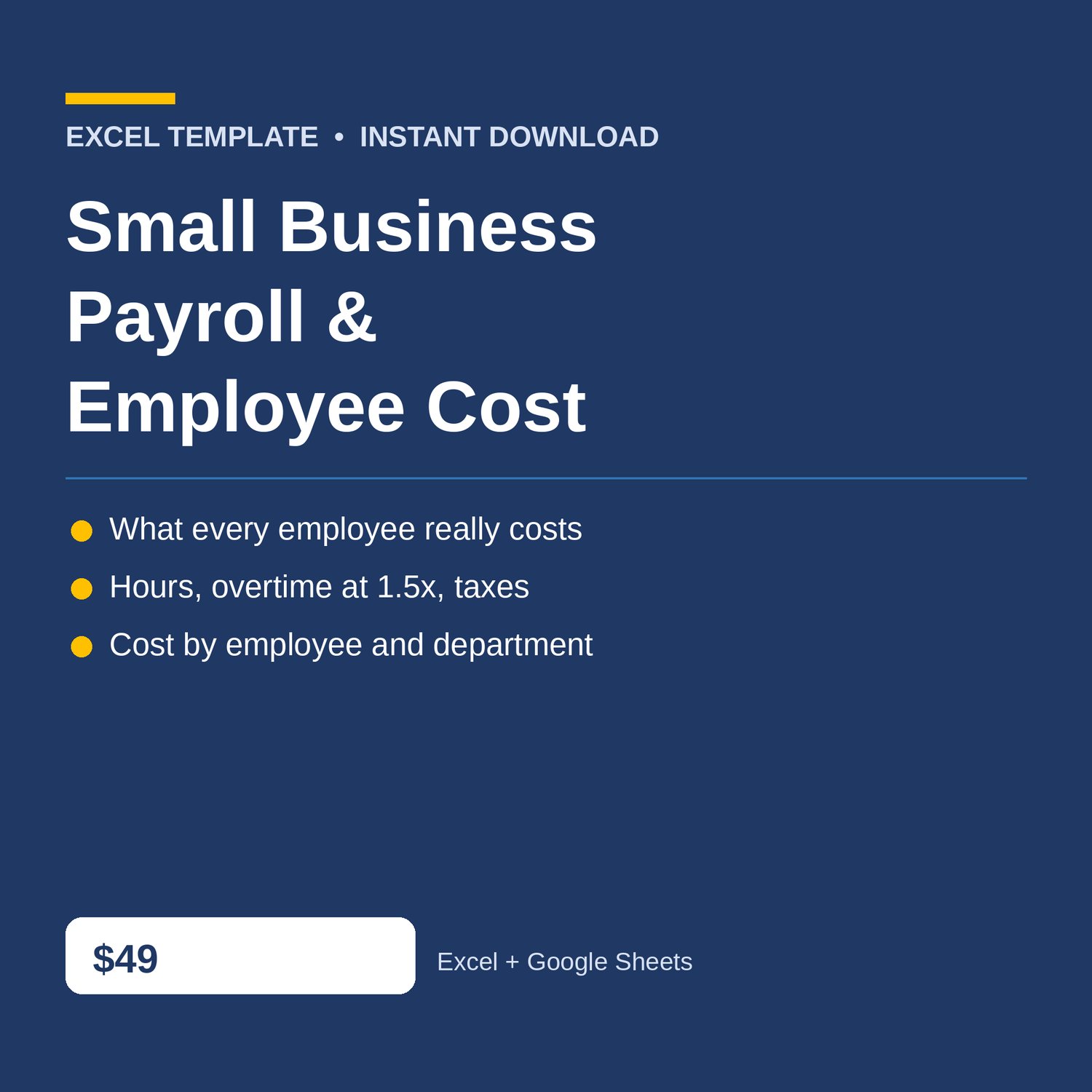
Small Business Payroll Tracker Excel with employee cost, overtime pay, payroll taxes and benefits, and a dashboard. Know what every employee really costs — not just their paycheck, but the taxes and benefits on top of it.
Built for small business owners who run payroll themselves and want to see the true monthly cost per employee and per department, without accounting software. Log hours once, and the workbook does the rest.
WHAT'S INCLUDED (6 sheets):
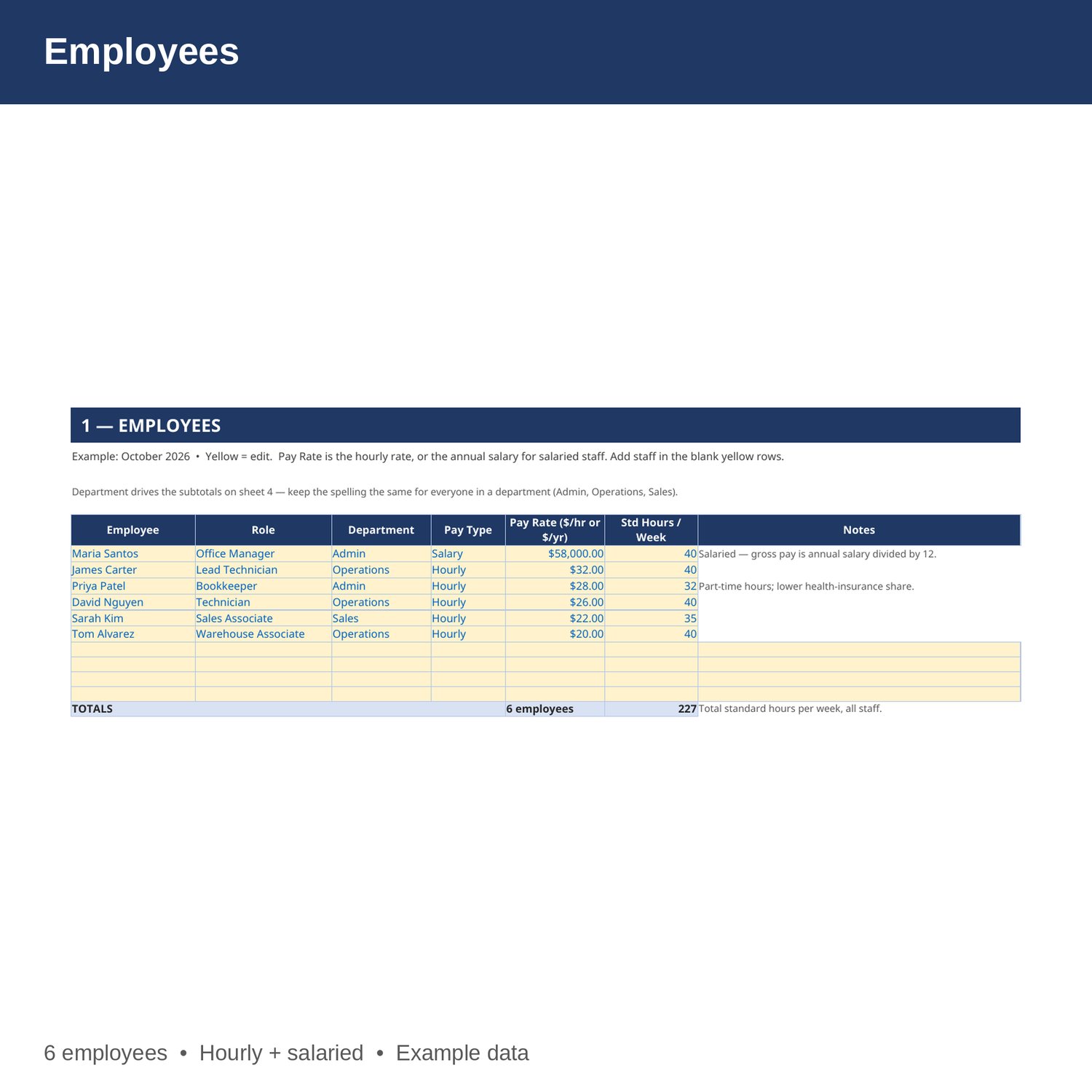
- Employees — your roster: name, role, department, hourly or salaried, pay rate, and standard hours per week. Four blank yellow rows are ready for new hires.
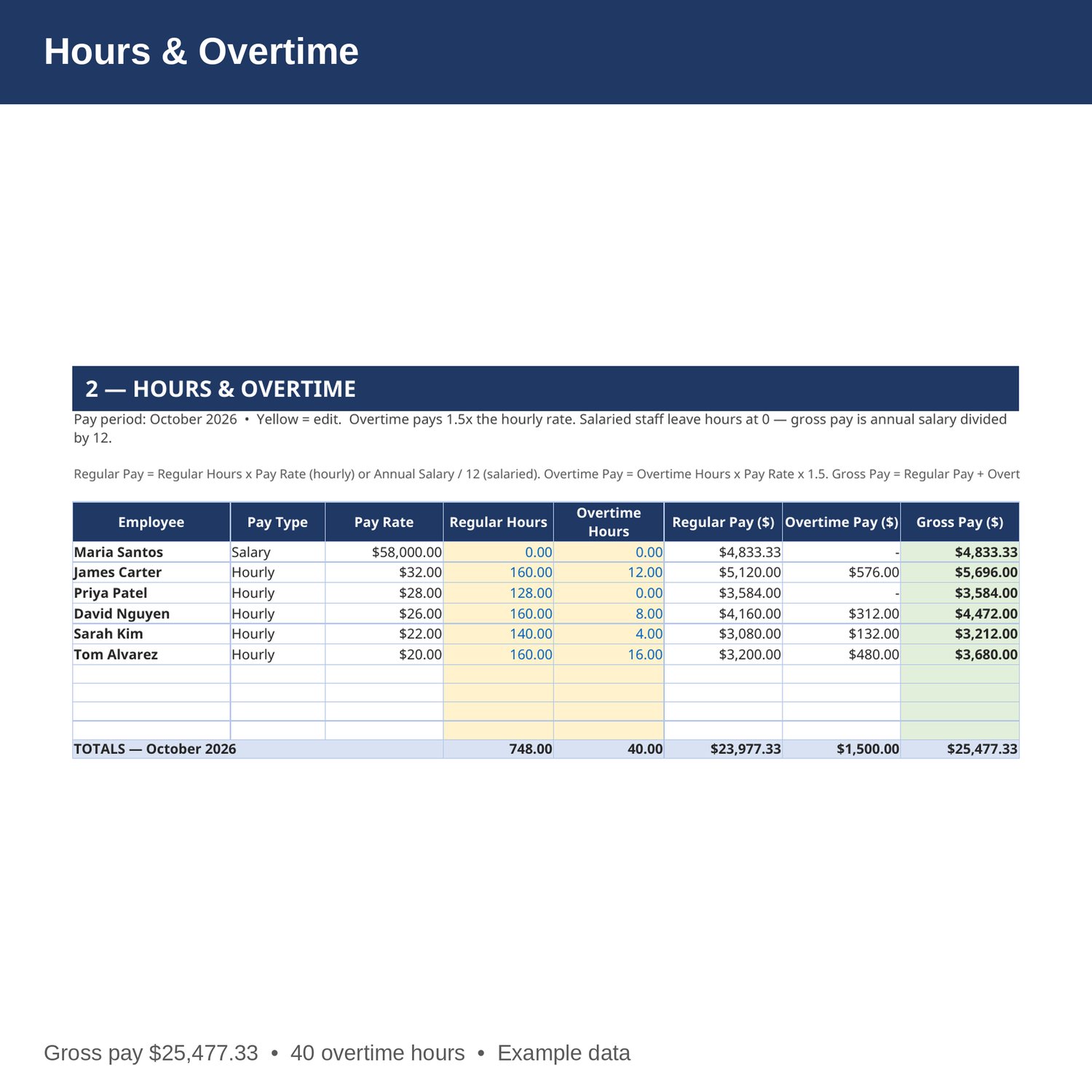
- Hours and Overtime — one payroll period: regular hours and overtime hours per employee. Regular pay, overtime at 1.5 times the hourly rate, and gross pay calculate automatically. Salaried staff get annual salary divided by 12.
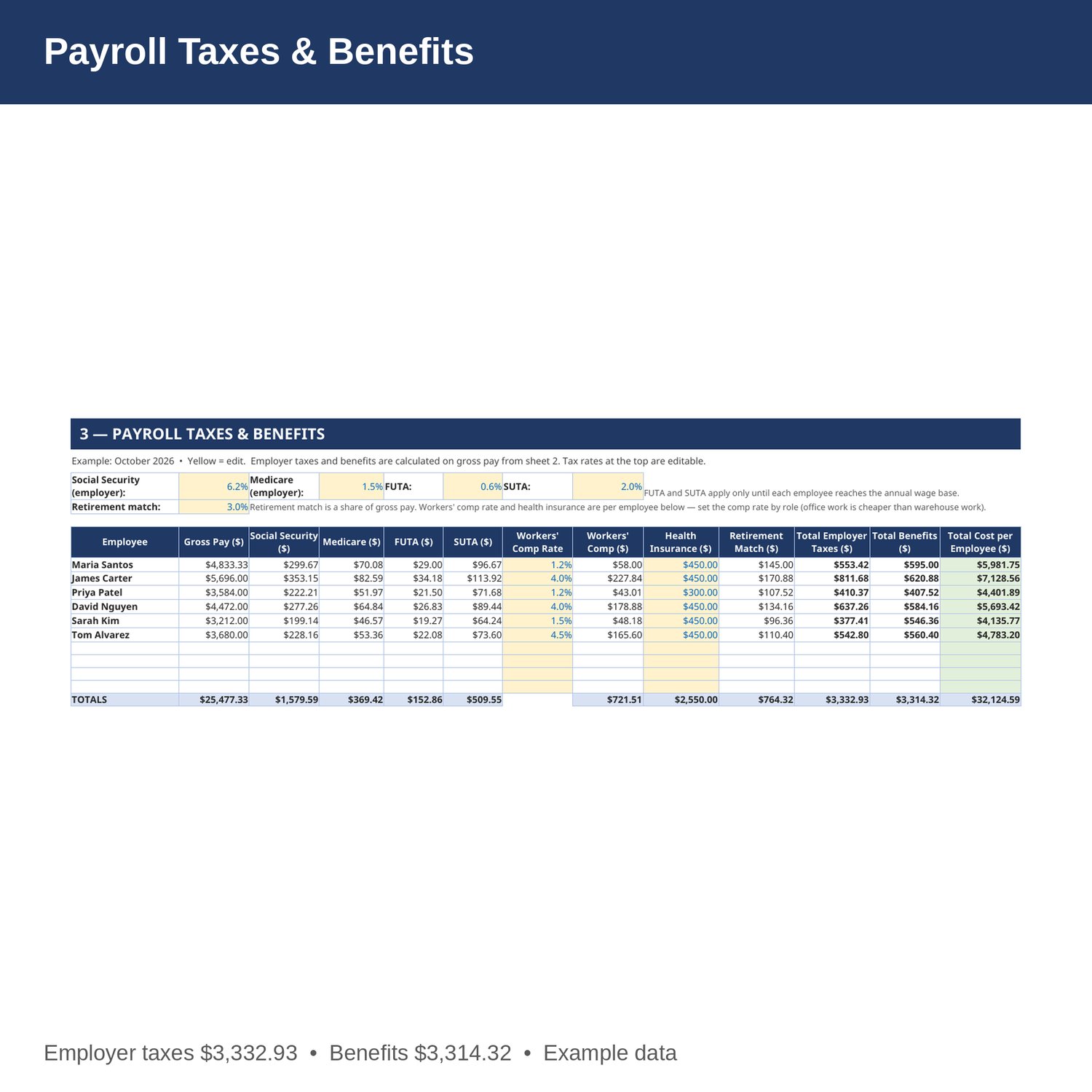
- Payroll Taxes and Benefits — employer Social Security, Medicare, FUTA, and SUTA, plus workers' comp, health insurance, and retirement match, with a total cost per employee. The tax rates at the top are editable if yours differ.
- Monthly Cost — monthly payroll cost by employee and by department, with each employee's total as a share of their gross pay and an annualized cost.
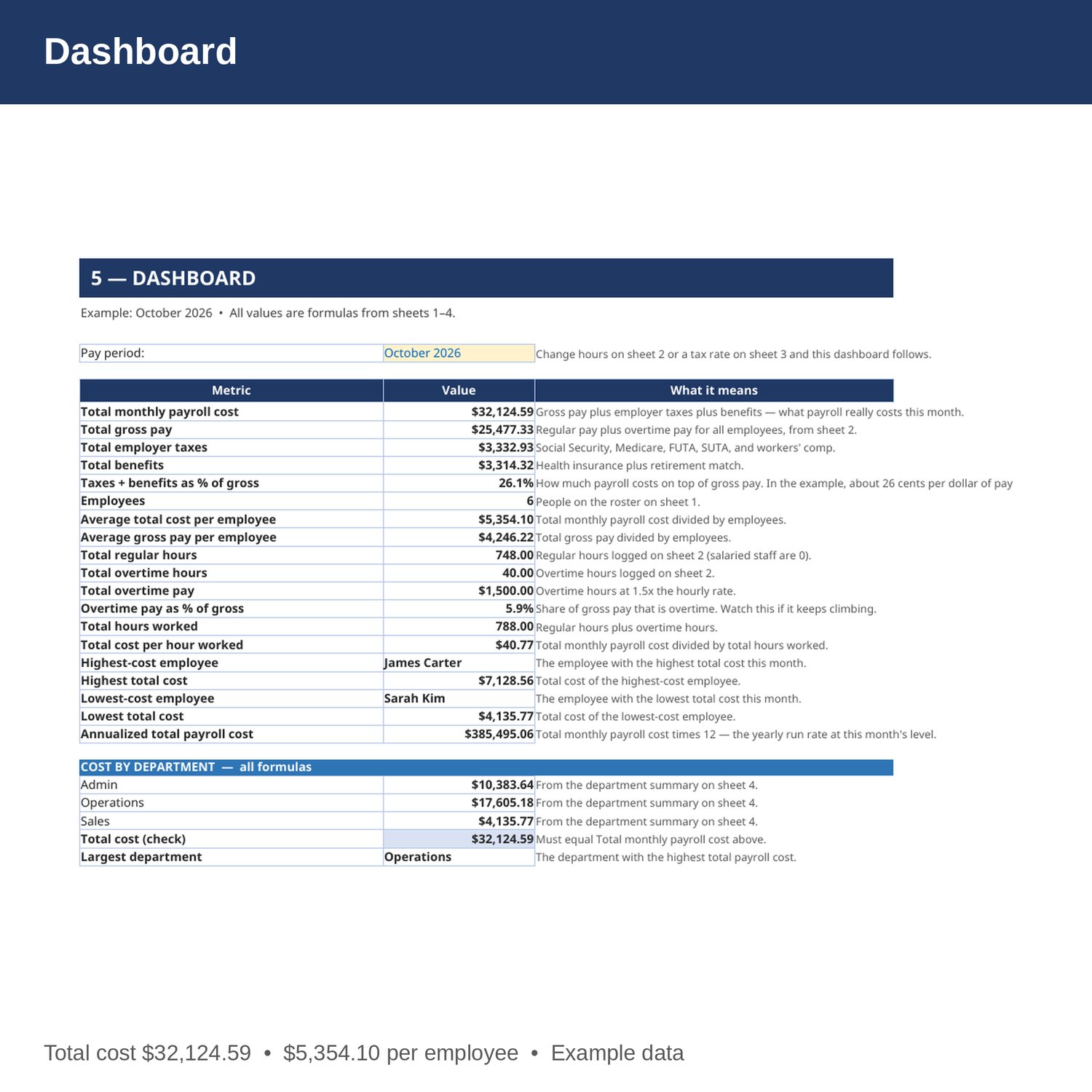
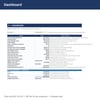
- Dashboard — total monthly payroll cost, gross pay, taxes, benefits, cost per employee, overtime, cost per hour worked, highest- and lowest-cost employees, and cost by department.
- Cover and How to Use — start here. Yellow cells are the only ones you edit.
EXAMPLE DATA (October 2026, 6 employees — replace with your own numbers):
- Total gross pay 25,477.33; total employer taxes 3,332.93; total benefits 3,314.32; total monthly payroll cost 32,124.59.
- Taxes and benefits add 26.09 percent on top of gross pay. Average total cost per employee 5,354.10; average gross pay per employee 4,246.22.
- Employer taxes: Social Security 1,579.59; Medicare 369.42; FUTA 152.86; SUTA 509.55; workers' comp 721.51. Benefits: health insurance 2,550.00; retirement match 764.32.
- Hours: 748 regular hours, 40 overtime hours, overtime pay 1,500.00, total hours worked 788. Total cost per hour worked 40.77.
- Per employee total cost: Maria Santos 5,981.75 (salaried office manager); James Carter 7,128.56, the highest; Priya Patel 4,401.89; David Nguyen 5,693.42; Sarah Kim 4,135.77, the lowest; Tom Alvarez 4,783.20.
- Cost by department: Admin 10,383.64; Operations 17,605.18, the largest; Sales 4,135.77. Annualized total payroll cost 385,495.06.
HOW IT WORKS:
1. Download the Excel file instantly after purchase.
2. On sheet 1, enter each employee, their role and department, Hourly or Salary, and their pay rate (hourly rate, or annual salary for salaried staff).
3. Each pay period, enter regular and overtime hours for hourly staff on sheet 2. Salaried staff leave hours at 0 — their gross pay is salary divided by 12.
4. On sheet 3, check the employer tax rates at the top and the workers' comp rate and health insurance per employee. Edit them if yours differ.
5. Check total cost per employee on sheet 4 and the dashboard on sheet 5 before you run payroll, so there are no surprises.
HOW THE NUMBERS WORK:
Total cost per employee is gross pay plus employer taxes plus benefits. Gross pay is regular hours times the hourly rate (or annual salary divided by 12 for salaried staff), plus overtime hours times the hourly rate times 1.5. Employer taxes are Social Security at 6.2 percent, Medicare at 1.45 percent, FUTA at 0.6 percent, and SUTA at 2.0 percent in the example, plus workers' comp at a rate per employee. Benefits are health insurance plus a retirement match at 3 percent of gross pay in the example. FUTA and SUTA apply only until each employee reaches the annual wage base — zero them out for employees who have already passed it.
WHO IT'S FOR:
Small business owners, bookkeepers, and office managers who run payroll for a small team and want the true cost per employee and per department in one workbook — without accounting software.
PLEASE NOTE:
- This is a digital download. No physical item will be shipped.
- Works in Microsoft Excel and Google Sheets (upload to Google Drive to open in Sheets).
- Example data for October 2026 is included. Replace it with your own numbers.
- This is a planning and bookkeeping tool only, not tax, legal, or CPA advice. Payroll tax rates, wage bases, and filing rules change and vary by state — confirm them with your own accountant or CPA before you run payroll or file anything.
- Due to the nature of digital downloads, refunds are not available. Message me before buying if you have a question.
Built by an accountant: B.S. Accountancy, ASU W. P. Carey, with revenue-reconciliation experience at Marriott and audit work at PwC. Max is a CPA candidate, not a CPA.