
Debt Snowball Spreadsheet & Debt Payoff Tracker | Excel & Google Sheets | Snowball + Avalanche Calculator, Paycheck Budget
Paying off debt is easier when you can see the finish line. Which debt should get your extra money? When will each one be gone? How much interest does your plan save compared with paying only the minimums?
The Debt Snowball Calculator & Payoff Tracker answers those questions from one simple spreadsheet. Type in your balances, interest rates and minimum payments, choose a method and an extra monthly amount, and the plan builds itself.
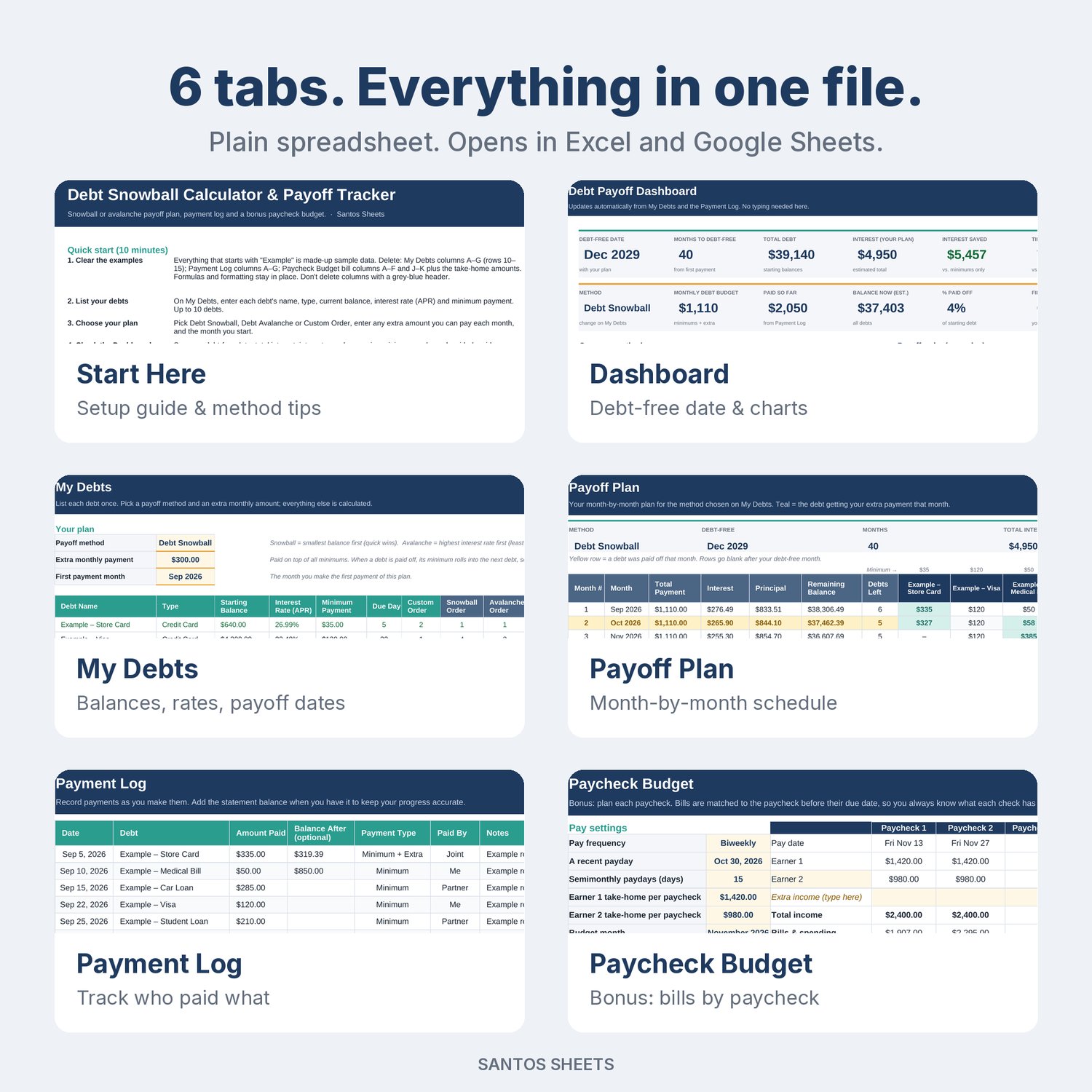
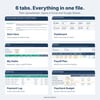
What's inside (6 tabs):
• Start Here: a short setup guide, plus a plain-English explanation of snowball vs. avalanche.
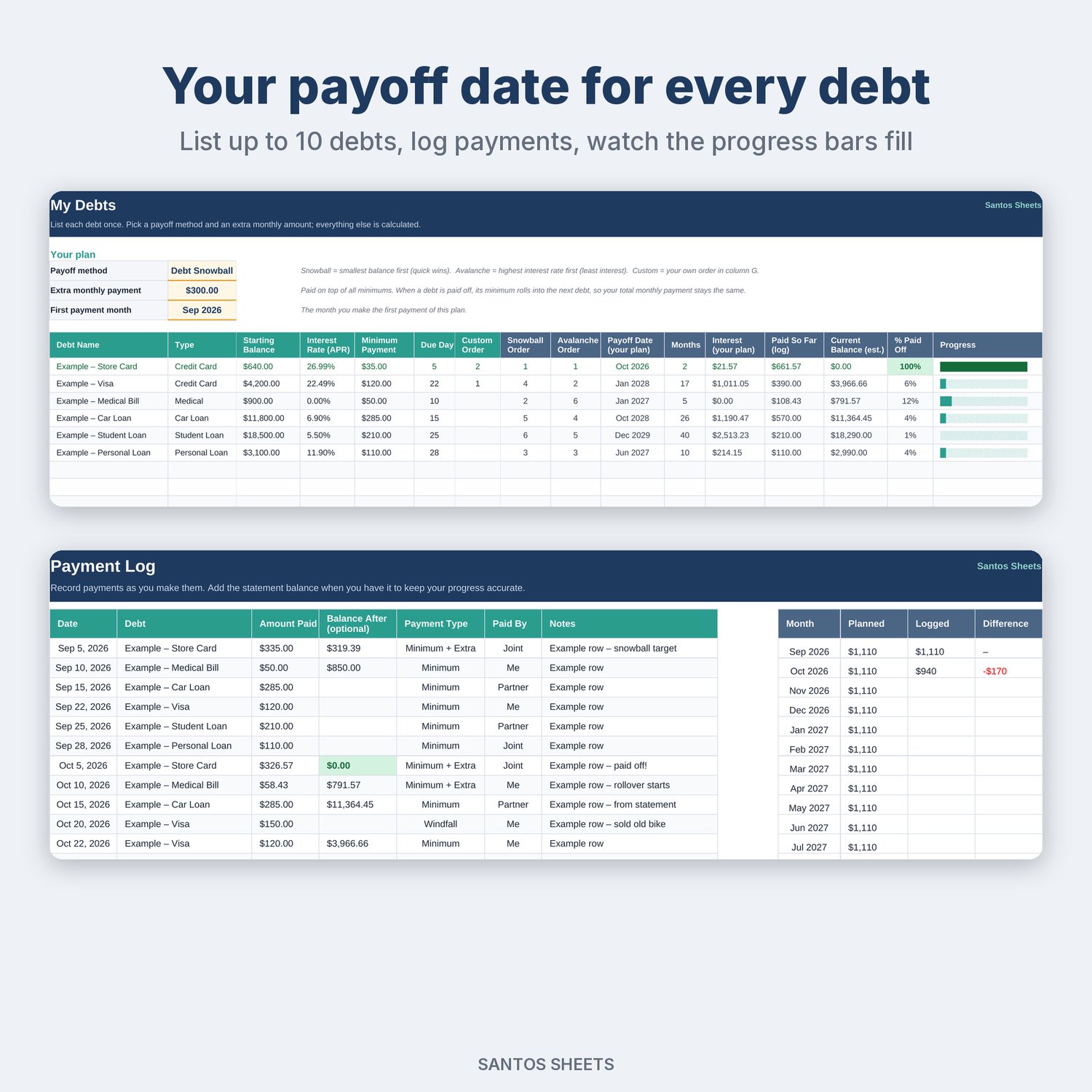
• My Debts: up to 10 debts (credit cards, student loans, car loan, medical, personal loans). Choose Debt Snowball (smallest balance first), Debt Avalanche (highest interest rate first) or Custom Order (your own priority, such as keeping a low-rate student loan for last). Add an extra monthly payment and a start month. For every debt you get the payoff order, payoff date, months to payoff, estimated interest, amount paid so far, and a progress bar.
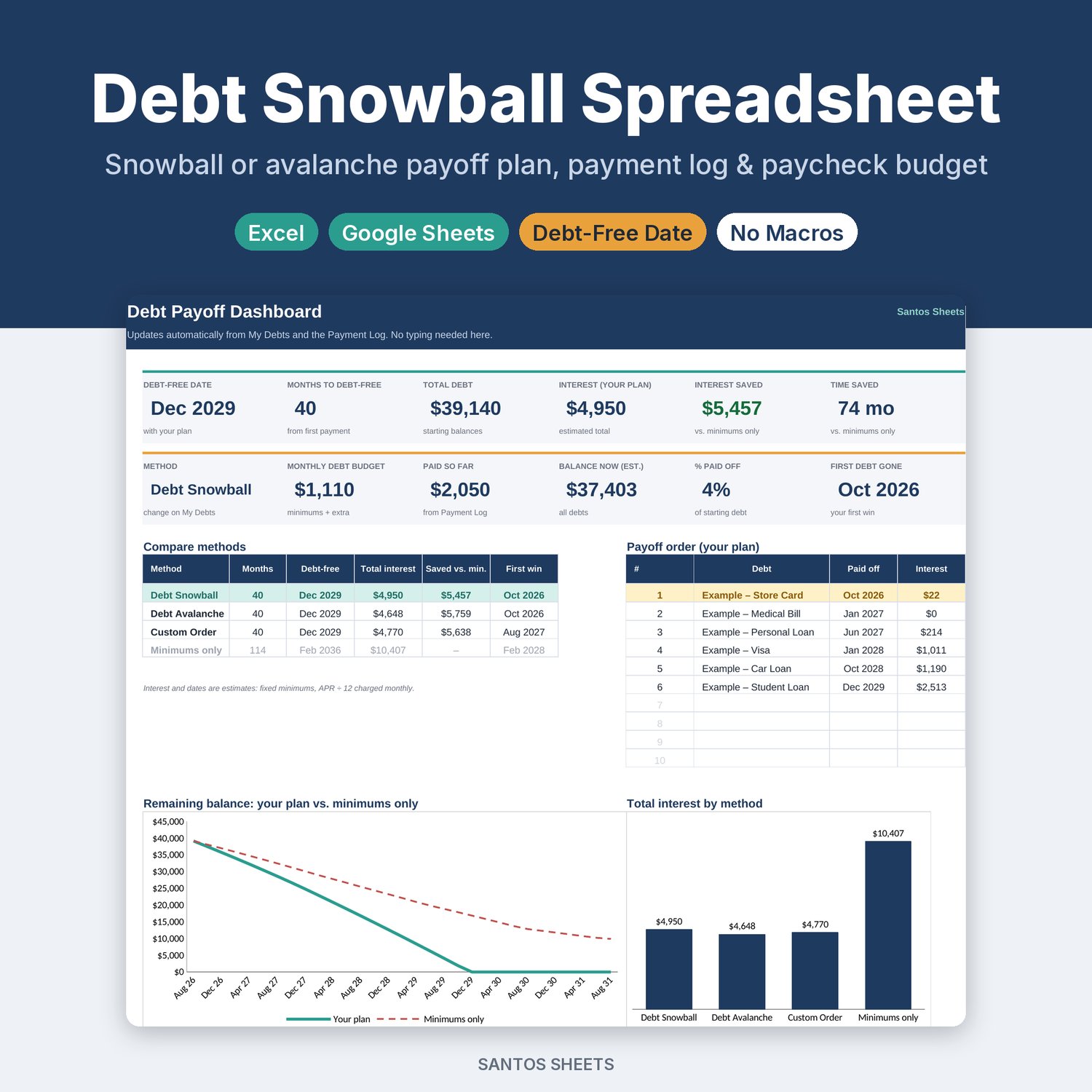
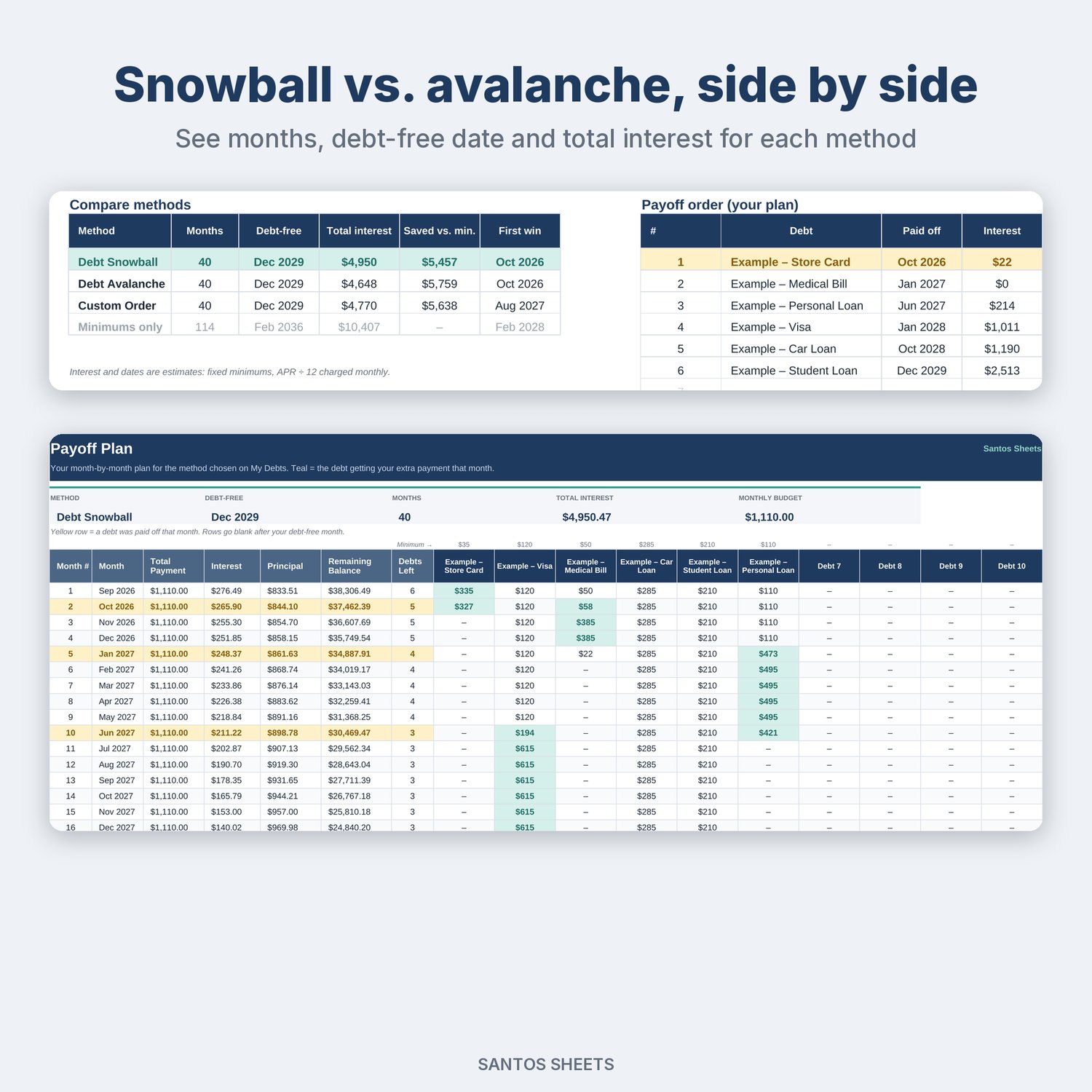
• Dashboard: your debt-free date, months to debt-free, total interest, interest saved vs. minimum payments only, time saved, % paid off, and your first payoff. A side-by-side table compares snowball, avalanche, custom and minimums-only. Four charts: remaining balance (your plan vs. minimums), total interest by method, progress by debt, and planned vs. logged payments.
• Payoff Plan: a month-by-month schedule showing exactly what to pay on each debt. Highlights show which debt gets the extra money each month and the month each debt is paid off. When a debt is gone, its minimum rolls into the next one.
• Payment Log: record each payment with date, debt, amount, statement balance and Paid By (Me / Partner / Joint). Current balances and progress update from your log, and a monthly table compares what you planned with what you actually paid.
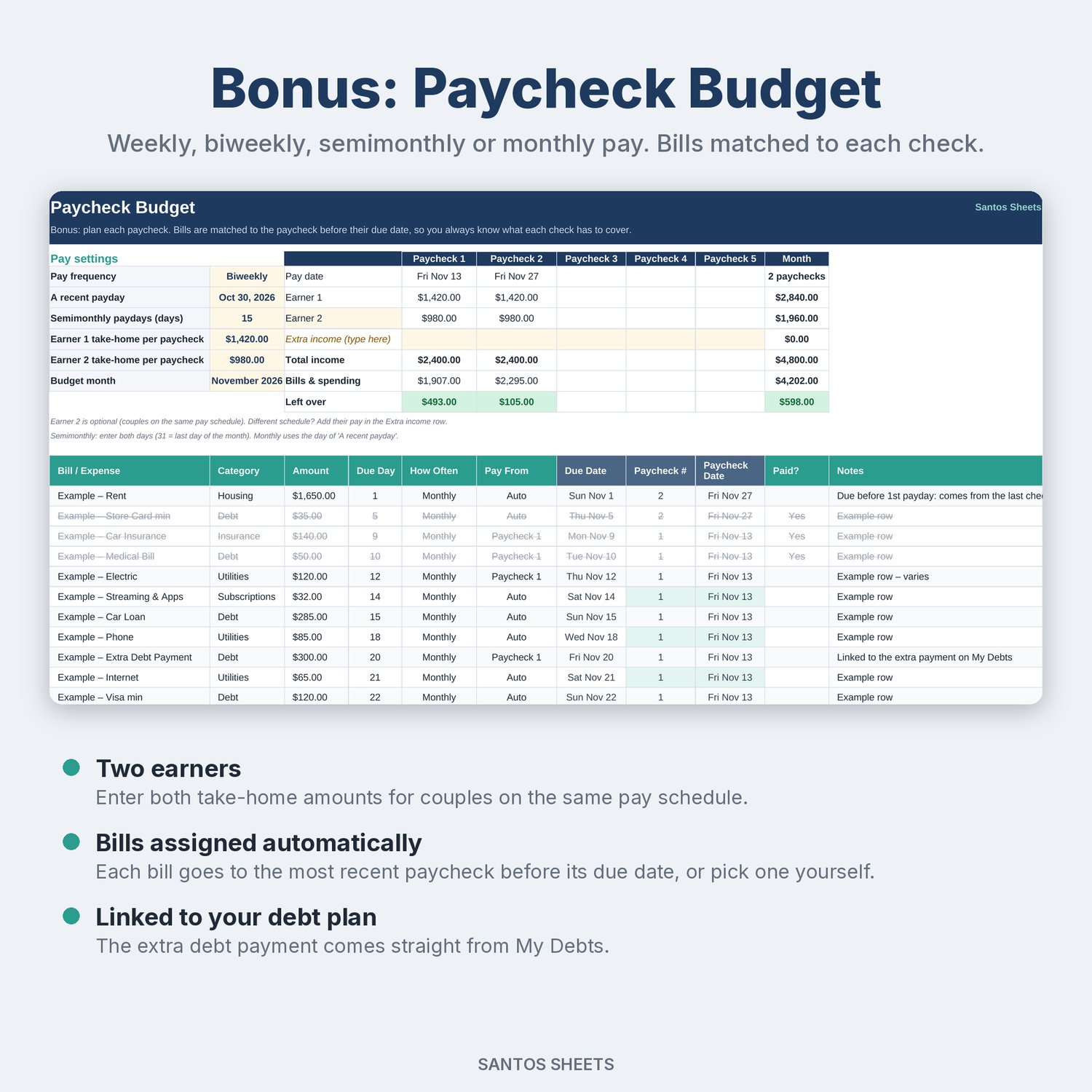
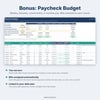
• Bonus: Paycheck Budget: choose weekly, biweekly, semimonthly or monthly pay and enter one or two earners' take-home pay. The sheet finds each payday in the month and assigns every bill to the paycheck before its due date. You can also pick a paycheck yourself, so you can see how much is left from each check. Your extra debt payment links straight from My Debts.
Good for:
• Couples paying off debt together, with two incomes and a "who paid" log
• Biweekly earners who need to know which paycheck covers which bill
• Student loan borrowers who want to see how an extra payment changes their payoff date, or who want to choose their own order
• Anyone trying to decide between the snowball and avalanche methods
Details:
• Works in Microsoft Excel (desktop & web) and Google Sheets (upload the file to Google Drive and open it with Google Sheets)
• No macros, add-ons or sign-ups. It's just a spreadsheet
• Comes with clearly labeled "Example" debts, payments and bills so you can see how it works. Delete them and add your own
• Instant digital download (1 .xlsx file)
Please note: this is a digital file, so nothing will be mailed to you. It's a planning tool, not financial advice. Payoff dates and interest are estimates: the sheet charges interest monthly (APR ÷ 12) on a fixed minimum payment, but real lenders may calculate interest daily or lower your minimum as the balance falls. Check your statements and adjust as you go. Apple Numbers and LibreOffice will open the file, but it is designed for Excel and Google Sheets.