

Office 365 (Microsoft 365) — Setup & Basic Administration Guide
On Sale
$4.00
$4.00
🧩 Office 365 (Microsoft 365) — Setup & Basic Administration Guide
This is a beginner-friendly, practical overview of how to set up Microsoft 365 and handle basic admin tasks—useful for IT support, sysadmin, and helpdesk roles.
1️⃣ What is Microsoft 365?
Microsoft 365 (formerly Office 365) is a cloud productivity platform that includes:
- Outlook (Email)
- Word, Excel, PowerPoint
- Teams
- OneDrive
- SharePoint
- Entra ID (Azure AD) for identity management
2️⃣ Initial Setup (Admin Side)
🔹 Step 1: Create Microsoft 365 Tenant
- Sign up with a business email
- Choose organization name
- Select country & admin account
👉 This creates your tenant (your organization’s cloud environment)
🔹 Step 2: Access Admin Center
- Go to Microsoft 365 Admin Center
- Login using Global Admin account
Admin Center is where all management happens.
3️⃣ Domain Setup (Important)
🔹 Add Custom Domain
Example: company.com
Steps:
- Admin Center → Settings → Domains
- Add domain name
- Verify using DNS record
- Set domain as default
🔹 DNS Records You’ll Configure
- MX → Email delivery
- TXT → Verification & security
- CNAME → Autodiscover
- SPF / DKIM / DMARC → Email security
4️⃣ User & License Management
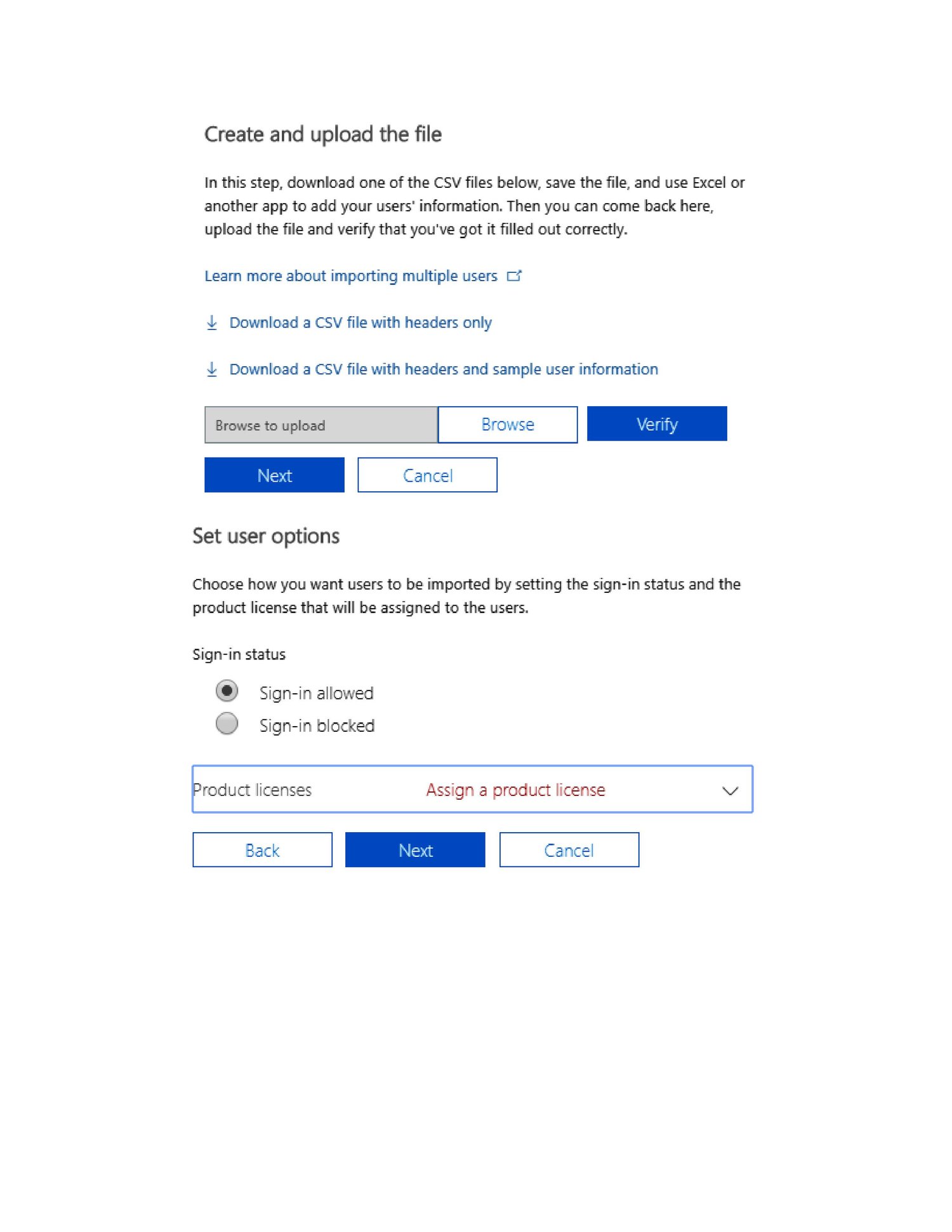
🔹 Create Users
- Admin Center → Users → Active users
- Add:
- Name
- Username (email)
- Role
- License
🔹 Assign Licenses
Common licenses:
- Business Basic
- Business Standard
- Business Premium
License controls what services a user can access.