



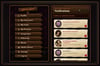
Halloween | Full Profile
On Sale
$0.00
Pay what you want:
$
Tricks & Treats Layout
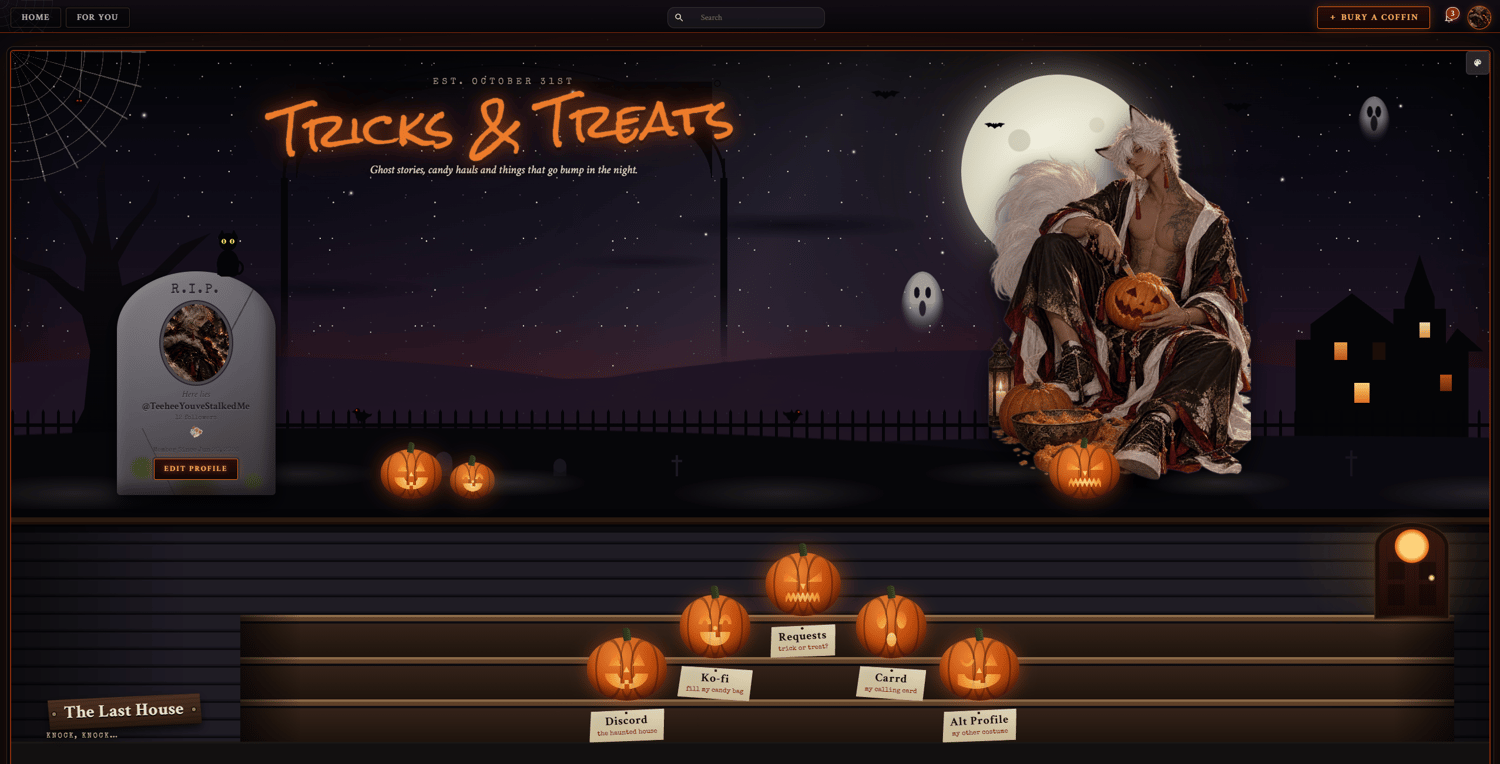
- Haunted hill: A moonlit night with drifting clouds, bats, ghosts, a spider dangling from its web, crows perched on the graveyard fence, and glowing eyes watching from the dark. Your Persona image sits on the hill in front of the moon. You can replace the character image in the Div section.
- Tombstone profile: Your avatar, username, follower count, badges, and member date are carved into a tombstone, with a black cat perched on top. Hovering the tombstone makes a skeletal hand claw its way up from the grave behind it. The follow button becomes "Join the Haunt" ("Haunting You" once followed), sitting between glowing jack-o'-lanterns.
- Front steps: Carved jack-o'-lanterns climb the porch steps up to the front door. Each pumpkin is a link with its own name and a small note.
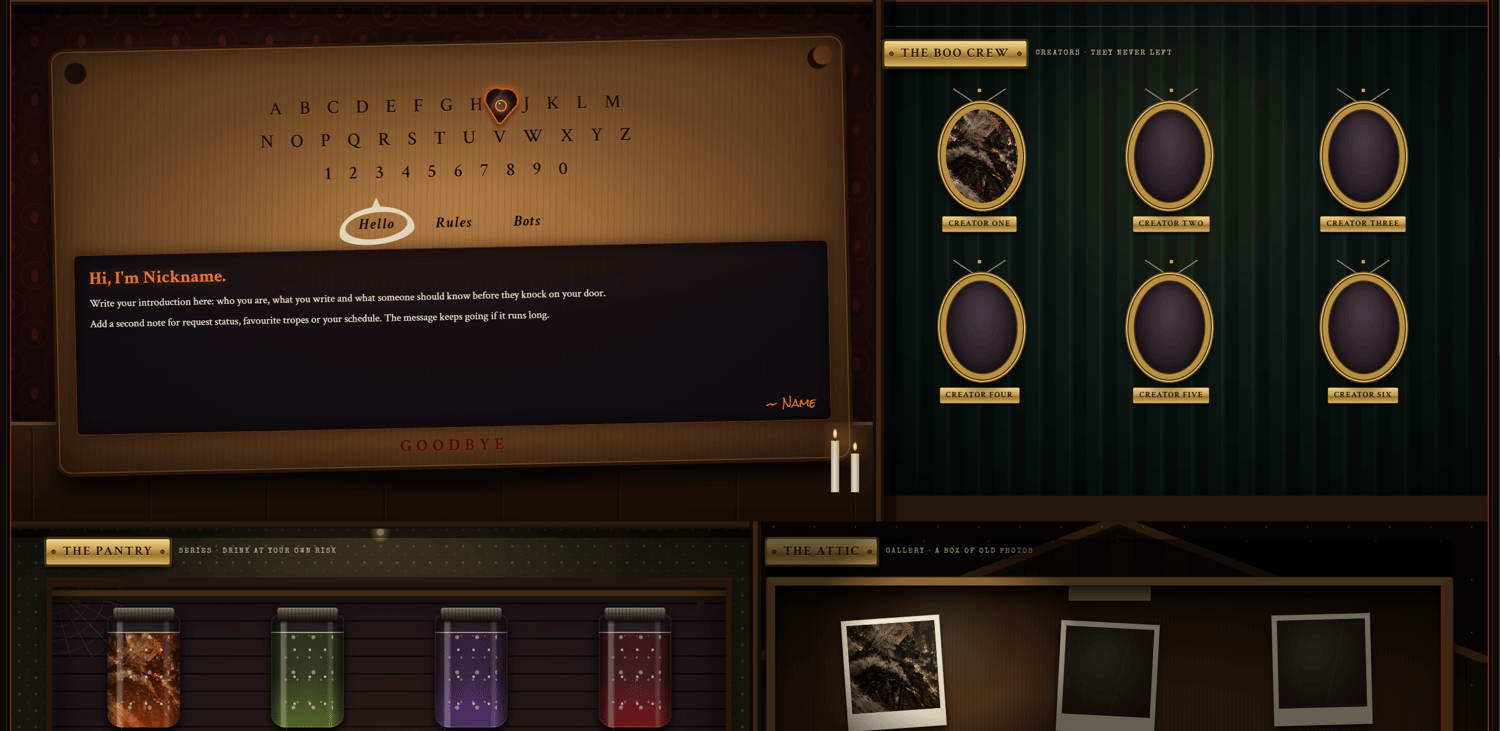
- Spirit board: A spirit board on a candlelit parlor table. The planchette drifts across the letters on its own. The board words Hello, Rules, and Bots switch between three message boxes, with a signature underneath.
- Boo Crew: Gilded oval portraits hanging in the hallway, each with a brass name plate, for featured creators.
- Pantry: Specimen jars on the pantry shelves for your series, each with an image, name, and status. The liquid colors cycle through five shades.
- Attic: A cardboard box of old sepia photos under a flashlight for your gallery. Photos come into full color on hover.
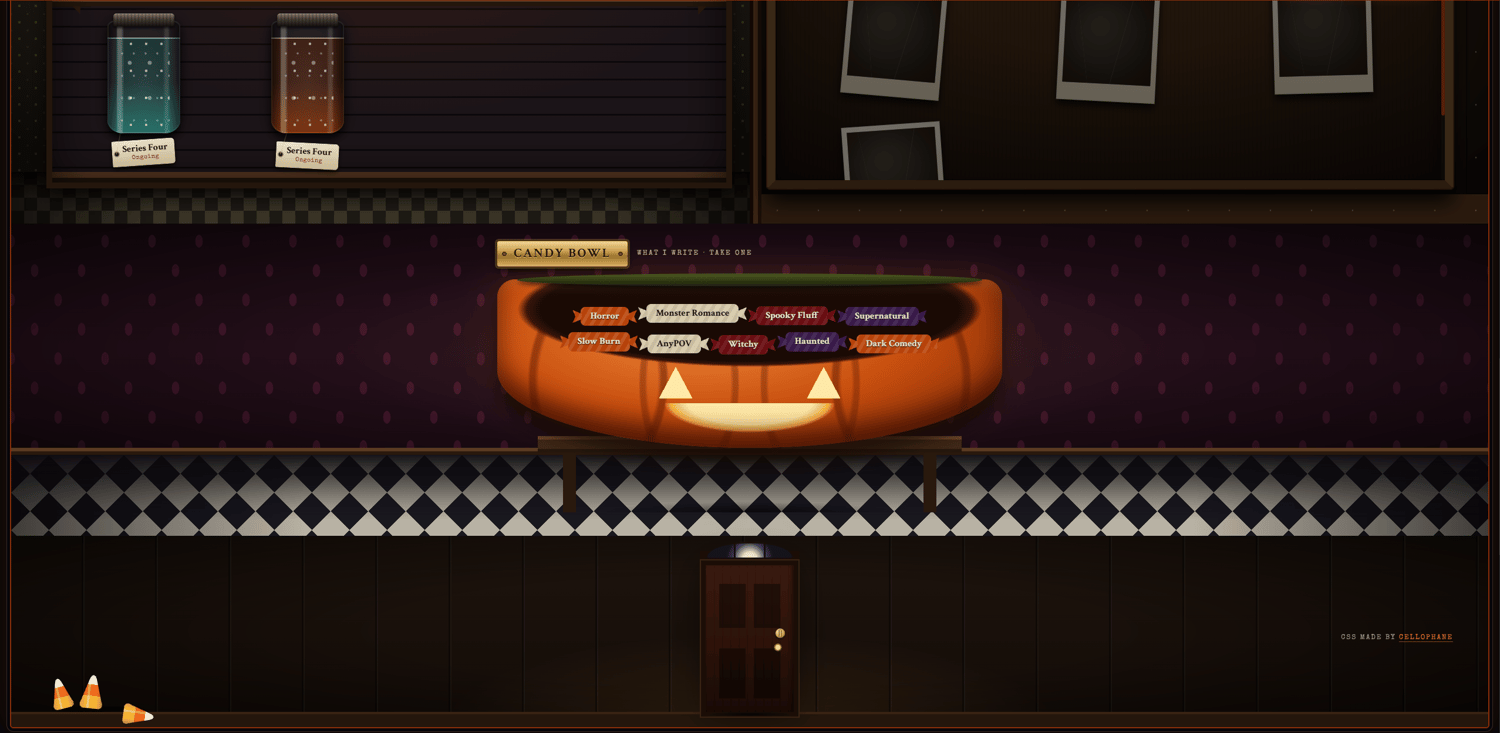
- Candy bowl: A carved pumpkin candy bowl on a side table by the front door, holding a list of short notes.
- Front door: The footer is the house's front door. The CSS credit sits beside it.
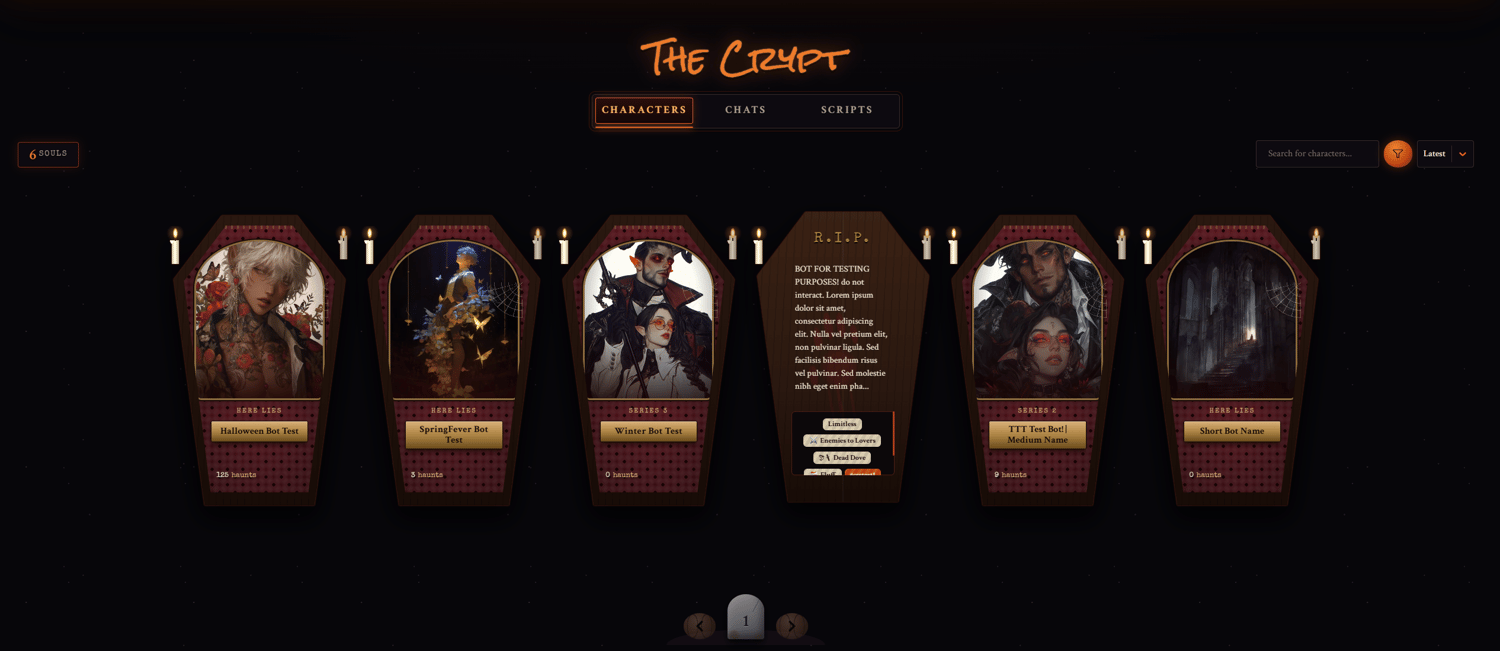
- Coffin bot cards: Character cards become candlelit coffins with a cobweb in the corner. Hovering slams the lid shut over the character, with the description beneath an R.I.P., tags styled as candy, and a bloody handprint. Chat counts are shown as "haunts."
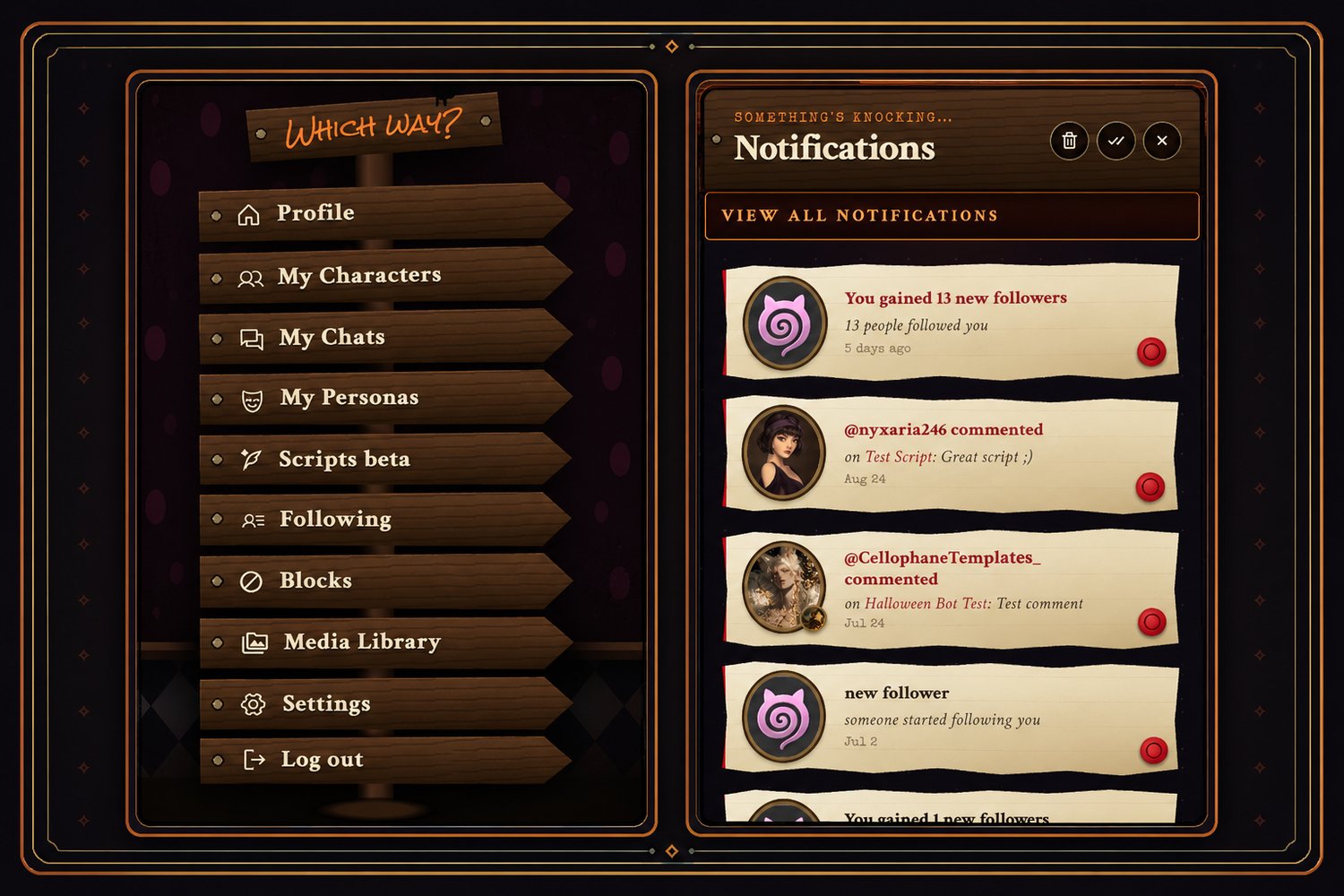
- Themed site pieces: The top bar, Create button ("+ Bury a Coffin"), app menu (a floating signpost: "Which way?"), notification menu ("Something's knocking…"), profile tabs ("The Crypt"), filters (a crystal ball: "Who will you summon?"), page selector (a tombstone), and mobile navigation bar are all styled to match.
- Mobile layout: Separate media queries adjust the profile for laptops (1599px and 1299px), tablets (1100px), and phones (700px and below). On phones, the haunted house is hidden, the character steps in front of the moon, and the tombstone is centered beneath them.
Notes to Keep in Mind
- The character image sits separately from the hill scene. Transparent PNGs work best.
- The board's message boxes stay 230px tall and scroll if the text runs longer.
- The Boo Crew scrolls after nine portraits on desktop and laptop, and after two rows on tablet and phone, so you can add as many as you like.
- The pantry holds four jars per shelf and scrolls after two shelves. The attic box always matches the pantry's height and scrolls inside it.
- Series labels on the coffins come from custom tags (csstest1, csstest2, csstest3). Rename them in the SERIES LABELS section of the CSS to match your own tags.
- Placeholder links and images (marked with "-HERE") need to be replaced before visitors can use them.
Customization Notes
- Most colors can be changed directly in the CSS through hex values.
- Adding a new major section requires both Div and CSS updates, including its placement in the desktop and mobile layouts.
- Replace images through their appropriate <img src=""> entries. Avoid using url(), as it is unavailable on the site.
- Do not import custom fonts, as imported fonts are unavailable on the site.
- You can recolor the theme, rename the rooms, replace images, change links, swap the pumpkin notes, and adjust the wording to suit your profile.
- Keep the media queries in their separate <style> block. Some changes may need matching adjustments inside the 1100px and 700px media queries.
Application
Do not paste the code directly into the profile editor, as it may break or fail to function correctly.
Go to Settings, paste the full code into the About Me section, then press Save Changes.
Credit
Credit is required when using this CSS.
The full profile includes a visible credit section beside the front door. You may move or restyle it, but credit must remain visible somewhere on your profile.
Help
If you need help setting it up, recoloring the theme, or adjusting its sections, contact me on Discord: