



AutoMosaic (General edition) — Batch Mosaic tool
AutoMosaic General edition is a Windows batch mosaic tool for applying mosaic and censoring effects to images.
It is designed for general privacy protection, compliance work, and creator workflows where many images need to be processed efficiently.
Latest version: v3.70 (2026/10/14): https://note.com/nekzuk/n/nf935bed59a27
Key Features
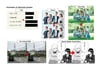
Auto-detection presets (mosaic supported)
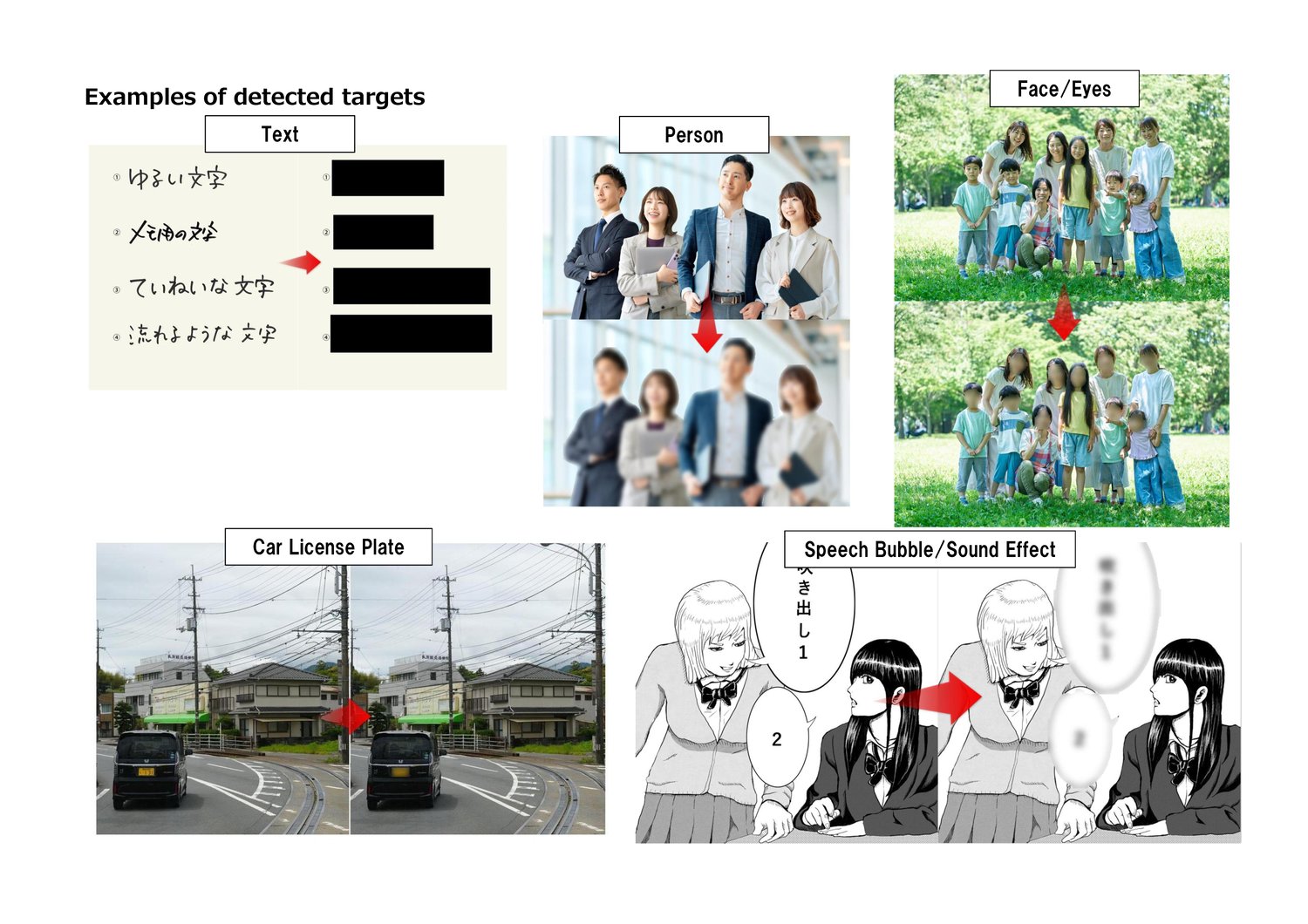
AutoMosaic can detect and apply mosaic to the following preset targets:
- Person
- Face (Male / Female / Full face)
- Eyes
- Text (Vertical / Horizontal)
- Manga speech balloons & sound effects
- Car license plates
- Other: Various subjects (bicycles, buses, ties, cakes, books, etc.)
Note: For detection of sensitive body parts, please use the R18 edition.
Output options
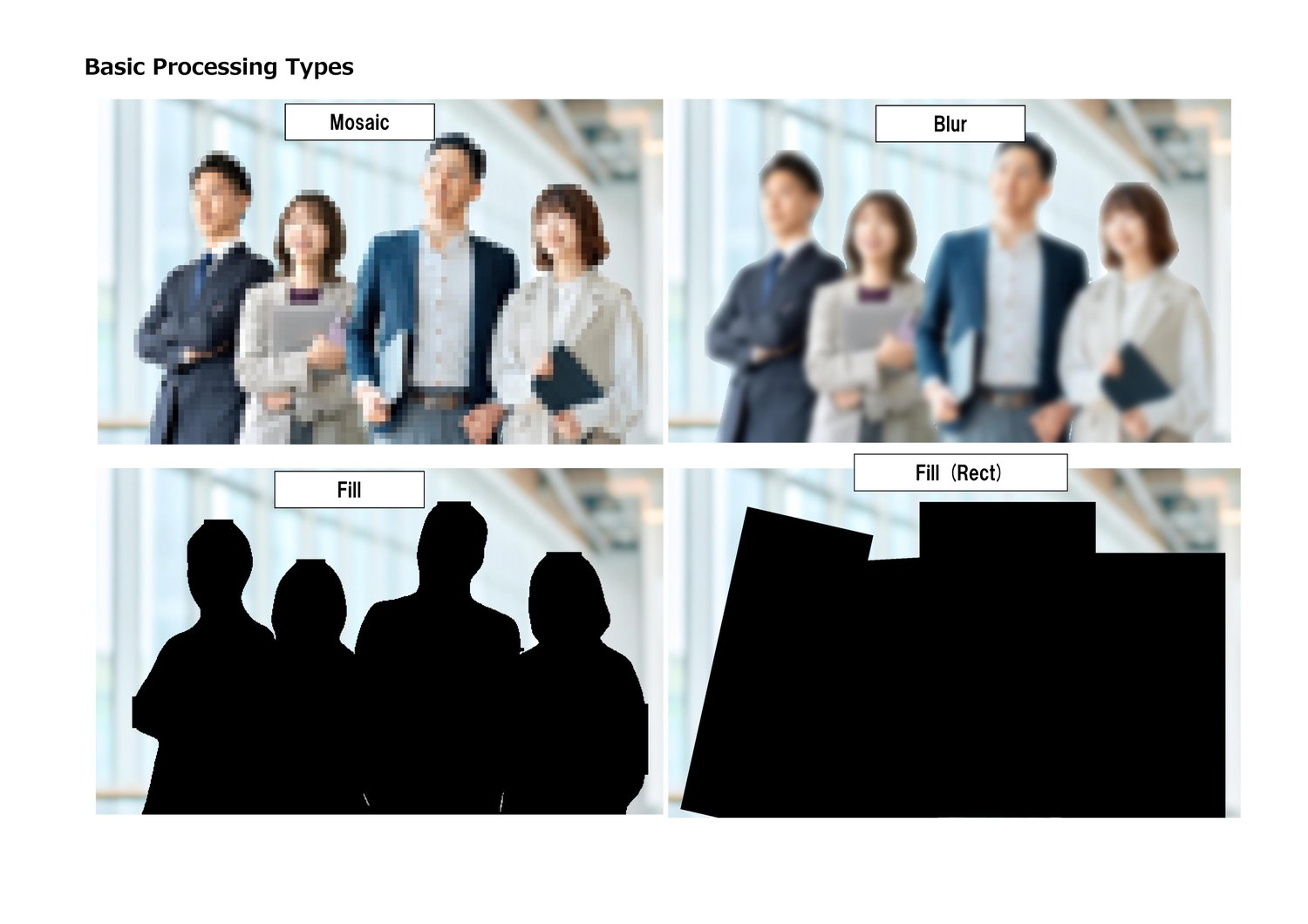
Choose the processing style that fits your needs:
- Mosaic
- Blur
- Solid fill (Black / White)
Supported Languages
- Japanese / English / Chinese (Simplified / Traditional) / Korean
Supported Image Formats
- JPG / PNG / BMP / GIF / WEBP
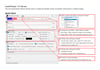
How to Use (Basic Steps)
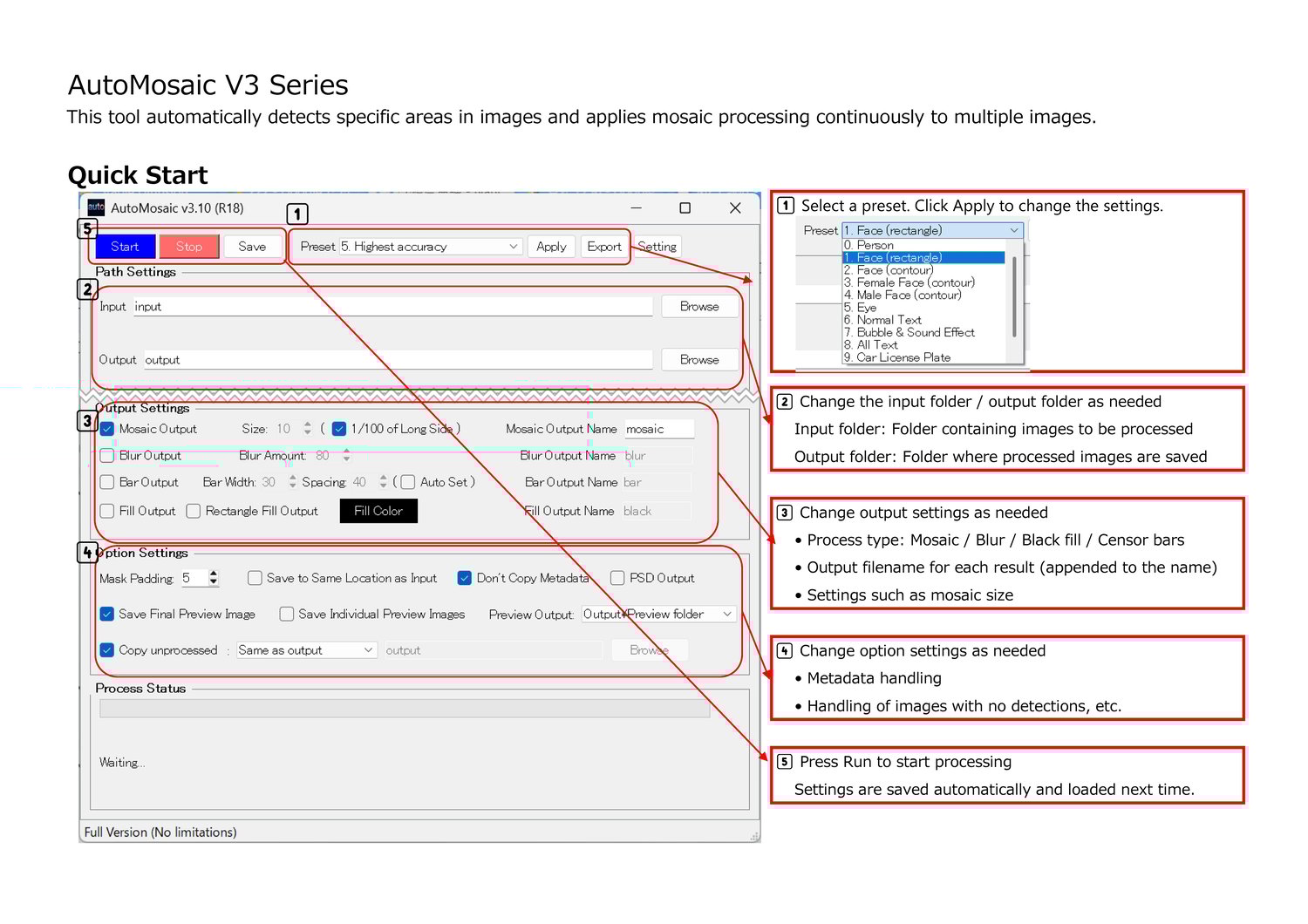
- Select a preset
- Choose an input folder
- Adjust settings such as mosaic size
- Click Run Processing
Trial Version
- Watermarks are added to images processed in the trial version
- Maximum number of images: Up to 20 in a row
- Download
Notes
- Processing time may vary depending on image size and your PC specs.
- Commercial use (individuals): Allowed with purchase of this product.
- Commercial use (companies/organizations): Please contact us separately (https://nekzuk.com/terms.html).
System Requirements
- Windows 10 / 11 (64-bit)
- Memory: 8GB+ recommended
- NVIDIA GPU supported
The tool can run without a dedicated GPU, but processing will be slower compared to a system with an NVIDIA graphics card.
(VRAM: 4GB+ recommended)
Update History
- v2.22 (2025/06/20) - First release
- v2.30 (2025/07/01) - https://note.com/nekzuk/n/n523b28e4cbbd
- v2.40 (2025/08/05) - https://note.com/nekzuk/n/n655184639901
- v3.00 (2025/10/20) - https://note.com/nekzuk/n/n65782fd20fef
- v3.10 (2026/01/01) - https://note.com/nekzuk/n/ne47a6b685ff4
- v3.21 (2026/02/26) - https://note.com/nekzuk/n/n16b015b26afc
- v3.30 (2026/04/14) - https://note.com/nekzuk/n/n730497e72304
- v3.40 (2026/05/31) - https://note.com/nekzuk/n/ndd4e4e44cdb9
- v3.50 (2026/07/11) - https://note.com/nekzuk/n/n7997df7b4560
- v3.60 (2026/08/12) - https://note.com/nekzuk/n/n187d0cc4a0ec
- v3.70 (2026/10/14) - https://note.com/nekzuk/n/nf935bed59a27
Support: nekzuk.software@gmail.com
Refunds: Digital downloads are non-refundable (please contact support if you have issues).