








Naturalistic Country Garden AI Landscape Workflow System
NATURALISTIC COUNTRY GARDEN
AI Landscape Workflow System
This is not simply a collection of AI prompts.
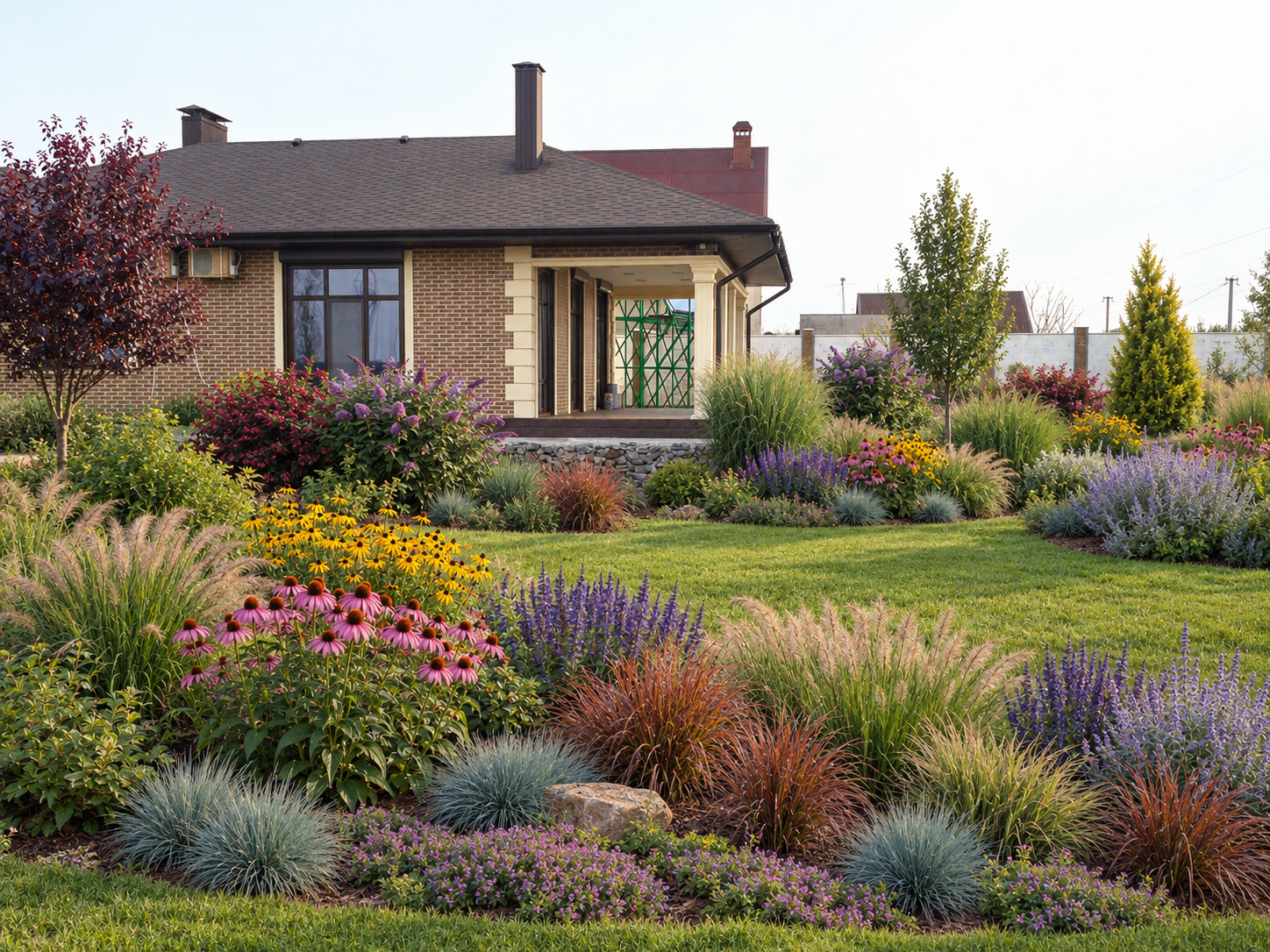
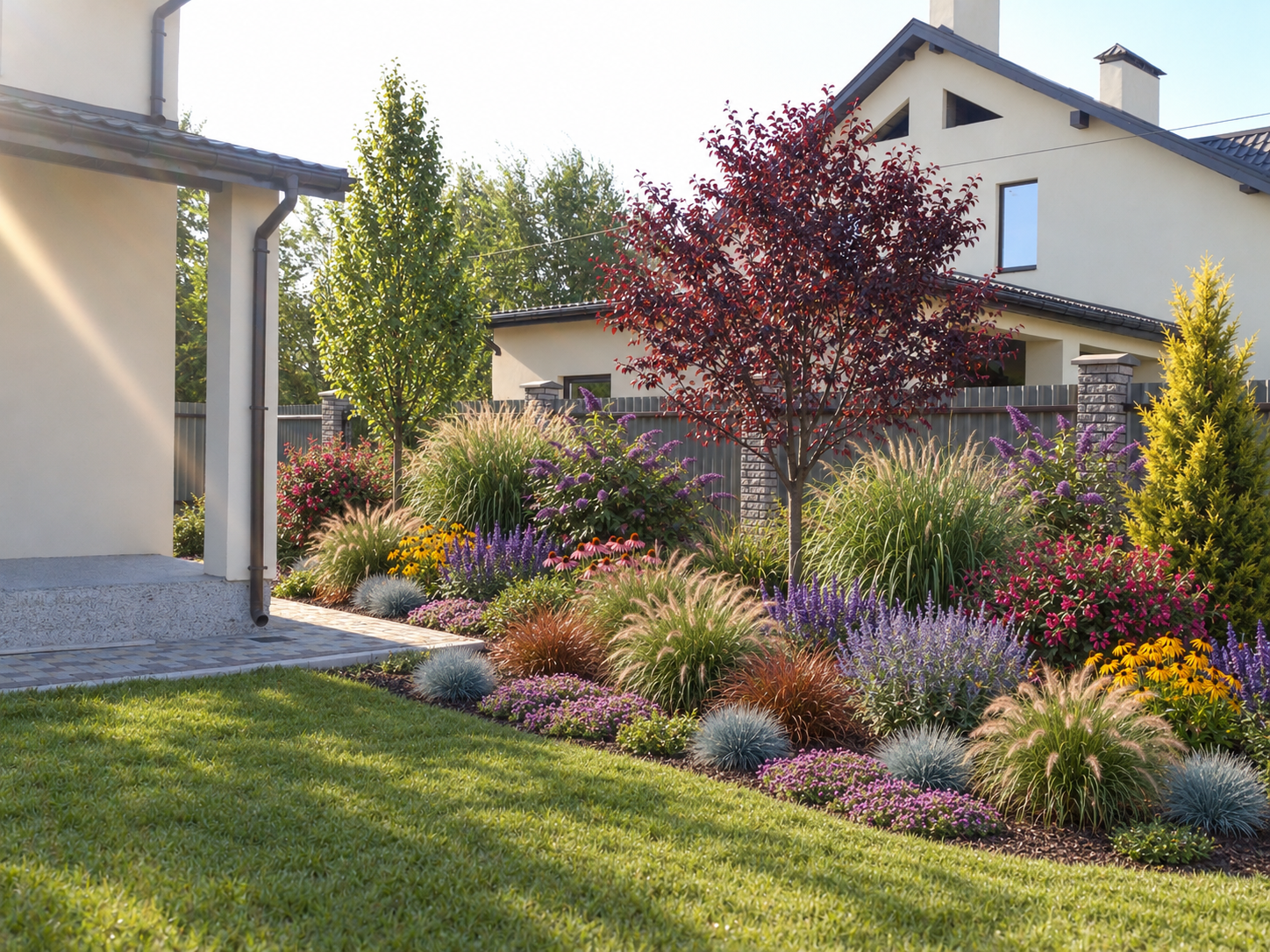
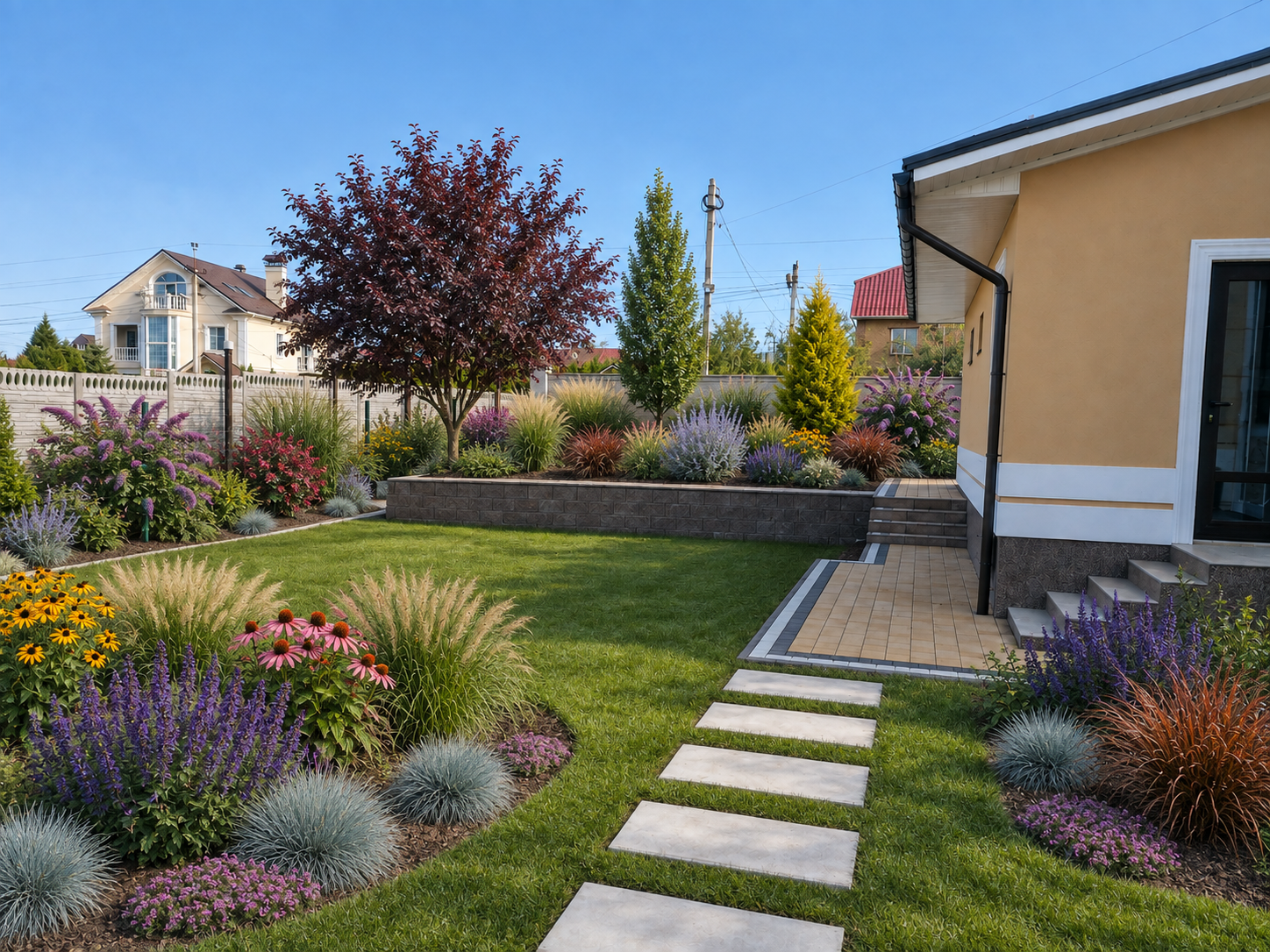
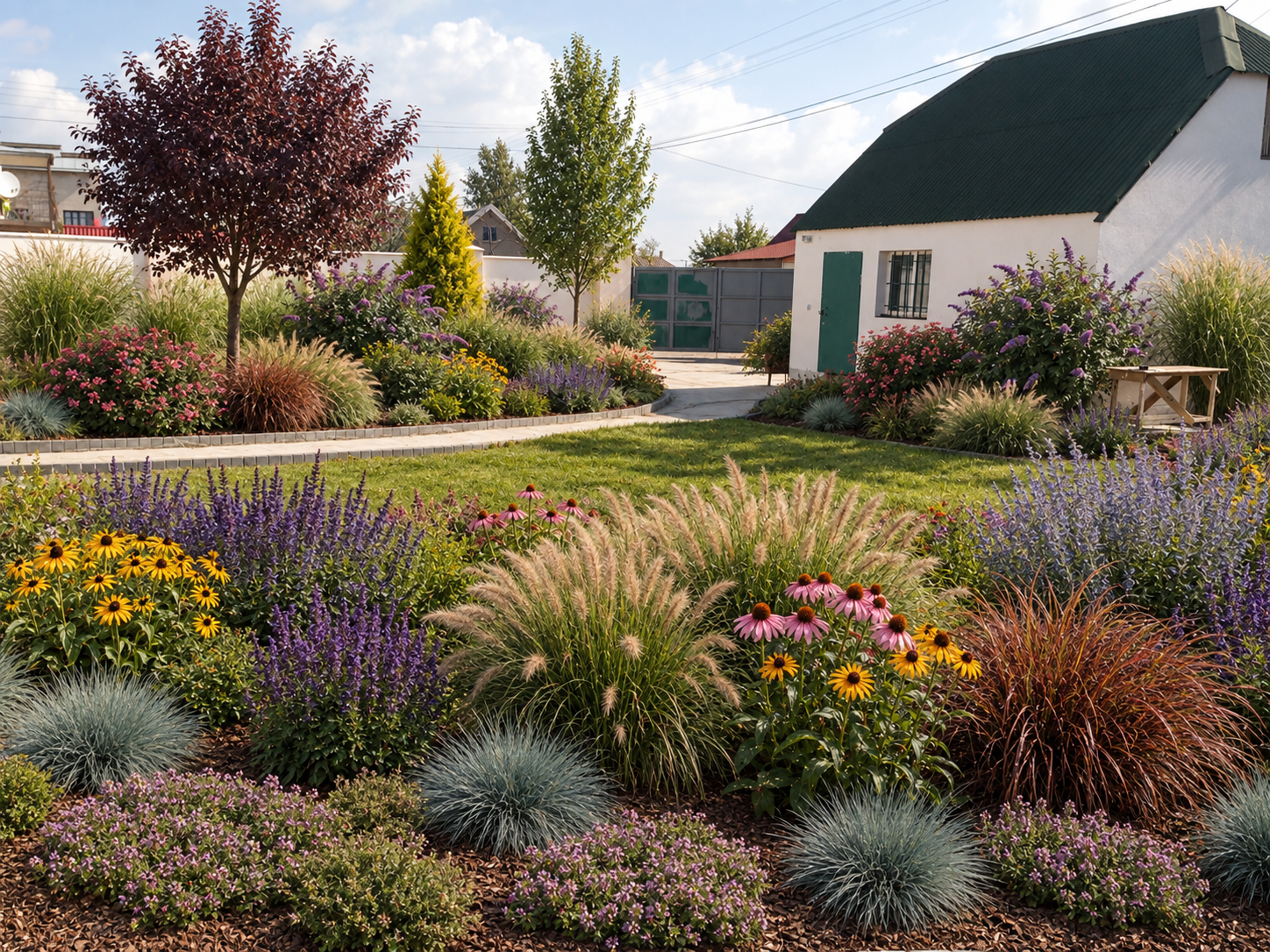
It is a structured AI-assisted landscape-design workflow created to help you transform a real property photograph into a lush, layered Naturalistic Country Garden with subtle prairie and new-perennial influences.
The system is designed to preserve the original property's architecture, camera perspective, terrain, permanent hardscape, circulation routes and utility infrastructure while allowing the planting composition itself to develop into a professionally structured garden concept.
The complete workflow is:
Original Property Photo → Site Cleanup → Landscape Design Variations → Best Design Selection → Plant Recognition → Botanical Numbering & Identification Board
The planting system uses a fixed professional plant palette with controlled quantities and grouping rules so that plants remain visually readable during the later recognition and numbering stage.
WHAT MAKES THIS SYSTEM DIFFERENT?
Instead of asking AI to create a random “beautiful country garden,” this workflow controls:
- preservation of the original property;
- camera angle and perspective;
- existing paths, paving and permanent hardscape;
- circulation and access;
- landscape style;
- planting hierarchy;
- plant species and cultivars;
- plant quantities;
- grouping structure;
- plant scale and visual readability;
- later botanical recognition and numbering.
The Naturalistic Country Garden system uses 14 approved plant species/cultivars with 73 individual plants in total, arranged according to fixed grouping rules.
The planting structure is organised into three visual layers:
Upper / Back Structure
Ornamental trees, free-growing shrubs and tall grasses create the main garden framework.
Middle Layer
Flowering perennials and ornamental grasses form broad, flowing colonies and drifts.
Lower / Foreground Layer
Blue fescue and creeping thyme create low repeating accents and natural foreground transitions.
The intended result is a garden that feels:
lush, mature, informal, layered and natural — but still professionally controlled and visually readable.
It should not look like a random wildflower meadow, a rigid formal border or an unstructured mass of plants.
HOW THE WORKFLOW WORKS
STEP 1 — Prepare your property photo
Start with your own property photograph.
Use the included Universal Site Cleanup / Photo Preparation Prompt to remove clearly temporary clutter such as construction debris, loose tools, pallets and discarded materials while preserving the actual property, architecture, terrain, paths, fences, utilities and permanent vegetation.
The result becomes the clean reference image for all later landscape-design generations.
STEP 2 — Generate Naturalistic Country Garden options
Start a new AI chat and upload the cleaned property image.
Apply the Naturalistic Country / Prairie-Style Garden Master Prompt.
The system keeps the approved plant inventory, quantities and grouping rules fixed while allowing suitable changes in:
- plant-group placement;
- orientation;
- planting-bed contours;
- visual rhythm;
- compatible plant relationships;
- balance between dense planting and retained existing lawn.
For reliability, the workflow recommends generating up to 5 design variants in one chat session. If you want more alternatives, start a fresh chat with the same cleaned image and the same Stage 1 prompt.
STEP 3 — Select the strongest design
Compare your generated alternatives and choose one final image.
Look for the best combination of:
- property fidelity;
- realistic scale;
- lush but controlled planting;
- flowing asymmetry;
- correct plant grouping;
- clear visual separation between species;
- preserved paths and access;
- strong botanical readability for Stage 2.
Do not automatically continue with the first generated image.
The strongest and most readable design should move to recognition and numbering.
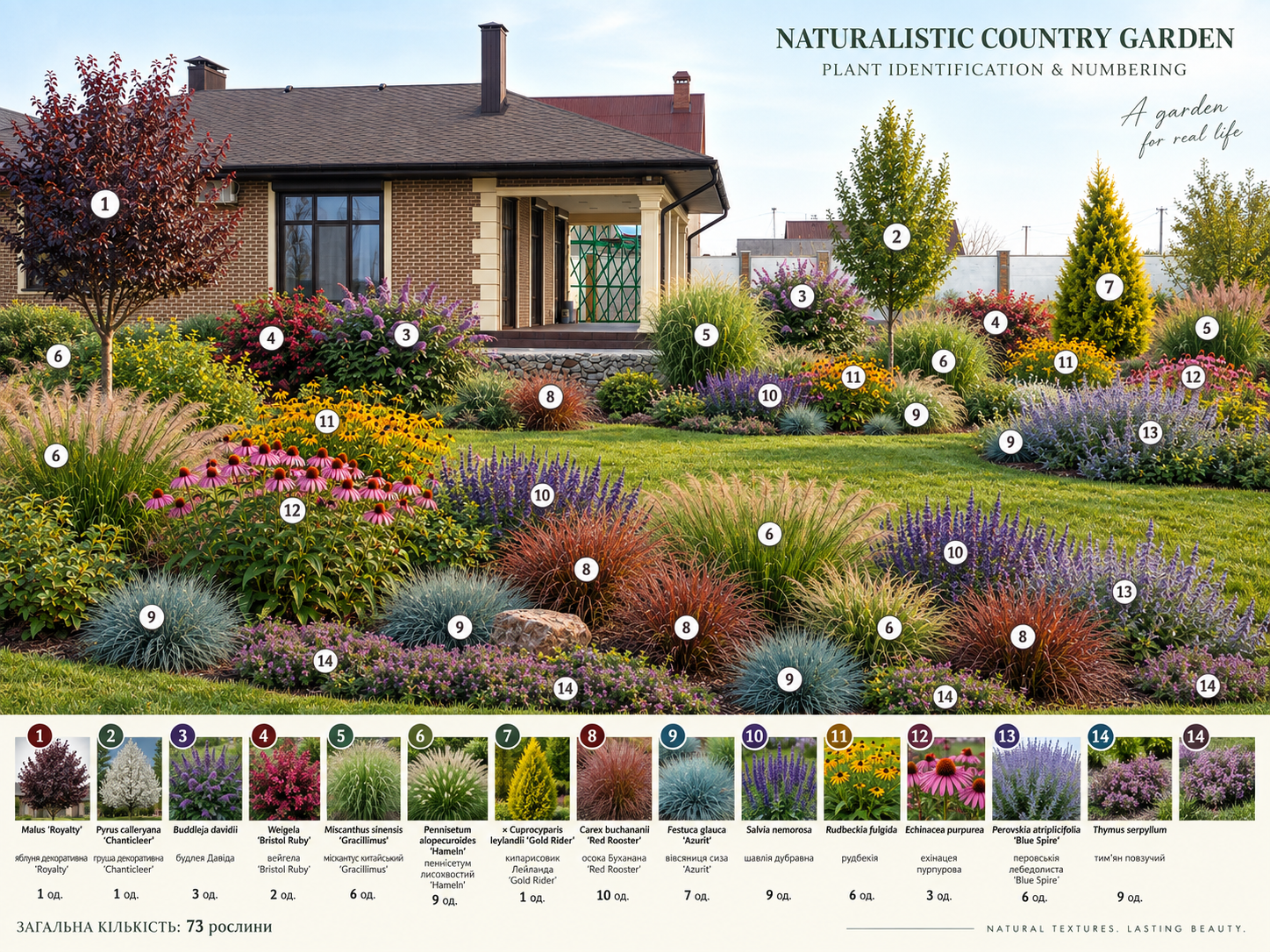
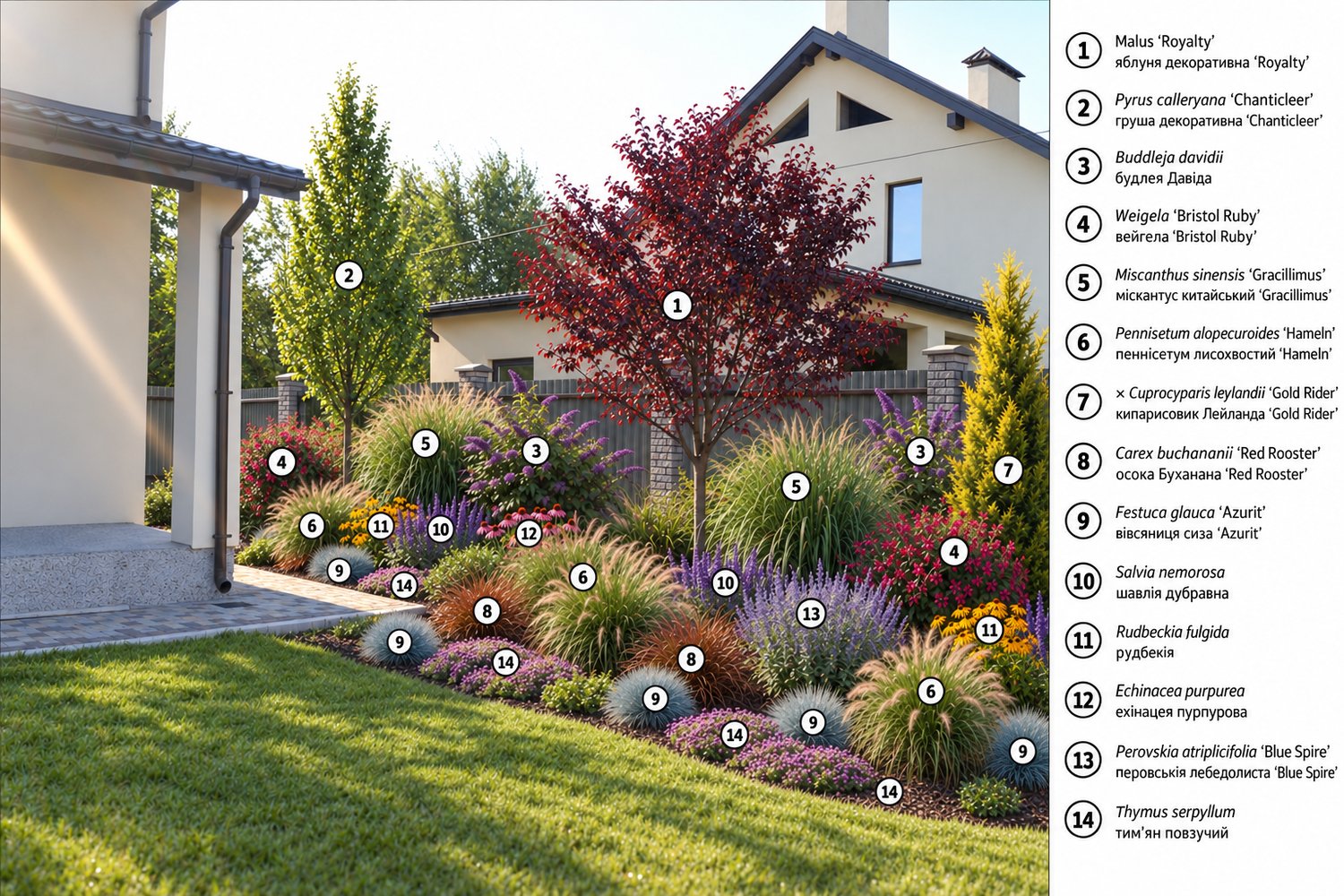
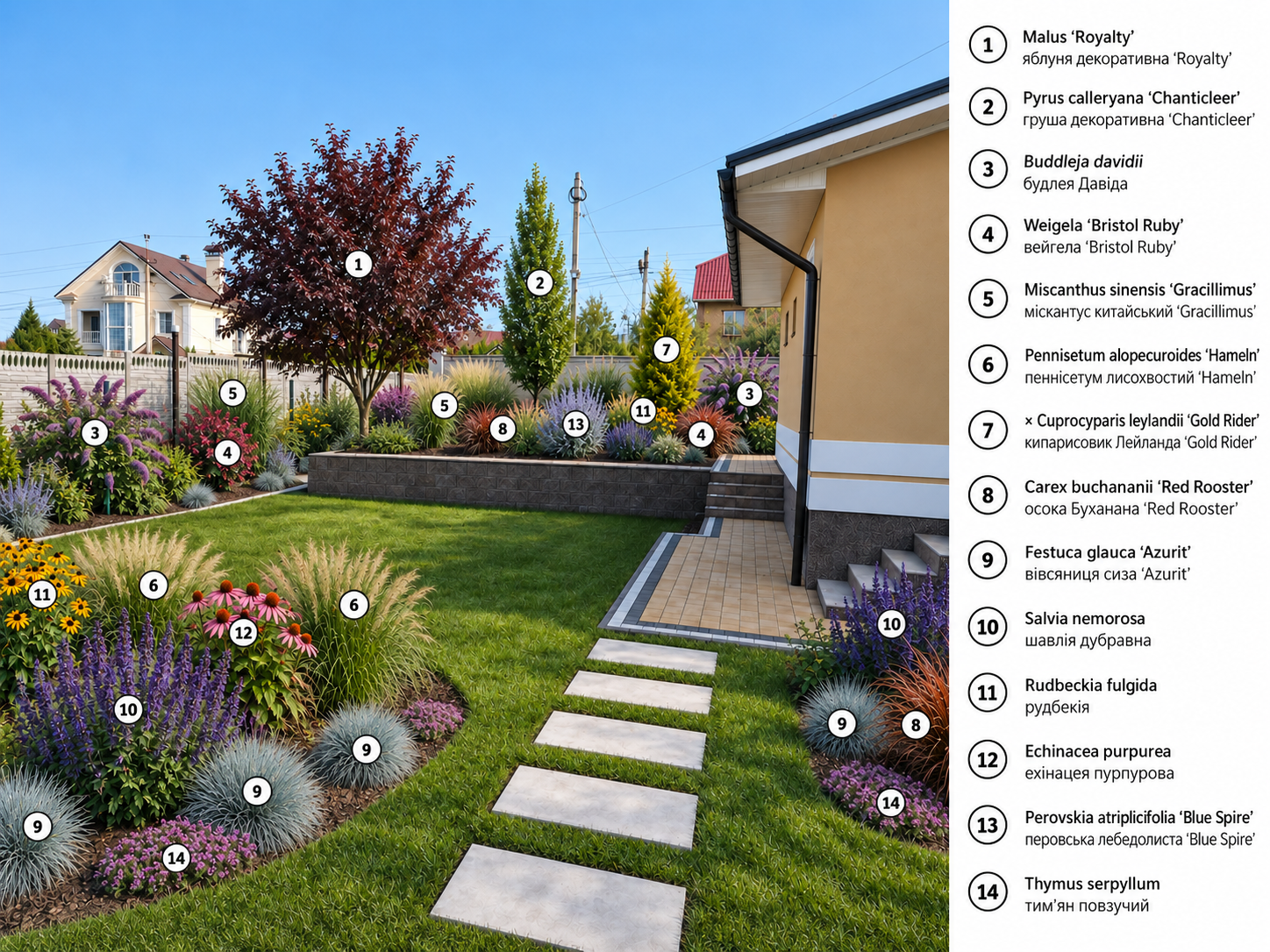
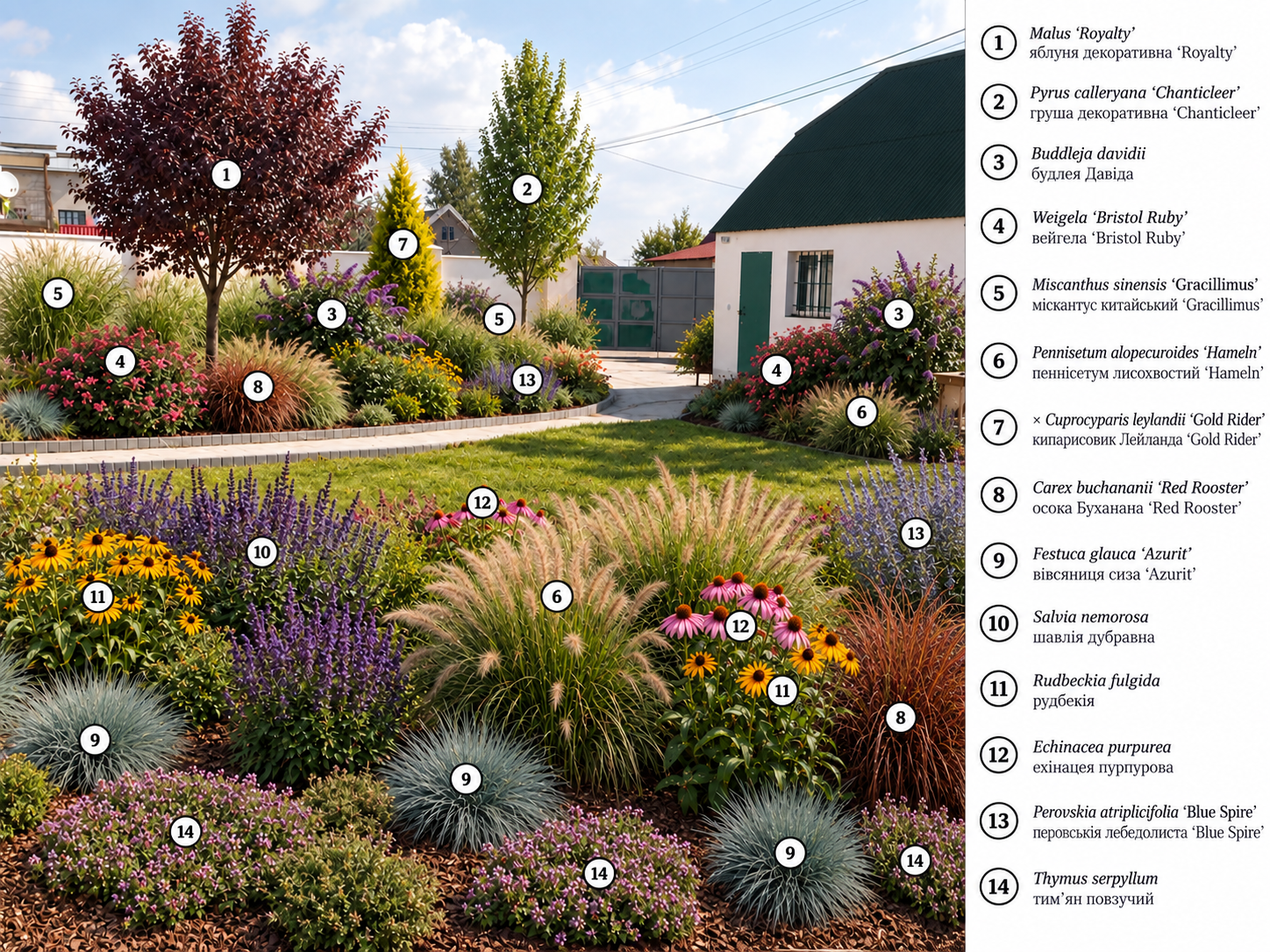
STEP 4 — Recognise and number the plants
Start a new AI chat.
Upload only the selected final garden image and paste the included Stage 2 Plant Recognition & Numbering Master Prompt.
The recognition system:
- preserves the selected landscape image;
- identifies only approved core plants that are sufficiently visible;
- uses the fixed numbering from 1 to 14;
- repeats the same number for every visible specimen or separate group of the same species;
- leaves unrelated or ambiguous existing vegetation unnumbered;
- creates a botanical legend.
Grouped grasses and perennials receive one marker per separate visible group, not one marker for every individual plant. The 73 individual plants therefore do not mean 73 markers.
INCLUDED IN THE SYSTEM
1. Universal Site Cleanup / Photo Preparation Prompt
Prepares the original property photograph before landscape generation.
2. Professional Naturalistic Country / Prairie-Style Garden Master Prompt
Creates the main landscape concept using the fixed plant palette and Naturalistic Country design logic.
3. Optimized Plant List
Provides the approved species, cultivars, quantities and required grouping structure. The current system contains 14 species/cultivars and 73 plants in total.
4. Plant Recognition & Numbering Master Prompt
Transforms the selected final design into a numbered botanical identification board while preserving the generated landscape.
5. Illustrated Plant Guide for Buyers
Provides visual plant references together with botanical names, quantities, landscape roles, growth form, selection characteristics and notes for choosing plants at a garden centre.
6. Full User Workflow Guide
Explains the complete process from original property photo to the final numbered landscape image.
7. Quick Start & Troubleshooting Guide
Provides a simplified workflow together with recovery actions for common generation and recognition errors.
WHAT YOU CAN CREATE
Using your own property photograph, this system can help you create:
- a cleaned site reference image;
- multiple Naturalistic Country Garden design concepts;
- alternative planting layouts for the same property;
- a selected final landscape visualisation;
- a botanically numbered garden image;
- a plant identification legend;
- a practical plant reference for later purchasing;
- a structured visual basis for future technical landscape planning.
DESIGNED FOR THE NEXT PROFESSIONAL STAGE
The numbered result is designed to provide a structured visual and botanical basis for a later workflow in which the selected garden composition can be transferred into a working top-view landscape plan / dendroplan with plant symbols, names, quantities and real site dimensions.
For Payhip I would keep the wording:
Designed as the visual and botanical foundation for a later working dendroplan workflow.
This makes it clear that the current product creates the visual and botanical preparation stage rather than claiming to produce final construction documentation.
WHO THIS SYSTEM IS FOR
Suitable for:
- landscape designers;
- garden designers;
- landscape architecture students;
- homeowners planning their own garden;
- AI-assisted design creators;
- landscape visualisation specialists;
- professionals preparing early-stage garden concepts for clients;
- users who want significantly more structure and repeatability than a generic AI garden prompt can provide.
IMPORTANT NOTE
AI image generators are probabilistic tools.
Individual generations may occasionally omit, duplicate, merge or visually distort plants.
For this reason, the system includes separate generation, selection, recognition and troubleshooting stages.
The recognition workflow is specifically instructed not to invent missing plants or force a number onto an uncertain match. If a plant or group cannot be identified confidently, it should remain unnumbered rather than being falsely classified.
This product should be used as an AI-assisted landscape design and visual planning system. It does not replace professional site measurement, engineering documentation, construction drawings or local technical requirements.