
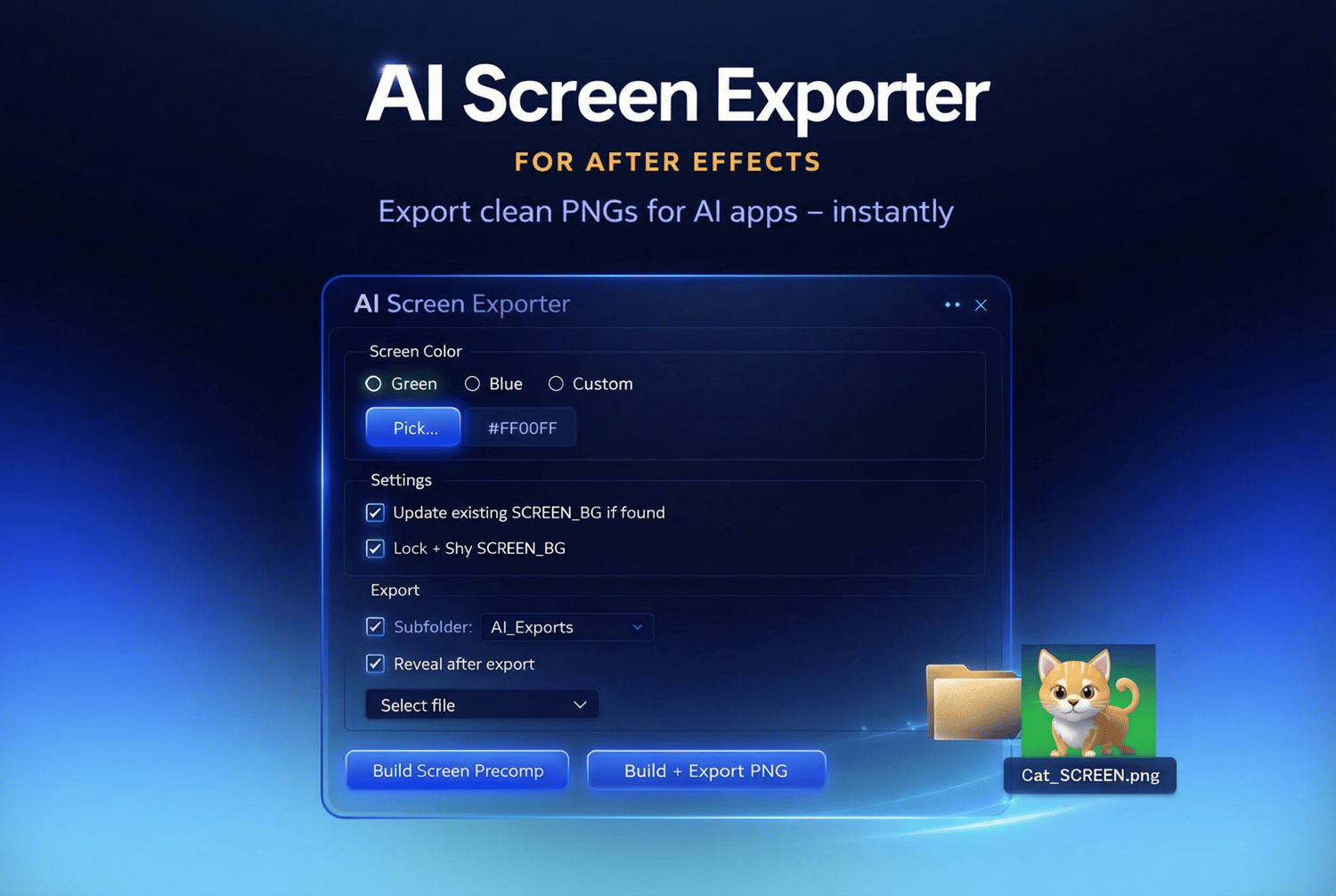


AI Screen Exporter for After Effects
🚀 AI Screen Exporter for After Effects
Stop wasting time preparing assets for AI.
If you work with AI tools, you know the pain.
You create a clean animation in After Effects.
Then you decide to send a frame to AI.
Suddenly you’re:
- adding temporary green screens
- precomposing manually
- opening Render Queue
- setting PNG export
- searching for the file
- repeating this 20 times a day
It breaks your flow.
AI Screen Exporter fixes this with one click.
🎯 What It Does
Select a layer → click Build + Export PNG → done.
The script automatically:
- Precomposes your layer to full comp size (16:9, 9:16, etc.)
- Adds a clean screen-ready solid (Green, Blue, or Custom color)
- Exports a single PNG from the playhead position
- Saves it to an organized folder next to your project
- Opens the folder and selects the file for you
No Render Queue.
No output templates.
No manual setup.
💡 Why It’s Different
Most scripts rely on Render Queue templates.
This one uses native saveFrameToPng() — meaning:
- Always exports PNG
- No template dependency
- No broken settings
- Faster and more stable workflow
It’s built specifically for AI-heavy workflows.
⚡ Perfect For
- AI image-to-video workflows
- Midjourney / Runway / Pika / Stable Diffusion pipelines
- Motion designers iterating quickly
- Social media content creators
- Anyone exporting dozens of frames daily
If you send frames to AI even 5 times per day, this pays for itself immediately.
🧩 Features
✔ One-click screen prep
Automatically precompose and add screen-ready background.
✔ Green, Blue, or Custom color
Choose the background color directly in the UI.
✔ Export 1 frame from playhead (CTI)
Exports exactly what you see at your current timeline position.
✔ Auto folder creation
Creates AI_Exports next to your project file.
✔ Reveal after export
Choose:
- Open folder
- Select exported file automatically
✔ Update existing screen layer
Prevents duplicates and keeps your comps clean.
✔ Lock & Shy screen layer
Keeps your timeline organized.
🛠 How It Works (Workflow)
- Select a layer in your composition
- Move playhead to desired frame
- Choose screen color
- Click Build + Export PNG
- PNG appears in your folder instantly
Ready to drag into AI.
📦 Installation
- Download the .jsx file
- Copy it to:
Windows:
C:\Program Files\Adobe\Adobe After Effects <version>\Support Files\Scripts\ScriptUI Panels\
Mac:
Applications/Adobe After Effects <version>/Scripts/ScriptUI Panels/
- Restart After Effects
- Open via:
- Window → Screen Prep
💻 Compatibility
- After Effects CC 2020 and newer
- Windows & macOS
- No external dependencies
- No render templates required
🎯 Designed for Speed
This isn’t a flashy effect.
It’s a workflow accelerator.
If you use AI in your creative process, this tool removes friction and keeps you in flow.