


Layer Isolate & On Pro
On Sale
$19.00
$19.00
Layer Isolate & On Pro — AutoLISP + DCL
Focus on the layers you need with a convenient dialog for isolating layers, turning layers on, and restoring their previous visibility settings.
Built for architectural drafting and everyday CAD work, Layer Isolate & On Pro brings useful layer controls together in one easy-to-use interface.
Features
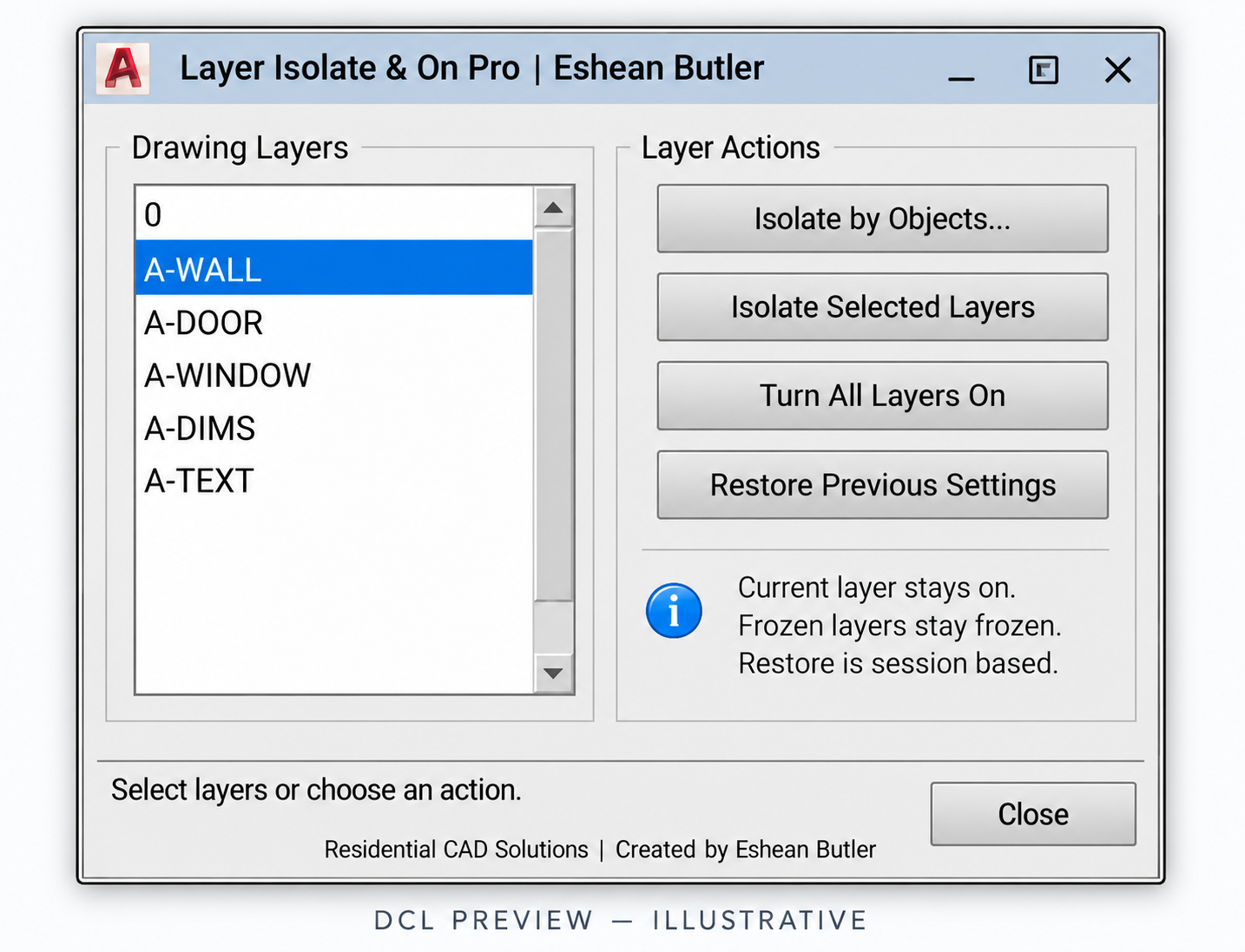
- Isolate by Objects: Select objects to keep their layers visible while turning other layers off.
- Isolate Selected Layers: Choose multiple layers directly from the dialog.
- Turn All Layers On: Quickly turn on every layer in the drawing.
- Restore Previous Settings: Restore the on/off settings saved before your first isolation or turn-on action during the current session.
- Current Layer Protection: Keep the current layer on during isolation.
- Command-Line Access: Use LAYERPRO, LAYERISO, LAYERON, or LAYERRESTORE.
Your download includes
- AutoLISP program (.LSP)
- DCL dialog file (.DCL)
- Installation and operating instructions
- ZIP package
Please note: Turning layers on does not thaw frozen layers or remove viewport freeze overrides. Restore settings are session based and are not retained after closing AutoCAD. Requires AutoCAD with AutoLISP and DCL support. AutoCAD runtime testing is still pending.
Created by Eshean Butler
Residential CAD Solutions