

Craft Fair Sales Tracker UK – Market Stall Profit Spreadsheet
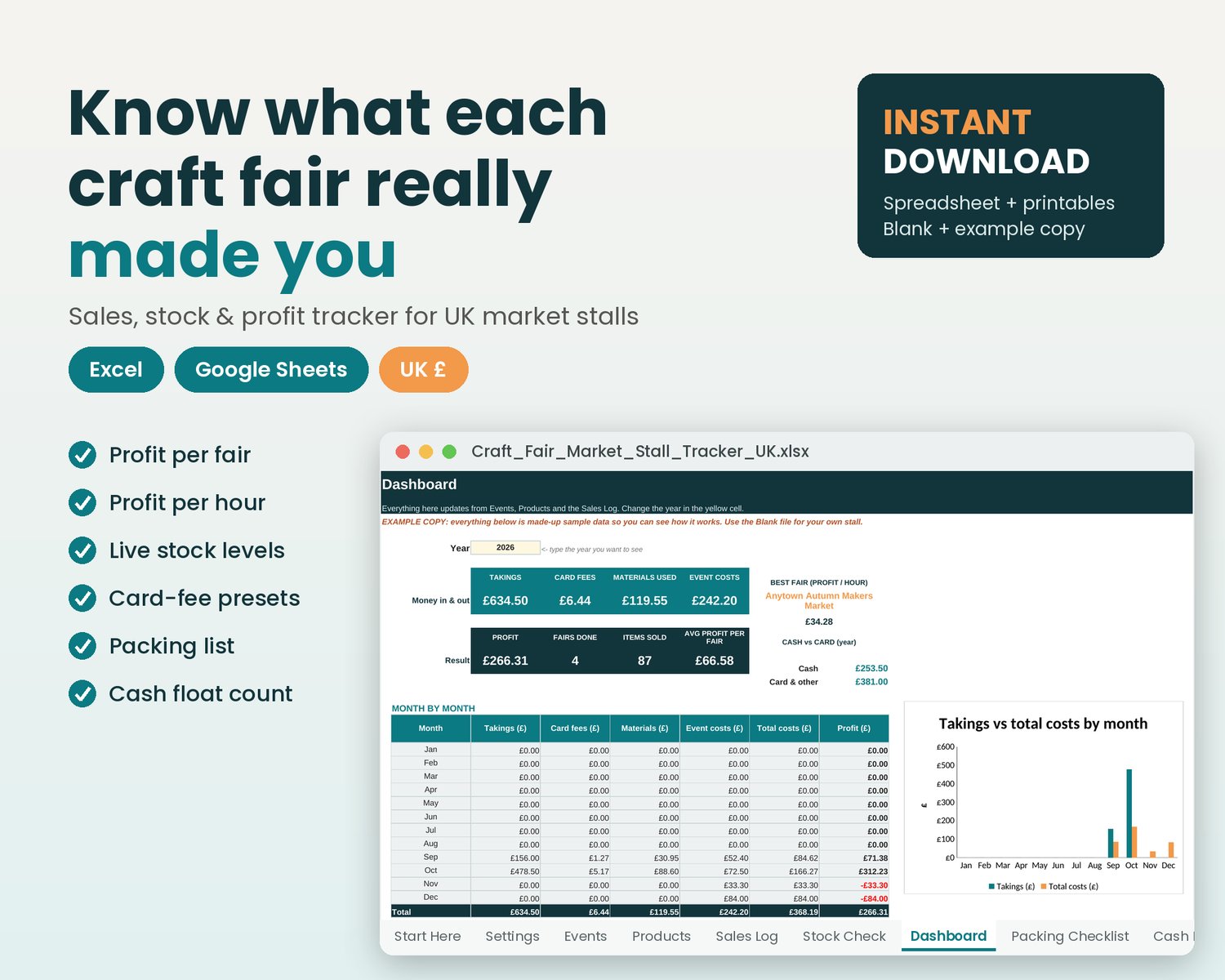
Track craft fair sales, stock and profit in one Excel or Google Sheets spreadsheet, built for UK makers and market stalls. See what each event earned after pitch fees, card fees, materials and travel, with printable packing and cash-count sheets included.
It works in Excel and free Google Sheets, in pounds, with UK wording (pitch fee, cash float, card reader). Every formula is already set up, so you just type in your fairs, products and sales.
Also sell online? Pair it with the Vinted Profit Tracker: https://payhip.com/b/OKqli
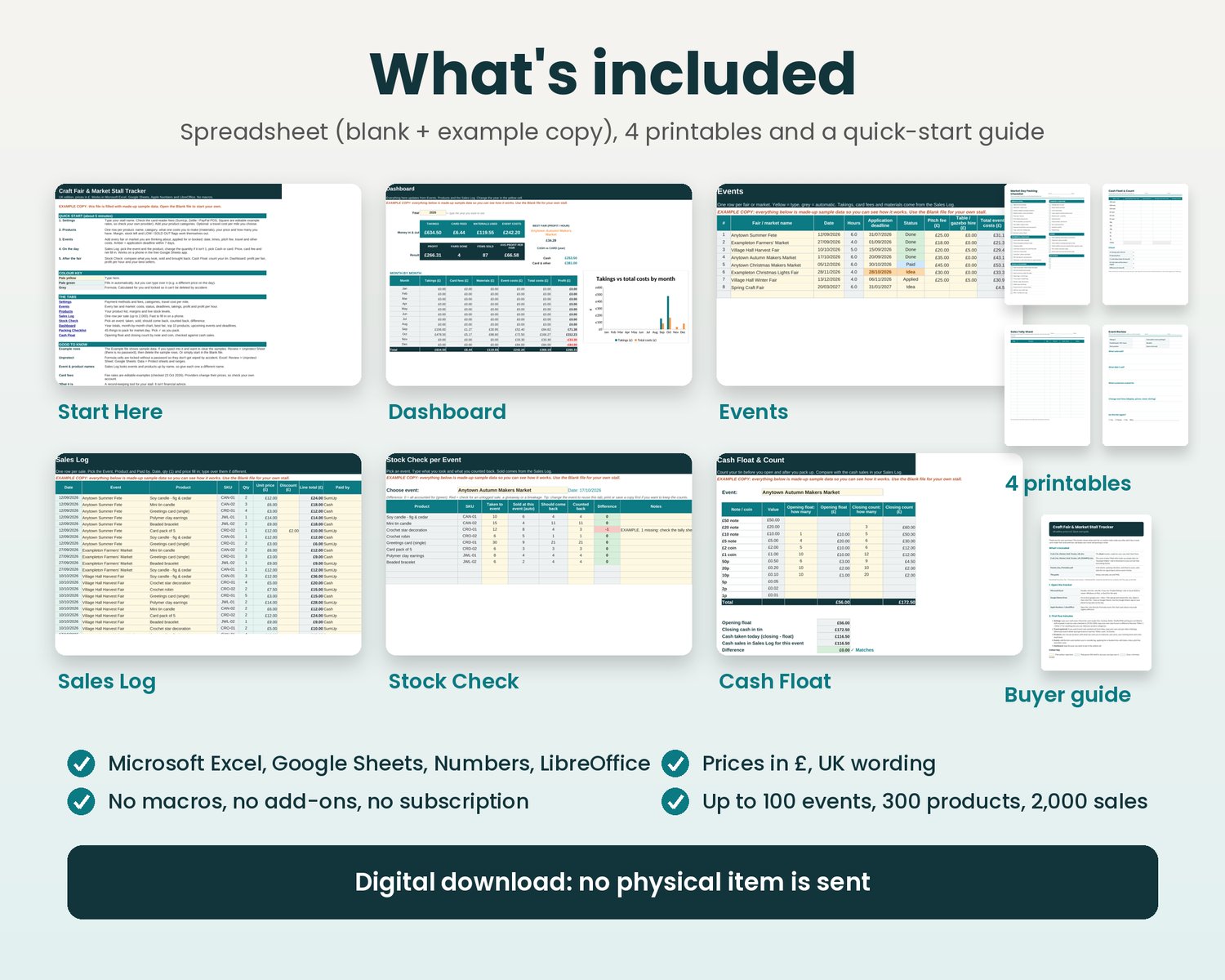
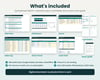
WHAT'S INCLUDED
• Craft_Fair_Market_Stall_Tracker_UK.xlsx: the blank tracker, ready to use
• Craft_Fair_Market_Stall_Tracker_UK_EXAMPLE.xlsx: the same tracker filled with made-up sample data, so you can see how it works
• Market_Day_Printables.pdf: 4 A4 sheets (packing checklist, cash float & count, sales tally sheet for no-signal days, event review)
• Buyer guide PDF: setup, everyday use and FAQ
THE TABS
• Start Here: 5-step setup and a colour key
• Settings: payment methods with editable card-reader fees (SumUp, Zettle / PayPal POS and Square presets plus 2 spare rows), product categories, optional travel cost per mile
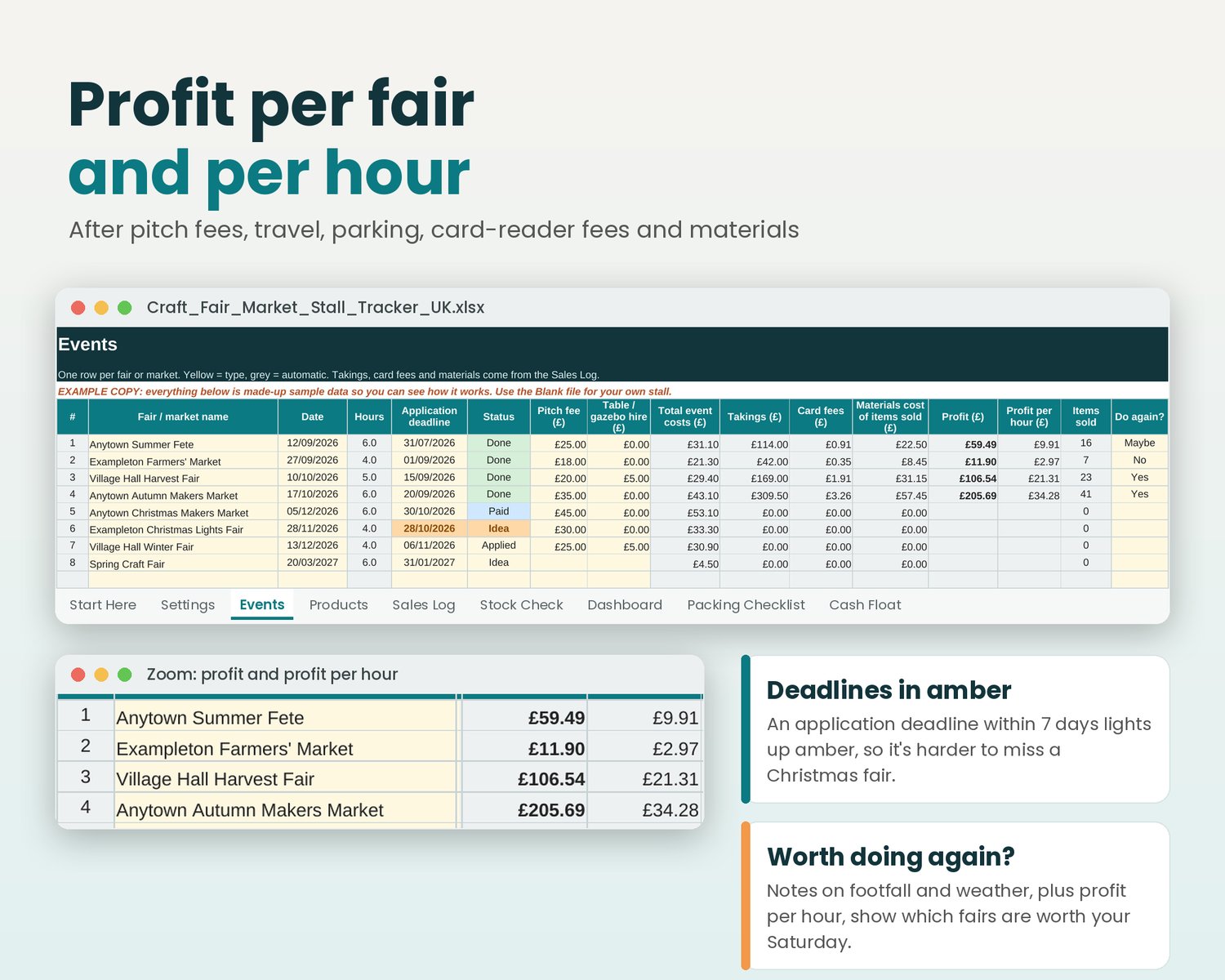
• Events: up to 100 fairs and markets with dates, hours, application deadlines, status, pitch fee, table hire, travel and parking. Takings, card fees, materials, profit and profit per hour fill in automatically. Deadlines within 7 days turn amber
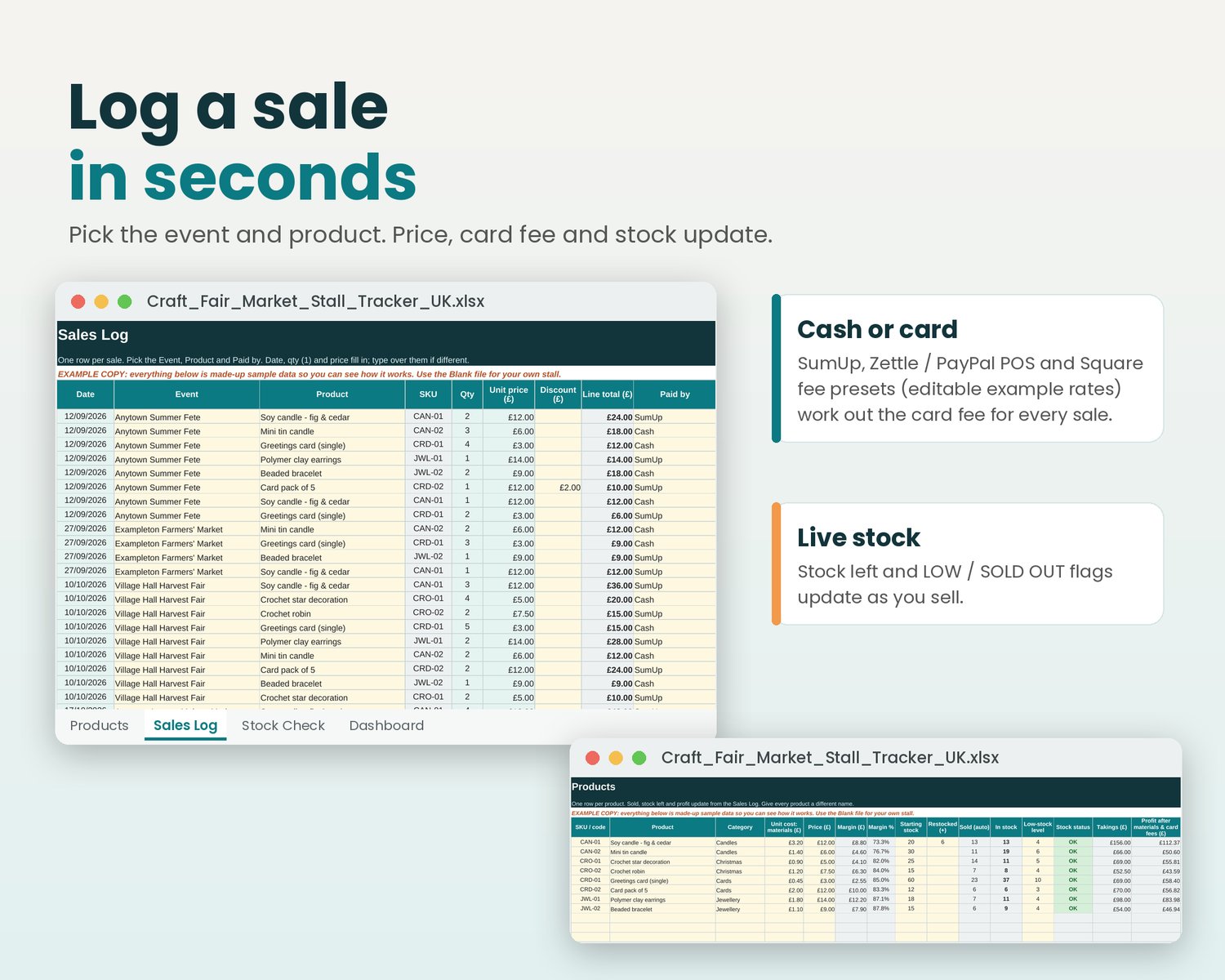
• Products: up to 300 products with margin, live stock left and LOW / SOLD OUT flags
• Sales Log: up to 2,000 sales. Pick the event and product, and the date, price, card fee and net fill in
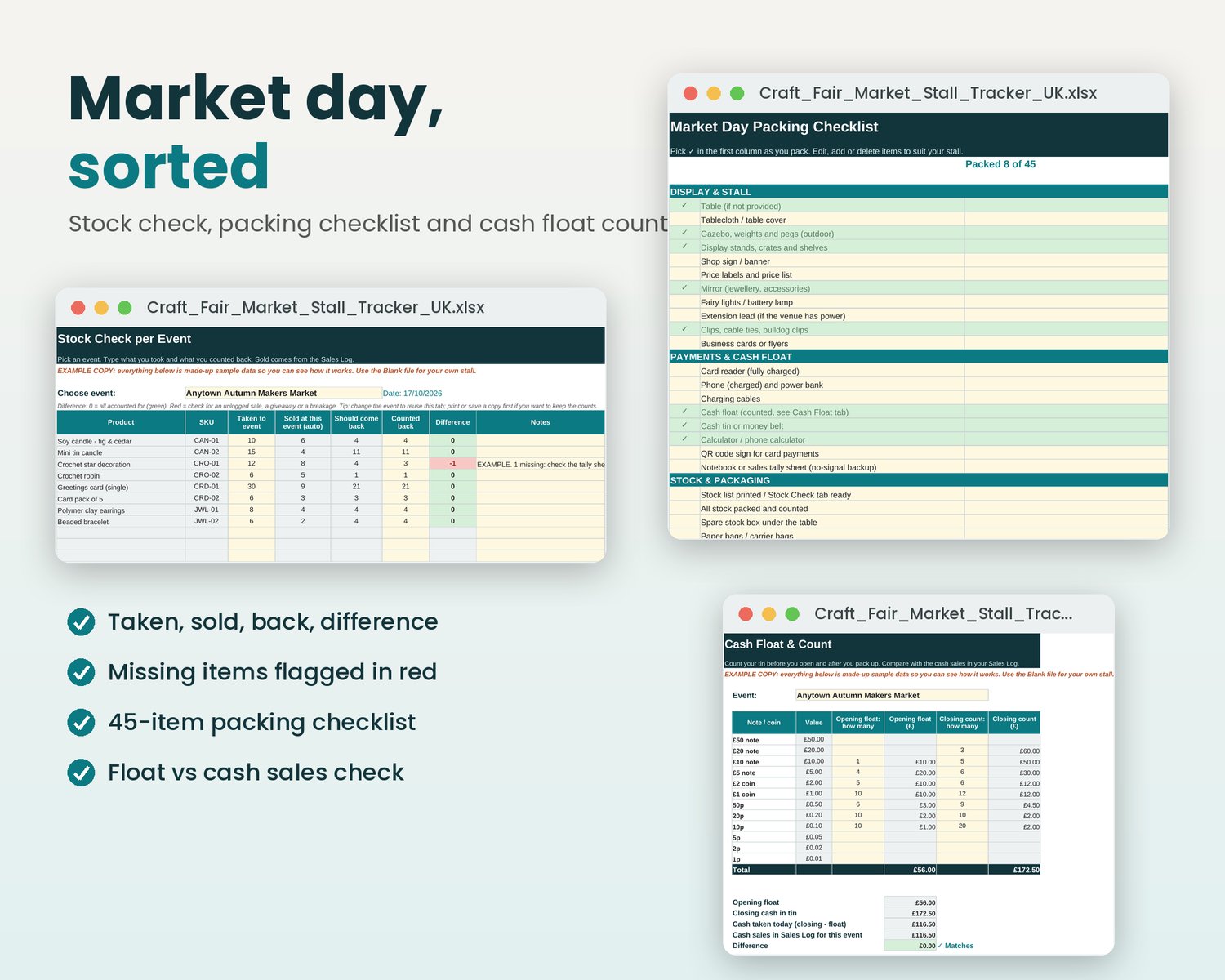
• Stock Check: pick an event to see taken, sold, should come back, counted back and the difference
• Dashboard: year totals, a month-by-month chart, best fair by profit per hour, top 10 products by units and by profit, cash vs card, next events and application deadlines
• Packing Checklist: 45 market-day items to tick off
• Cash Float: count your float and your closing tin by note and coin, checked against your cash sales
HOW IT WORKS
1. Download and unzip, then open the blank file in Excel or upload it to Google Drive and open it with Google Sheets
2. Add your card-reader fee, products and fairs
3. On the day, log each sale (the free Google Sheets app works on a phone)
4. After the fair, do the stock check and cash count, then see your profit on the Dashboard
FEATURES
✔ Prices in £ with UK wording
✔ Works in Excel, Google Sheets, Apple Numbers and LibreOffice
✔ No macros, no add-ons, no subscription
✔ Formula cells are locked (no password) so they can't be deleted by accident
✔ Dropdowns for events, products, payment methods and status
✔ Card-reader fee rates are editable examples, so you can set them to match your own provider
✔ Sample data only in the separate example copy
COMPATIBLE WITH
• Microsoft Excel 2010 or newer (Windows, Mac, web)
• Google Sheets (free; upload the .xlsx to Google Drive; instructions included)
• Apple Numbers and LibreOffice (the chart may look slightly different)
PLEASE NOTE
• This is a digital download. No physical item will be sent.
• Your files will be ready to download right after purchase from your confirmation email and download page.
• This is a record-keeping tool. Card-fee figures are editable examples, not quotes from the providers.
• For personal use in your own business. Please don't share or resell the files.
If the file is faulty or doesn't open, message me and I'll fix it or refund you.
Designed by me with help from AI tools; every page checked by hand.
Questions? Send me a message and I'll get back to you as soon as I can.