


Shopify Catalog Preflight — Excel Checklist for Product CSVs
Find the catalog rows that need your attention before you import a Shopify product CSV. Paste the relevant columns into Microsoft Excel to spot missing or duplicate text SKUs, invalid prices, missing product handles and issues with variant options.
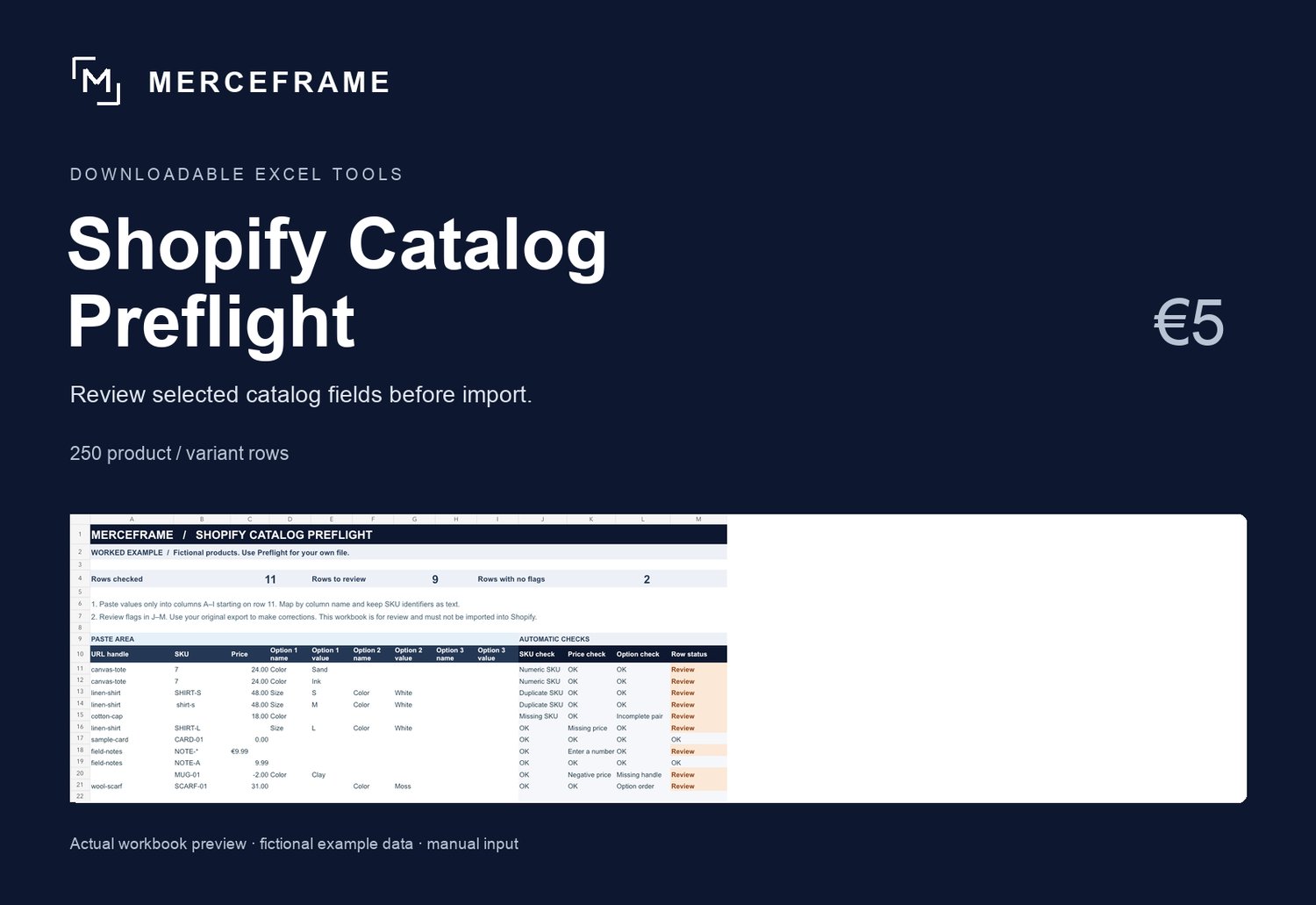
See what it flags
In the included worked example, row 13 flags a duplicate SKU, row 16 flags a missing price and row 21 flags variant options entered out of order. Each flag points to a row you can review in your source file.
How to use it
1. Open the worked example to see the checks in action.
2. Copy the relevant columns from your catalog into the blank template. Review up to 250 product or variant rows per workbook.
3. Use the flagged rows to make corrections in a copy of your original CSV, then review Shopify’s import preview.
What you receive
A ZIP with the Excel workbook, a worked example and an English quick-start guide. One purchase at €5. Requires Microsoft Excel. The workbook uses formulas and runs locally without macros or a Shopify login.
Scope
The workbook covers the checks above. It leaves your source CSV unchanged. Numeric-looking SKUs are flagged for manual comparison. Review Shopify’s own import requirements before updating your catalog. Independent product from MERCEFRAME, prepared with AI assistance.
Compatibility note: native Microsoft Excel testing is pending. Review the included guide and use a copy of your source data.