
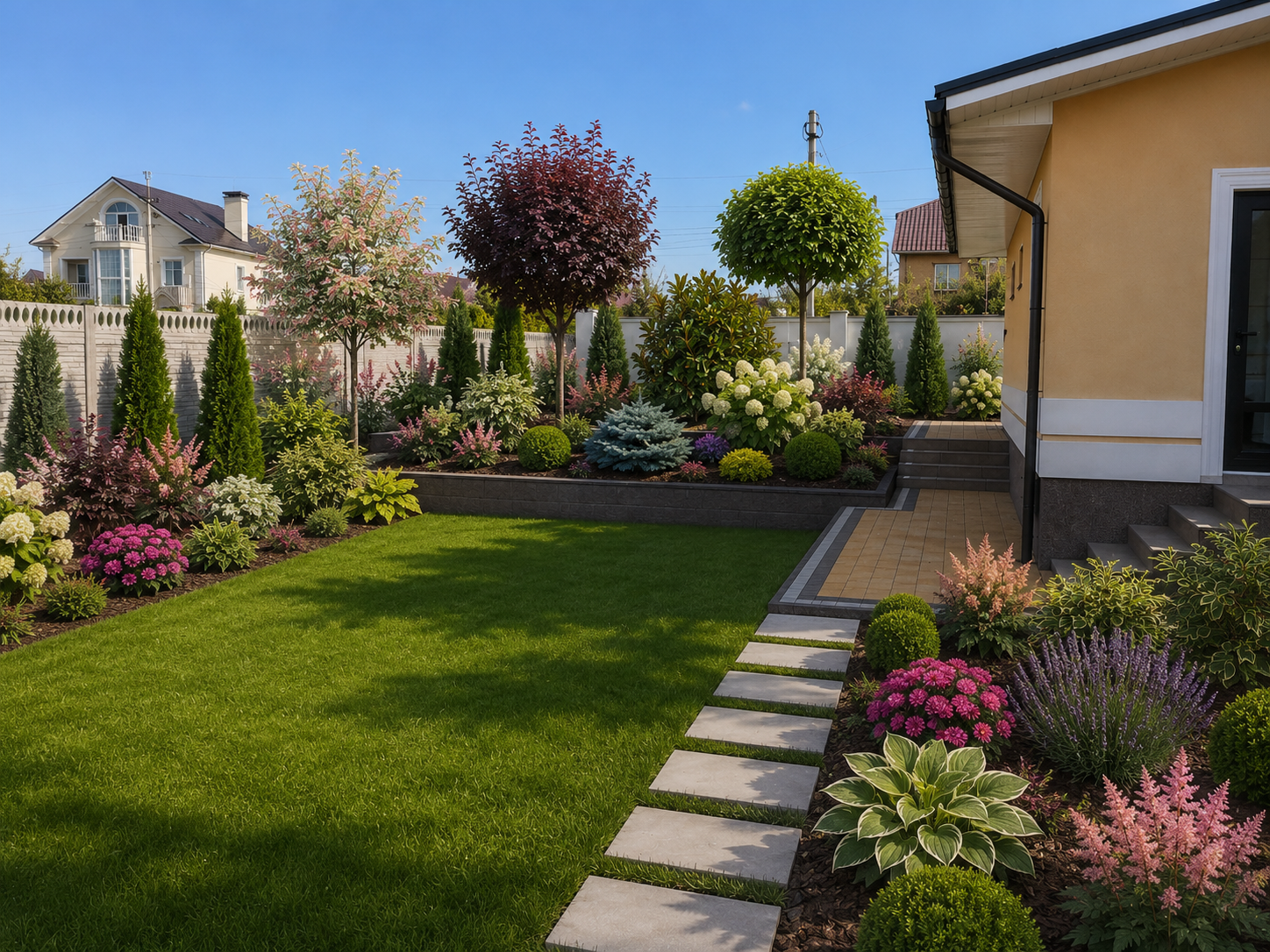
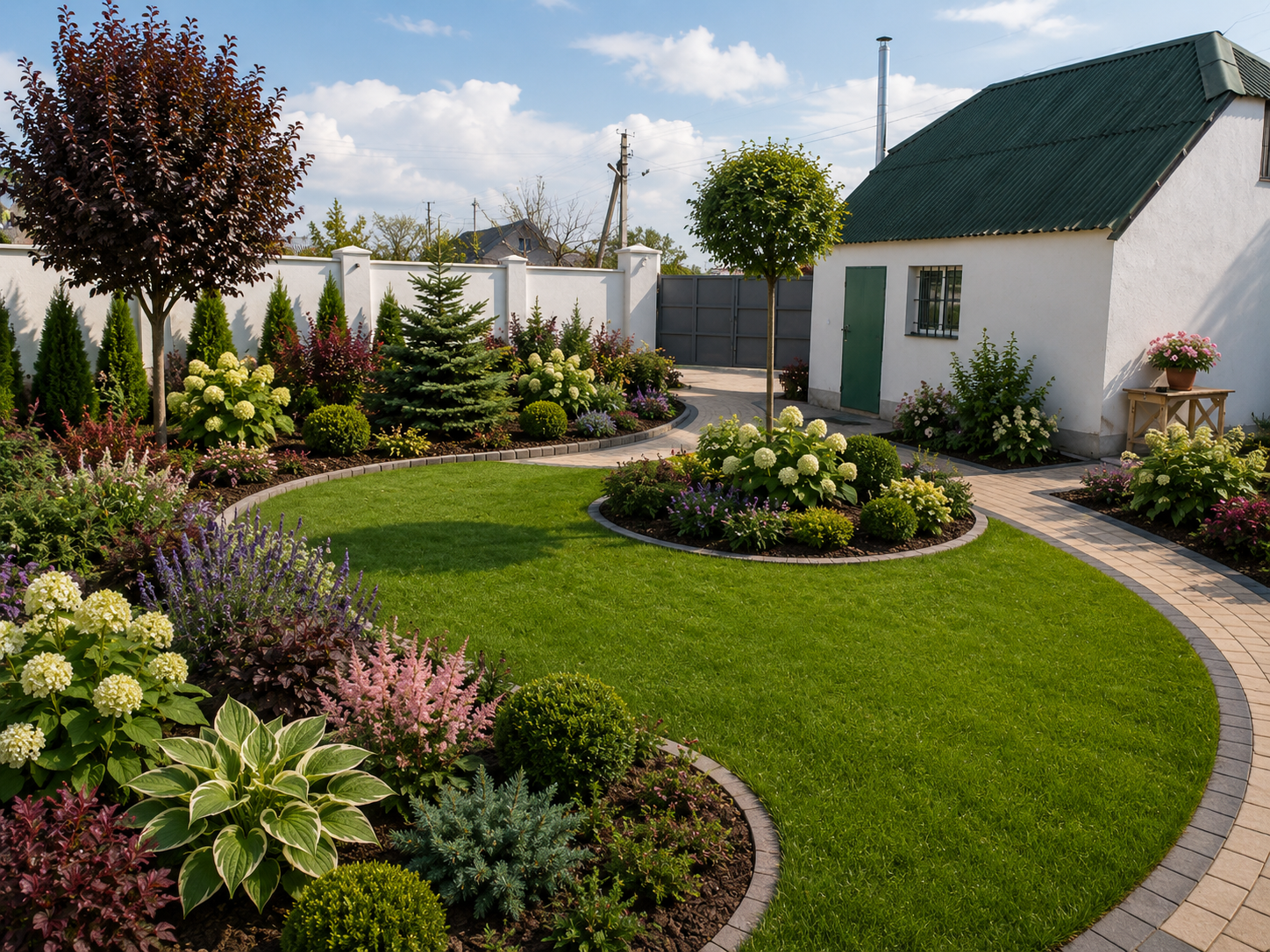



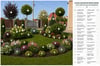




Classic Decorative Mixed Garden — AI Landscape Workflow System
CLASSIC DECORATIVE MIXED GARDEN
AI Landscape Workflow System
This is not simply a collection of AI prompts.
It is a structured landscape-design workflow created to help you transform a real property photo into a coherent Classic Decorative Mixed Garden concept while preserving the original site's architecture, perspective, permanent hardscape, circulation routes and spatial logic.
The system takes you through the complete visual design process:
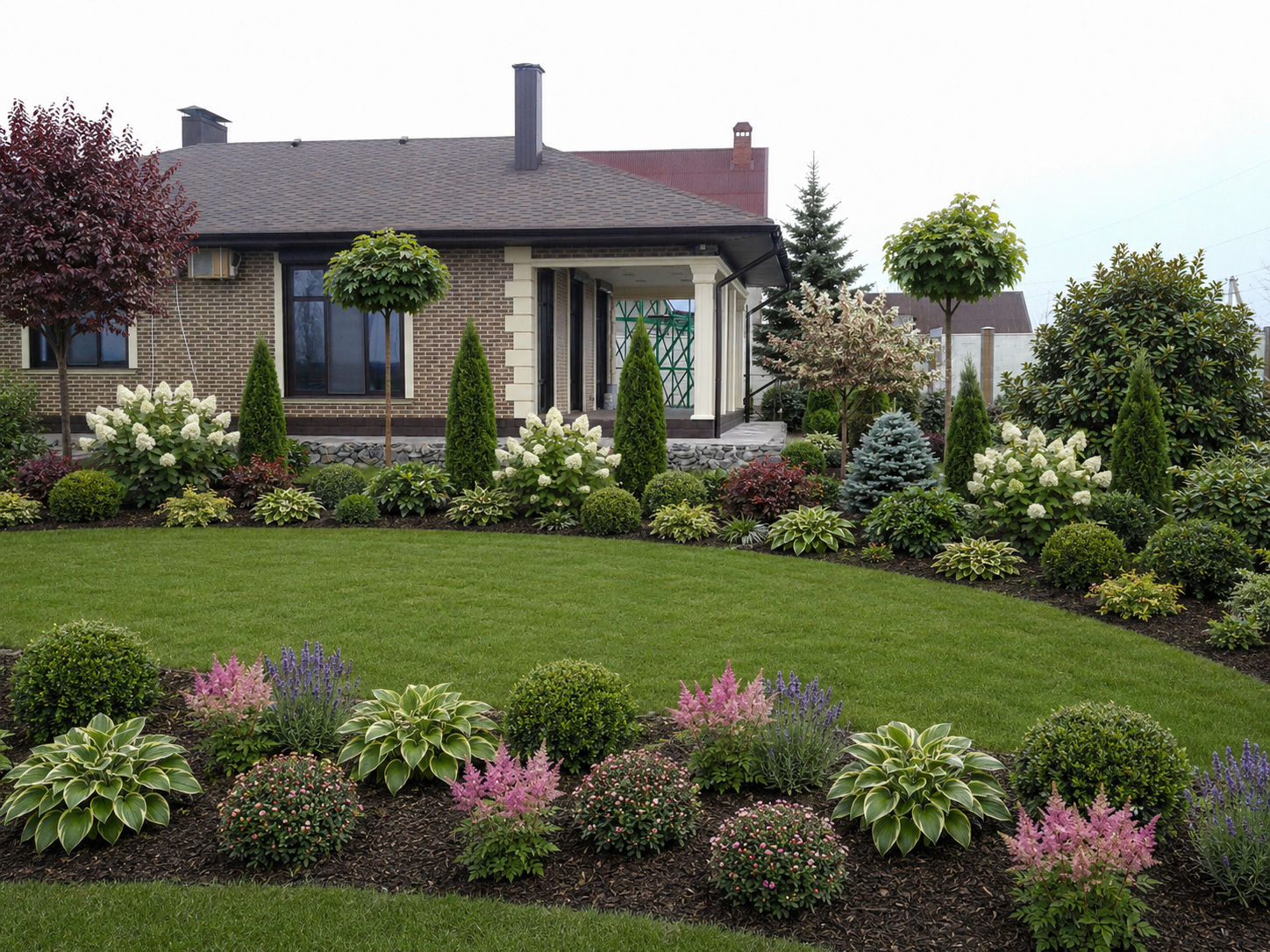
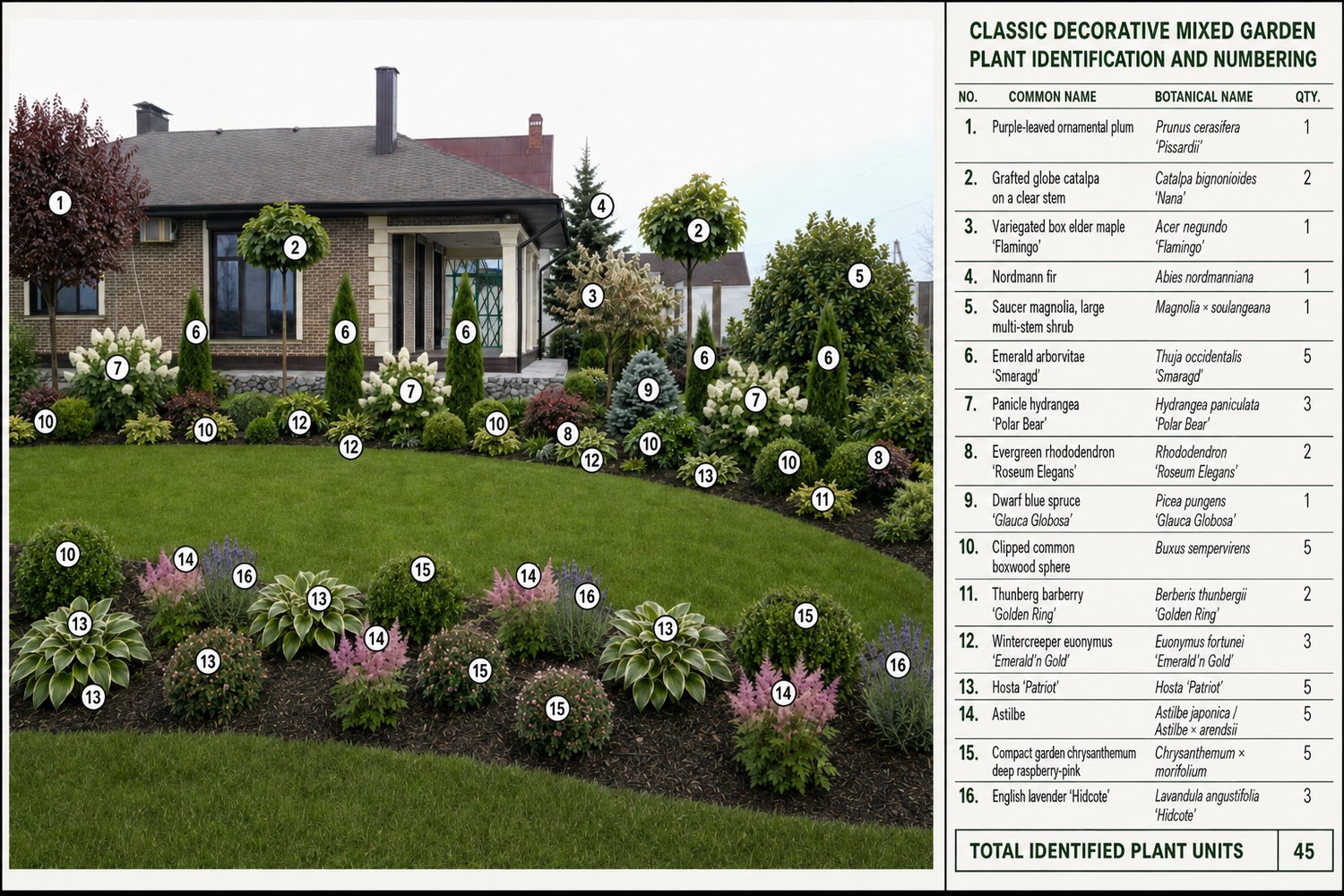
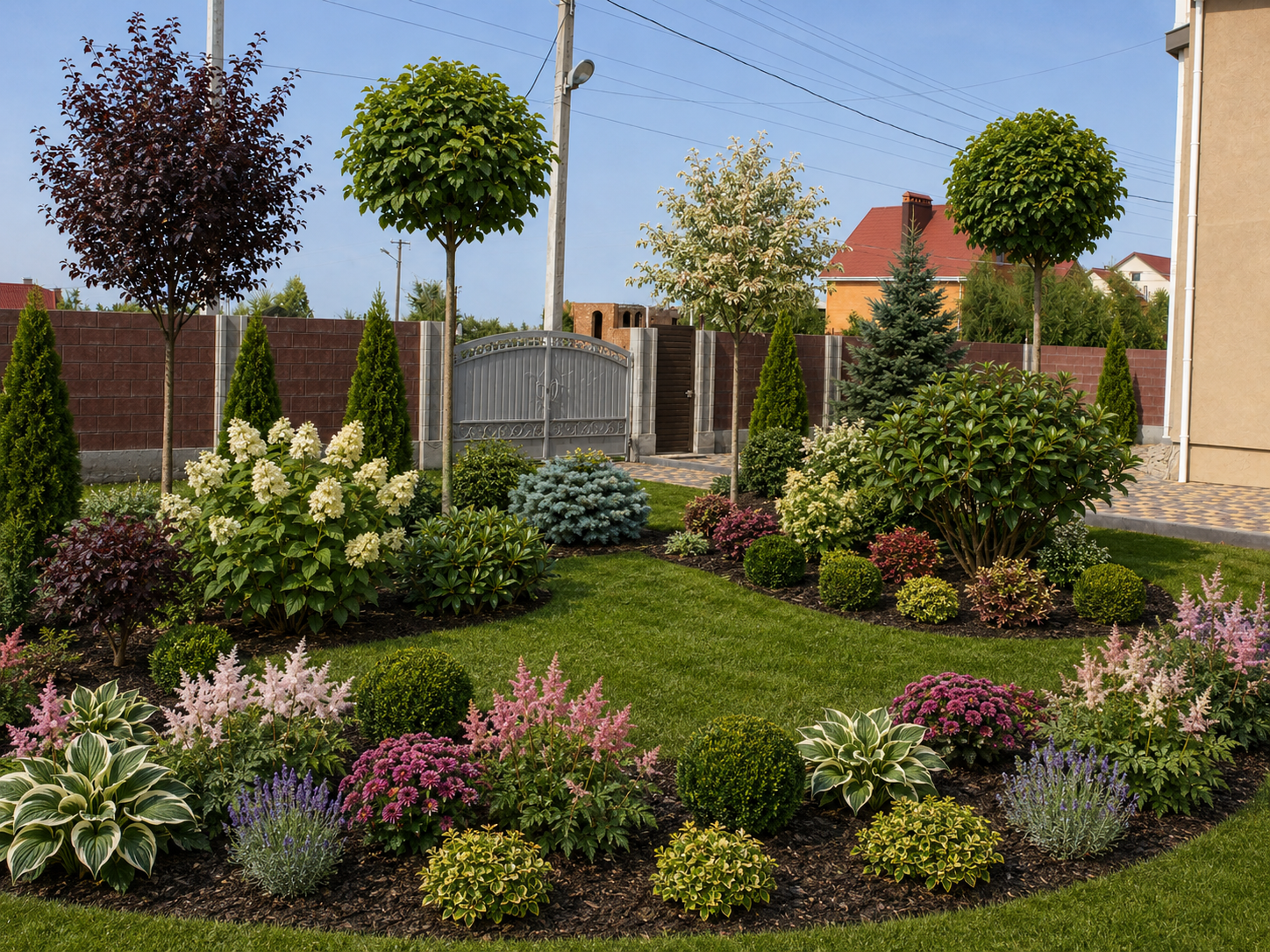
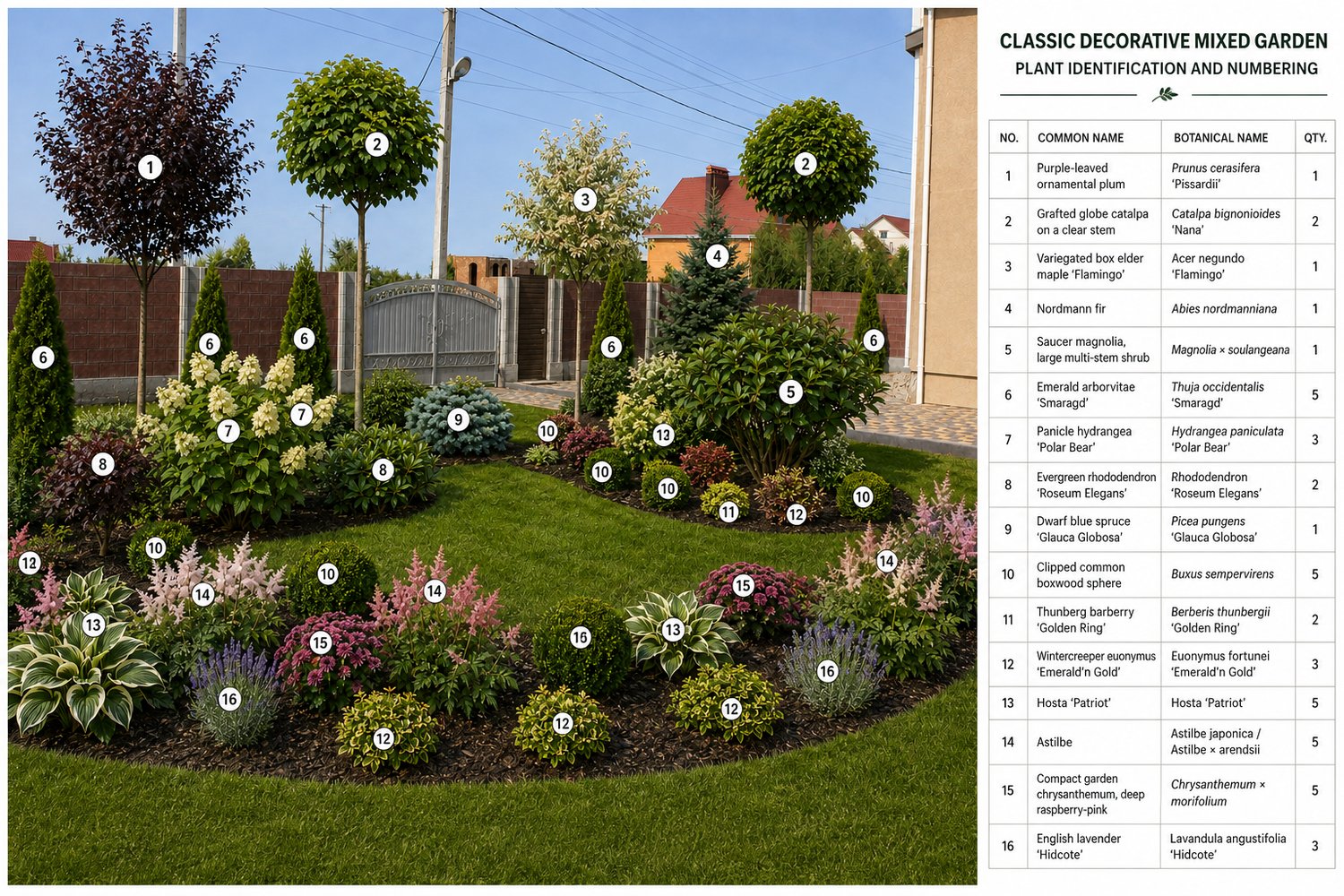
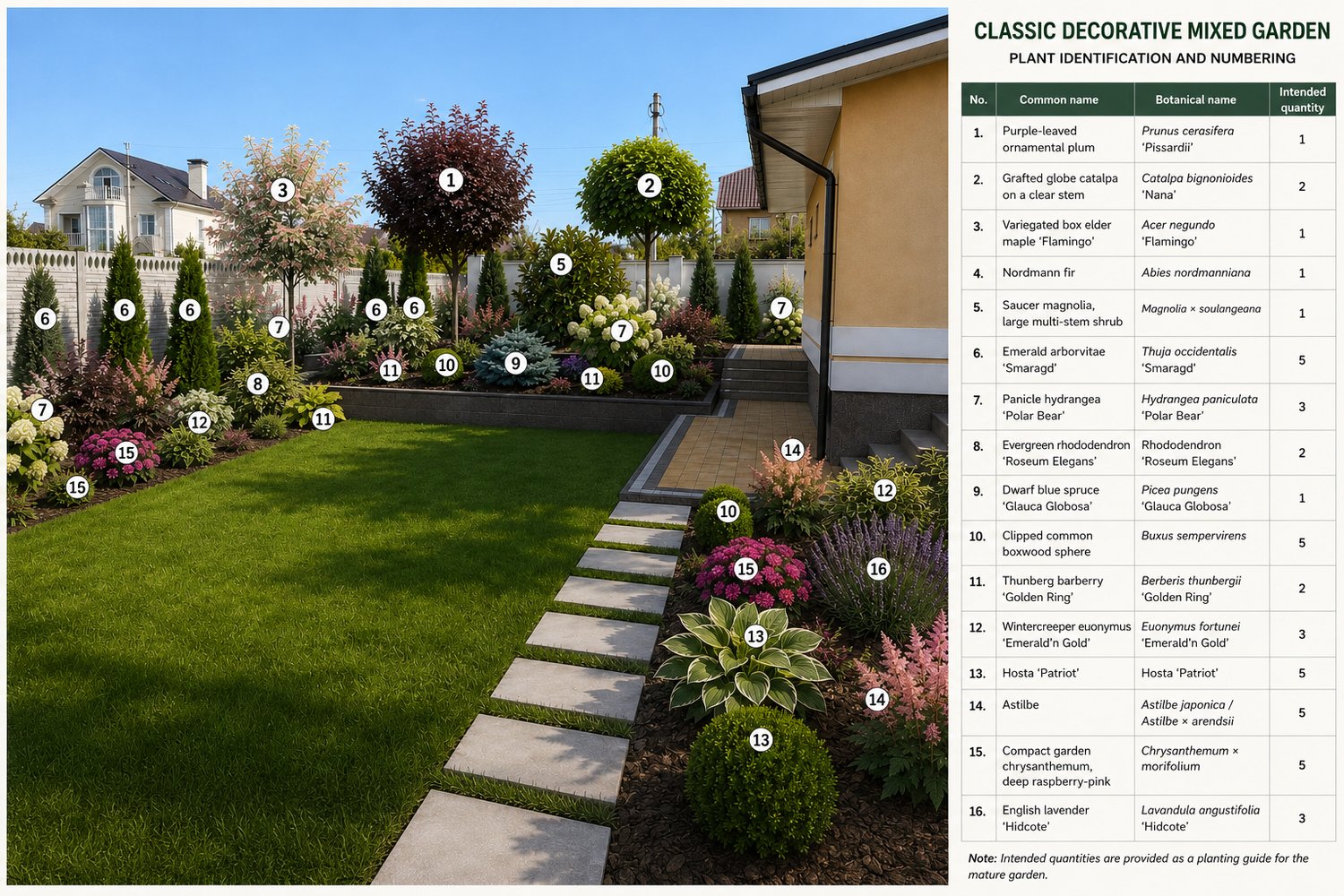
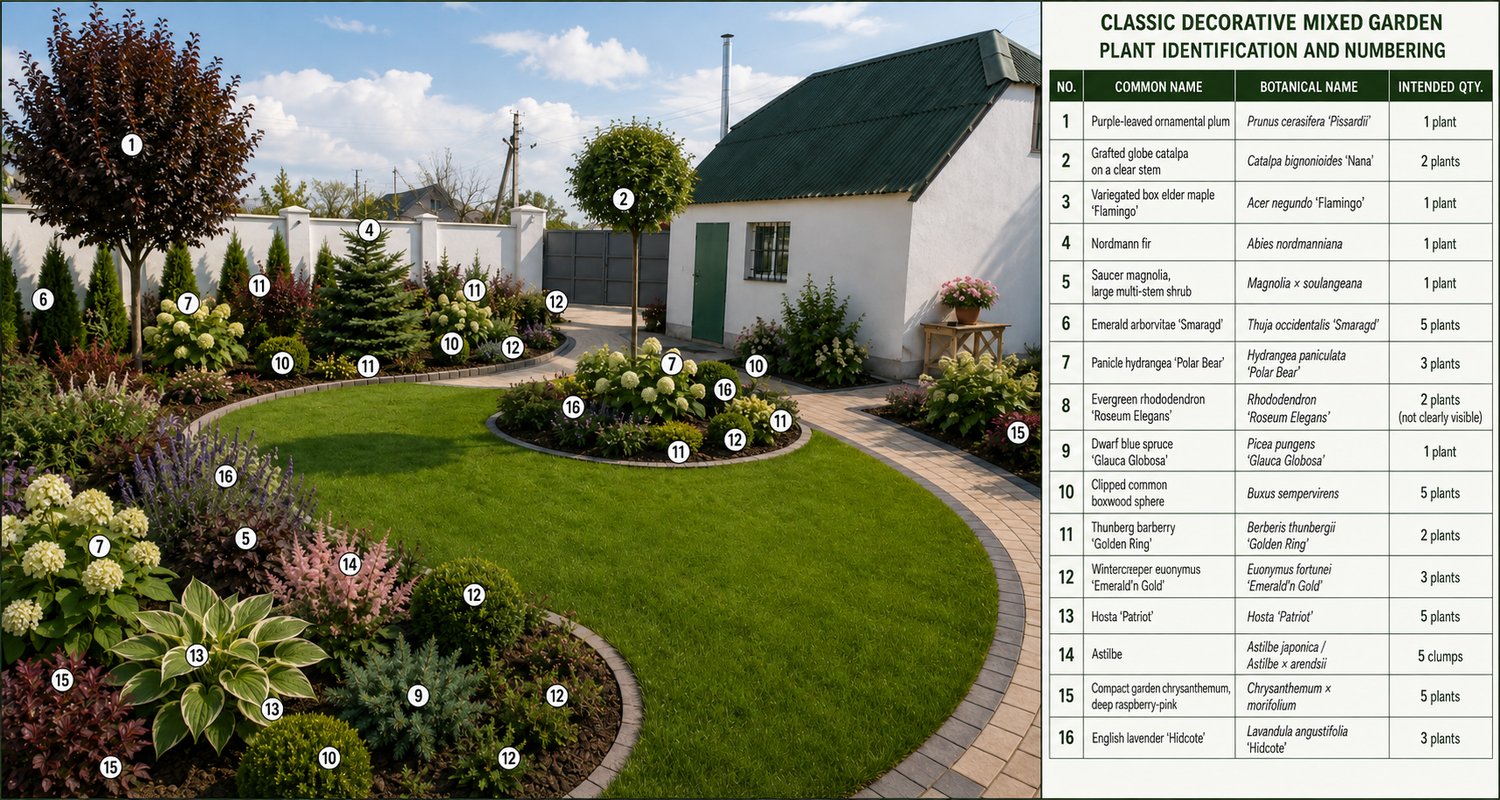
Original Property Photo → Site Cleanup → Multiple Landscape Design Options → Best Design Selection → Plant Recognition → Botanical Numbering & Identification Board
The landscape generation stage uses a fixed, professionally selected plant inventory and is designed to keep individual plants visually readable for the later recognition stage.
What makes this system different?
Instead of asking AI to create a random “beautiful garden,” the workflow controls:
- property preservation;
- architecture and camera perspective;
- existing paths and permanent hardscape;
- landscape style;
- planting hierarchy;
- plant species;
- plant quantities;
- seasonal appearance;
- plant scale;
- visual recognition of repeated specimens;
- botanical numbering.
The Classic Decorative Mixed Garden system uses a fixed palette of 16 plant species/cultivars, organised across upper, structural/middle and lower planting layers.
The design language combines ornamental trees, evergreen structure, clipped forms, flowering shrubs, foliage contrast and layered perennial planting to create a refined residential garden rather than a random collection of decorative plants.
HOW THE WORKFLOW WORKS
STEP 1 — Prepare your property photo
Start with your own property photograph.
The included Universal Site Cleanup / Photo Preparation Prompt removes clearly temporary clutter such as construction debris, loose tools and discarded materials while preserving architecture, terrain, paths, fences, utilities and other permanent site elements.
This creates a clean reference image for landscape generation.
STEP 2 — Generate landscape design options
Apply the Classic Decorative Mixed Garden Master Prompt to the cleaned image.
Create up to 5 design variations per working batch where your AI image tool allows it.
The system intentionally allows different professional planting arrangements while keeping the property, landscape style and fixed plant palette stable.
STEP 3 — Select the strongest design
Compare the generated options and choose the version with the best combination of:
- site fidelity;
- professional composition;
- readable plant structure;
- realistic scale;
- seasonal coherence;
- preserved circulation;
- clear individual plant forms.
Do not automatically use the first generated image.
The strongest and most botanically readable result should move to the next stage.
STEP 4 — Recognise and number the plants
Upload:
- your selected landscape image;
- the approved plant list;
- the included Plant Recognition & Numbering Prompt.
The system then identifies confidently visible plants and assigns permanent species numbers.
Every specimen of the same species uses the same number — for example, all visible Thuja ‘Smaragd’ use number 6 and all Hosta ‘Patriot’ use number 13.
The result is a clear botanical identification board that connects the generated landscape to real plant names.
INCLUDED IN THE SYSTEM
The package includes:
1. Universal Site Cleanup / Photo Preparation Prompt
Prepares your original site photo before landscape generation.
2. Professional Classic Decorative Mixed Garden Master Prompt
Creates the landscape design while protecting the property and controlling the planting system.
3. Approved Plant Inventory
A fixed botanical palette with species, cultivars and intended quantities.
4. Plant Recognition & Numbering Prompt
Transforms the selected design into a numbered botanical identification image.
5. Illustrated Plant Guide for Buyers
Includes real plant examples, Latin names, quantities, landscape roles, characteristic appearance and buyer-selection notes. For example, the guide distinguishes the formal globe habit of Catalpa ‘Nana’, the airy variegated crown of Acer ‘Flamingo’ and the structural role of Nordmann fir.
6. User Workflow Guide
Explains the correct sequence from original photo to numbered botanical board.
7. Error Handling & Troubleshooting Guide
Explains when to repeat cleanup, regenerate the landscape, or rerun only the recognition stage.
WHAT YOU CAN CREATE
Using your own property photograph, this system can help you create:
- a cleaned landscape reference image;
- multiple Classic Decorative Mixed Garden concepts;
- alternative planting arrangements for the same property;
- a selected final visual concept;
- a botanically numbered landscape image;
- a plant identification legend;
- a structured bridge between AI landscape visualization and later technical landscape planning.
DESIGNED FOR THE NEXT PROFESSIONAL STAGE
The numbered landscape result is designed to provide a structured basis for a later workflow in which the selected composition can be transferred into a working top-view dendroplan with real plant names, symbols, quantities and site dimensions.
I would phrase this carefully on Payhip as:
Designed as the visual and botanical foundation for a later working dendroplan workflow.
rather than:
“Creates a working dendroplan.”
Поки що це буде абсолютно чесно і водночас показує покупцеві, що він купує не одноразову картинку, а першу частину професійної системи.
WHO THIS SYSTEM IS FOR
Suitable for:
- landscape designers;
- garden designers;
- landscape architecture students;
- homeowners planning a garden;
- visualisation specialists;
- AI-assisted design creators;
- professionals preparing early-stage landscape concepts for clients;
- users who want more structure and repeatability than a generic AI garden prompt can provide.
IMPORTANT NOTE
AI image generators are probabilistic tools.
A generated design may occasionally omit, duplicate, merge or visually distort individual plants. For this reason, the workflow includes selection, validation and troubleshooting stages.
The recognition system is specifically instructed not to invent a missing plant simply to satisfy the expected quantity; uncertain plants should remain unnumbered rather than being falsely identified.
This workflow should be used as an AI-assisted design and planning system, not as a substitute for site measurement, engineering documentation or final construction drawings.