


Payroll Timesheet with Automatic Overtime – Excel & Google Sheets (Weekly/Biweekly, CA/AK/CO/NV rules)
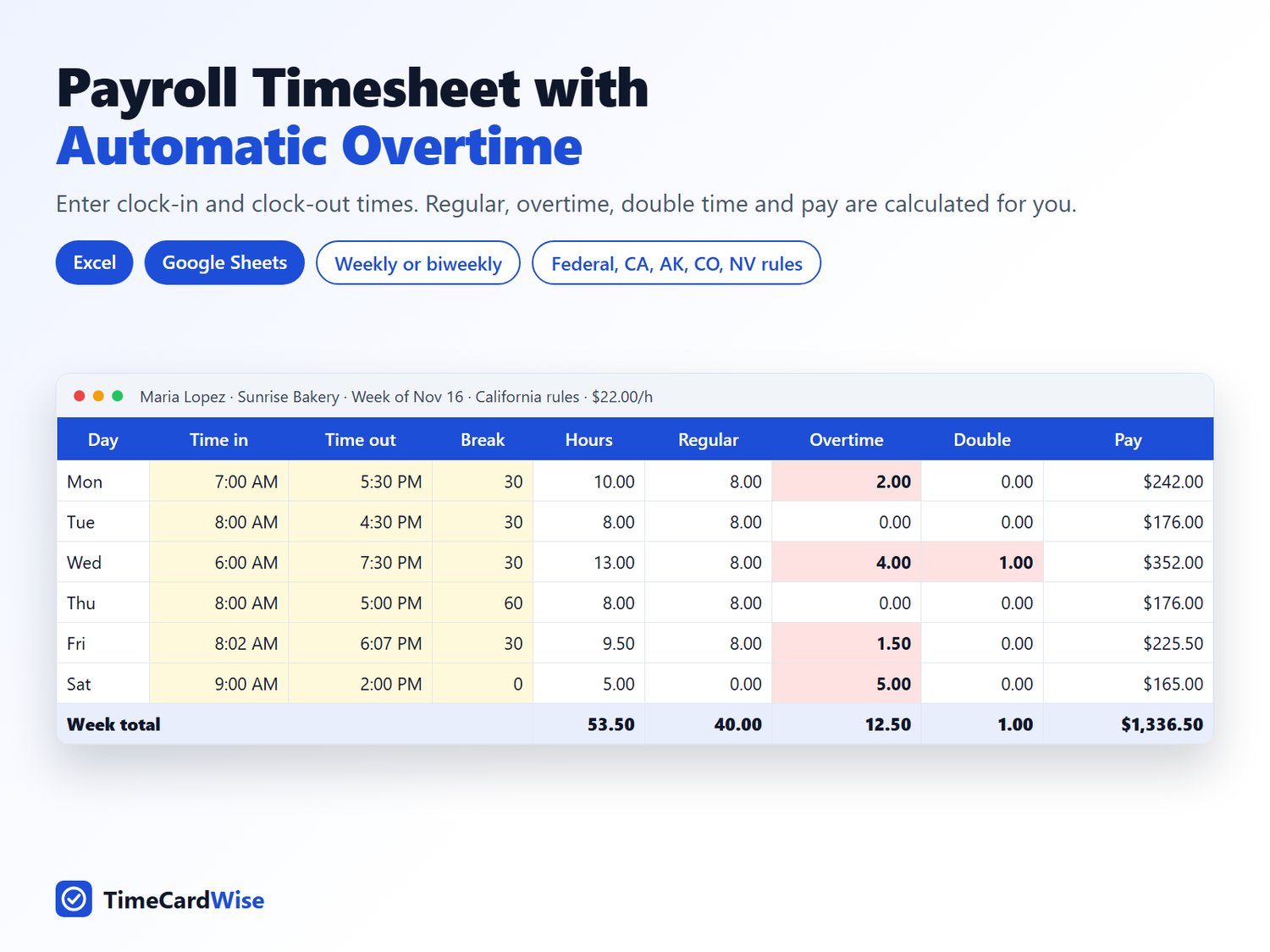
Stop working out overtime by hand. Enter each day's clock-in and clock-out times, and this timesheet calculates regular hours, overtime, double time and gross pay for you, per day, per week and for the whole pay period.
What it does
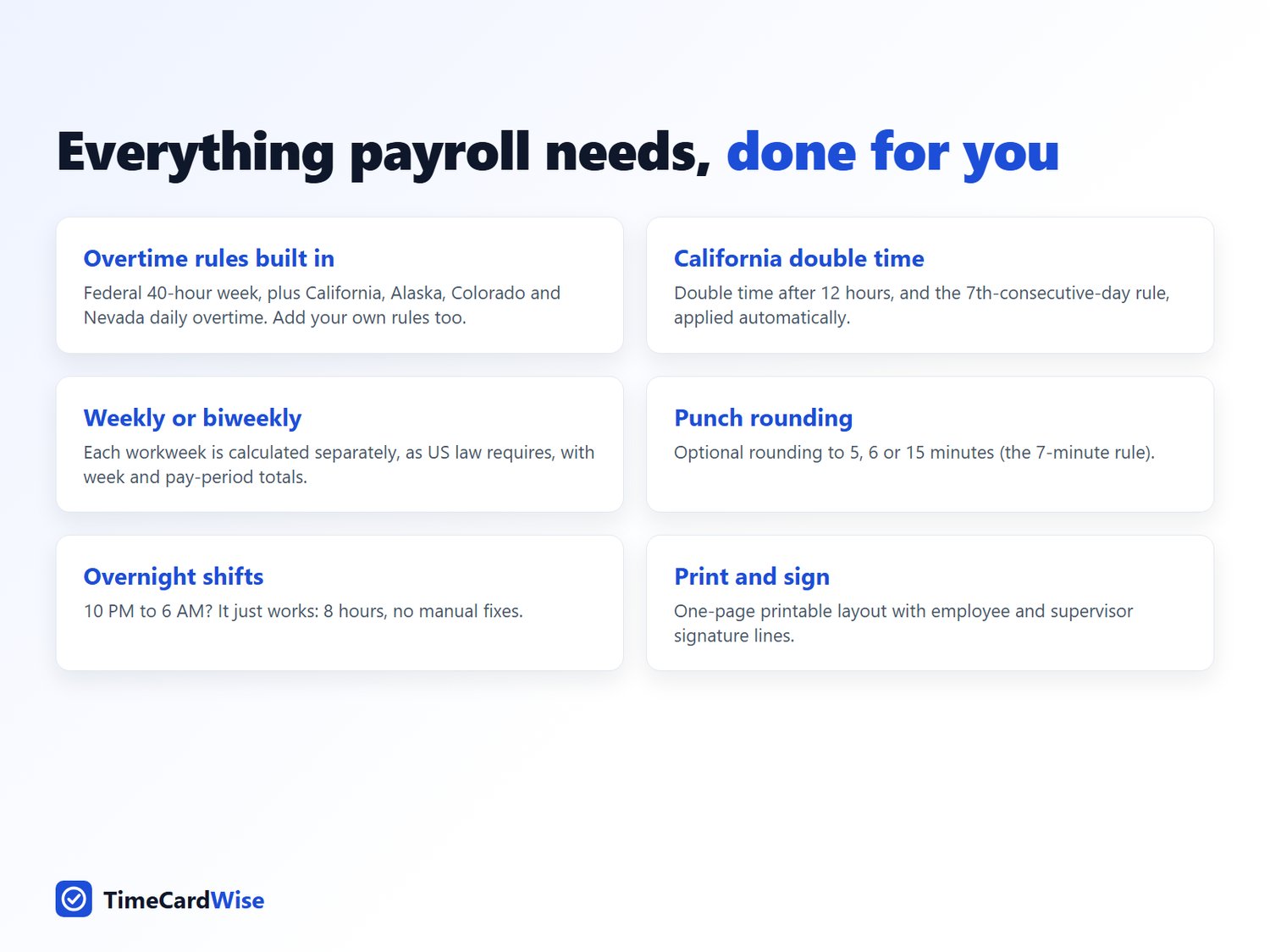
- Overtime rules built in: Federal (FLSA) 40-hour week, plus California, Alaska, Colorado and Nevada daily overtime. Pick one from a dropdown.
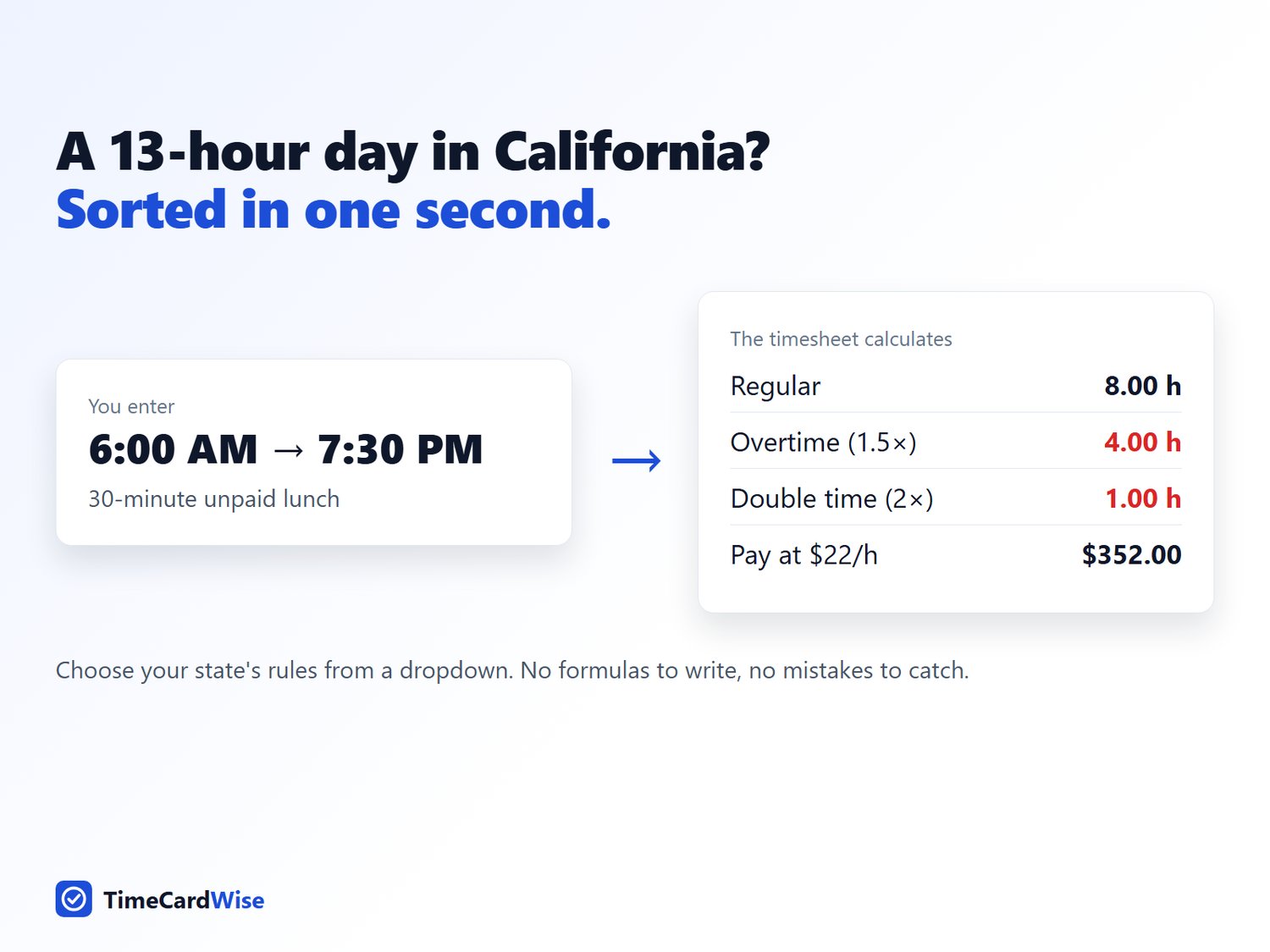
- California double time: after 12 hours in a day, and the 7th-consecutive-day rule.
- Add your own rules: for example daily overtime after 10 hours under a union agreement. Type them on the Rules tab and they appear in the dropdown.
- Weekly or biweekly pay periods: each workweek is calculated separately, as US law requires.
- Punch rounding to 5, 6 or 15 minutes (optional).
- Overnight shifts handled: 10 PM to 6 AM = 8 hours.
- Prints on one page, with employee and supervisor signature lines.
What you get
- An Excel file (.xlsx) for Microsoft Excel 2010 or later
- A Google Sheets version: click the "Make a copy" link in the Quick Start Guide to get your own copy
- A Quick Start Guide (PDF)
Who it's for: small business owners, office managers, supervisors, caregivers, nannies, contractors, and anyone who needs to check their own pay.
Instant download. Re-use it every pay period and for as many employees as you like within your own business.
This template is a calculation aid, not legal or payroll advice. Check federal, state and local rules before paying wages.