

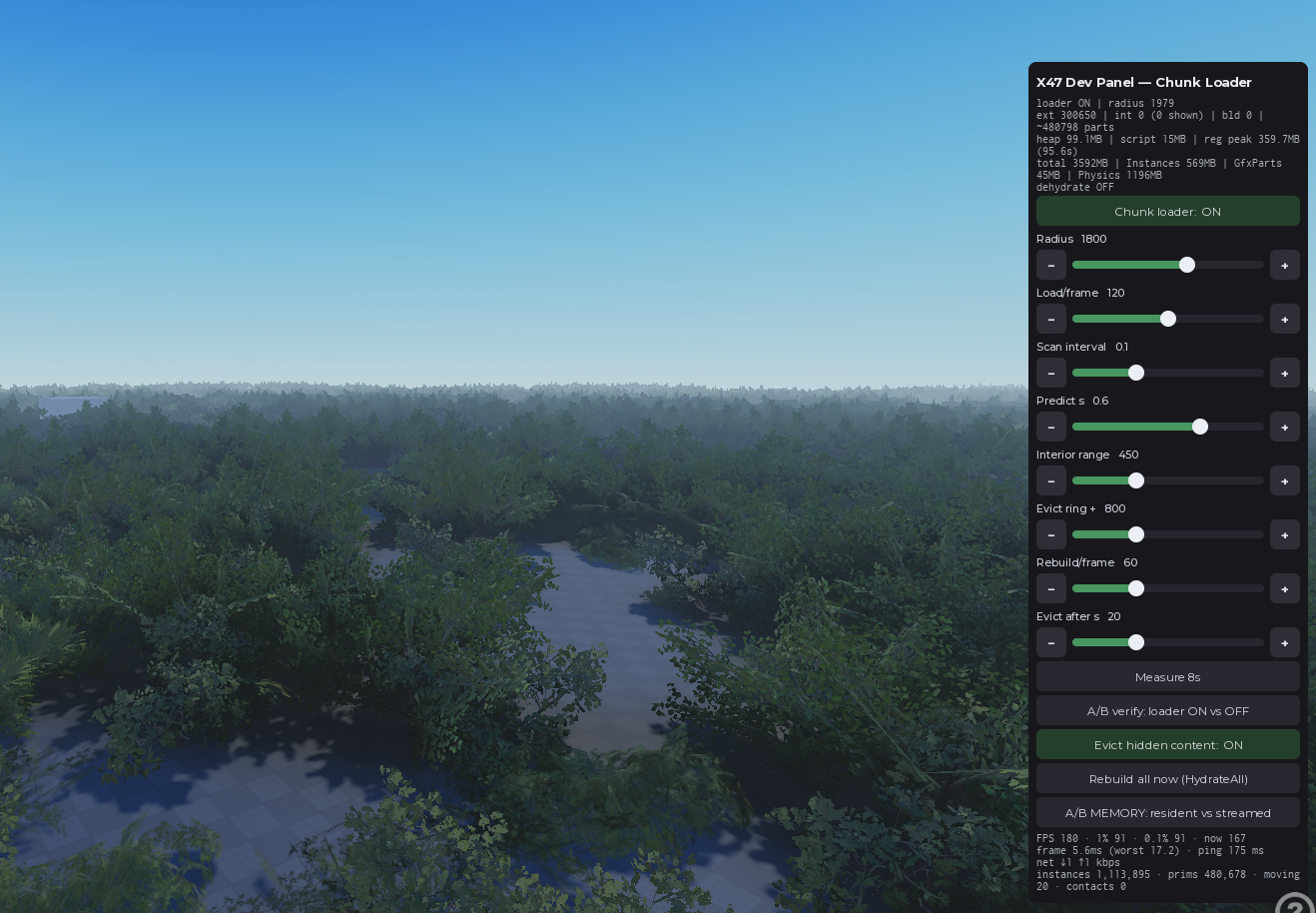
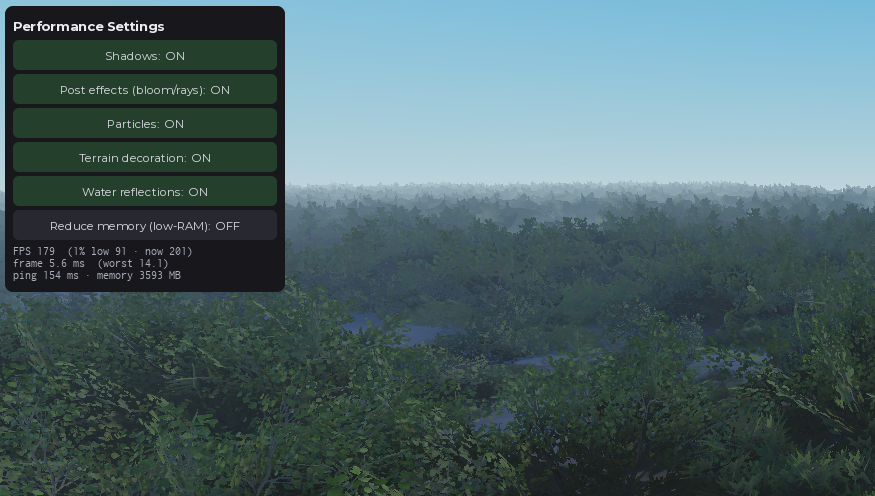





Chunk Loader System v3.6x
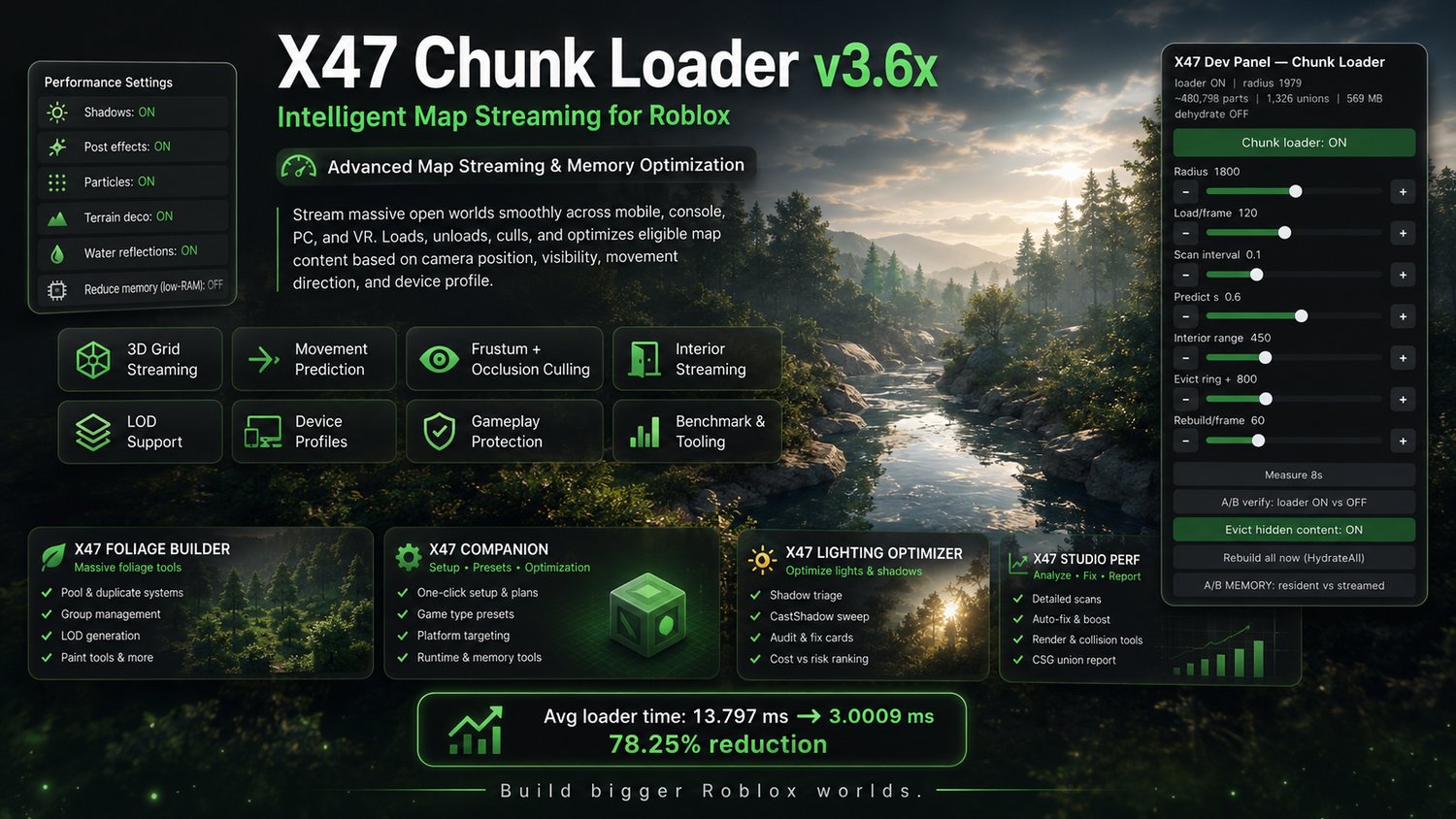
X47 Chunk Loader v3.6x - Intelligent Map Streaming for Roblox. A high-performance chunk loader designed to stream massive open worlds smoothly across mobile, console, PC, and VR. It automatically loads, unloads, culls, and optimizes eligible map content based on camera position, visibility, movement direction, and device profile, reducing memory pressure, frame-time spikes, and visible pop-in while protecting scripted, tagged, welded, and interactive gameplay objects.
Advanced Map Streaming & Memory Optimization for Roblox
Build larger Roblox worlds without keeping the entire map loaded around every player.
X47 Chunk Loader is an advanced camera-based streaming system that automatically loads nearby and visible map content while unloading what the player no longer needs.
Unlike a basic distance loader, it combines 3D grid streaming, movement prediction, visibility culling, streamed interiors, memory optimization, gameplay-object protection, device profiles, and performance diagnostics in one configurable system.
Designed for open worlds, cities, forests, milsim maps, driving games, flight games, furnished buildings, vertical maps, and other large Roblox environments.
Why Use X47 Chunk Loader?
Large maps can create:
- High client memory usage
- Frame-time spikes
- Slow initial loading
- Visible object pop-in
- Mobile crashes caused by memory pressure
- Unnecessary rendering and physics work
- Difficult manual optimization
X47 Chunk Loader reduces these problems by keeping only the content that is currently useful to the player.
Core Streaming Features
Intelligent 3D Grid Streaming
Map content is divided into configurable grid cells and streamed based on camera position.
The optional vertical grid also supports:
- Towers
- Multi-floor buildings
- Obbies
- Caves
- Vertical cities
- Layered environments
This prevents every floor or height level from loading at the same time.
Movement Prediction
The system predicts where the camera is moving and begins loading content ahead of the player.
This helps reduce pop-in during:
- Fast driving
- Aircraft movement
- Sprinting
- Free-camera movement
- Rapid direction changes
Anti-Thrash Hysteresis
Separate loading and unloading boundaries stop chunks near the edge of the streaming radius from repeatedly appearing and disappearing.
Frame-Budgeted Processing
Loading, unloading, rebuilding, eviction, and interior processing each have configurable time and item limits.
This prevents large batches of streaming work from consuming an entire frame and causing sudden stutters.
Smooth Initial Spawn
The system can immediately prepare the player’s nearby spawn area across a controlled warm-up period, reducing empty-world loading and one-frame workload spikes.
Visibility-Aware Culling
Frustum Culling
Chunks positioned far behind the camera can be deferred until the player looks toward them.
This allows the system to spend more processing time on content the player can actually see.
Occlusion Culling
Optional raycast-based occlusion checks can skip or unload content hidden behind:
- Buildings
- Walls
- Hills
- Terrain
- Other solid geometry
LOD Support
Use separate LOD0, LOD1, and LOD2 models for different viewing distances.
Detailed models remain available nearby while simplified variants reduce the rendering and memory cost of distant scenery.
Detail Tiers
Small props can use shorter loading distances than major landmarks.
For example:
- Small decorations load nearby
- Buildings load farther away
- Large hills and landmarks load earliest
This reduces unnecessary object traffic without sacrificing important visibility.
Advanced Interior Streaming
Building interiors can stream separately from their exterior shells.
Furniture becomes visible only when a valid wall-aware sight line reaches it through:
- Open doors
- Windows
- Glass
- Transparent surfaces
- Other visible openings
Furniture hidden behind solid walls can remain unloaded until it is actually visible.
The system can also automatically identify many enclosed buildings using model names, size checks, and wall or roof enclosure detection.
This makes it possible to create detailed, furnished cities without keeping every interior loaded at once.
Advanced Memory Optimization (Currently Experimental)
Instance Dehydration
Hidden clones can optionally be destroyed and reconstructed later from compact placement data.
Instead of keeping thousands of complete hidden instance trees in memory, the system retains shared templates and lightweight placement records.
This can significantly reduce resident memory usage in very large environments.
Shared Template Registry
Identical asset variants reuse a single stored template rather than keeping a separate hidden template for every clone.
Anti-Hitch Governor
Dehydration work can pause while the player is moving quickly or while performance is recovering from a slow frame.
Memory reclamation continues when it is less likely to interrupt gameplay.
Dynamic-Object Protection
Objects that change state, move, recolor, or otherwise require persistent instances can opt out of dehydration using X47_NoDehydrate.
Asset Preloading
Unique meshes and textures can be preloaded after the player joins so frequently used assets are prepared before the player reaches them.
Safe for Existing Games
X47 Chunk Loader includes two operating modes.
FOLIAGE Mode
Designed for explicitly managed content such as:
- Trees
- Rocks
- Grass
- Decorations
- Terrain props
- Repeated environmental assets
WORKSPACE Mode
Allows broader map management while automatically protecting common gameplay-sensitive content.
The protection system can exclude objects containing:
- Scripts
- Humanoids
- Cross-model welds
- Protected tags
- Protected names
- Explicit X47_Protect attributes
- Interactive or gameplay-dependent structures
Grouping models such as workspace.Map, Houses, or other configured containers are processed correctly instead of being treated as one enormous object.
Device-Specific Optimization
Create separate configurations for:
- Mobile
- Console
- PC
- VR
The system detects the device type when the player joins and applies the appropriate limits automatically.
This allows one game build to use lighter settings on mobile while retaining greater detail and distance on stronger hardware.
Runtime Content Support
Content created after startup can be registered through the included runtime interface.
This supports:
- Procedural generation
- Dynamically spawned environments
- Runtime map expansion
- Generated buildings
- Live world changes
Developer Controls
The shared.X47ChunkControl API provides runtime access to:
- SetSetting
- GetSettings
- GetStats
- HydrateAll
- A/B enable and disable controls
Settings can be tested while the game is running without repeatedly editing and republishing the project.
Performance and Configuration Tools
Runtime Auto-Tuner
Runs a repeatable movement circuit and automatically searches for more suitable settings for the current map and device.
Benchmark System
Tests multiple scenarios, including:
- Idle performance
- Cold loading
- Warm loading
- Interior streaming
- Streaming spikes
The benchmark generates a graded report and identifies settings that may require adjustment.
Live Performance Panels
View real-time information such as:
- FPS
- 1% lows
- Memory categories
- Dehydration activity
- Streaming statistics
- Governor state
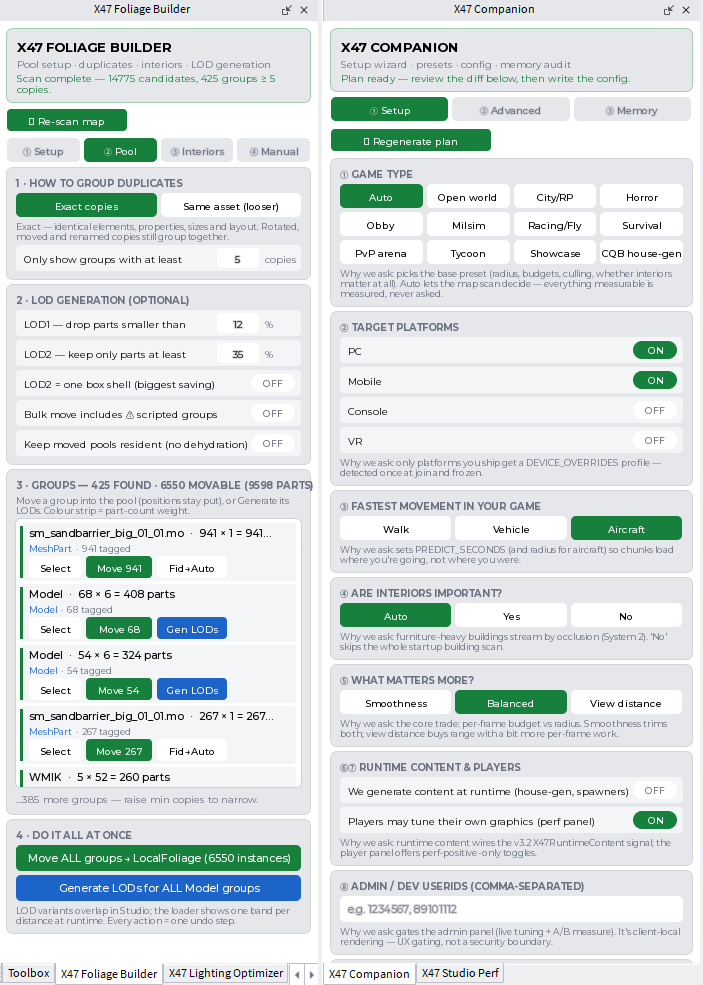
Companion Setup Plugin
Scans your map, evaluates multiple game-type presets, and generates a commented starting configuration with explanations for the selected values.
Foliage Builder Plugin
Prepares environmental content by:
- Grouping identical assets
- Building streaming pools
- Generating LOD0, LOD1, and LOD2 variants
- Marking buildings and interiors
- Optimizing mesh and union properties
- Adjusting collision and render settings
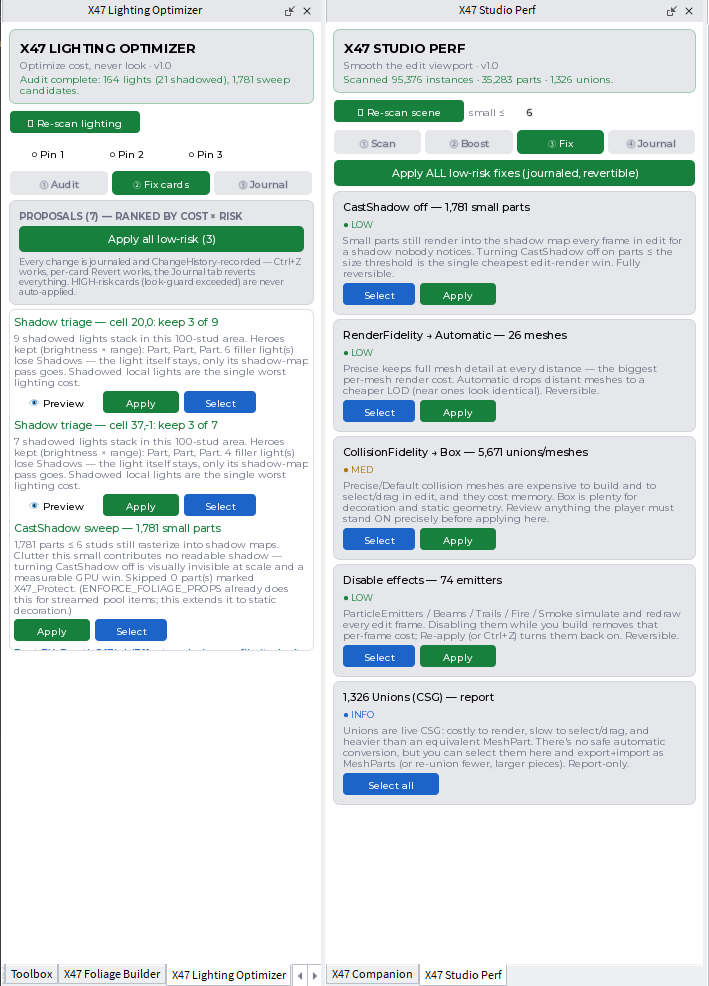
Lighting Optimizer
Audits expensive lighting features and applies guarded, reversible improvements without removing the intended atmosphere of the map.
Studio Performance Plugin
Helps keep Roblox Studio responsive while editing large scenes by identifying and applying reversible optimizations to meshes, unions, effects, and editor rendering.
Measured Performance Improvement
During our controlled benchmark, average Chunk Loader processing time was reduced from:
13.797 ms per frame in v3.0
to:
3.0009 ms per frame in v3.5
That represents a 78.25% reduction in average loader processing time.
Actual results depend on the map, asset complexity, device, configuration, and number of managed objects.
Note: Obfuscation increases processing time by 1.5x to 2x. 3ms raw is 5.5ms obfuscated on the map it was tested on (milsim deployment map).
Ideal For
- Open-world games
- Milsim and tactical maps
- Driving games
- Flight simulators
- Large cities
- Furnished buildings
- Forest and foliage maps
- Exploration games
- Multi-floor environments
- Vertical obbies
- Large showcase maps
- Mobile-friendly worlds
Quick Setup
- Insert the supplied RBXM into Roblox Studio.
- Select FOLIAGE or WORKSPACE mode.
- Configure the grid size, load distance, and processing limits.
- Protect any special dynamic objects where necessary.
- Test your map using the performance tools.
Safe default settings are provided, while advanced options remain available for developers who want complete control.
Included
- X47 Chunk Loader system
- Configurable streaming settings
- Interior streaming system
- Memory optimization system
- Runtime control API
- Setup and optimization plugins
- Installation and configuration documentation
- Future updates according to the product license
Important Information
- Performance improvements depend on the project and device.
- Stateful or highly dynamic objects should be protected or excluded.
- Review the documentation before enabling broad WORKSPACE management.
- This system optimizes eligible map content. It does not automatically optimize unrelated scripts, networking, NPC systems, or server logic.
Build Bigger Worlds
Stop forcing every player to load an entire map at once.
Use intelligent streaming, visibility-aware culling, memory dehydration, streamed interiors, and device-specific configuration to create larger Roblox environments that remain responsive across more devices.
By purch