


Agentic AI Ops Kit — Delegation SOP, Spend Policy & Audit Log for Small Business
5-minute setup: a Notion template and Google Sheets workbook for a small business that uses AI agents: a delegation SOP, approval and spending-limit policy, agent audit log, vendor checklist, and a 30/60/90 rollout plan. It does not connect to vendors or promise savings.
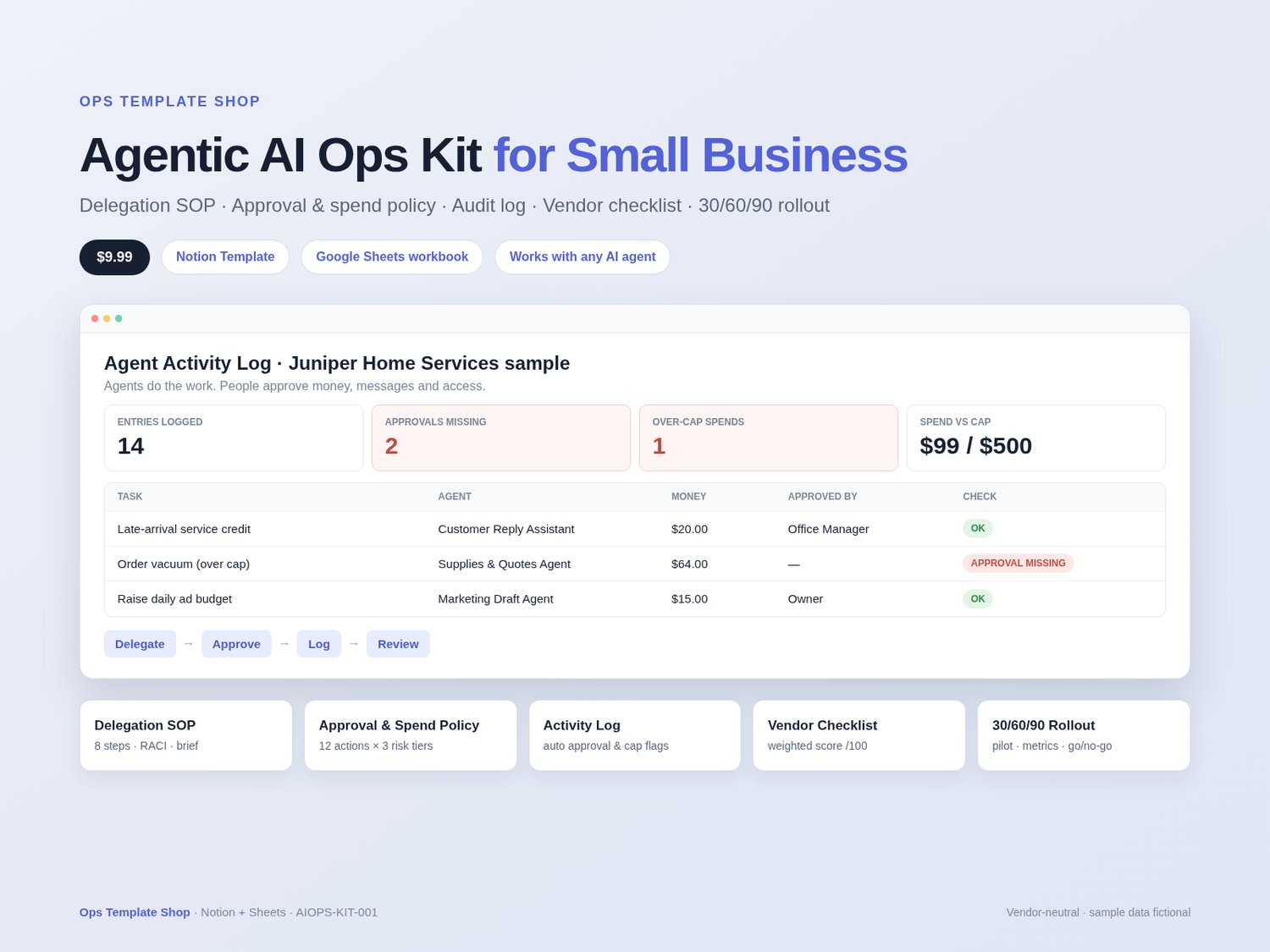
Agentic AI Ops Kit is a Notion template + Google Sheets workbook from Ops Template Shop for small businesses that use AI agents or assistants from any vendor. You get a delegation SOP, an approval and spending-limit policy you can adopt, an audit log of what your agents do, a vendor comparison checklist and a 30/60/90-day rollout plan. Agents do the work, people approve what matters, and you keep a record of what each agent did.
What’s inside
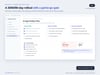
- Start Here: 10-minute setup, safety rules, Low / Medium / High risk tiers and least-access levels
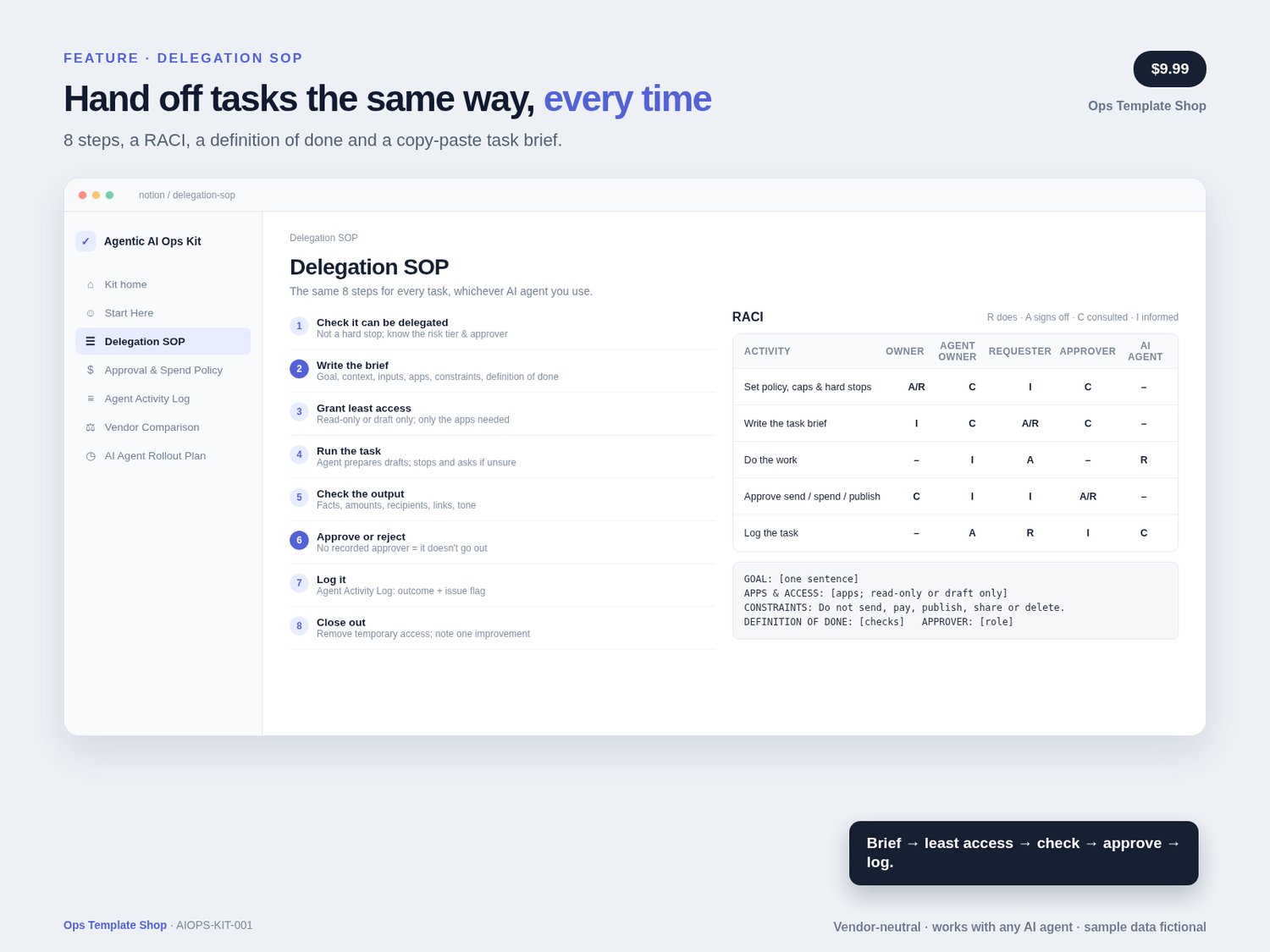
- Delegation SOP: 8 steps from brief to close-out, a RACI (Owner, Agent owner, Requester, Approver, AI agent), a definition of done and a copy-paste task brief
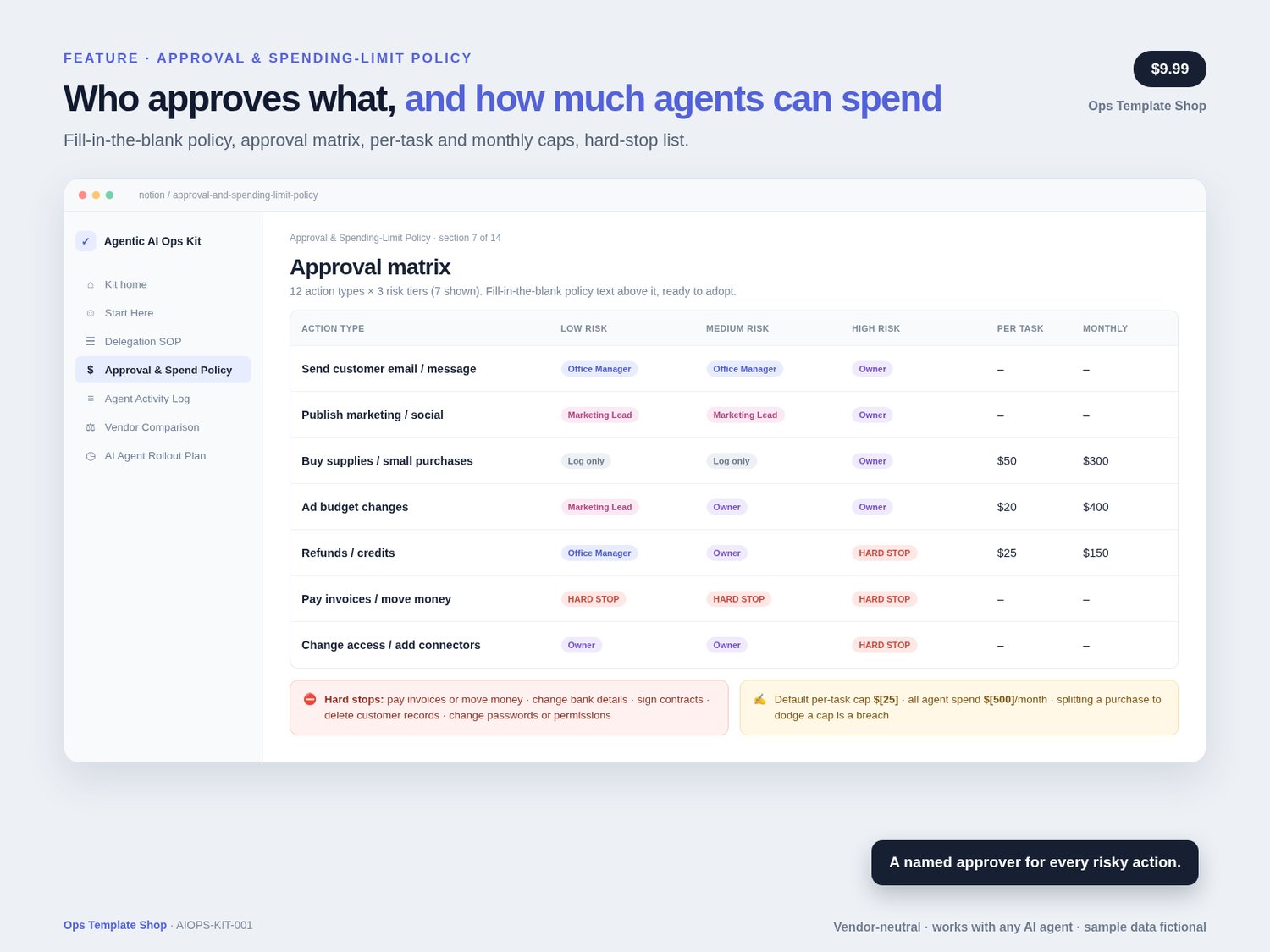
- Approval & Spending-Limit Policy: fill-in-the-blank policy text (14 sections), an approval matrix of 12 action types × 3 risk tiers, per-task and monthly spend caps, and a 10-item hard-stop list
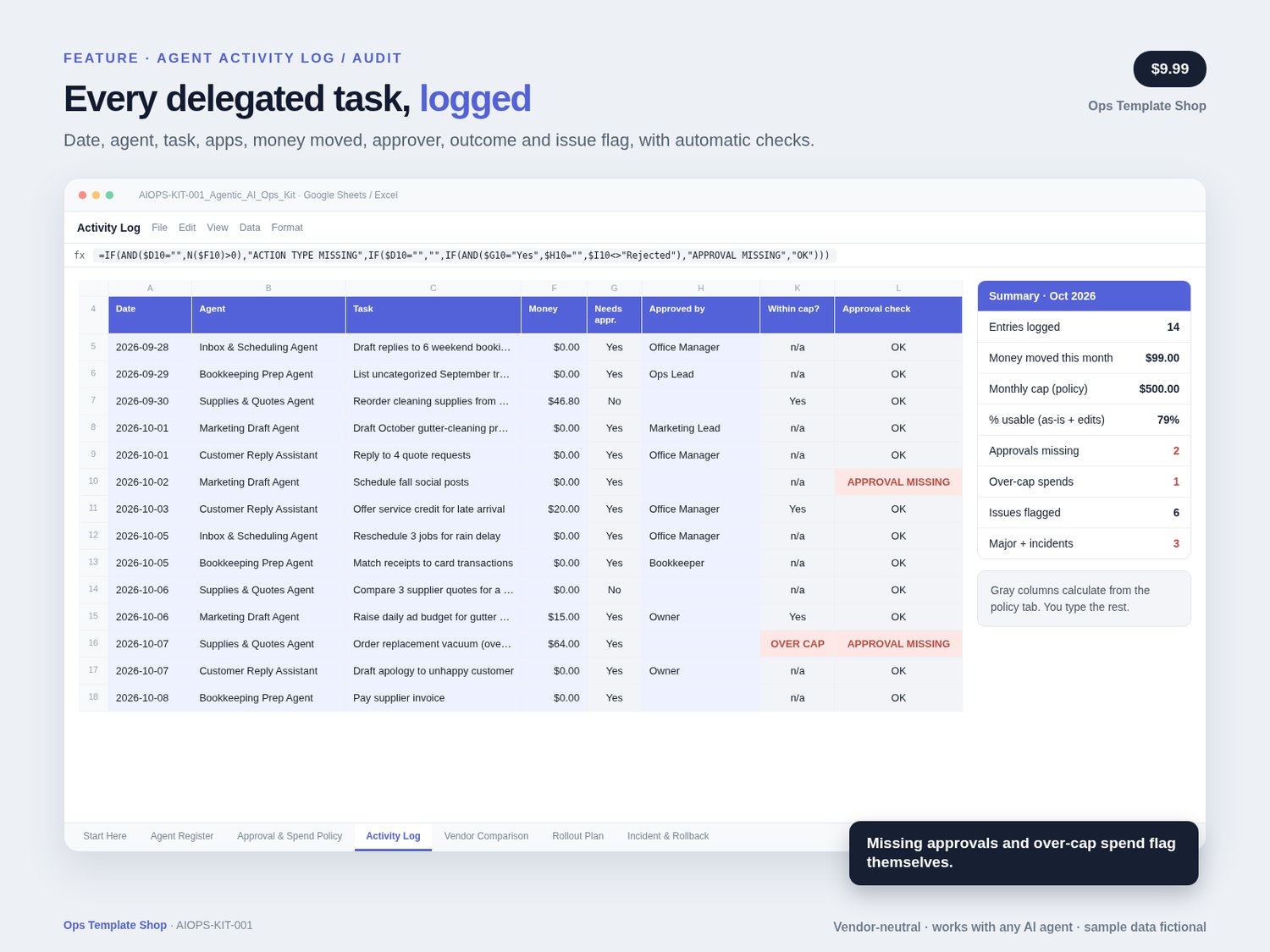
- Agent Activity Log: date, agent, task, action type, apps touched, money moved, approved by, outcome and issue flag, with a missing-approval check and views for issues, approvals, spend and each agent
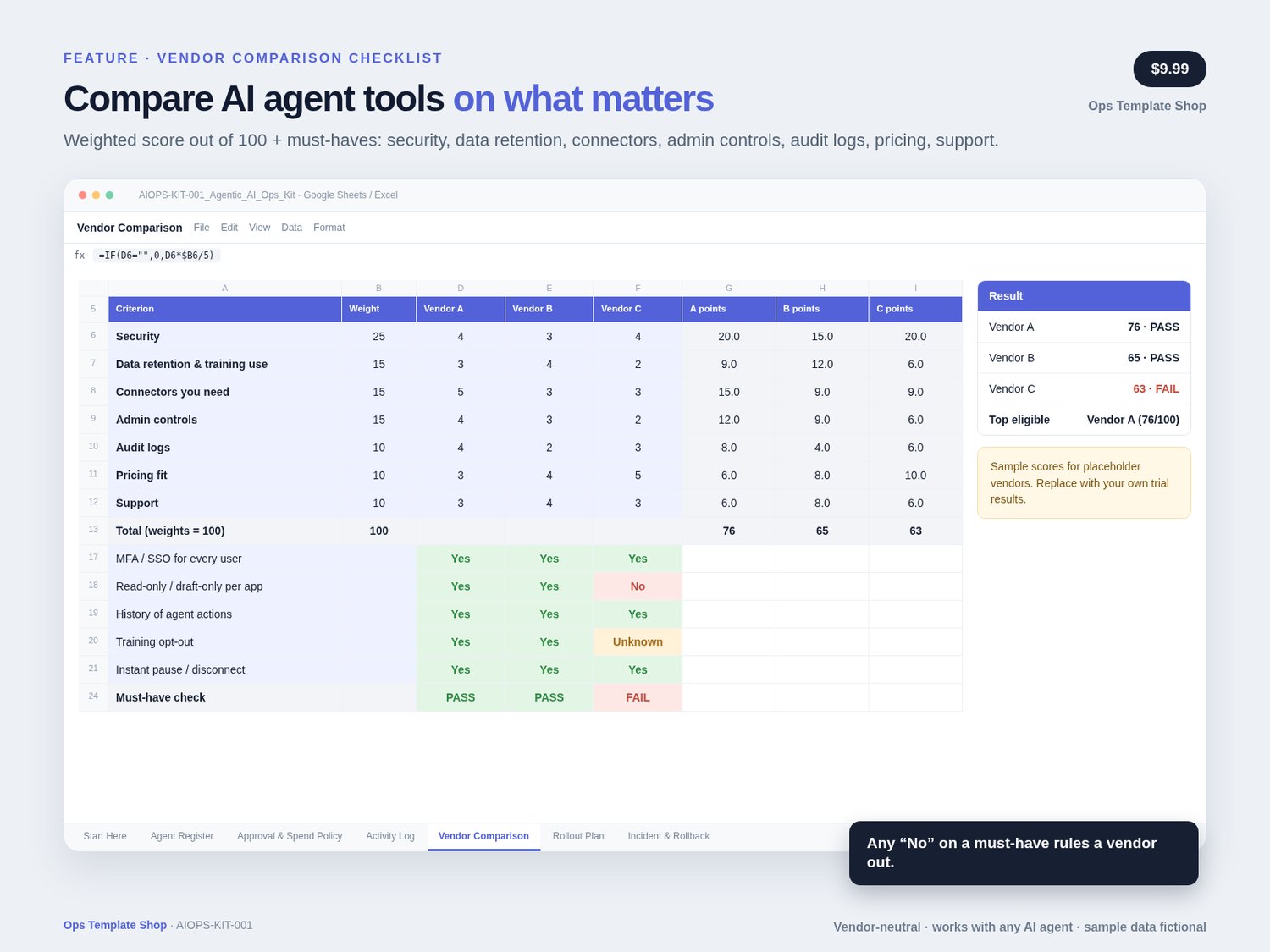
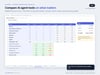
- Vendor Comparison: weighted score out of 100 across security, data retention, connectors, admin controls, audit logs, pricing fit and support, plus a 5-point must-have check
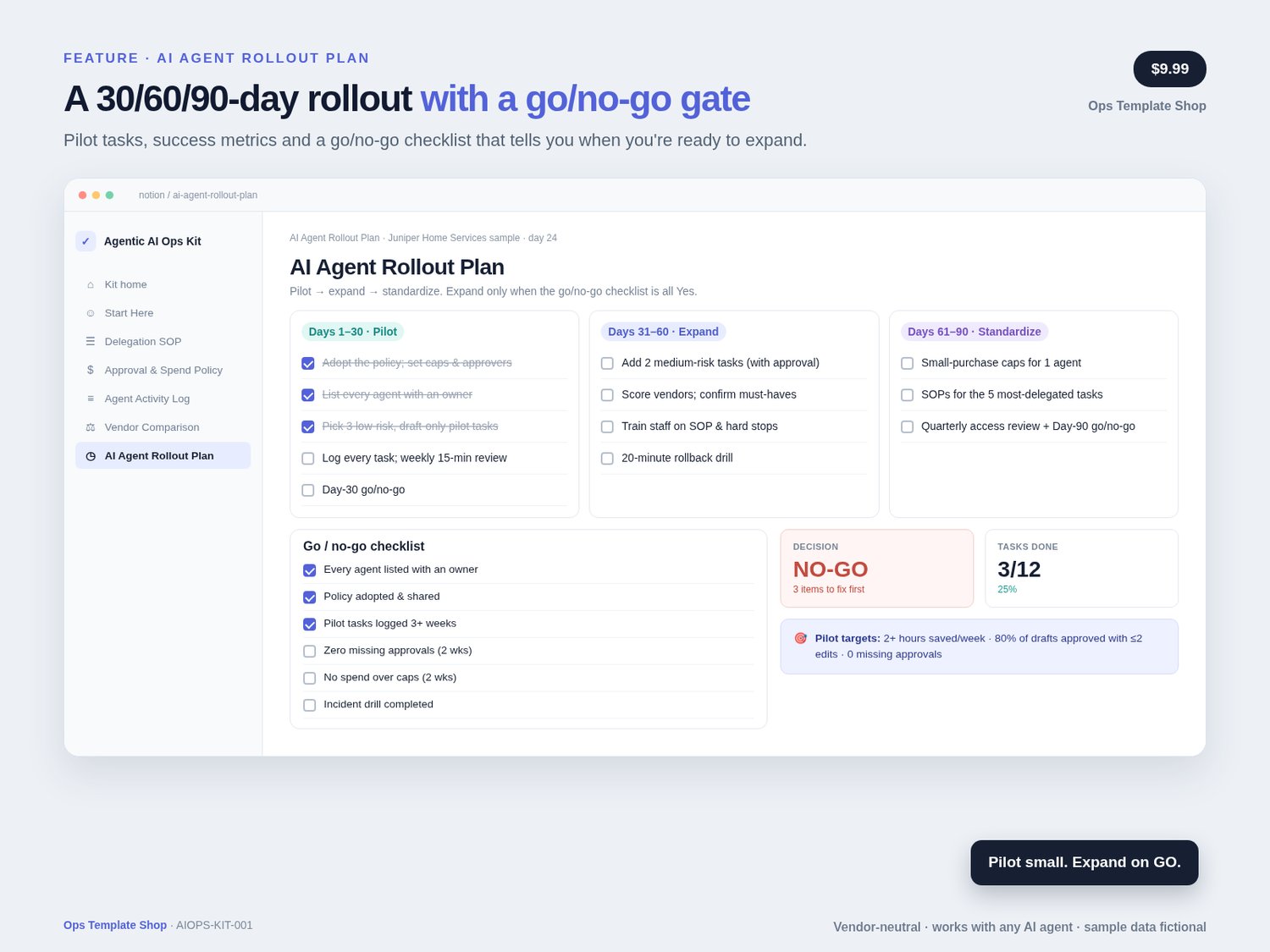
- AI Agent Rollout Plan: 30/60/90-day phases, 3 pilot tasks, success metrics and a go/no-go checklist
- Google Sheets / Excel workbook (7 tabs): Start Here, Agent Register, Approval & Spend Policy with month-to-date spend vs caps, Activity Log with automatic approval and over-cap flags plus a summary block, Vendor Comparison scorecard, Rollout Plan, and Incident & Rollback checklist
- Sample data: fictional “Juniper Home Services” with 5 agents, 14 log entries and 3 placeholder vendors (Vendor A/B/C), so you can see it working before you add your own
- Setup Guide PDF with the Notion duplicate link and Google Sheets import steps
Best for
Small-business owners, office and operations managers, and small teams that use (or are about to use) AI agents and assistants for email, scheduling, bookkeeping prep, marketing or purchasing, and want clear rules before giving them access to business apps.
Not for
Enterprise AI governance or regulated-industry compliance programs; connecting, configuring or troubleshooting an AI tool; legal, financial, or security advice. This kit guides people. It doesn't connect to or control any AI agent or app.
How to use
Duplicate the Notion template, import the workbook into Google Sheets, or use both → read Start Here → fill in the policy blanks and caps → list your agents → hand off each task with the SOP brief → log it → review the summary weekly. Then run the rollout plan: 3 low-risk pilot tasks first, and expand when the go/no-go checklist says GO.
How delivery works
- Buy on Payhip (payhip.com/PromptPackShop)
- Download the Setup Guide PDF and the .xlsx workbook
- Notion: open the duplicate link in the guide → click Duplicate → follow Start Here (~10 minutes)
- Google Sheets: Drive → New → File upload → open the .xlsx with Google Sheets → File → Save as Google Sheets
- Fill in the policy, list your agents and log your first delegated task
FAQ
Which AI agents does it work with?
Any. It's vendor-neutral: the SOP, policy and logs work the same whichever AI agent or assistant you use. The vendor comparison uses Vendor A/B/C columns for you to fill in.
Does it connect to my AI agent or my apps?
No. It's a Notion template and a spreadsheet, not an integration. You record and approve what agents do; the kit doesn't control them.
Do I need Notion or Google Sheets?
Either works. Use the Notion template (the free plan works for most solo owners), the Google Sheets / Excel workbook, or both.
Is this legal, financial, or security advice?
No. It's an ops template with example policies and caps. Adapt them to your business and get professional advice where you need it.
How do refunds work?
Because this is a digital download, all sales are final; if you have trouble accessing or duplicating the template, contact me through the store and I'll help or make it right.
Notes
- Instant download digital product: Setup Guide PDF (with the Notion duplicate link) + Google Sheets-compatible Excel workbook (.xlsx). No physical item
- Notion account for the Notion version (free plan works for most solo owners); Google account or Excel for the workbook
- Fictional sample data only. No real people, credentials, tax IDs or real-vendor pricing
- Not legal, financial, or security advice; adapt policies to your business.
- Original Ops Template Shop product. Use it in your own business after purchase; don't resell the template itself
- Support: message the seller via the Payhip storefront at https://payhip.com/PromptPackShop. Typical reply 1–2 business days (America/Denver).
- Vendor-neutral: not affiliated with or endorsed by any AI vendor. Vendor A/B/C are placeholders, not real products. Notion, Google Sheets and Excel are trademarks of their respective owners.