
SlateLedger Retro Lab
I play DFS semi-pro. NFL, NBA, some MMA and golf. For a long time the part I skipped was the part after the slate ended. I'd check whether I won or lost, look at the balance, and move on to the next slate. The lineups I almost played, the ones the sim liked that I didn't pick, what the winning lineup in my contest actually looked like — I never wrote any of it down, so I kept learning the same lessons over and over.
This is the workbook I grade slates in now.
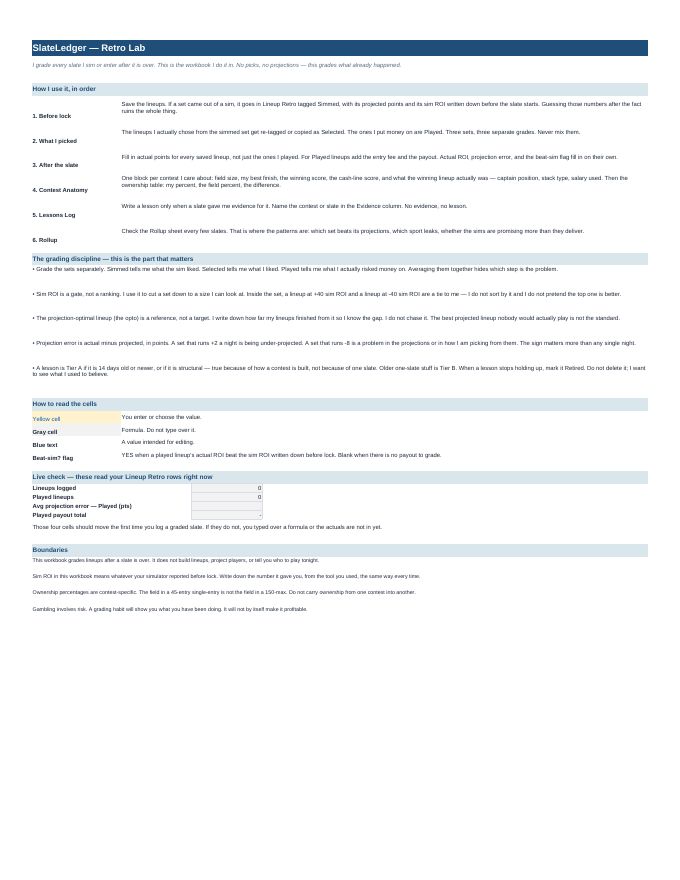
Every lineup I save gets a row: what it projected, what the sim said its ROI was (both written down before lock), and what it actually scored. Lineups are tagged Simmed, Selected, or Played, and the Rollup grades the three sets separately, because they fail in different ways. If my played lineups keep scoring under the simmed ones, the problem is my picking, and this is how I caught that.
What's in it:
- Lineup Retro — 300 rows. Actual ROI, projection error, and a beat-sim flag calculate themselves once you type the actuals in
- Contest Anatomy — 10 contests: field size, your best finish, winning score, cash-line score, what the winning lineup was built like, and an ownership table (your %, field %, difference)
- Lessons Log — a lesson only goes in with the slate that proved it written next to it. Tier A is fresh or structural, Tier B is older, and you retire lessons instead of deleting them
- Rollup — projection error and ROI by set, % of played lineups cashing, counts by sport, and a place to write down, with dates, what the sims promised vs. what actually happened
Two rules are built into how it's laid out, because they're the rules I grade by: sim ROI is a gate, not a ranking (±40 sim ROI is a tie, not a sort order), and the projection-optimal lineup is a reference, not a target.
Compare to: TheSolver charges $24.99/mo for a single-sport optimizer subscription. This is $17 once, and it does the other half of the job — no picks, no projections — this grades what already happened.
Works in Excel and Google Sheets. No macros.