
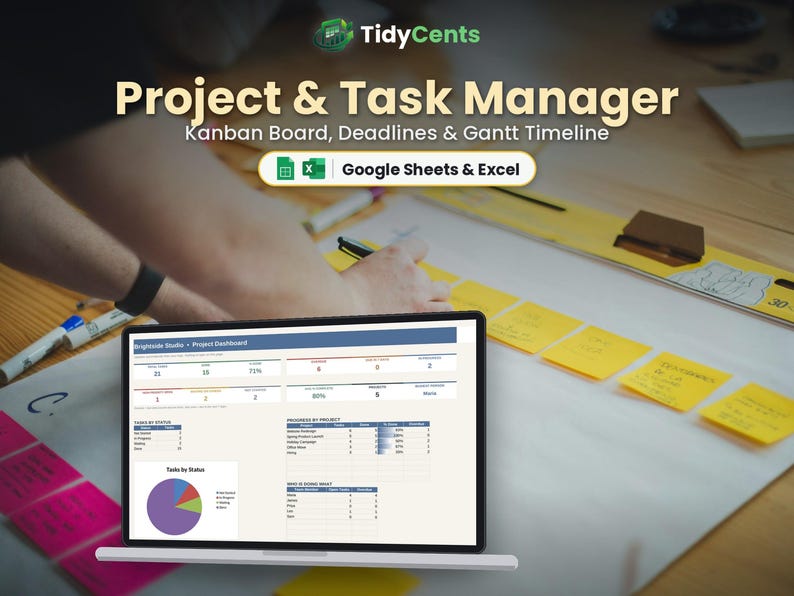
Project Management Spreadsheet | Task Tracker with Kanban Board and Gantt Chart | Google Sheets & Excel Template | Team To Do List
Manage tasks, deadlines, a Kanban board and a Gantt timeline with this Project & Task Manager spreadsheet, with every project on one simple sheet.
WHAT'S INSIDE
- Start Here: type your details and settings once, with simple step-by-step instructions
- Dashboard: progress by project, overdue tasks and what is due this week
- Tasks: task, project, owner, priority, status, start, due date and % complete
- Kanban: every task sorted into columns by status automatically
- Gantt: each task drawn as a bar on a 26-week timeline
- Help & FAQ: answers to the most common questions
FEATURES
✔ Kanban board that rebuilds itself from your task list
✔ Gantt timeline (26 weeks) drawn automatically
✔ Done tasks turn green; late tasks turn red
✔ Days left for every task
✔ Who is doing what, by owner
✔ Progress by project
✔ Editable project, team and status lists
HOW IT WORKS
1. Add your projects and team members.
2. Add tasks and update status and % complete.
3. Use the Kanban, Gantt and Dashboard to stay on track.
YOU WILL RECEIVE
✔ 1 spreadsheet template (.xlsx)
✔ 1 DEMO file with sample data, so you can see how it works
✔ 1 PDF guide: how to open it in Google Sheets (free) or Excel
PLEASE NOTE
- This is a digital product. Nothing physical will be shipped.
- Works in Google Sheets (free Google account) and Microsoft Excel 2016 or newer / Microsoft 365.
- Not compatible with Apple Numbers.
- Due to the digital nature of this item, no returns, but please message us for any help.
- For personal or own-business use only (no resale or sharing of the file).
Dark Mode version and Spanish version also available in our shop.