
2019 Microsoft Word 5-6 MOS Focus
You don't have to convince your administration to buy another expensive program. You don't have to write any new assignments or figure out how to grade it. Whether you just want to teach basics or you are preparing students for the MOS certification, these lessons will get your students there--whether they are in your classroom or at home, provided they have access to Office or 365. Lessons are all inclusive, self-directed and include step by step videos--perfect for teaching live, blended, or strictly online. For a fraction of the price.
Welcome to the second installment of my new Word 2019 Video Tutorial Lessons! This bundle contains lessons 5-6 in my 8 part series, with a focus on the more unusual and advanced features likely to be see on the MOS Certification test. I took and passed the 2019 MOS test three times before writing these lessons to ensure that they cover everything you need to know to pass!
These lessons are designed to be used in a blended learning format, where students learn at the own pace. The teacher acts as more of a guide to help students who get stuck or need additional one-on-one help, but students are responsible for their own learning and pacing.
These lessons are a great way to teach Microsoft in a home format as well, provided students have access to Word or Office 365. I classroom tested these lessons in the fall of 2020 and had a 95% passing rate on the MOS test.
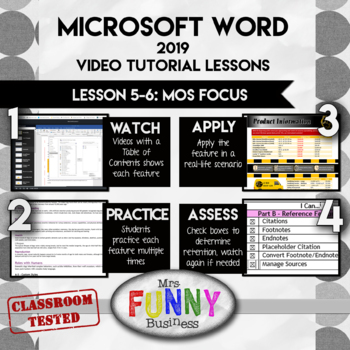
Step 1: WATCH - Students begin by opening the lesson video, which has a table of contents and allows them to learn about each feature and skip to where they need to be. Some students may be able to skip entire sections if they already know that features, while others can watch sections multiple times if they are having difficulty or need to go back. The video does not show them their assignment step by step, but shows them how to do each feature. They must then use that knowledge to figure out how to use it themselves in their own assignment.
Step 2: PRACTICE - Students then open the Lesson Excel sheet and go to the practice section, usually comprising 4-5 different mini-lessons labeled by letter. Following the step by step directions, students practice the feature several times until they are confident using it. Students may print the final results or turn them in digitally. A key is provided for a quick perusal by teacher to grade--I never spend more than a few seconds grading each one.
Step 3: APPLY - After practicing, students can apply their knowledge in a real-world application where they use the skills they have just learned to create something in Word.
Step 4: ASSESS - At the end of each lesson, students go to the practice page and check the boxes of each feature if they can remember how to use it and feel confident with it.
This bundle includes Lessons 5-6 which are designed to teach advanced features seen in the MOS test. You may want to check out the first bundle with lesson 1-4 to get the basics. Lessons 7-8 include advanced features that are not on the MOS test but will be of interest to your faster students who want a challenge. They will include things like mail merge, labels, and the developer tab.
I have tried to write these lessons like an accordion--with room to expand and contract as the student needs require. Gifted students can go as quickly as they like and will have advanced lessons to keep them challenged. Slower students can go at their own pace as well, with a teacher more free to spend time with them as needed. The solution videos included are another way of making the lessons simpler for slower students who need more scaffolding.
Lesson 5 - Focuses on the References ribbon. Students learn to format a report, using citations, endnotes, footnotes, table of contents, bibliographies, and more.
Lesson 6 - Focuses on the Review ribbon. Students will learn how to track changes and make comments, and then how to resolve, accept, or reject those changes. This lesson also includes advanced table features and a few miscellaneous features that are likely to be on the test but have not yet been covered.
Finally, a test has been included with both A and B versions. It is the same test as in Bundle 1, but questions from Lessons 5 and 6 have been added.
This download also includes the non-internet based mp4 files as well, just in case you do not have internet access of the site is temporarily unavailable.