
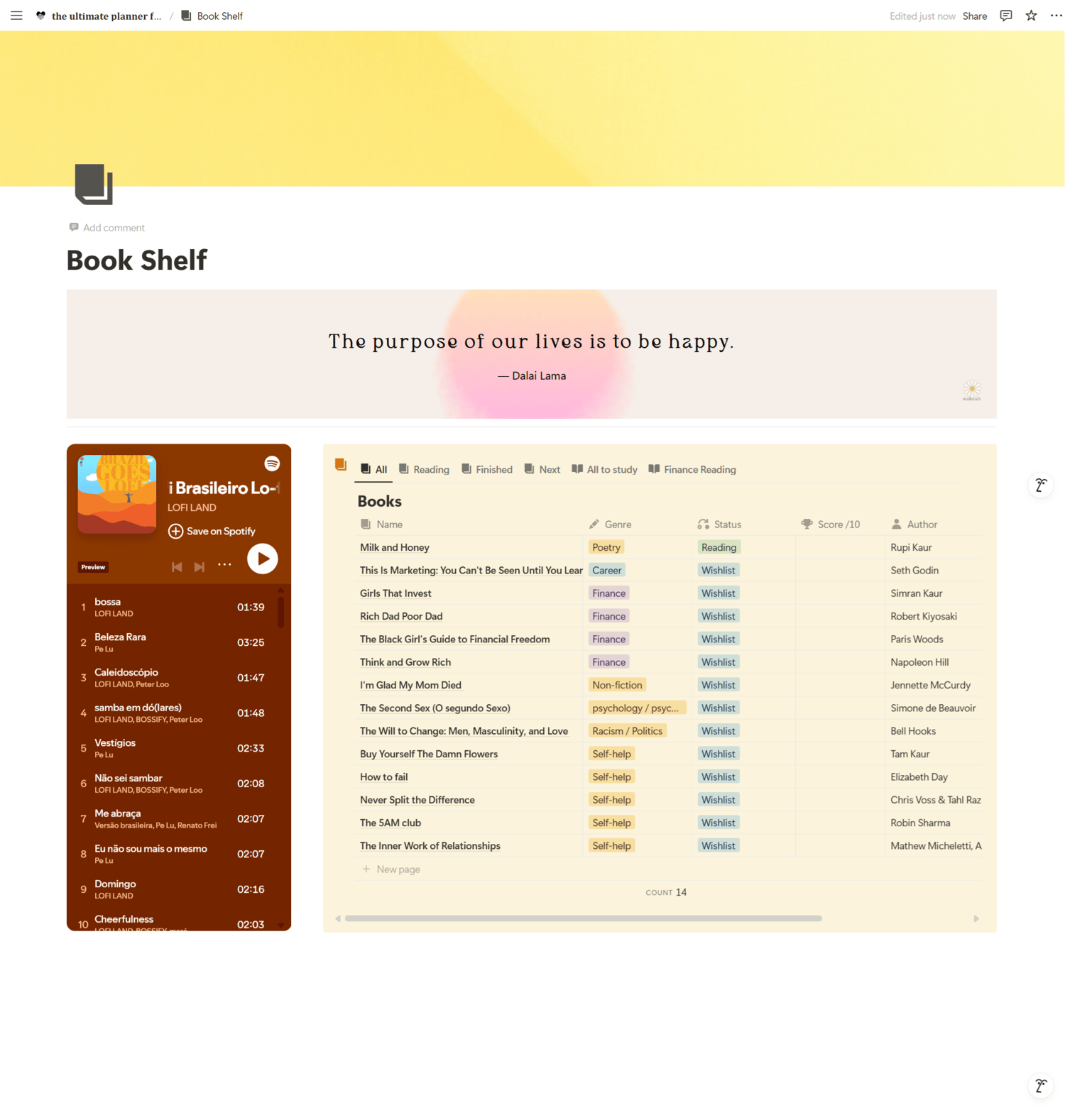
Book Shelf Notion Template
On Sale
$0.00
Pay what you want:
$
Bookshelf Database Setup 📚
The heart of this page is a simple, practical Bookshelf database that helps you organize all your reads.
You’ll find several smart views to match your reading flow:
- Current Reading: Focus on what you're reading right now.
- Finished: Celebrate and track books you’ve completed.
- Next Readings: Keep your future reading list organized.
- All Readings: See everything you own or plan to read in one place.
- Studying: Filter academic or learning-focused books separately.
- Finance: Track personal finance or business-related books easily.
You can also create extra filtered views for any genre or personal preference, making this Notion Reading Tracker fully customizable.
Essential Properties 🏷️
The Book Shelf database is clean and effective, keeping only what matters:
- Book Name: Title of the book.
- Genre: Fiction, Non-fiction, Self-help, etc.
- Status: Current, finished, or to-read.
- Score: Your personal rating (1–5 stars).
- Author: Who wrote the book.
- Date Finished: When you completed it (optional).
This setup helps you stay organized while making it easy to review your progress over time.
Aesthetic Touches 🎨
- Optionally, you can add a gallery view to show your books with their covers — creating a more visual and engaging Notion aesthetic.
- This page is designed to feel like your personal reading nook: inviting, cozy, and simple.