

Pocket PDF Studio — Private PDF Editor & Scanner for Android (41 Tools: Compress, Sign, Merge, OCR, Redact)
PDF too big to email? Form due in an hour? Only have your phone?
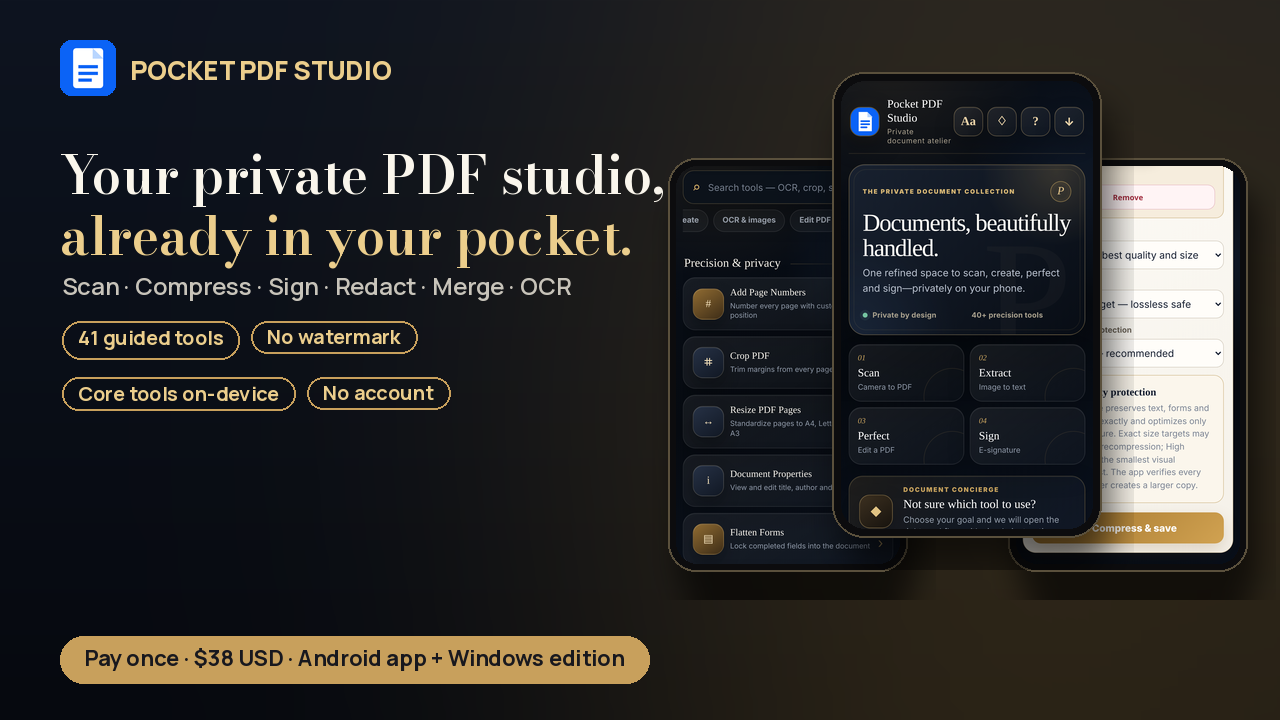
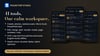
Pocket PDF Studio is a private, all-in-one PDF editor, scanner and compressor for Android, with a Windows edition included. No more juggling five converter websites: open one calm, guided workspace, pick your goal, and save the finished file wherever you want.
Private by design. The core tools (create, edit, merge, sign, compress, redact) run on your device. Your documents aren't uploaded to a conversion server. No account. No watermark. No subscription.
New in v41
- Android app rebuilt with debugging off, signed with the same key as earlier versions, so it installs as an update
- English text recognition (OCR) is built in and works offline
- OCR works on the Windows edition through the included one-click launcher
- Clearer compression choices and cleaner in-app product, legal and phone quick-start information
Create PDFs
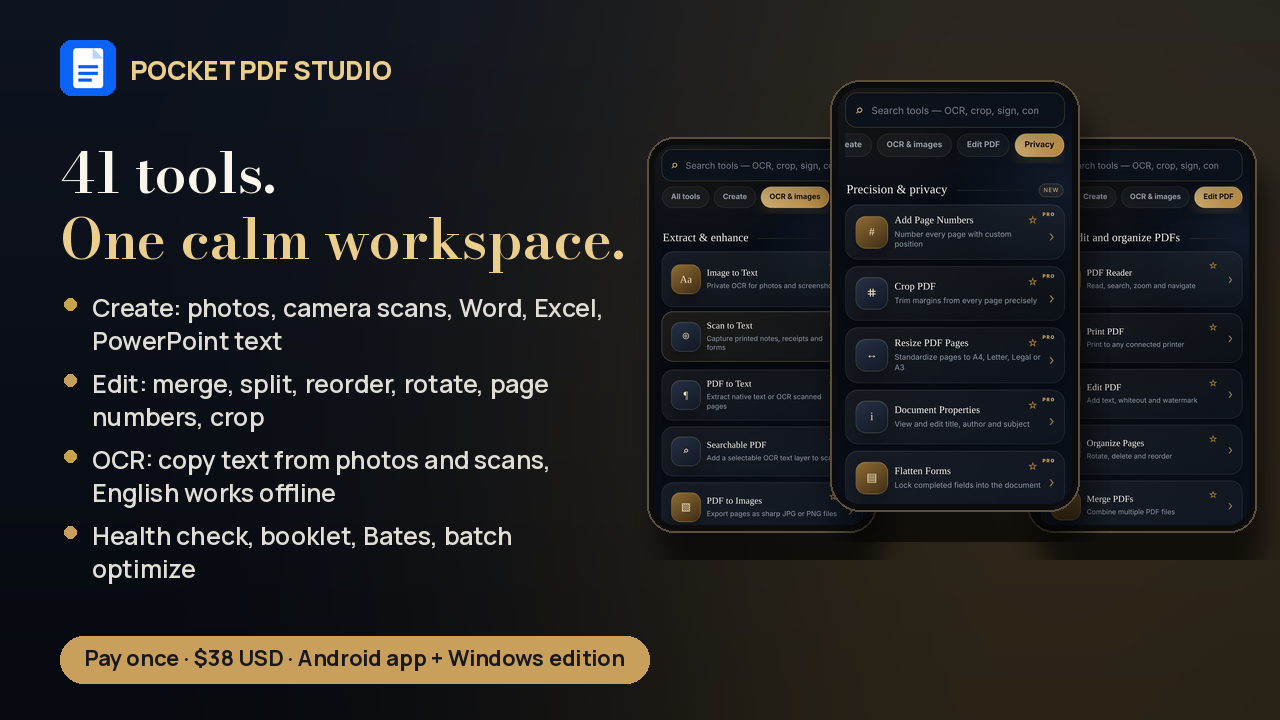
- Photos and camera scans → one clean PDF (reorder, rotate, choose page size)
- Word, Excel and PowerPoint text, plain text, Markdown, HTML, CSV, JSON, XML, and copied web/email content → PDF *(text and tables are converted; complex layouts are simplified)*
Edit & organize
- PDF reader with search and zoom
- Merge PDFs; split and extract pages (including odd/even/interval)
- Rotate, delete, duplicate and reorder pages
- Add text, whiteout, watermark; draw and annotate
- Page numbers, headers/footers, Bates numbering, crop, resize to A4/Letter/Legal
- Booklets, N-up contact sheets, blank-page removal, batch optimization
Sign & forms
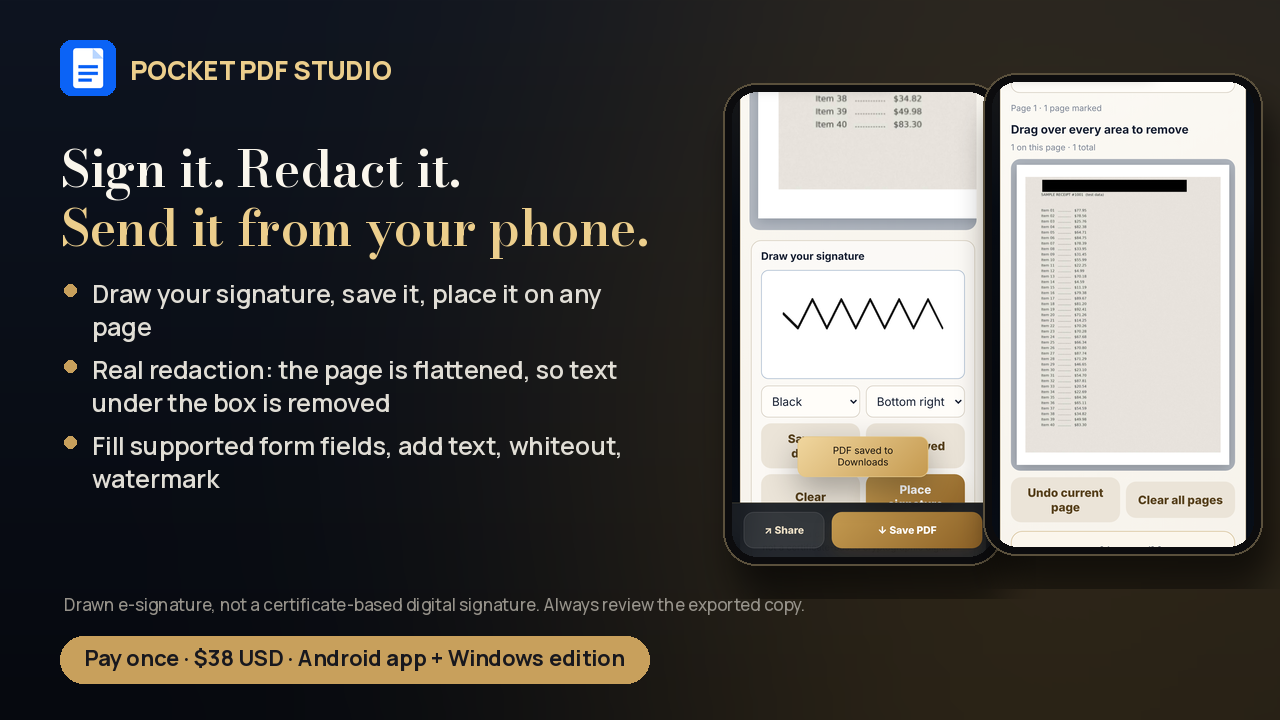
- Draw your signature, save it on your phone, place it on any page
- Fill supported form fields, create fillable fields, flatten forms
Compress honestly
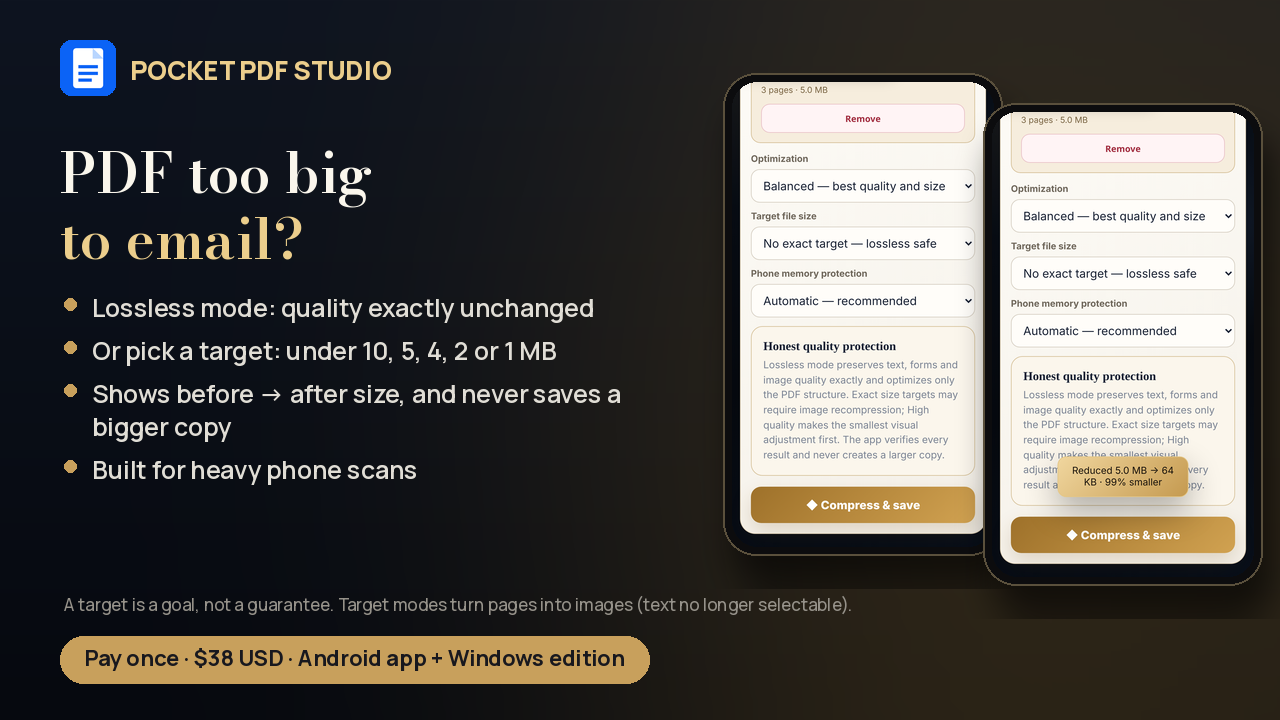
- Lossless mode keeps quality, text, form fields and links exactly the same
- Or pick a target size: under 10, 5, 4, 2 or 1 MB, made for heavy phone scans (target modes turn pages into images, so text is no longer selectable and form fields and links are removed)
- Shows the before → after size, and never saves a "compressed" copy that's bigger
Privacy tools
- Secure redaction: the page is flattened, so text under the box is actually removed (not just covered)
- Privacy clean: clears common metadata and form data before you share
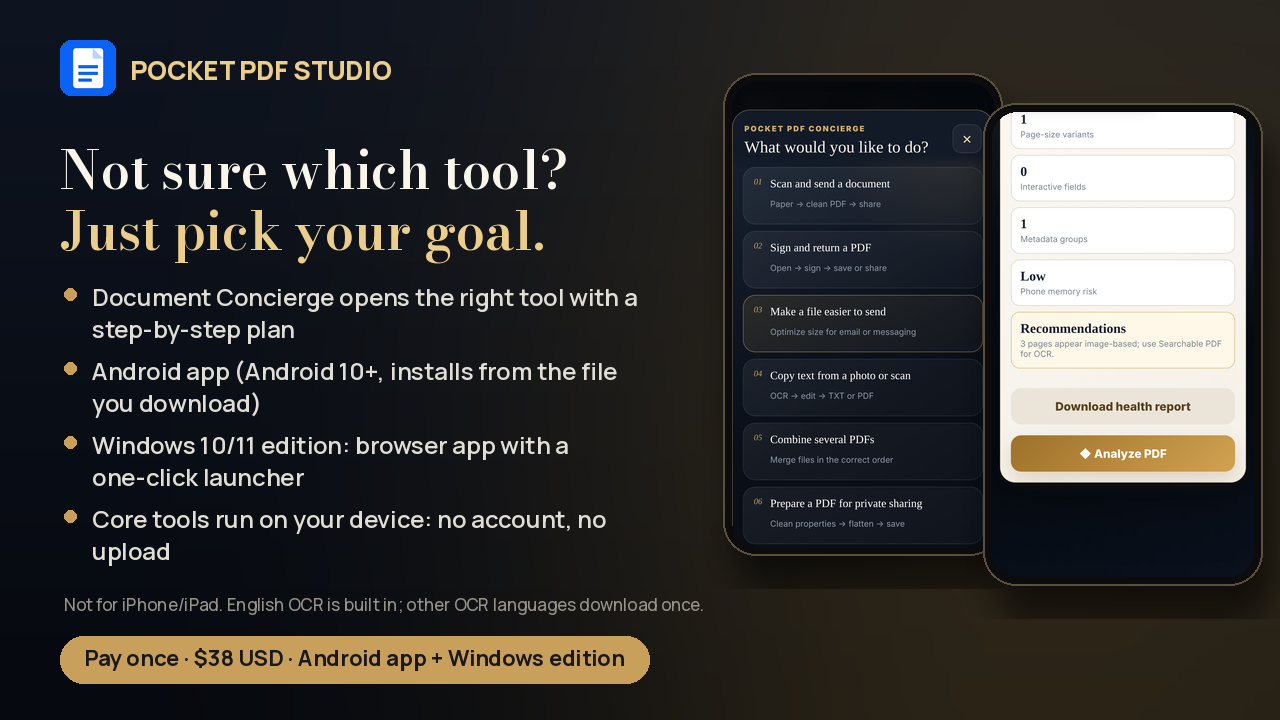
- PDF Health Check: is it searchable, are the pages the same size, are there open form fields, is it too heavy for a phone?
Text recognition (OCR)
- Image to text, scan to text, PDF to text, and searchable PDFs
- English is built in and works without internet. Other languages download once the first time you pick them.
- On Windows, start the app with the included launcher to use OCR (step-by-step in the guide)
Built for beginners
- Document Concierge: "What would you like to do?" Pick a goal and it opens the right tool with simple steps
- Search box for every tool, plus in-app help
- Premium navy-and-gold, touch-first design
One price. Pay once. $38.
What you get
- Android app (Pocket-PDF-Studio-v41-Android-RELEASE.apk), for Android 10 or newer
- Windows edition (Windows 10/11, Chrome or Edge): a local browser app with a one-click launcher (no installer, no Python or Node needed). Folder: Offline-Computer-and-Phone/Pocket-PDF-Studio-v41-Offline/
- START-HERE buyer guide (HTML + TXT) with step-by-step install instructions
- Legal, privacy and licence information (inside the app and the package)
Compatibility (please read before buying)
- ✅ Android phones and tablets running Android 10 or newer. Installed from the file you download (not from Google Play). Android 8 and 9 are no longer supported.
- ✅ Windows 10/11 PC with Chrome or Edge. Double-click OPEN-POCKET-PDF-STUDIO-WINDOWS.bat and the app opens in your browser. Core tools and English OCR work. (Opening index.html directly works for basic tools, but OCR needs the launcher.)
- ❌ Not for iPhone or iPad (iOS can't install Android apps).
- Device and browser capabilities vary. Very large or password-protected files may need extra steps.
How to install on Android (summary)
1. Download Pocket-PDF-Studio-v41-Android-RELEASE.apk to your phone. (If you downloaded the zip, extract it first. Don't try to install the zip itself.)
2. Open Downloads and tap the APK.
3. If Android asks, allow "Install from this source" for the app you opened it with (you can turn this off afterwards).
4. If Play Protect says it hasn't seen this developer before, check that the name is *Pocket PDF Studio v41*, then tap Install anyway. Keep Play Protect on. If it reports *harmful* behavior or there's no "Install anyway", stop and contact support.
5. Tap Install → Open. Already have v38, v39 or v40? Keep it installed and choose Update. Any separate older PDF Studio app stays as it is.
Windows: right-click the zip → Extract All → open Offline-Computer-and-Phone → Pocket-PDF-Studio-v41-Offline → double-click OPEN-POCKET-PDF-STUDIO-WINDOWS.bat. Keep its small window open while you work, and close it when you're done. Keep all the files together. If Windows blocks the file, unblock it only if it came from your purchase download.
First 5 minutes: Images to PDF → pick 2 photos → save → open the saved PDF and check the pages. Then try the same task in airplane mode to confirm offline use on your device.
Good to know (honest limits)
- A drawn signature is an electronic signature, not a certificate-based digital signature. Check what your document requires.
- Lossless compression can't guarantee a target size. Target modes recompress pages as images: they can reduce detail and remove selectable text, form fields and links. A target is a goal, not a guarantee.
- Office files: text and tables convert; complex fonts, charts and layouts may be simplified.
- OCR, conversions, redactions and form results should always be reviewed before you rely on them.
- Opening websites, updates, some share destinations and non-English OCR languages need internet.
- Android may still show an "unfamiliar developer" warning. Signing doesn't mean Google Play approval.
Refunds & support
This is an instant digital download, so sales are normally final once the files are delivered. We will review requests for duplicate or unauthorized charges, a download that's broken and that support can't fix, or a product that's materially different from this description, plus anything required by law or Payhip's rules (full policy included in the package). Please check the compatibility section before buying: there's no iPhone version.
Support: paidigitalstore@gmail.com, subject "Pocket PDF Studio v41 — [issue]". Please don't email confidential documents.
*Digital download. No physical item will be shipped. One personal-use licence. Please don't redistribute.*