



Small Business Bookkeeping Spreadsheet | Schedule C Tax Tracker, Income & Expense Log, Mileage - Google Sheets
April arrives and the shoebox comes out: a year of receipts, half-remembered trips to the post office, platform fees you never wrote down, and a tax form that asks for your year in a very specific order. This workbook keeps the year in that order as you go — every sale logged once, every expense tagged to the exact Schedule C line it belongs on, mileage turning into a deduction trip by trip, and a summary tab that reads your year the way the tax return will: Line 1 to Line 31.
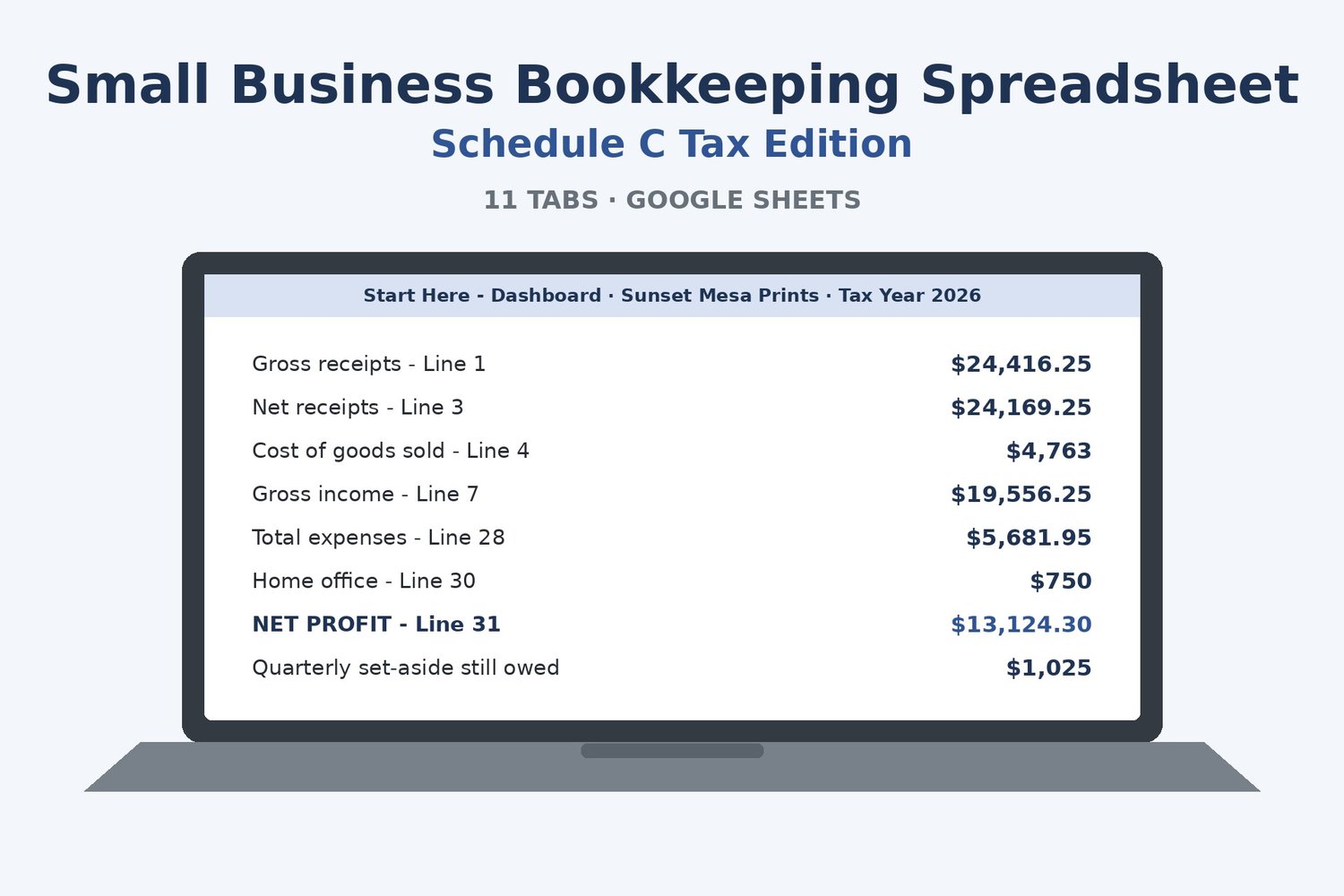
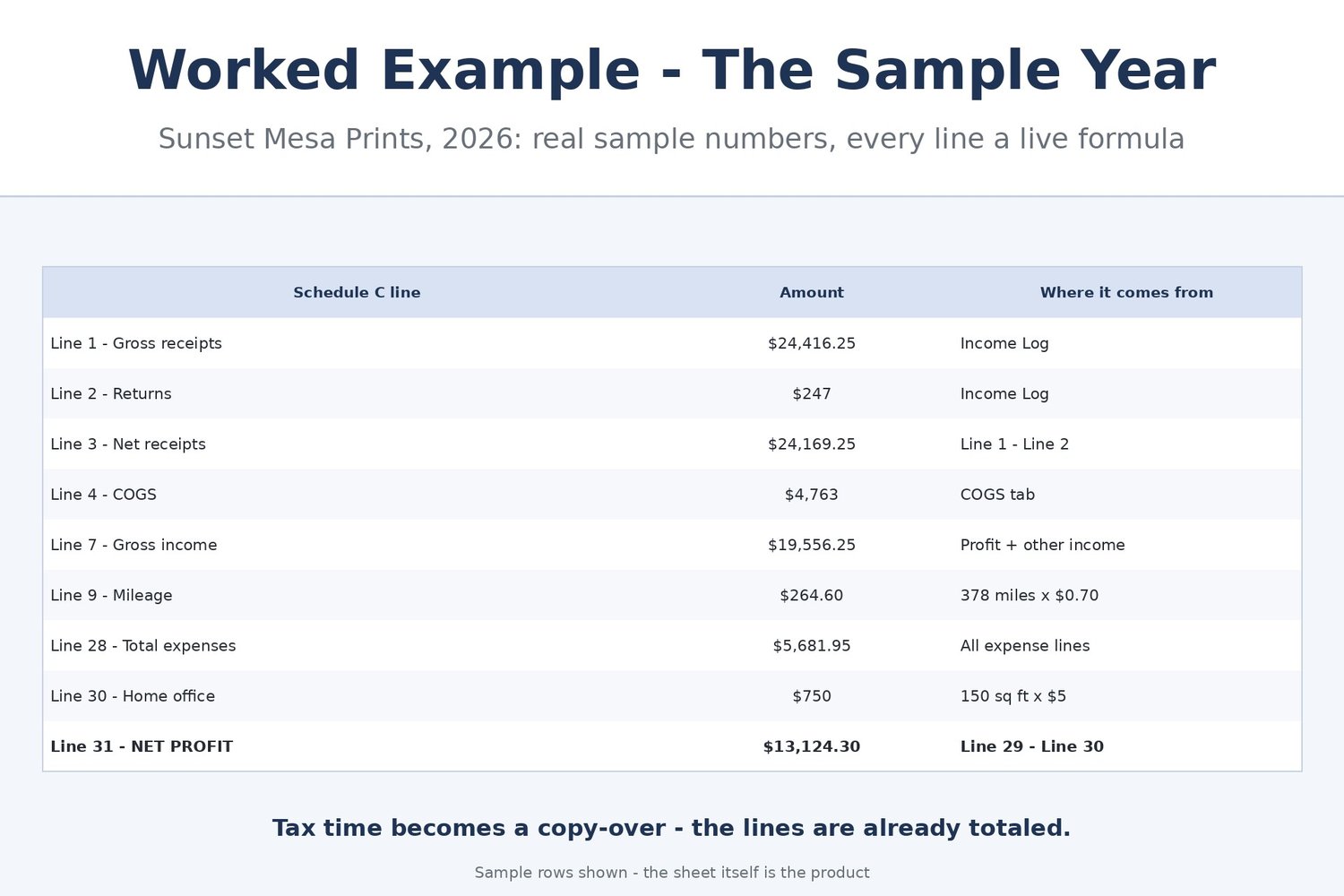
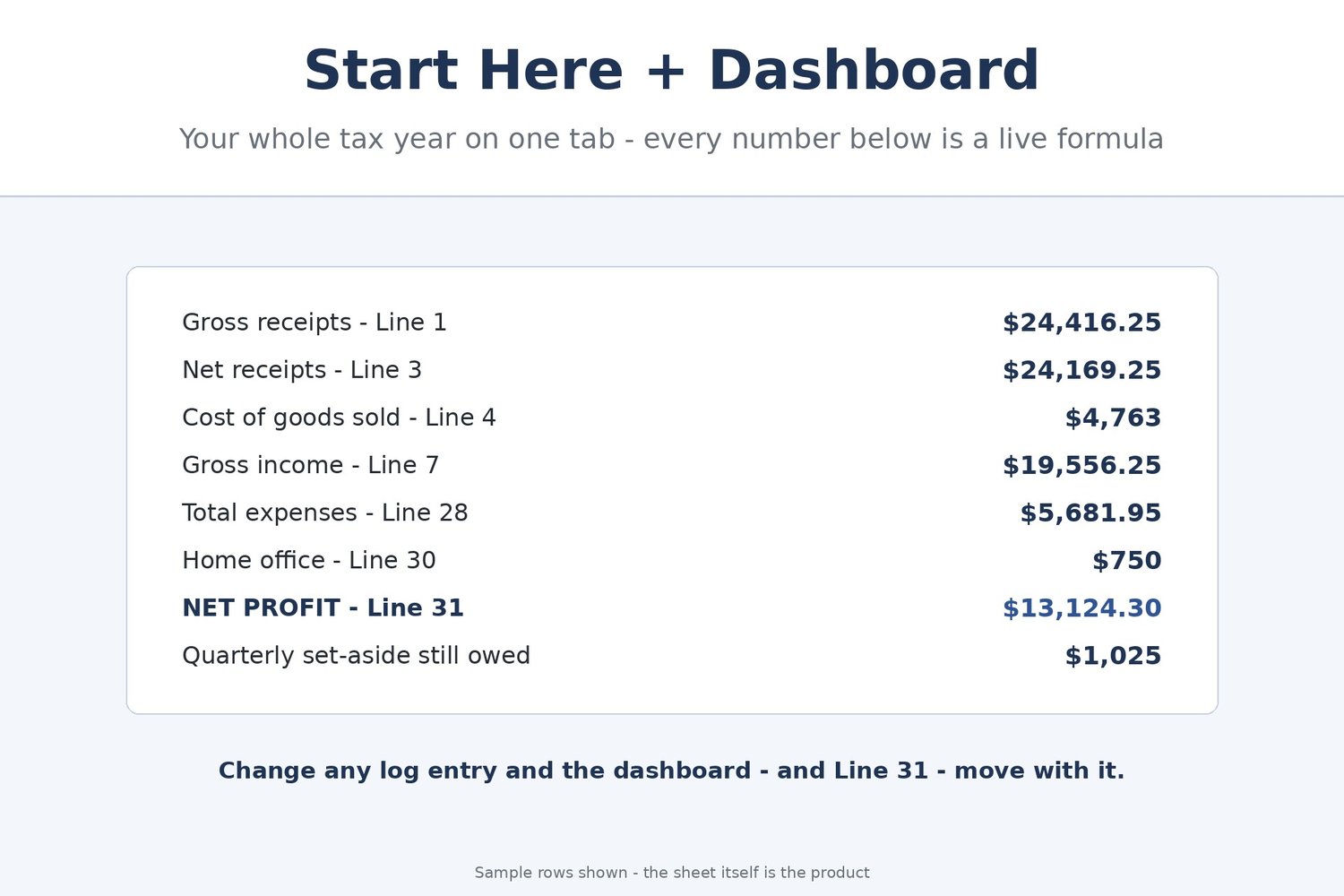
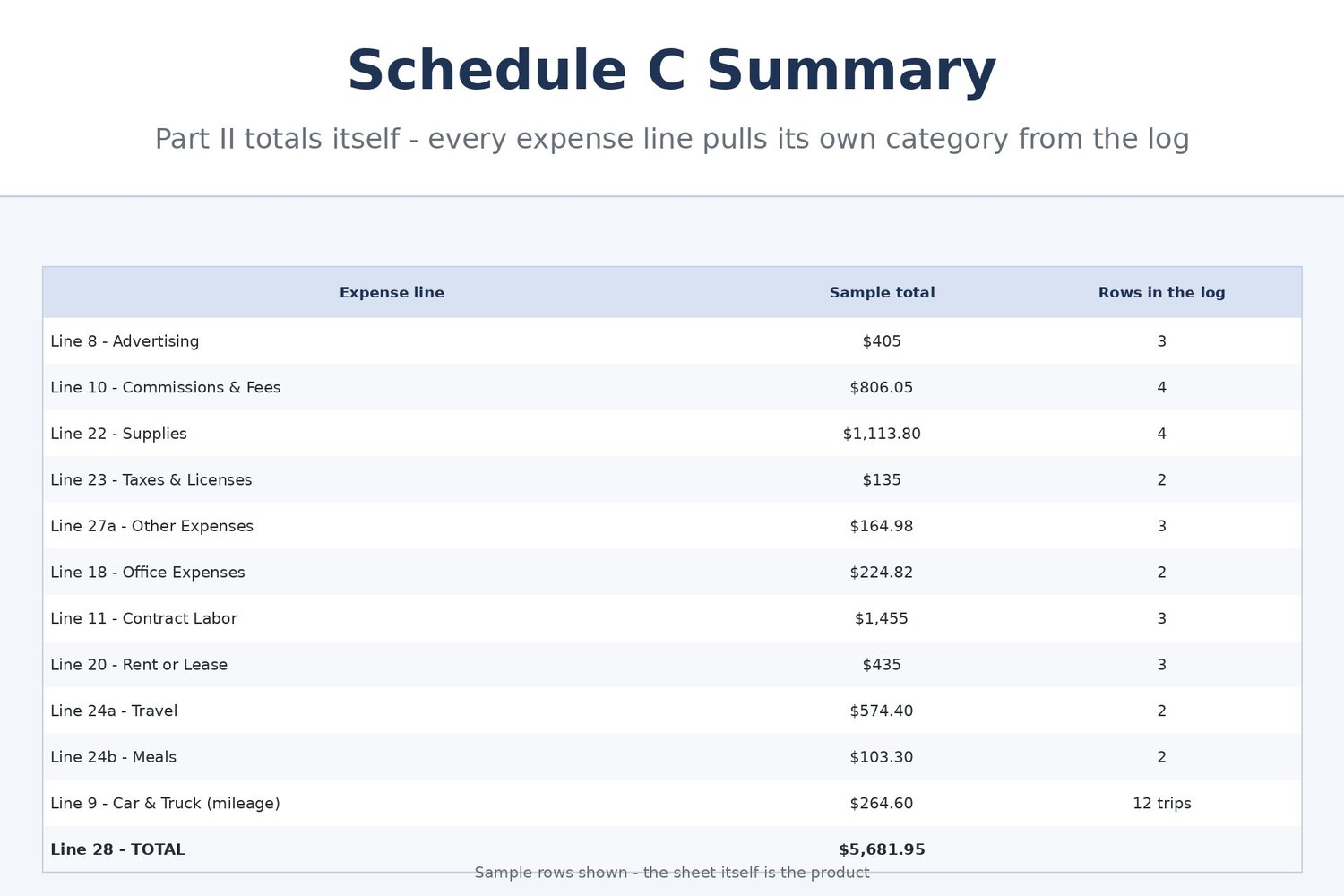
In the sample year inside (Sunset Mesa Prints, a fictional wall-art print seller, tax year 2026), the books show $24,416.25 in gross receipts, $4,763.00 of cost of goods sold, $5,681.95 of total expenses — including a $264.60 mileage deduction from 378 logged business miles — and a net profit of $13,124.30 on Line 31 after the simplified home-office deduction. Every one of those numbers is a live formula standing on the logs beneath it.
Transparency note: this spreadsheet was designed with AI assistance, then hand-built and formula-tested by our shop.
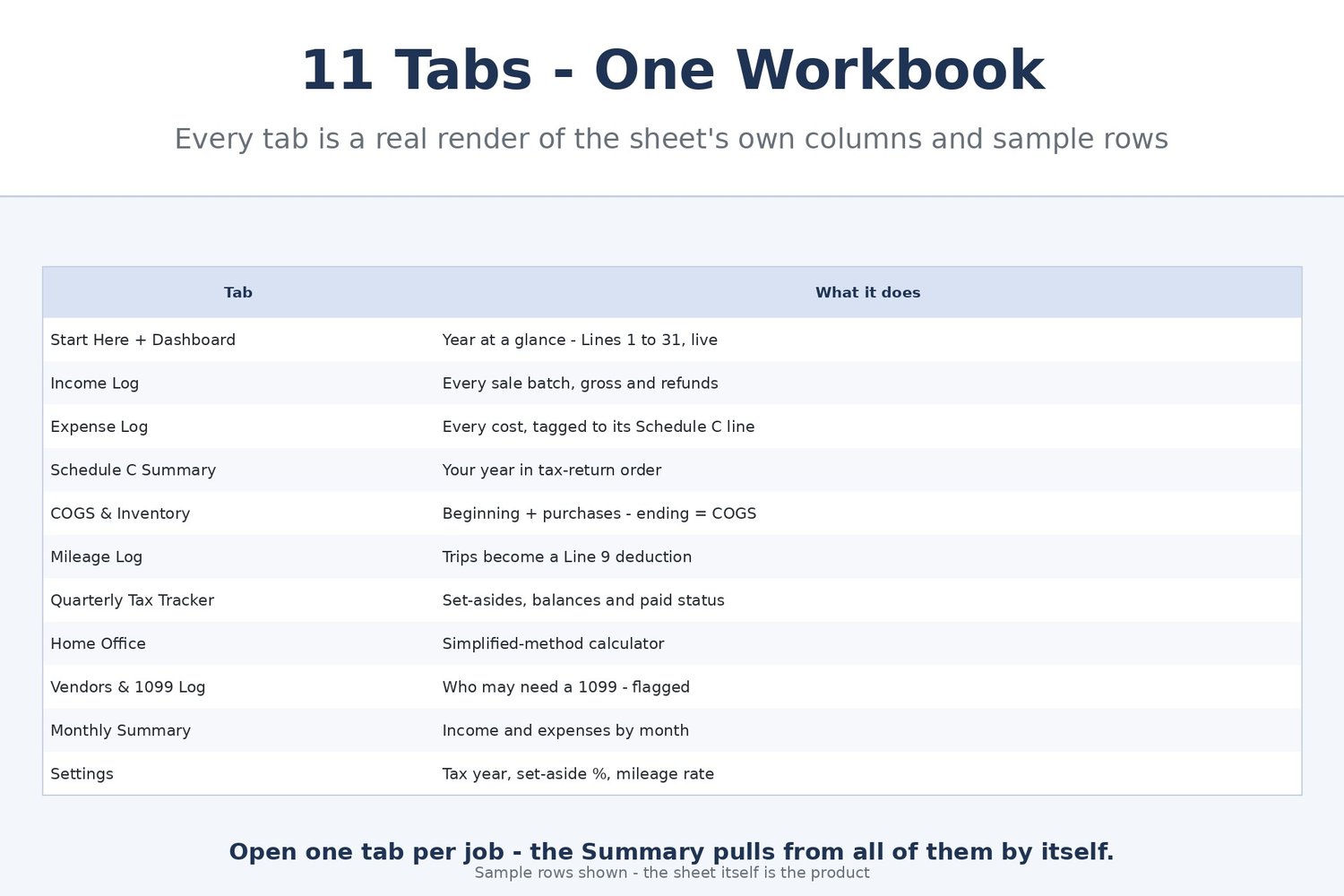
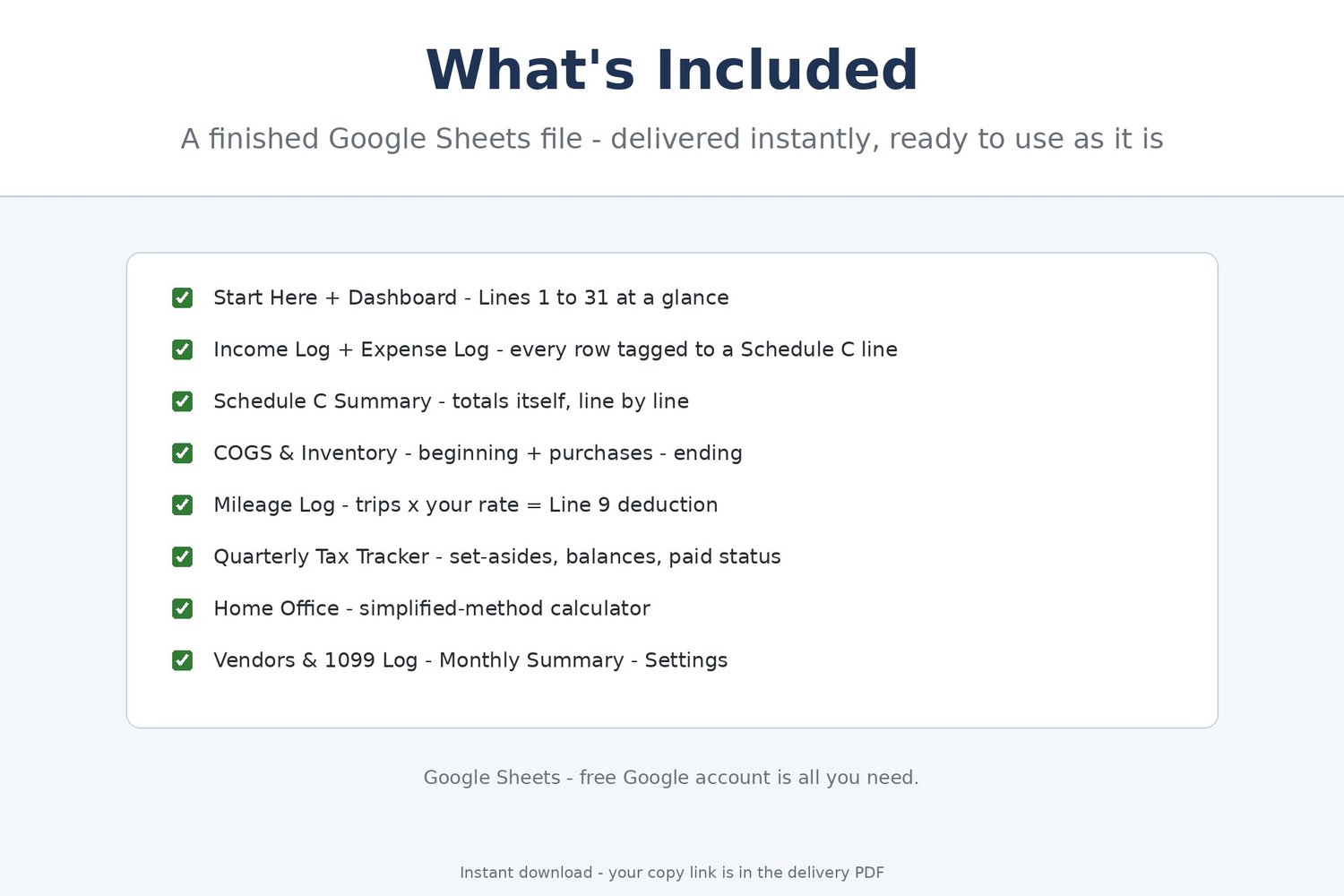
THE 11 TABS
• Start Here + Dashboard — plain-English quick start plus your tax year at a glance: Lines 1, 3, 4, 7, 28, 30 and 31, business miles, and the quarterly set-aside you still owe — all live formulas
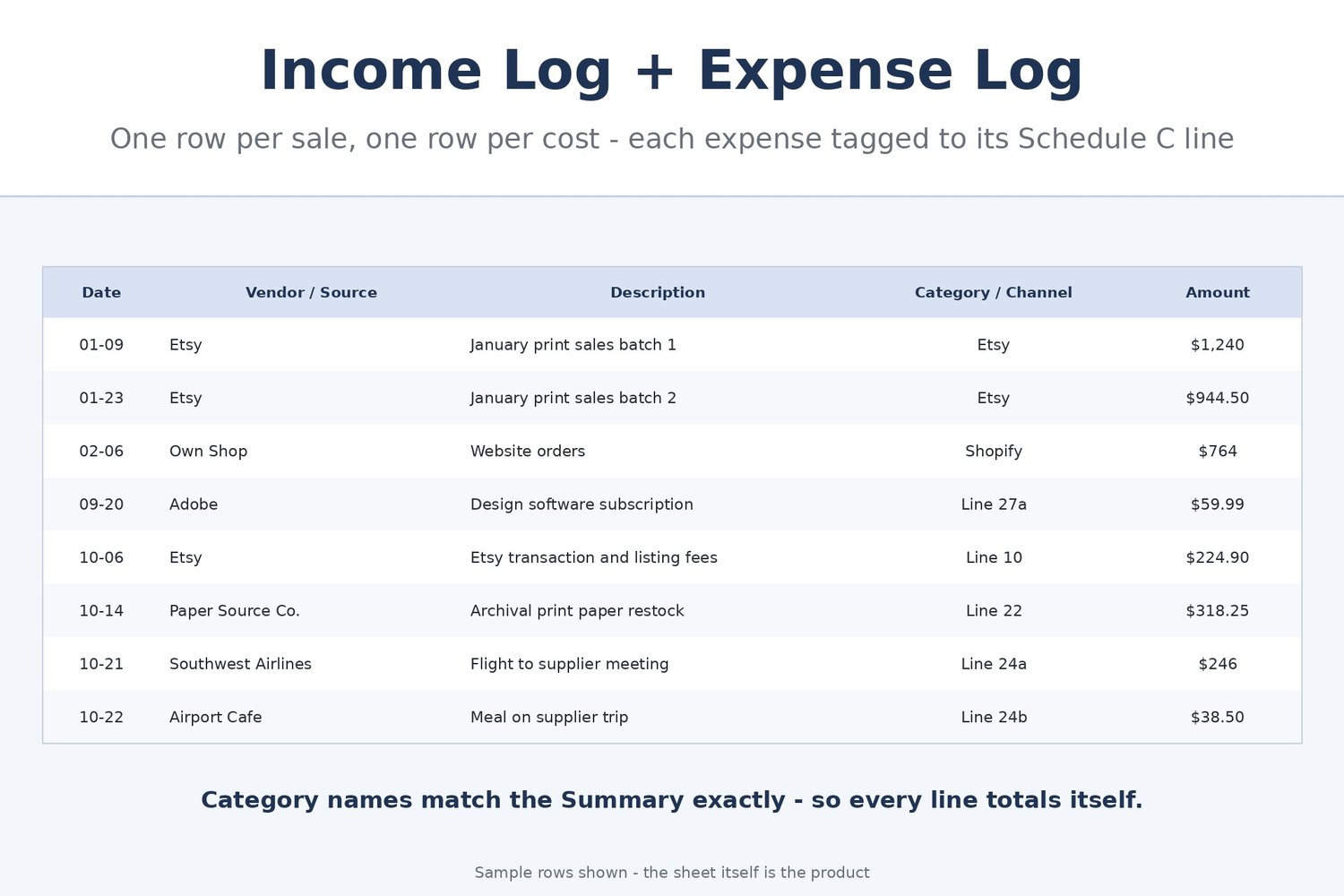
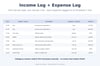
• Income Log — one row per sale batch or invoice: source, channel, gross amount and refunds, with Net Amount figuring itself
• Expense Log — one row per cost, tagged with its Schedule C category (Line 8 Advertising, Line 10 Commissions & Fees, Line 18 Office Expenses, Line 22 Supplies, Line 27a Other Expenses, and more) so each summary line totals itself
• Schedule C Summary — Part I income (Lines 1–7), Part II expenses (Lines 8–28) and your result (Line 29 tentative profit, Line 30 home office, Line 31 net profit), each line pulling from its own log
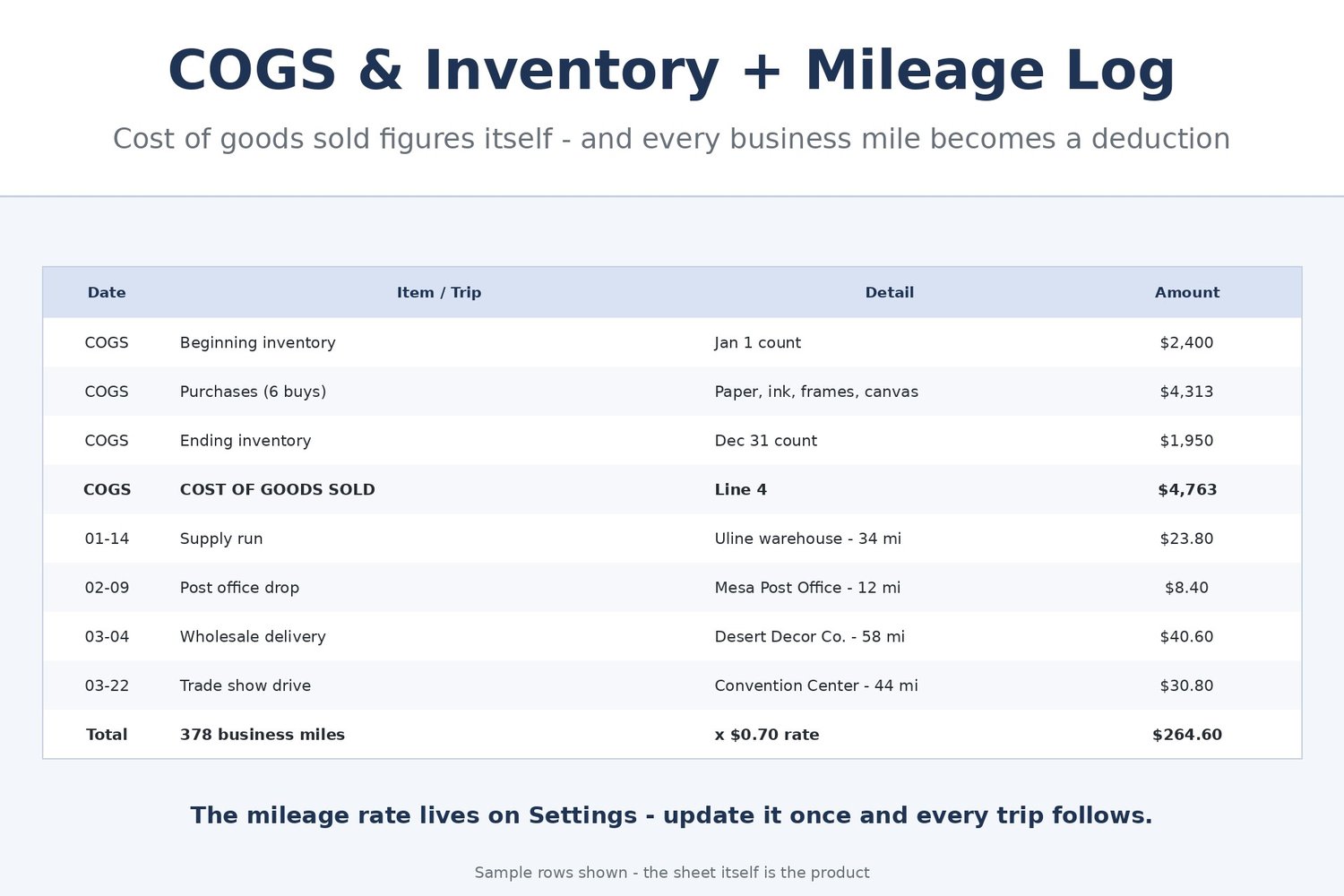
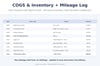
• COGS & Inventory — beginning inventory plus purchases minus your Dec 31 ending count equals cost of goods sold, by itself
• Mileage Log — one row per business trip: date, purpose, destination, miles. The deduction is miles times the rate on Settings and flows straight to Line 9 (standard mileage method)
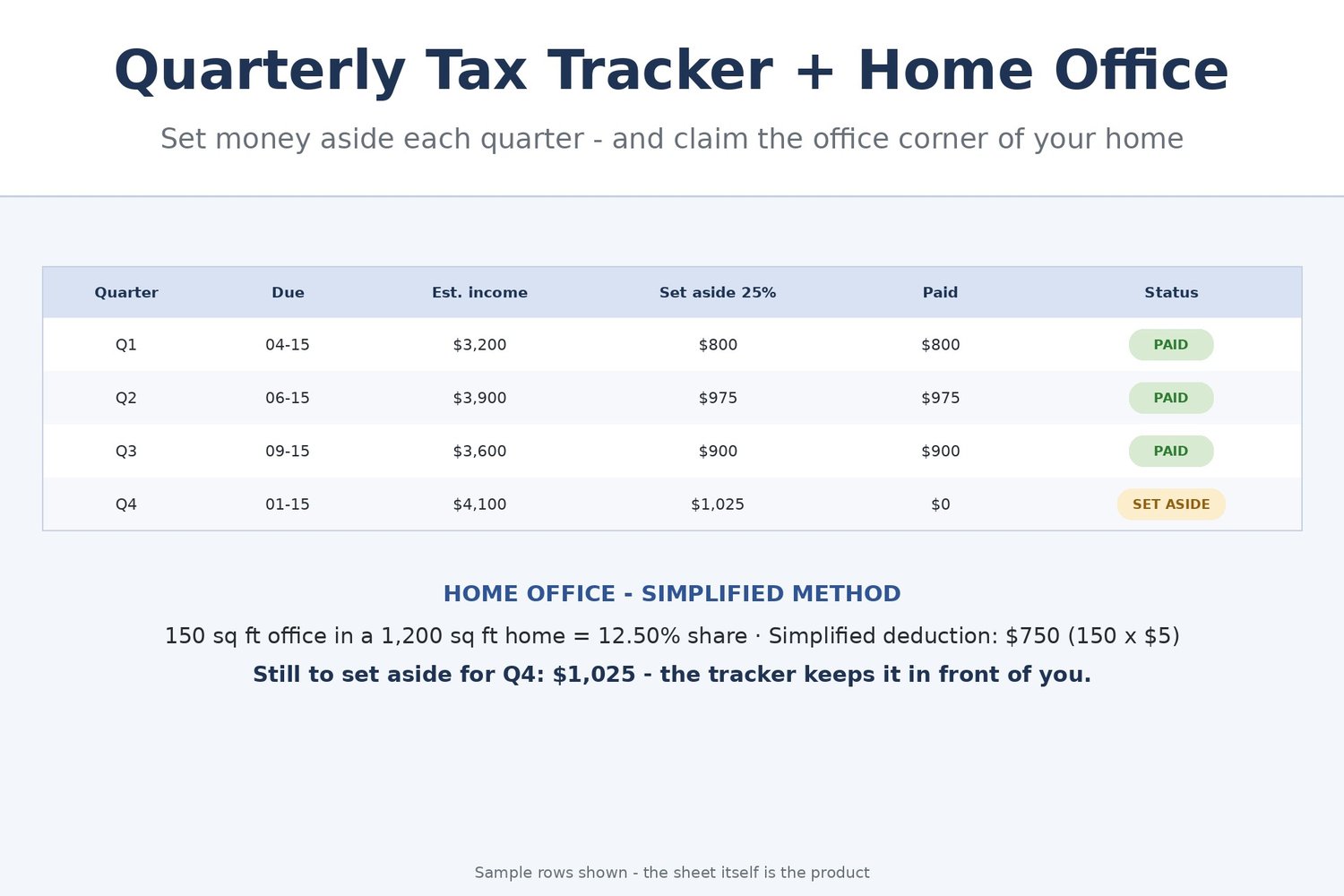
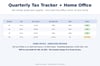
• Quarterly Tax Tracker — type each quarter's estimated net income and what you paid; the set-aside (your % from Settings), the balance and the PAID / DUE status figure themselves
• Home Office — the simplified-method calculator: $5 per square foot of office space, up to 300 sq ft, with an actual-method comparison block alongside
• Vendors & 1099 Log — who you paid, how much, and whether a W-9 is on file; anyone at $600+ without one is flagged REVIEW before January
• Monthly Summary — net income, expenses and profit by month, all year
• Settings — tax year, quarterly set-aside % and mileage rate. Change them once and the whole workbook follows
HOW THE MAPPING WORKS
The Expense Log's category names are the Schedule C lines themselves. Tag a cost once when you log it and the Summary finds it forever — no re-sorting, no re-typing at tax time. Car and truck costs live on the Mileage Log instead of the Expense Log, so the mileage deduction is never double-counted.
A FINISHED FILE, DELIVERED INSTANTLY
This listing is a digital item, delivered instantly as a file at checkout. The file is a finished template, ready to use as it is. If a formula or number in this file is wrong, message us and you will receive a corrected copy free — forever.
REQUIREMENTS: a free Google account. Your workbook lives in Google Sheets — nothing to install, and it is right there on your phone when a receipt shows up.
This workbook organizes your records onto the Schedule C lines; it is a bookkeeping tool, not tax advice. Mileage rates and filing rules change — confirm the current figures and have your tax preparer review your return before filing.
This is a digital product — no physical item will be shipped, and all sales are final (we can't accept returns or cancellations on digital downloads). Your files are available instantly after checkout.