
Term Fees & Lesson Tracker 2027 – Tutors & Music Teachers, Australia
Stop counting Mondays on a calendar. Pick your state and every student's 2027 term fee is worked out for you.
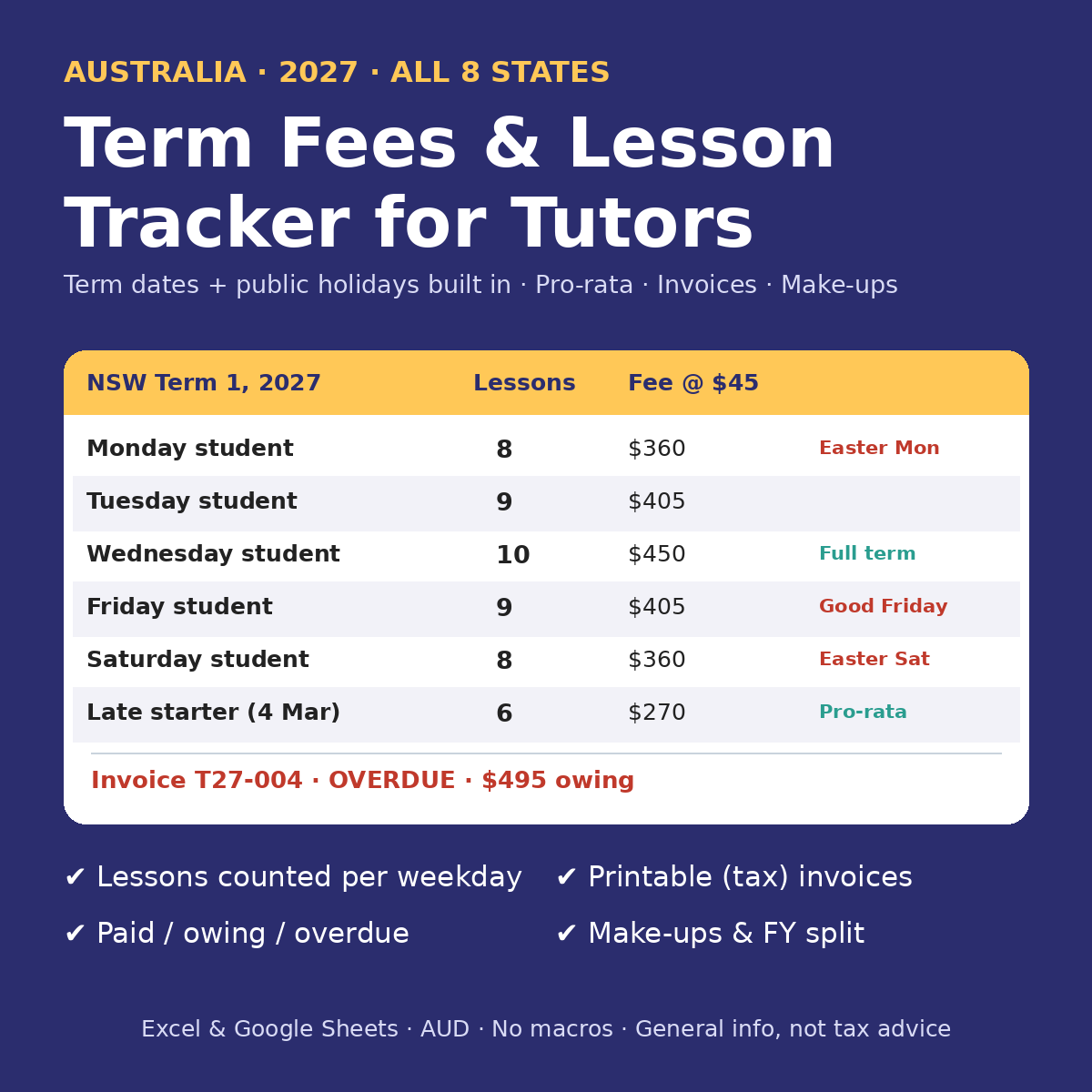
A term billing spreadsheet for Australian private tutors, music teachers and coaches who invoice by the school term. It has all 8 states' and territories' 2027 government school term dates and statewide public holidays built in, so it knows that a Monday student in NSW gets 8 lessons in Term 1 (Easter Monday is gone), a Wednesday student gets 10, and a Friday student loses Good Friday. Then it bills each student for their own lessons, tracks payments and tells you who still owes you.
What it does
- Lessons per student, per term: choose the lesson day and it counts the dates in each term for your state, minus public holidays (weekends included, e.g. Easter Saturday) and your own days off. A "lessons per weekday" grid shows the whole year at a glance.
- Pro-rata for late starters and leavers: enter a first or last lesson date and only the lessons in between are billed.
- Discounts and two-lessons-a-week students: sibling discounts as a %, and one row per weekly lesson.
- Invoices & payments register: pick the student and the term and the fee fills in. Add extras (registration, books, exam fees) and credits (make-ups, vouchers), or bill a term in instalments. Each invoice gets a number, a due date, a balance and a status: Paid, Unpaid, Part paid, OVERDUE, Overpaid.
- Printable invoice: pick an invoice number and print it or save it as a PDF. If you're registered for GST it becomes a TAX INVOICE showing your ABN and the GST included, with the buyer's name for invoices of $1,000 or more. Your make-up/cancellation policy prints at the bottom.
- Make-up tracker: log missed lessons (with or without notice), teacher cancellations and make-ups given. It keeps a running count of make-ups owed and flags a missed lesson logged on the wrong weekday or on a public holiday.
- Term overview: every student × every term, showing lessons, fee, invoiced, paid and "Not invoiced / Owing $… / Paid".
- Summary: fees for each term, invoiced, paid, owing, overdue invoices, make-ups owed, money received by financial year (Terms 1–2 fall in 2026-27, Terms 3–4 in 2027-28) and by month, plus a $75,000 GST threshold check.
- Your own calendar: following a private school's dates, or in NSW's Western division? Type your own term dates and everything recalculates.
What's included
- 1 × .xlsx workbook with 9 tabs: Instructions, Summary, Students, Invoices, Invoice (printable), Lesson Log, Term Overview, Calendar, Settings
- 10 example students, 12 example invoices and 4 log entries for a NSW studio, all clearly marked EXAMPLE, so you can see how it works before you delete them
- Room for 100 students, 400 invoices and 300 log entries
- Works in Microsoft Excel and Google Sheets. No macros.
Who it's for
- Private tutors (primary, high school, HSC/VCE/QCE/ATAR) and tutoring sole traders
- Piano, guitar, violin, voice and drum teachers; dance, drama and art teachers
- Swim, tennis and sports coaches who run term programs
Who it's NOT for: it doesn't send invoices or reminders, take payments, run payroll for staff, track expenses or lodge a BAS. Term dates are government school dates (private schools can differ, so override them). Regional public holidays (show days, the Ekka, Hobart Regatta) aren't pre-loaded, but you can add them as your own no-lesson dates in seconds.
FAQ
Do I need to charge GST on lessons? Only if you're registered for GST, or required to be. Registration is required once your GST turnover reaches $75,000. Private lessons sold to families generally aren't GST-free "education courses". If you're registered, switch it on in Settings and invoices show the GST (1/11 of the price).
What if a student starts in week 5? Enter their first lesson date. They're billed only for the lessons left in the term.
Can I bill some families in instalments? Yes. Type the agreed amount on each invoice row and the description says "agreed instalment".
What about 2028? Type the 2028 term dates into "Your dates" on the Calendar tab and add that year's public holidays as your own dates. The formulas don't change.
Do I need Excel? No. It works in free Google Sheets: upload the file, then choose File → Save as Google Sheets.
Is it a subscription? No. You pay once, download it instantly and keep the file.
General information, not tax, legal or financial advice. Not produced or endorsed by the ATO or any education department. Term dates and public holidays were checked against official state sources on 21 November 2026. Check your state's pages before you invoice.