
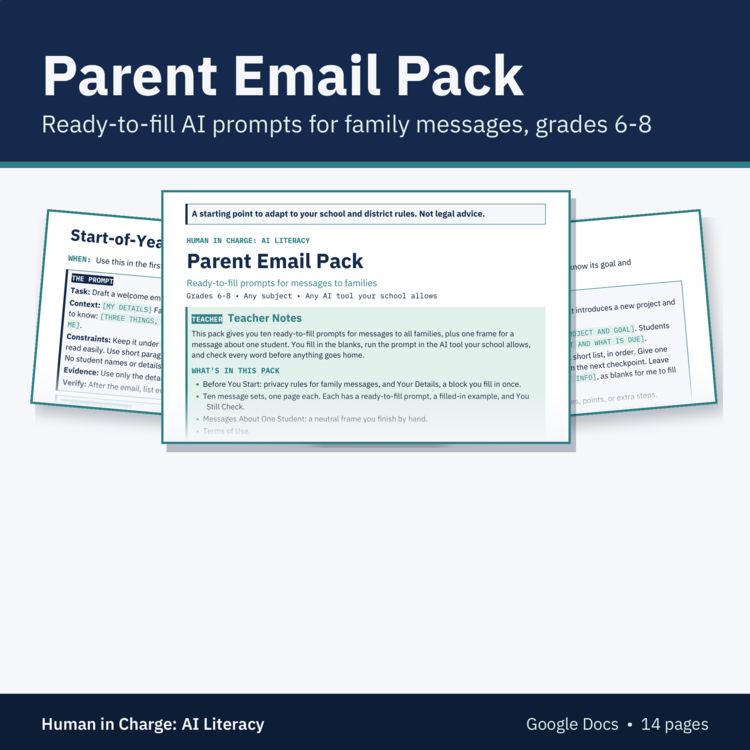
AI Parent Email Prompts for Teachers: Ready-to-Fill Messages, Middle School
Ready-to-fill AI prompts for the emails you send families all year
Welcome emails, trip reminders, supply requests, and schedule changes take time to write, and they come back every year. This pack gives you ten ready-to-fill prompts for messages to all families, plus one neutral frame for a message about one student. You fill in the brackets, run the prompt in the AI tool your school allows, and check every fact, date, and request before anything goes home. No student names or details go into any prompt.
What's Included
• Teacher notes: how to use the pack, ground rules, and what to fill in by hand
• Privacy for family messages: no student names, grades, or IEP, 504, or health details in any prompt, never paste a family's email into AI, and call or meet first for anything sensitive
• Your Details: a block you fill in once with your grade, subject, voice, greeting, and closing, then paste into any prompt
• Ten message sets, one page each, each with a ready-to-fill prompt, a filled-in example, and a You Still Check list: start-of-year welcome, project launch and checkpoints, field trip or event reminder, what we're learning next, supply or form request, celebrating the whole class, schedule change, how homework works, end-of-quarter note, and a reply to a common family question
• Messages About One Student: a neutral frame AI drafts with blanks, and you add every specific by hand in your school email
• Terms of use page
• Made for Google Drive: you get your own editable copy of the Google Doc.
How Teachers Use It
• Add the pack to your Google Drive and fill in Your Details once.
• Pick the set for the message you need and fill in every bracket.
• Run the prompt in the AI tool your school allows.
• Do every step of You Still Check, then fill in your name and contact information yourself.
• Send the message from your school account.
Why It Works
• Your name and contact information stay blanks in every prompt, and so does any date a message needs, so you fill them in yourself from your own calendar.
• Each prompt ends by asking AI to list what you need to check, such as every fact, date, or promise.
• Your Details keeps the drafts in your own voice.
• The filled-in examples show each prompt with invented grade 6-8 classes in science, math, English, and social studies.
Pairs Well With
• Classroom AI Policy Kit: your class AI policy, with an editable letter to families about it.
• AI Use Note Slips (free): short slips students turn in to show how they used AI, or that they didn't.
Good to Know
• This pack is a starting point to adapt to your school and district rules. It is not legal advice.
• The sets are for classroom news. For messages about your school's AI rules, follow your school's lead.
• One license covers one teacher. Each additional teacher needs their own license.
• Made for Google Drive: after checkout, open the link in your download and click Make a copy to get your own editable version. You need a Google account.
• Format: Google Docs.
• 14 pages in Google Docs.
• Grades 6-8, any subject.
About Us
We're a husband-and-wife team: a former elementary and middle school English teacher and structured literacy coach with a master's in instructional design, and a pilot.
The Human in Charge Team