
Grabber v1.0
On Sale
$5.00
$5.00
Grabber — Session-Based Browser Media Harvester
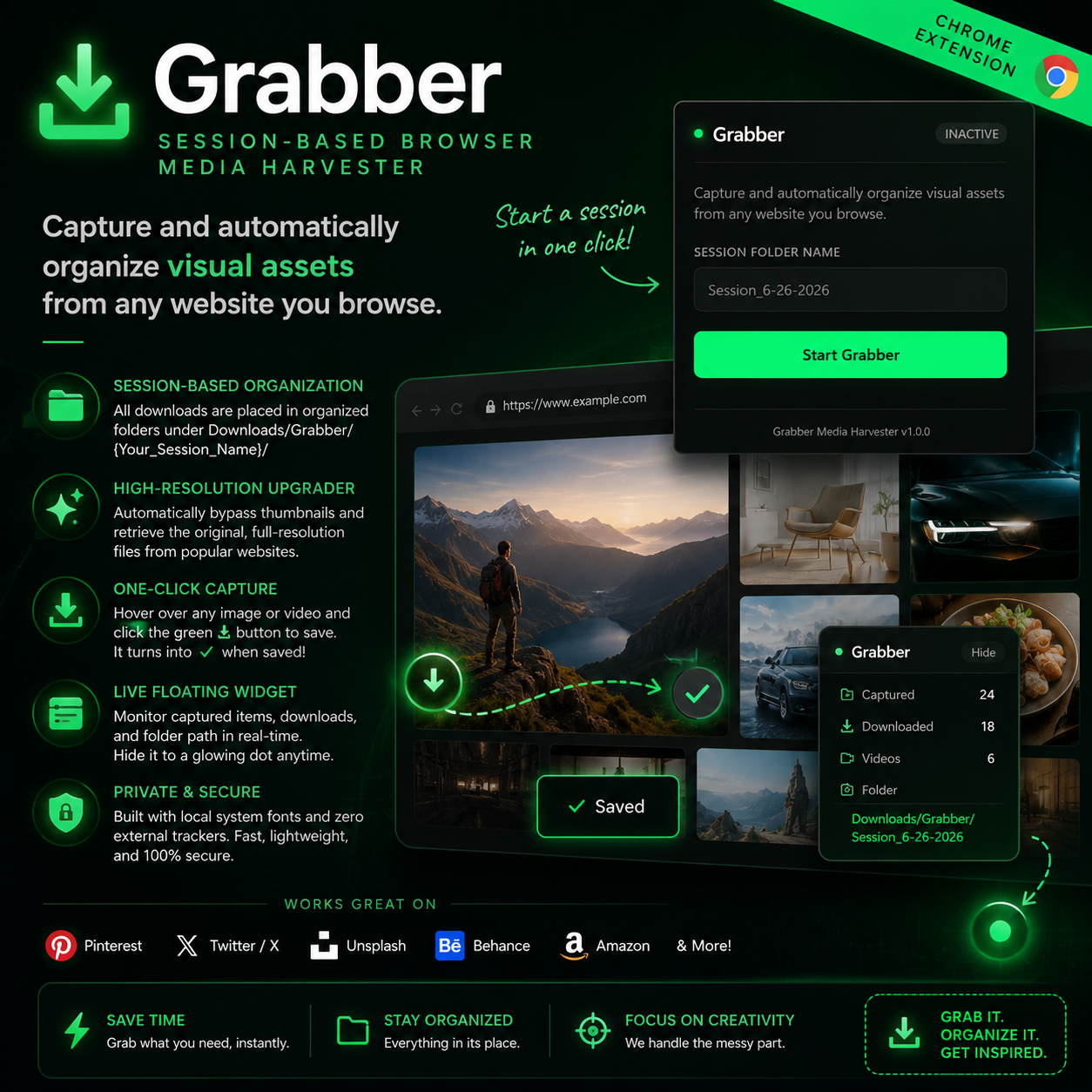
Grabber is a lightweight, modern, and developer-friendly Google Chrome extension that allows you to easily capture and organize high-resolution visual assets (images, videos, canvas elements, and CSS backgrounds) while you browse.
Designed for designers, developers, and researchers, Grabber lets you harvest assets with a simple hover overlay and organizes them into clean, session-specific directories.
✨ Features
- 📂 Session-Based Directory Organization: All downloads are placed in organized subfolders (Downloads/Grabber/{Your_Session_Name}/) so your assets never clutter your default download folder.
- 🚀 Automatic High-Resolution Upgrader: Automatically bypasses website thumbnails to retrieve the original, full-resolution source file. Supported sites include:
- Pinterest: Dynamically replaces all layout sizes with /originals/ and strips responsive layout query strings.
- Twitter / X: Forces name=orig to download original uploads.
- Unsplash: Strips layout dimensions (w, h, fit, crop, dpr) to retrieve raw photos.
- Behance: Pulls original project module assets.
- Amazon: Clears compression parameters (._[A-Z0-9_-]+_) to get full-size product images.
- 🎨 Premium Visual Interface:
- Minimal green SVG download icon (⬇ and ✓) built with raw vector rendering.
- Glowing, pulsing hover halo effect centered perfectly around the action button.
- Interactive, collapsible floating widget to monitor captured items, downloaded stats, and folder paths in real-time.
- Toast feedback alerts for visual confirmation.
- 🔒 Private & Secure: Built using local sans-serif system fonts (system-ui) to guarantee fast render times and absolute compatibility with site Content Security Policies (CSP). Zero external tracker scripts.
🛠️ Installation
Since Grabber is a custom productivity tool, you can install it in developer mode:
- Download the code: Clone this repository or download the ZIP file and extract it.
- Open Extensions page: Open Google Chrome and navigate to chrome://extensions/.
- Enable Developer Mode: Toggle the Developer mode switch in the top-right corner.
- Load Unpacked: Click the Load unpacked button in the top-left corner.
- Select Folder: Select the directory containing the extension files (make sure manifest.json is in the root of the folder you select).
📖 How to Use
- Pin the Extension: Click the puzzle icon in Chrome's toolbar and pin Grabber for quick access.
- Start a Session: Click the Grabber icon, type in a custom session name (e.g., Pinterest References, UI Benchmarks), and click Start Grabber.
- Browse and Grab:
- Go to any website (like Pinterest).
- Hover your mouse over any image or video.
- Click the minimal green ⬇ button at the bottom-left corner of the asset.
- The button turns into a grey ✓ checkmark, and a toast displays ✓ Saved.
- Inspect Stats: Monitor your progress using the floating widget in the bottom-right of your page. Click Hide to minimize it to a glowing dot if it blocks your view.
- Finish Session: Open the popup again and click Stop Session to close the active harvest.