
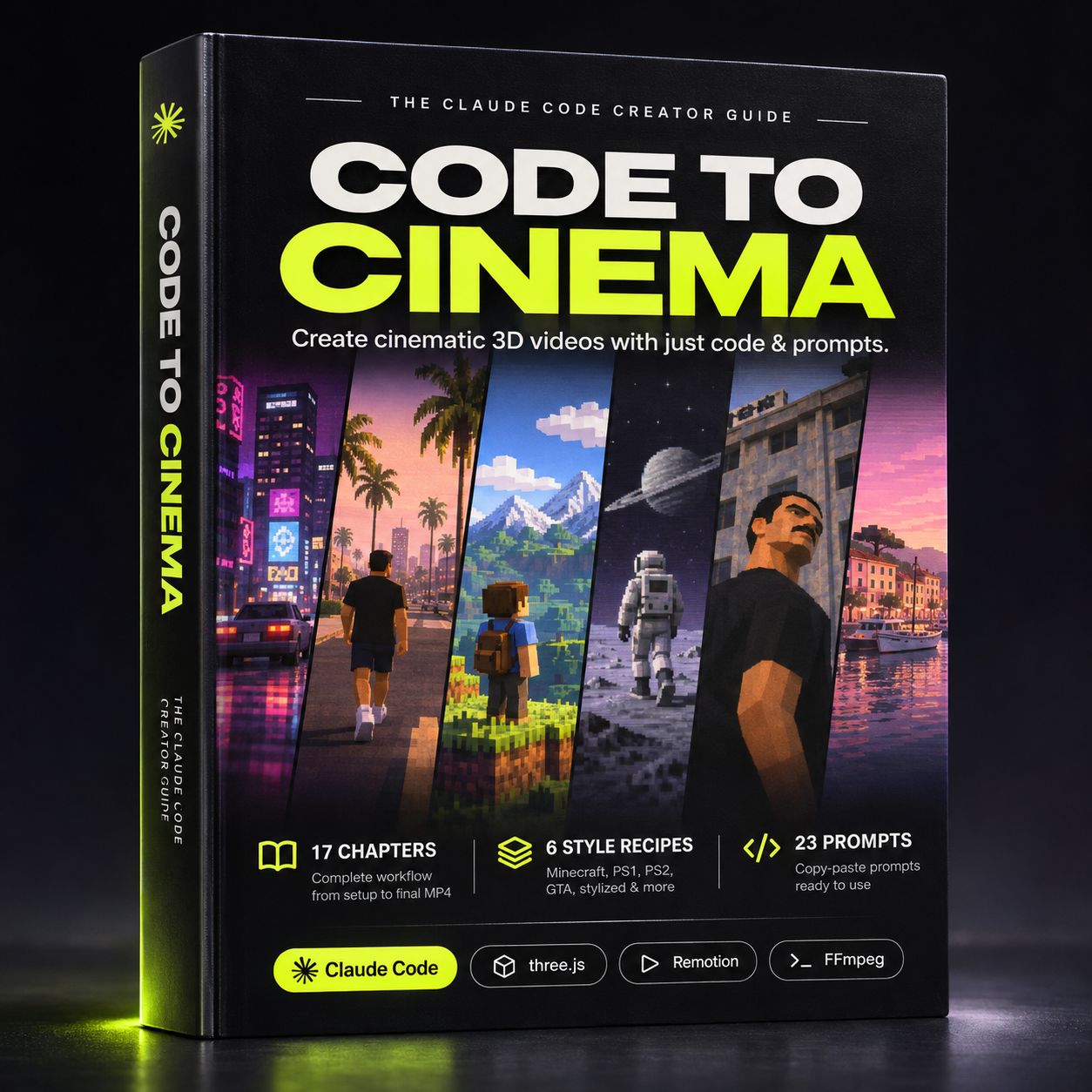
Turn your ideas into cinematic 3D videos. Just with Claude Code.
CODE TO CINEMA
The Complete Guide to Creating Cinematic 3D Videos With Claude Code
No AI Video Generators. Just Code, Prompts & Creativity.
What if you could create Minecraft–inspired worlds, retro PS1 and PS2 cinematics, GTA–inspired scenes, and stylized 3D animations – using Claude Code instead of traditional AI video generators?
CODE TO CINEMA is a 57–page practical guide that teaches you how to transform text prompts into real, rendered 3D videos using Claude Code, reusable skills, and code–based animation tools.
Unlike AI video generators that predict pixels, this workflow builds actual 3D scenes. You can control your characters, environments, camera movements, lighting, animation, and individual frames.
You bring the idea. Claude Code builds the scene. You direct the result.
WHAT'S INSIDE
- 57 pages & 17 chapters – a complete workflow covering installation, scene creation, animation, rendering, and final export.
- 6 visual style recipes – Voxel / Minecraft–inspired, PS1 Retro, PS2–era, GTA–inspired, Stylized Cartoon, and Cinematic Low–Poly.
- 23 copy–paste prompts – production–ready structures, creative examples, character setup, troubleshooting, and workflow optimization.
- 3 Claude Code skills – learn to install and use the Voxel Video Generator, GTA Video Generator, and Cartoon 3D Short skills.
- Step–by–step first video tutorial – follow a tested workflow to create your first 12–second vertical 3D video.
- 6 complete creative project prompts – including Life of a Designer, After the Breakup, retro sci–fi, and cinematic motion design.
- Professional prompt framework – learn the 14 essential elements of directing a scene through Claude Code.
- Storyboarding & shot planning – turn ideas and visual references into precise camera shots and animation timelines.
- Character consistency – reuse the same character model across scenes without changing its appearance.
- Reusable 3D engines – learn how to build on existing projects instead of starting from scratch.
- 15 common problems & fixes – troubleshoot broken renders, visual inconsistencies, camera movements, and animation issues.
- Audio, rendering & export – add sound and create 1080 × 1920 MP4 videos for Instagram Reels, TikTok, and YouTube Shorts.
FROM PROMPT TO CINEMA
The workflow combines four powerful tools:
Claude Code – writes, modifies, and manages your 3D scene code.
Three.js – builds and renders your 3D environments, characters, materials, and lighting.
Remotion – controls animation, shot timing, camera movements, and frame–by–frame rendering.
FFmpeg – encodes your rendered frames into a finished MP4 video.
You don't need to write the code yourself. Describe what you want to create, review the previews, and tell Claude Code exactly what to change.
No random regenerations. No starting over because one detail is wrong.
Make precise adjustments and render the updated scene.
EXPLORE 6 VISUAL STYLES
01 – Voxel / Minecraft–inspired
Create blocky environments, characters, cities, and animated stories using a complete voxel engine.
02 – PS1 Retro
Recreate mid–1990s console aesthetics with low–resolution rendering, pixelated textures, vertex snapping, and custom shaders.
03 – PS2–era
Build nostalgic early–2000s cinematics with low–poly environments, textured characters, atmospheric lighting, and cinematic camera work.
04 – GTA–inspired
Create original open–world–style scenes featuring city streets, vehicles, characters, sunsets, and cinematic storytelling.
05 – Stylized Cartoon
Produce colorful animated stories combining illustrated characters, 3D environments, narration, and sound.
06 – Cinematic Low–Poly
Explore minimalist 3D worlds, dramatic lighting, geometric environments, and motion–design techniques.
Important: These are six creative techniques, not six one–click presets. Voxel, PS2–era, GTA–inspired, and the specific cartoon workflow have tested implementations. PS1 Retro and Cinematic Low–Poly are advanced recipes requiring additional development.
BUILT AROUND REAL PROJECTS
This isn't just a collection of theoretical prompts.
The guide includes documented tests, real rendered frames, working production examples, and practical fixes discovered during development.
Learn from actual projects, including a 12–second voxel animation, PS2–era character cinematics, GTA–inspired city scenes, and a stylized cartoon short.
You'll also learn how to turn successful projects into reusable engines, characters, camera presets, and production workflows.
WHO IS THIS FOR?
Creative designers, content creators, 3D enthusiasts, developers, filmmakers, and anyone interested in building original stylized video content.
No previous coding experience required.
You should be comfortable following installation instructions, using a Terminal, and experimenting with prompts. More advanced styles may require additional 3D assets or custom development.
WHAT YOU NEED
- A Mac – the included workflows were developed and tested on macOS.
- Claude Code access – through an eligible paid Claude plan or API account.
- Free supporting tools – including Node.js, pnpm, three.js, Remotion, and FFmpeg.
- The Claude Code skills – installation and configuration are covered step by step.
Do I need Blender?
Not for your first video or the included voxel workflow. The GTA–inspired skill already includes a rigged, animated character. Blender is optional for building or modifying additional 3D characters.
Some advanced projects may require extra assets, setup, and experimentation.
YOUR IDEA. YOUR CODE. YOUR VIDEO.
Stop relying on unpredictable AI video generations.
Learn to create, direct, refine, and reuse real 3D scenes – with Claude Code doing the coding and you making the creative decisions.
Stop just generating videos. Start building real 3D.