
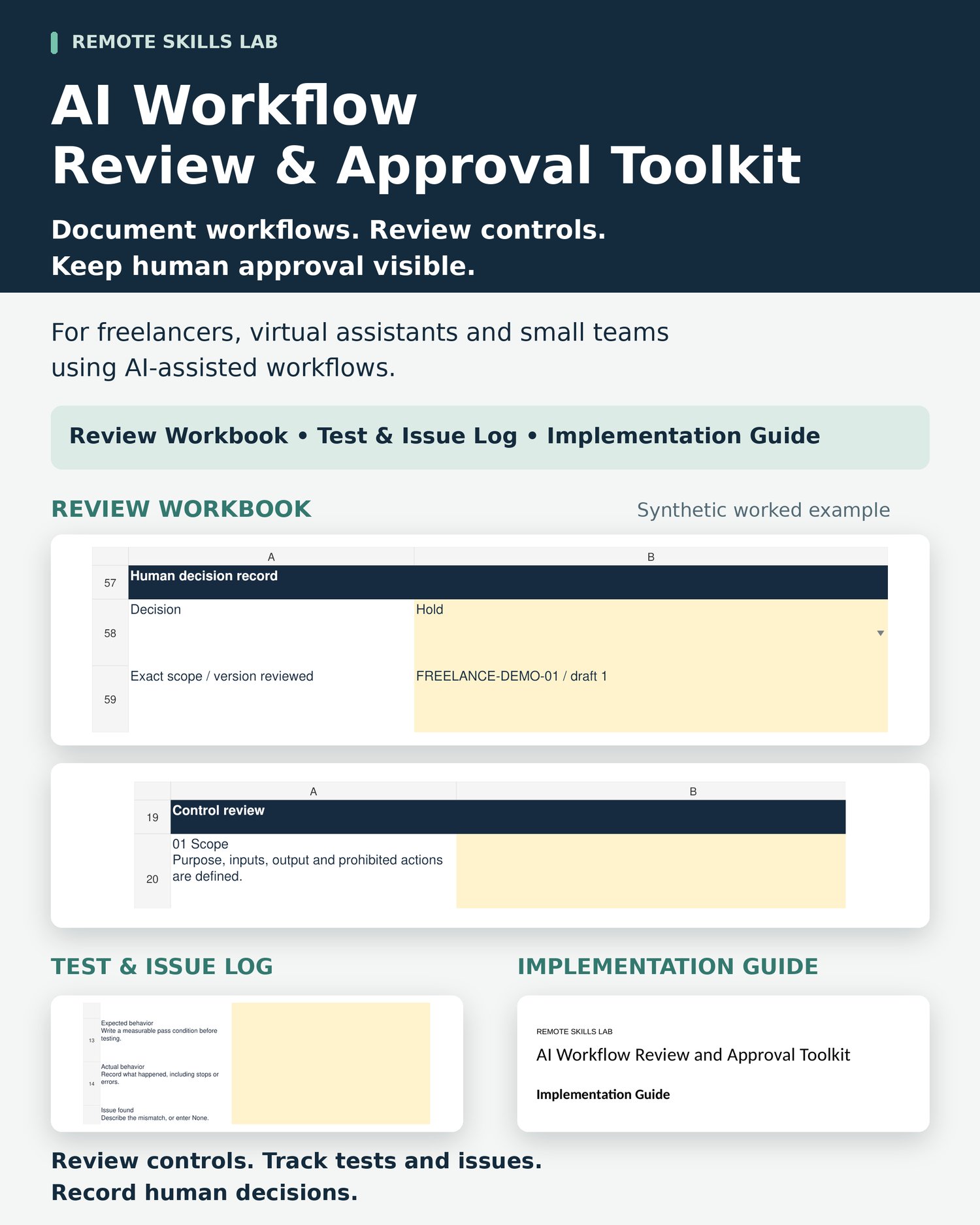
AI Workflow Review & Approval Toolkit
A practical documentation and review toolkit for freelancers, virtual assistants and small teams using AI-assisted workflows. Document scope, review controls, track tests and issues, and keep evidence and human decisions organized.
Give your AI-assisted workflow a clear review record
Keep track of what a workflow may do, what still needs checking, and which decisions require an authorized human. This three-part toolkit provides a structured process for documenting scope, reviewing controls, recording tests and issues, and maintaining a human decision record.
What it helps you organize
- Define workflow purpose, inputs, allowed actions and prohibited actions.
- Review 12 defined controls and record supporting evidence, gaps or next actions.
- Maintain expected and actual test results, issues, corrective actions and retests.
- Record the reviewed scope, human decision and restrictions.
- Connect test records to the corresponding workbook evidence entries.
What is included
Review Workbook (.xlsx) — A blank Review sheet and a clearly synthetic Worked Example. Includes workflow-scope fields, 12 control reviews, calculated open-control guidance, and a human decision record.
Test & Issue Log (.xlsx) — A blank Test Record and a synthetic Worked Example. Record the control tested, expected and actual behavior, issue severity, evidence reference, corrective action, approval requirement, retest and tracking status.
Implementation Guide (.pdf) — A six-page guide covering working copies, scope, controls, testing, issue follow-up, human decisions, privacy and recovery from accidental edits.
How it works
- Keep the original files untouched and create working copies.
- Define one workflow and its permitted scope in the Review Workbook.
- Answer the controls and record evidence or unresolved gaps.
- Duplicate the blank Test Record for each test. Record observed results and preserve any failed-test history.
- Link test records to the review evidence. Ask the authorized human to record the decision for the exact scope reviewed.
Who it is for
Freelancers, virtual assistants and small teams that use AI to prepare drafts, organize information or support routine work, and want a consistent documentation process.
Human review stays with you
Calculated guidance identifies entries needing attention. “DOCUMENTED” means an accepted answer has a nonblank evidence entry; it does not verify that the evidence is true or adequate. “READY FOR HUMAN REVIEW” is not approval. Decisions and log statuses require human judgment.
Important limitations
This is a documentation toolkit, not an automation application, professional audit, or legal/compliance certification. It does not execute workflows, enforce permissions, automatically approve work, or guarantee safety, security or business results. Actual AI tools need their own controls and authorization. High-impact or regulated work requires qualified review.
Labels and workbook formulas remain editable and are not locked. Keep clean copies and edit the amber input cells only. Store confidential evidence separately; use descriptive references and roles in the toolkit.
File formats and delivery
One ZIP containing two editable .xlsx spreadsheets and one .pdf guide. A spreadsheet app, PDF reader and ZIP extraction capability are required. The source workbooks have reported WPS Android checks. These buyer copies preserve the formulas, dropdowns and layout; repeat a synthetic edit/save/reopen check in your app. Google Sheets, Excel Android and other apps are unverified. No physical product is included.
Frequently asked questions
Is this software or an AI integration?
It is a set of spreadsheet templates and a PDF guide. It does not connect to or run an AI system.
Does it automatically approve workflows?
No. It records a human decision for the stated scope. Entering approval does not enable or restrict any tool.
Can I edit the spreadsheets?
Yes. Use working copies and the amber inputs. Labels and formulas can also be overwritten accidentally, so keep clean originals.
Can I use it on my phone?
The source workbooks have reported WPS Android checks. Test a synthetic record in the supplied buyer copies before real use. Other apps are unverified.
Is this a security audit or compliance certification?
No. It supports documentation and review; it does not establish compliance or certify safety or security.