


Home Inventory & Insurance Record – Excel V1.0 (English Version)
Home Inventory & Insurance Record – Excel V1.0
Know what you own. Keep important records organized. Be better prepared when the unexpected happens.
If your home experienced a fire, theft, storm, or other unexpected loss, would you have a detailed record of your belongings?
The Home Inventory & Insurance Record from SimpleWorks Digital helps homeowners and families document household possessions, organize purchase information, track estimated replacement costs, and maintain useful records for insurance discussions.
Keep everything organized in one easy-to-use Microsoft Excel workbook—without complicated software or monthly subscriptions.
What's Included?
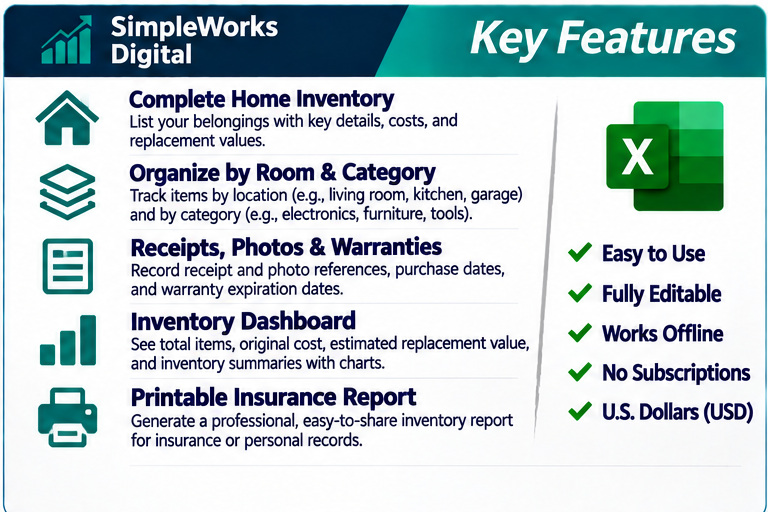
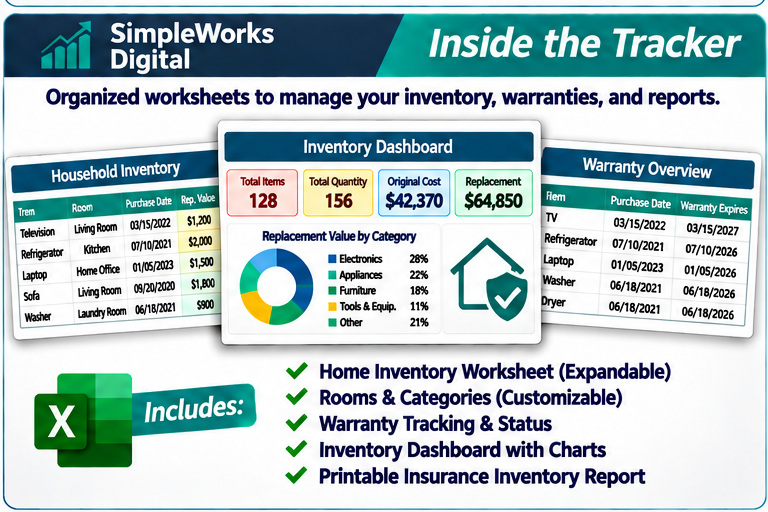
✅ Complete Household Inventory
- Record household belongings in one organized location.
- Track items by room and category.
- Save brands, model numbers, and serial numbers.
- Record quantities and purchase dates.
- Add descriptions and important notes.
✅ Purchase & Replacement Cost Tracking
- Record original purchase prices.
- Enter your estimated current replacement costs.
- Automatically calculate totals based on item quantities.
- View estimated replacement values by room and category.
- Keep original costs separate from replacement estimates.
✅ Insurance Documentation Records
- Organize information that may be useful when discussing a claim.
- Record receipt and photograph references.
- Maintain identifying details for important possessions.
- Create organized inventory reports for your records.
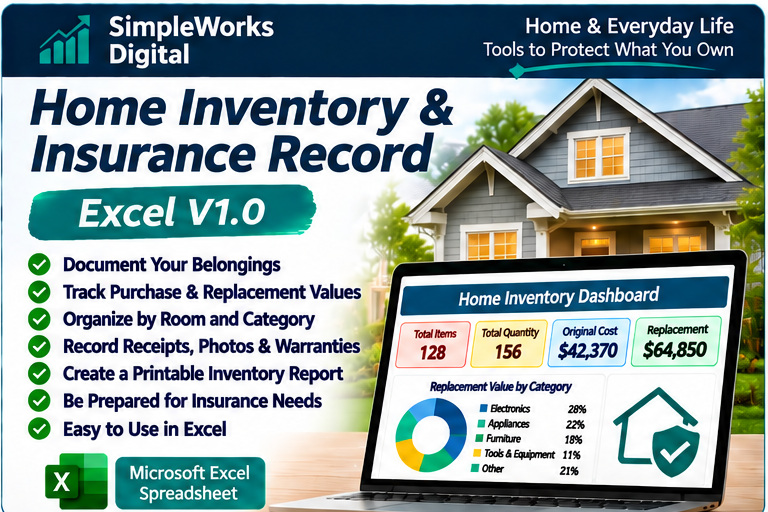
✅ Home Inventory Dashboard
- View total inventoried items.
- Review estimated replacement values.
- See inventory totals by room and category.
- Identify items missing important documentation.
- Review helpful charts and summaries.
✅ Receipt, Photo & Warranty Tracking
- Record filenames or locations of receipts and photographs.
- Keep purchase documentation references organized.
- Track warranty expiration dates.
- Identify items with missing documentation.
✅ Printable Inventory Reports
- Prepare organized reports of household belongings.
- Include descriptions, quantities, and estimated values.
- Keep updated records for personal reference.
- Use the information when discussing your possessions with an insurance professional.
Perfect for Homeowners & Families
Ideal for:
- First-time homeowners
- Families organizing household possessions
- Homeowners reviewing insurance documentation
- People moving into a new home
- Individuals with valuable electronics, tools, or equipment
- Anyone who wants a more organized record of personal belongings
Easy Enough for Beginners
- Beginner-friendly instructions
- Clearly labeled Excel worksheets
- Customizable rooms and categories
- Automatic totals and summaries
- Clean, professional dashboard
- Works without an internet connection
- No macros required
- No subscriptions or monthly fees
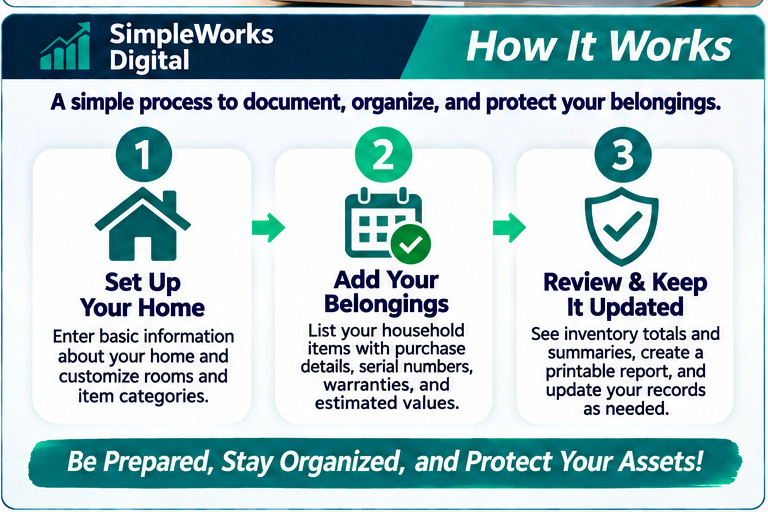
Simply enter your belongings, add identifying information, and keep your inventory updated as your household changes.
Why Keep a Home Inventory?
After an unexpected loss, remembering every item you owned—and locating its purchase information—can be difficult.
Keeping an organized inventory may make it easier to document possessions, identify missing information, and prepare for insurance conversations.
A little organization today can save considerable time later.
Only $4.99 USD
One-time purchase. No subscriptions.
Your digital download includes the Home Inventory & Insurance Record Microsoft Excel workbook and supporting customer documentation.
Language: English Version
Format: Microsoft Excel (.xlsx)
Currency: U.S. dollars (USD)
Requirements: Compatible desktop version of Microsoft Excel.
Privacy: Designed for offline use. No cloud account required. Store your completed workbook and supporting photographs or receipts securely.
License: Lifetime personal and household use under the included customer-use license. Unauthorized resale or redistribution is prohibited.
Digital Product: No physical item will be shipped.
Important: Replacement costs are estimates entered by the user, not professional appraisals. This workbook does not verify insurance coverage, establish proof of ownership, or guarantee claim approval. Always consult your insurer regarding coverage, documentation requirements, and claim procedures. Keep secure backups of your records.