

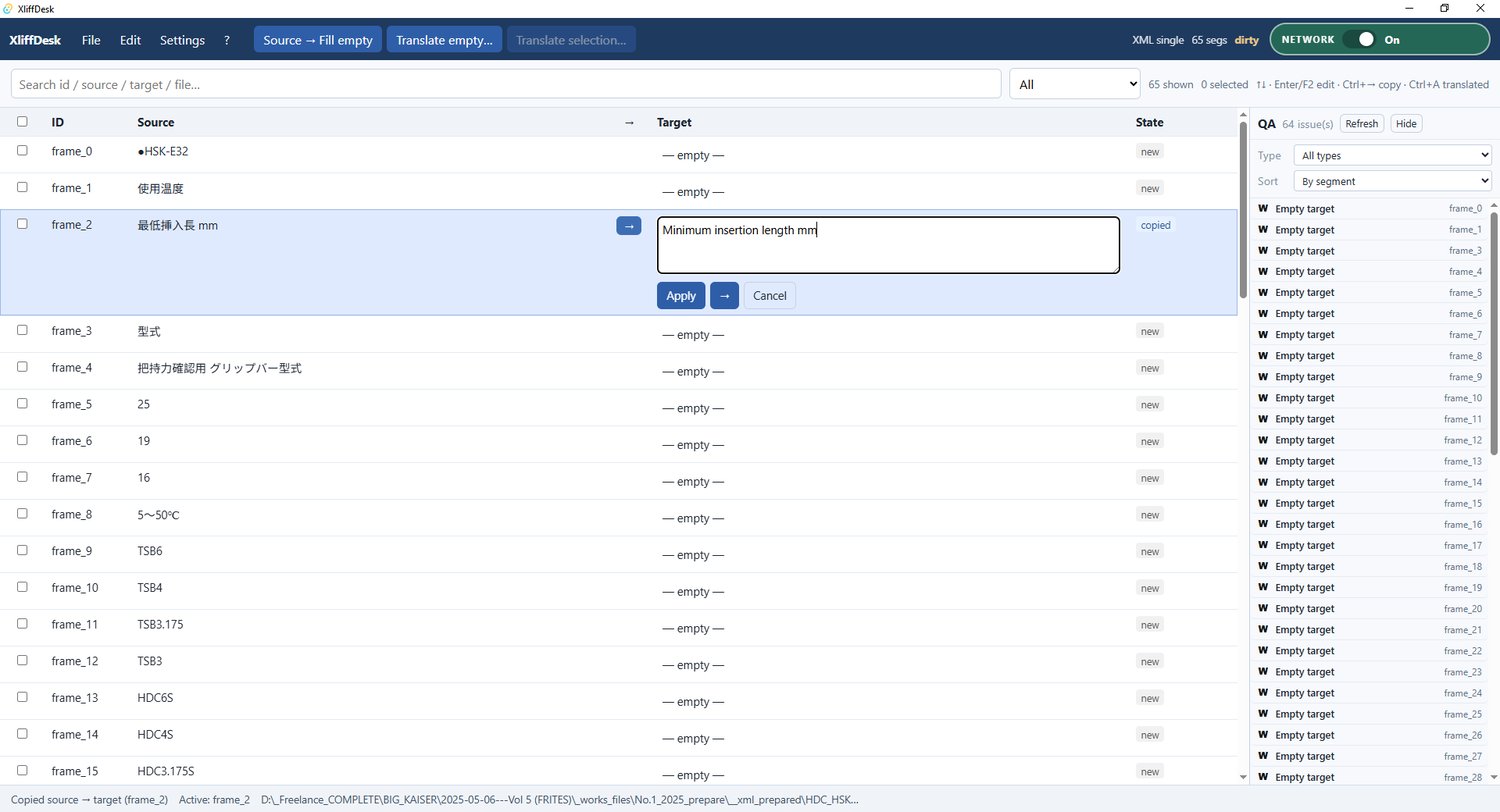
XliffDesk — Free Portable Translation Editor (XLIFF, XML, Markdown)
XliffDesk is a free, full-featured, portable translation editor for Windows.
Open XLIFF, XML, Markdown, or plain TXT, edit Targets side by side with Source, optionally translate with a local or cloud LLM, run light QA, and save — without turning your desk into a heavy CAT suite.
It works especially well as a companion to Export-Import text for Illustrator: export from Illustrator → edit/translate in XliffDesk → import back without breaking structure. It is also useful for simple XML (pick which leaf tags to translate), Markdown blocks/tables, and paragraph-based text files.
This is not a CAT system. No Trados/memoQ replacement, no TM bureaucracy — a focused tool for correctors, editors, and translators who need a clean, practical workflow.
Features
- XLIFF & XML editing with structure-safe save
- Batch XML filter by file
- Autofill identical phrases (and number variants)
- LLM translate (OpenAI-compatible APIs + Ollama / LM Studio)
- Local translation cache (on/off, limit, clear)
- QA panel (empty targets, newline checks where needed)
- Network kill-switch (cloud off; local LLM still allowed)
- Markdown & plain text support
- Portable folder — no installer required
- Forever free — no paid unlock inside the app
Requirements: Windows 10/11 x64, WebView2 (usually preinstalled). Optional: Ollama or LM Studio.
Related: Illustrator export/import plugin — https://payhip.com/b/pI8NY
Author: Sergey Inozemtsev · sinozemez@gmail.com
You will get a portable ZIP (XliffDesk.exe + portable.txt). After first run, a data folder appears beside the exe for settings and cache.