

All-in-One Personal Finance Planner – Budget, Debt Payoff, Savings & Net Worth (Excel + Google Sheets)
Know exactly where your money goes – and where it should go next.
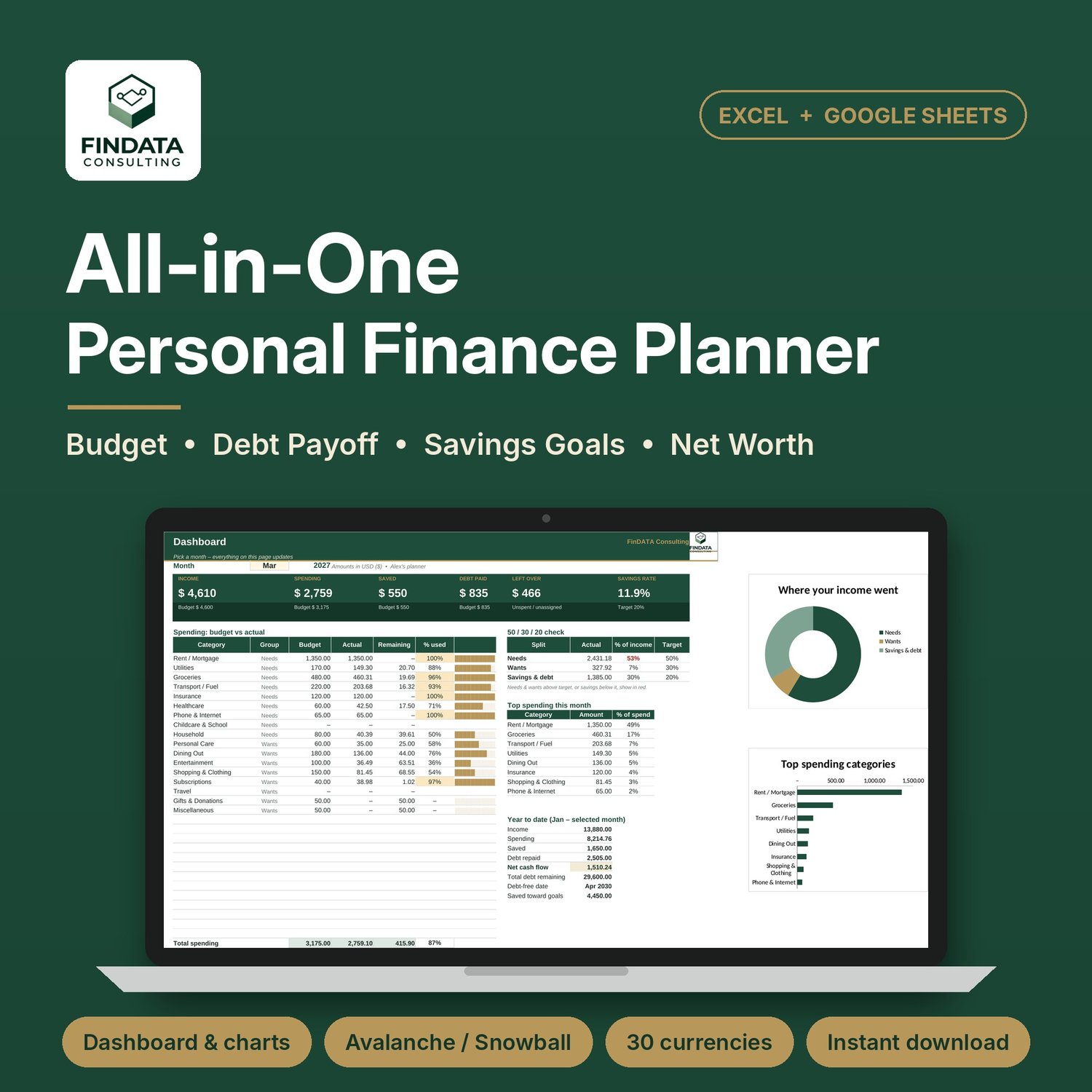
The All-in-One Personal Finance Planner brings your budget, spending, savings goals, debt payoff and net worth into one easy spreadsheet. Log a transaction in seconds and everything else updates for you: your monthly dashboard, your budget vs actual, your debt-free date and your savings progress.
Built by a qualified finance professional at FinDATA Consulting, it does the maths so you can focus on the decisions.
What you can do with it
- Plan every month with a zero-based budget – every dollar gets a job
- See your month at a glance: income, spending, savings, debt paid and savings rate
- Compare budget vs actual for every category, with warnings when you overspend
- Check your 50/30/20 split (needs, wants, savings and debt) automatically
- Get a debt-free date with the Avalanche or Snowball method – add an extra monthly payment and watch the date move closer
- Track up to 10 savings goals with progress bars and the amount you need to save each month
- Watch your net worth grow month by month
- Use your own currency: USD by default, with 30 currencies to choose from and optional USD equivalents
What's inside
- 11 tabs: Start Here, Setup, Transactions, Budget, Dashboard, Annual Overview, Savings Goals, Debt Payoff, Payoff Schedule, Net Worth and a cover page with quick links
- 4 files: Excel and Google Sheets editions, each with sample data (to explore) and blank (to start fresh)
- Ready-made income and expense categories you can rename or add to
- Dropdowns, automatic formulas and charts – no spreadsheet skills needed
Who it's for
Anyone who wants a clear money system without another monthly app subscription: employees, freelancers, side hustlers, couples and anyone paying down debt.
How it works
- Buy and download instantly – the files arrive by email too.
- Open the Excel file, or import the Google Sheets file into your Google Drive.
- Fill in the Setup tab in five minutes and start logging.
Requirements
Microsoft Excel 2016 or later (Windows or Mac, Excel 365 recommended) or a free Google account for Google Sheets. Works in the Excel and Google Sheets mobile apps for quick logging.
FAQ
Is this a one-time purchase? Yes. Pay once and keep the files. No subscription.
Does it work in Google Sheets? Yes. Download the Google Sheets edition, upload it to Google Drive and open it with Google Sheets.
Can I use my own currency? Yes. Pick your currency on the Setup tab – USD is the default, and 30 currencies are listed, including EUR, GBP, CAD, AUD, KES, NGN and ZAR. Add an exchange rate if you also want to see USD equivalents.
Can I change the categories? Yes. Rename, add or remove income and expense categories on the Setup tab, and they appear in every dropdown automatically.
Can I use it for more than one year? Yes. Save a copy, change the plan year on the Setup tab and clear the transactions.
Does it work on my phone? Yes, in the Excel and Google Sheets mobile apps. Setting up is easiest on a computer.
Does it connect to my bank? No. You enter transactions yourself, which keeps your bank details private and helps you notice your spending.
Need help? Email findataconsultants@gmail.com and we will reply within two working days.
Refunds & licence
This is a digital product – nothing will be shipped. If a file is faulty, won't open, or isn't as described, email us within 14 days and we will fix it, send a working version or refund you in full. Your purchase includes a personal licence for you and your household; resale or sharing is not permitted. This planner is an organising tool, not financial advice. © 2026 FinDATA Consulting.