

EMPLOYEE ATTENDANCE TRACKER
💛 EMPLOYEE ATTENDANCE TRACKER 📅
💼 Less Attendance Confusion. More Organized Employees. More Time for Your Business!
🇵🇭 MADE FOR FILIPINO SMALL BUSINESS OWNERS!
😩 “MA'AM, ILANG ARAW PO BA AKONG PUMASOK THIS MONTH?” 😂
Ikaw ba 'yung business owner na tuwing katapusan ng buwan, biglang nagiging ATTENDANCE DETECTIVE? 🕵️♀️
📒 Attendance notebook sa isang kamay…
📱 Employee messages sa cellphone…
💻 Excel files na kung saan-saan naka-save…
Tapos biglang may magtatanong:
“Ma'am, hindi po ako absent noong Tuesday! Naka-leave po ako!” 😭
Ay, teka! Hanapin muna natin ang attendance record!
SOUND FAMILIAR?
What if you could see your team's MONTHLY ATTENDANCE in ONE organized calendar?
No more searching through scattered notes just to check who's present, absent, late, or on leave!
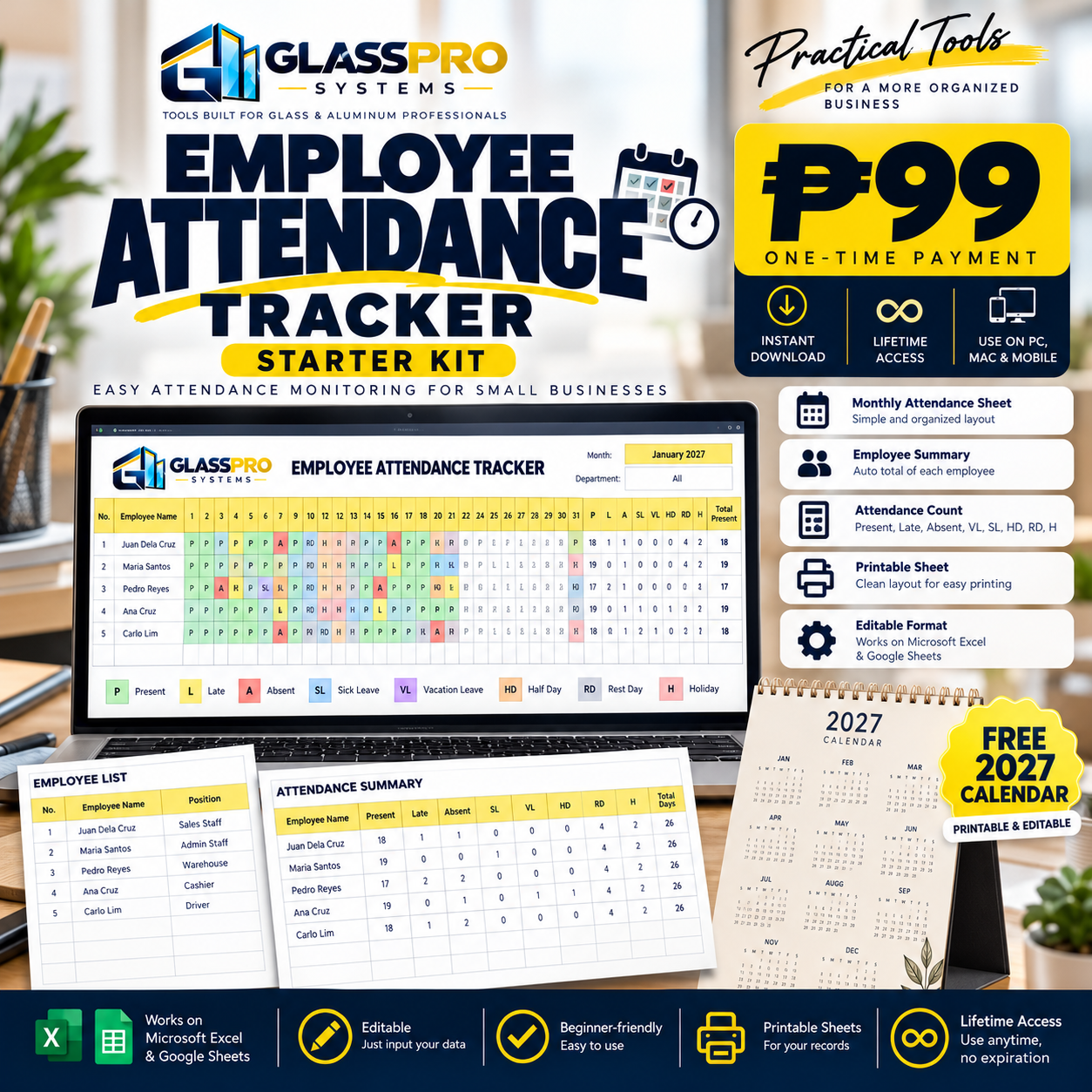
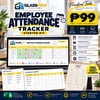
✨ Introducing the EMPLOYEE ATTENDANCE TRACKER by GlassPro Systems! ✨
Your practical, beginner-friendly Excel attendance tracker designed for Filipino small-business owners, HR assistants, supervisors, bookkeepers, and administrative staff!
💛 Because managing employees is already challenging enough. Keeping track of their attendance shouldn't make it harder! 😂
😵💫 ARE THESE YOUR ATTENDANCE PROBLEMS?
❌ Hindi organized ang monthly attendance records
❌ Mano-manong nagbibilang ng present at absent days
❌ Hirap malaman kung sino ang late
❌ Nalilito sa Sick Leave at Vacation Leave records
❌ Kalat-kalat ang attendance notebooks at log sheets
❌ Walang maayos na monthly attendance summary
❌ Hirap balikan ang attendance noong nakaraang linggo
❌ Paulit-ulit na manual counting bago mag-payroll
❌ Hindi agad makita ang attendance patterns ng employees
❌ Sayang ang oras sa pag-aayos ng attendance records!
IF YOU ANSWERED YES TO EVEN ONE OF THESE, THIS TRACKER IS FOR YOU! 🙌
Imagine having your team's daily attendance, absences, late days, leaves, holidays, and rest days organized in ONE convenient workbook!
Less paperwork. Less confusion. More productivity! 🚀
🎁 WHAT'S INSIDE YOUR EMPLOYEE ATTENDANCE TRACKER?
You're not just buying an ordinary Excel spreadsheet!
You're getting a practical attendance organization tool designed to make your everyday administrative work easier!
👥 1. EMPLOYEE MASTER ROSTER
Your team's attendance information starts here! 💻✨
Keep your employee details organized in one convenient worksheet.
✅ Employee Staff IDs
✅ Employee names
✅ Employee positions or roles
✅ Notes for important employee information
✅ Organized employee reference list
No more searching through different files just to find employee details!
And here's the exciting part...
😍 TRACK UP TO 20 EMPLOYEES!
YES! Your workbook is designed to accommodate attendance records for UP TO 20 EMPLOYEES!
Perfect for small businesses managing a growing team!
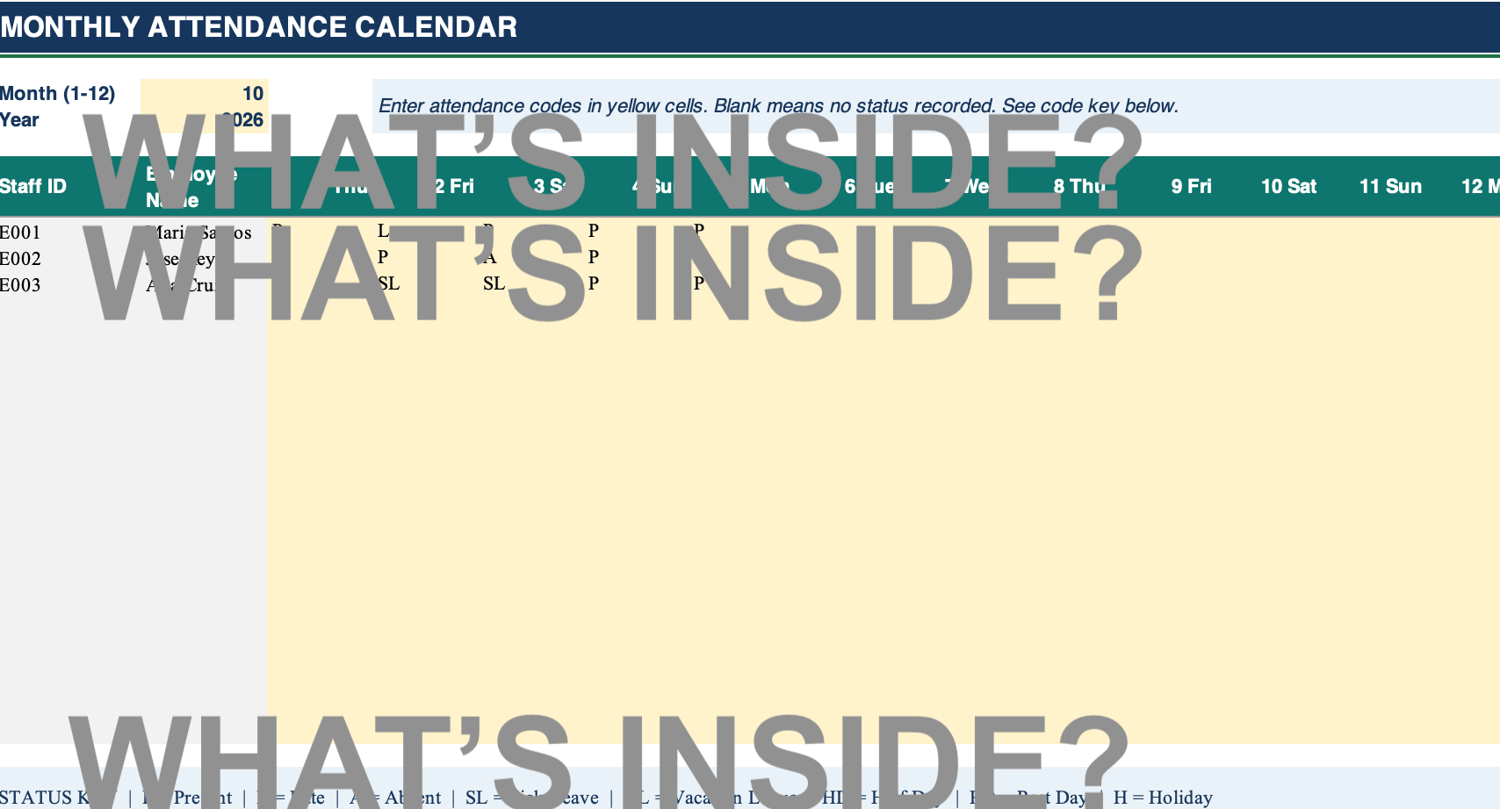
📅 2. MONTHLY ATTENDANCE CALENDAR
YOUR ATTENDANCE TRACKING COMMAND CENTER! 📊
Imagine opening ONE calendar and seeing your team's attendance records for the entire month!
No more flipping through multiple attendance sheets!
Simply choose the month and year, then enter the appropriate attendance status for each employee.
✅ Monthly attendance calendar
✅ Daily attendance status entries
✅ Up to 20 employees
✅ Organized employee-by-employee records
✅ Easy-to-review monthly overview
ONE CALENDAR. ONE MONTH. ONE ORGANIZED TEAM! 💛
🟢 3. EASY ATTENDANCE STATUS CODES
No need to write long attendance descriptions every single day!
Simply enter the appropriate code!
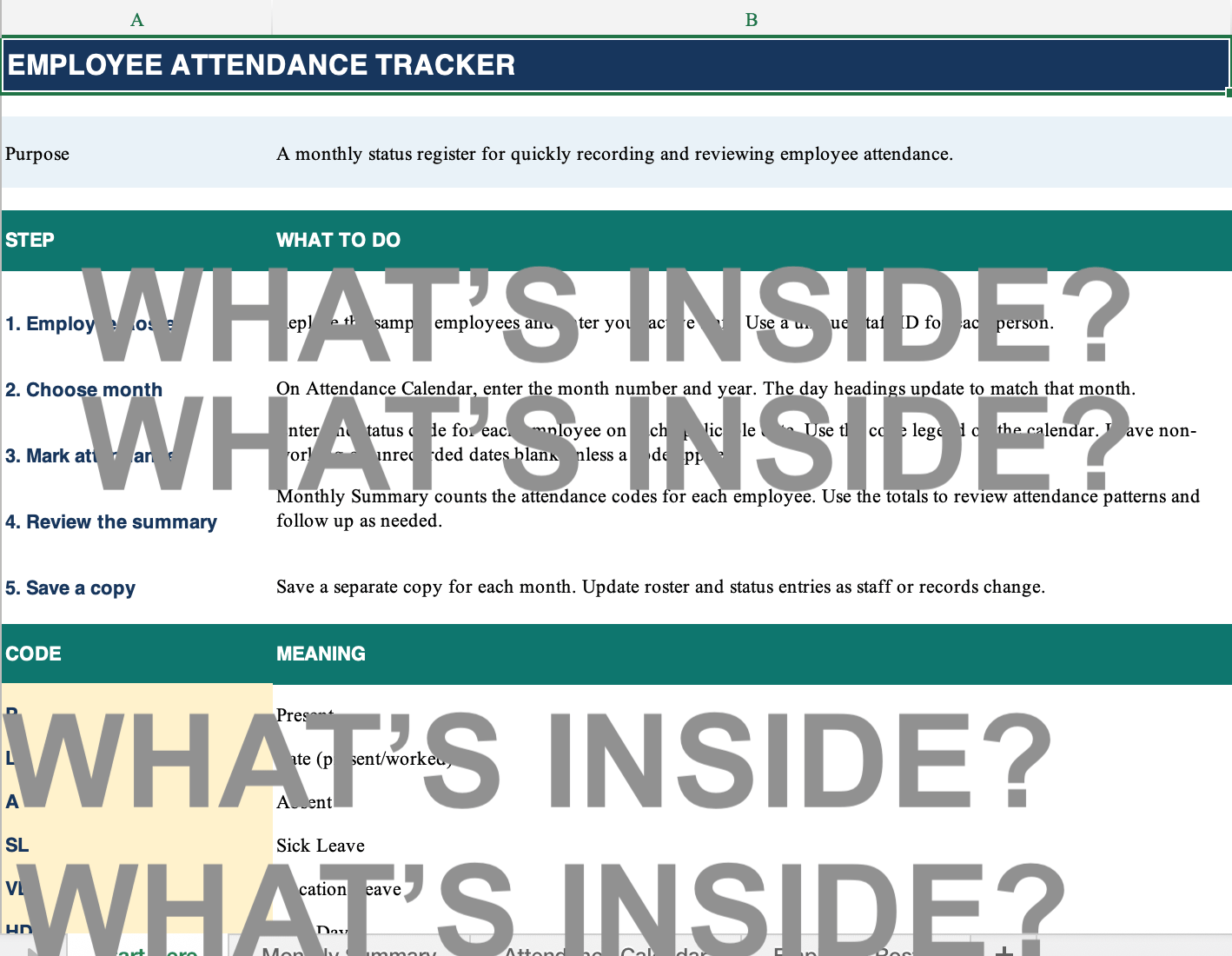
📋 YOUR ATTENDANCE CODES:
🟢 P — PRESENT
Employee reported for work.
🟡 L — LATE
Employee reported late.
🔴 A — ABSENT
Employee was absent.
🤒 SL — SICK LEAVE
Employee was recorded as taking sick leave.
🏖️ VL — VACATION LEAVE
Employee was recorded as taking vacation leave.
🌓 HD — HALF DAY
Employee was recorded as working a half day.
😴 RD — REST DAY
Employee's scheduled rest day.
🎉 H — HOLIDAY
Day recorded as a holiday.
That's it! Just enter the appropriate attendance code! 🙌
No complicated attendance forms!
No lengthy descriptions!
Just a simple, organized system that helps you see what's happening across the month!
📌 Status codes are for recordkeeping. They do not automatically determine leave approval, paid status, or payroll treatment.
📊 4. AUTOMATIC MONTHLY ATTENDANCE SUMMARY
THIS IS WHERE THE MAGIC HAPPENS! ✨😍
Imagine having 20 employees.
At the end of the month, you need to know:
🤔 How many days was Employee A present?
🤔 How many times was Employee B late?
🤔 How many absences did Employee C have?
🤔 How many sick leave days were recorded?
🤔 How many vacation leave days were taken?
Instead of manually counting each attendance entry...
LET THE WORKBOOK COUNT THEM FOR YOU! 🙌
Your Monthly Attendance Summary automatically counts the status codes you've entered for every employee!
✅ Total Present Days
✅ Total Late Days
✅ Total Absent Days
✅ Total Sick Leave Days
✅ Total Vacation Leave Days
✅ Total Half Days
✅ Total Rest Days
✅ Total Holidays
LESS MANUAL COUNTING. MORE ORGANIZED ATTENDANCE REPORTS!
💡 Perfect for reviewing attendance patterns and identifying records that may need follow-up!
📝 5. SAMPLE COMPLETED ATTENDANCE TRACKER
First time using a digital attendance tracker?
DON'T WORRY! 💛
We've included fictional sample employee records and attendance entries so you can see how the workbook works!
✅ Sample employee roster
✅ Example attendance codes
✅ Sample monthly entries
✅ Demonstration of attendance summaries
Simply review the examples, understand the process, and replace the fictional information with your actual employee records!
Learn by example. Then start tracking! 🙌
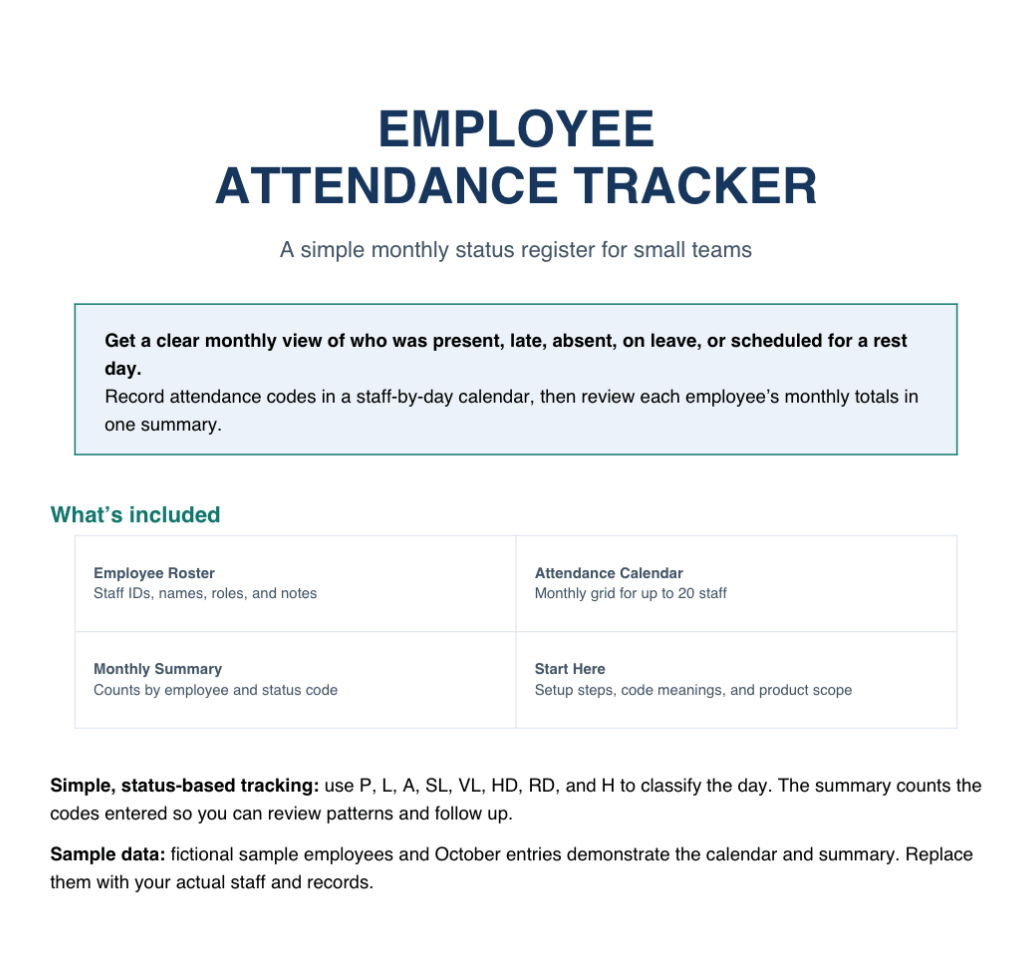
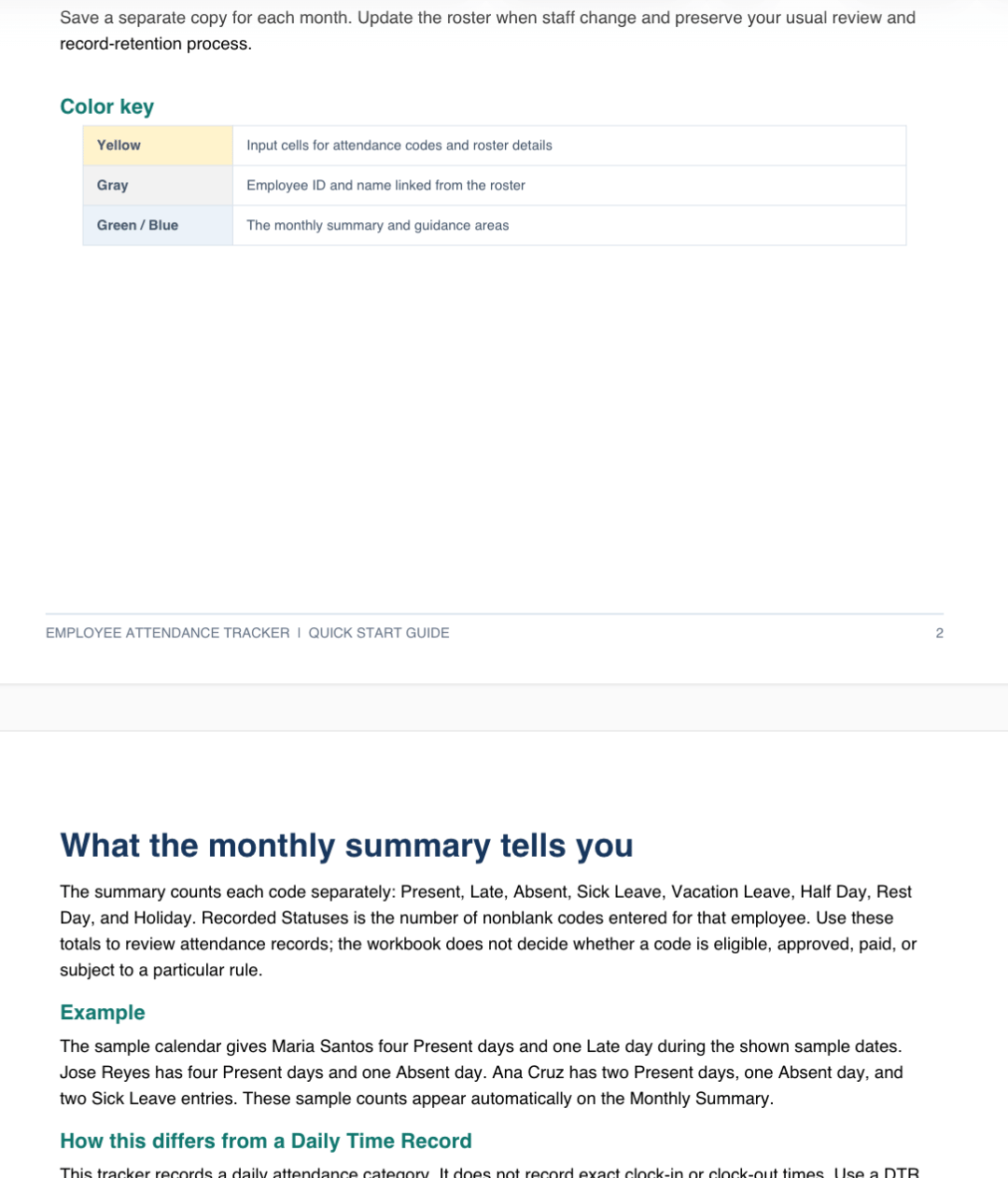
📚 6. BEGINNER-FRIENDLY QUICK-START PDF GUIDE
HINDI KA EXCEL EXPERT? NO PROBLEM! 😂
You don't need to be an HR professional or spreadsheet wizard to organize your employee attendance!
Your purchase includes a beginner-friendly PDF guide to help you get started.
📖 Learn how to set up your employee roster
📖 Understand the attendance codes
📖 Learn how to select the month and year
📖 Know where to enter daily attendance
📖 Understand how to review monthly summaries
📖 Learn how to keep your monthly records organized
Konting basa, konting encode, and you're ready to go! 💛
💛 WHY YOU'LL LOVE THIS EMPLOYEE ATTENDANCE TRACKER!
⏰ 1. SAVE TIME EVERY MONTH!
Imagine manually counting the attendance entries of 20 employees!
That's potentially hundreds of entries to review every month!
Instead of repeatedly counting present days, absences, and leaves, let the workbook summarize the codes you've entered.
More time for customers. More time for sales. More time for your business!
📊 2. SEE YOUR TEAM'S ATTENDANCE AT A GLANCE!
Want to know who's frequently late?
Who has recorded absences?
Who has been on leave?
Your Monthly Attendance Summary helps you spot attendance patterns more easily!
No more searching through pages of handwritten attendance logs!
📁 3. BETTER EMPLOYEE ATTENDANCE RECORDS!
Keep monthly attendance information organized in one convenient workbook.
When someone asks about a previous attendance entry, you'll have a clearer record to review.
Less confusion. Better documentation!
💼 4. MORE PROFESSIONAL ADMINISTRATION!
Even small businesses deserve organized employee records!
Having a consistent attendance tracking process can help make your administrative workflow easier to manage.
Small business doesn't mean disorganized business! 💛
👩🏫 5. BEGINNER-FRIENDLY!
Not an HR professional?
Not an accountant?
Not an Excel expert?
YOU CAN STILL GET STARTED! 🙌
👥 6. DESIGNED FOR UP TO 20 EMPLOYEES!
Whether you have 3 employees, 10 employees, or a growing team of 20, this workbook can help you maintain a consistent monthly attendance record!
🔄 7. REUSABLE EVERY MONTH!
This isn't a tracker you'll use only once!
Simply save a separate copy for each month and update the attendance information.
ONE PURCHASE. A REUSABLE ATTENDANCE TOOL!
💰 8. NO EXPENSIVE MONTHLY SUBSCRIPTIONS!
Not ready to invest in complicated HR software?
Start with a practical, budget-friendly attendance tracker!
Organized attendance doesn't have to be expensive! 💛
🏪 PERFECT FOR SMALL BUSINESSES!
🏬 Retail stores and small shops
🔨 Hardware and construction businesses
🪟 Glass and aluminum fabrication shops
📦 Warehouses and trading businesses
🍔 Restaurants and cafés
💇 Beauty salons and barbershops
🧺 Laundry shops
🚚 Small delivery teams
🏢 Small offices
👩💻 HR assistants and bookkeepers
👥 Supervisors managing small teams
🚀 Startup entrepreneurs
If you're managing up to 20 employees and want a simple way to organize monthly attendance, THIS TOOL IS FOR YOU!
💰 LET'S TALK ABOUT YOUR TIME!
Imagine having 20 employees.
If you manually review and count 30 daily attendance entries for each employee, that's potentially:
📅 600 ATTENDANCE ENTRIES EVERY MONTH!
Now imagine having to count:
❌ Absences
⏰ Late days
🤒 Sick leave
🏖️ Vacation leave
🌓 Half days
😴 Rest days
🎉 Holidays
ISA-ISA?! EVERY MONTH?! 😭😂
What if you could simply enter attendance codes daily and let the workbook summarize the monthly counts?
Think about the time you could spend instead on:
📈 Increasing your sales
📦 Organizing your inventory
👥 Training your employees
💛 Spending more time with your family
Your time is valuable. Don't waste it on repetitive manual counting!
🎉 YOUR EMPLOYEE ATTENDANCE TRACKER IS ONLY ₱99!
💛 YES! JUST ₱99!
For less than the price of your favorite coffee and snack, you can get a practical digital attendance tracker for your business!
☕ Coffee? Mauubos in minutes!
💻 Employee Attendance Tracker? REUSABLE MONTH AFTER MONTH! 😍
🎁 WHAT YOU GET FOR ONLY ₱99:
✅ Employee Master Roster
✅ Monthly Attendance Calendar
✅ Attendance Status Code System
✅ Automatic Monthly Attendance Summary
✅ Attendance Tracking for Up to 20 Employees
✅ Present & Late Day Counts
✅ Absence & Leave Day Counts
✅ Rest Day, Holiday & Half-Day Counts
✅ Sample Completed Attendance Tracker
✅ Beginner-Friendly Quick-Start PDF Guide
10 PRACTICAL FEATURES & RESOURCES IN ONE AFFORDABLE DIGITAL TOOLKIT! 💰
💛 One-time purchase
💛 No monthly subscription
💛 Editable Excel workbook
💛 Designed for up to 20 employees
💛 Automatic attendance status counting
💛 Beginner-friendly instructions
💛 Reusable every month
Small investment. Big help for your everyday business operations!
🎁 BONUS FREEBIE!
📅 FREE PRINTABLE 2027 CALENDAR!
YES! INCLUDED FOR FREE! 🎉
Because staying organized shouldn't stop with employee attendance!
Get a printable 2027 Calendar (January–December) to help you plan important business dates!
📅 Payroll schedules
📅 Employee meetings
📅 Business deadlines
📅 Team activities
📅 Important company events
A little extra help to keep your business organized! 💛
📥 HOW TO GET STARTED
📧 STEP 1: PURCHASE USING YOUR ACCESSIBLE EMAIL ADDRESS
IMPORTANT!
Please make sure you enter a valid email address that you can access during checkout.
Your purchase confirmation and download instructions will be sent to your email.
Keep your purchase email safe for future reference!
📚 STEP 2: READ THE PDF GUIDE FIRST!
Before editing your workbook, please read the included QUICK-START PDF GUIDE.
This will help you understand:
✅ Which cells to edit
✅ How to set up your employee roster
✅ How to select the month and year
✅ How to enter attendance status codes
✅ How to avoid accidentally changing formulas
✅ How to review monthly attendance summaries
Konting basa muna bago mag-encode! 😂💛
👥 STEP 3: SET UP YOUR EMPLOYEES!
Enter your employees' Staff IDs, names, positions, and other relevant details.
Select the applicable month and year.
📅 STEP 4: START RECORDING DAILY ATTENDANCE!
Simply enter the appropriate attendance code for each employee on each applicable date.
🟢 P — Present
🟡 L — Late
🔴 A — Absent
🤒 SL — Sick Leave
🏖️ VL — Vacation Leave
🌓 HD — Half Day
😴 RD — Rest Day
🎉 H — Holiday
Leave cells blank when no attendance status should be recorded.
📊 STEP 5: REVIEW YOUR MONTHLY SUMMARY!
At the end of the month, review the automatically counted attendance statuses for each employee.
Save a separate copy for each month to keep your attendance history organized!
Congratulations! You're one step closer to better employee attendance management! 🎉
⚠️ IMPORTANT PRODUCT INFORMATION
This Employee Attendance Tracker is designed to assist with employee attendance organization and recordkeeping.
It is NOT a biometric time clock, payroll system, leave-management system, or statutory labor compliance tool.
Please remember:
📌 Attendance status codes must be entered manually.
📌 The workbook automatically counts recorded status codes but does not determine whether attendance, leave, or other entries are approved or paid.
📌 Sick Leave and Vacation Leave codes do not calculate remaining leave balances.
📌 The tracker does not record exact time in or time out.
📌 Working hours, late minutes, undertime minutes, and overtime hours are not calculated.
📌 Salaries, overtime premiums, holiday pay, night differential, statutory benefits, and payroll deductions are not included.
📌 Use a separate Daily Time Record (DTR) Tracker if you need to record actual clock times and review working hours.
📌 Users must verify attendance records according to approved schedules, company policies, employment agreements, and applicable Philippine labor requirements.
📌 Sample employee information and attendance entries are fictional and provided for demonstration purposes only.
This digital product is an administrative recordkeeping aid and does not replace professional HR, payroll, or legal advice.
💛 STOP LETTING ATTENDANCE RECORDS TAKE OVER YOUR DAY!
Running a business already means wearing MANY hats!
📦 Inventory Manager
📞 Customer Service Representative
💰 Sales Manager
👥 HR Officer
📊 Bookkeeper
🧾 Administrative Assistant
And sometimes…
ATTENDANCE DETECTIVE PA! 🕵️♀️😂
“Sino ang present?”
“Sino ang absent?”
“Sino ang late?”
“Sino ang naka-leave?”
“Ilang araw ang pinasok niya this month?”
Instead of repeatedly searching through notebooks and manually counting attendance entries, why not use a simple digital tracker?
You don't need to be an HR expert.
You don't need advanced Excel skills.
And you don't need expensive attendance software just to start organizing your employee records!
YOU JUST NEED THE RIGHT TOOL! 💻✨
🚀 WORK SMARTER. TRACK BETTER. GROW YOUR BUSINESS!
💰 GET YOUR EMPLOYEE ATTENDANCE TRACKER FOR ONLY ₱99!
🛒 CLICK BUY NOW AND START ORGANIZING YOUR EMPLOYEE ATTENDANCE TODAY!
Because every workday counts — and so does YOUR TIME! ⏰💛
💙 GLASSPRO SYSTEMS
TOOLS BUILT FOR GLASS & ALUMINUM PROFESSIONALS
Practical digital tools designed to help entrepreneurs, business owners, and administrative teams work smarter, stay organized, and grow with confidence.
💛 Your Business. Better Systems. Brighter Possibilities.