

lvca tools
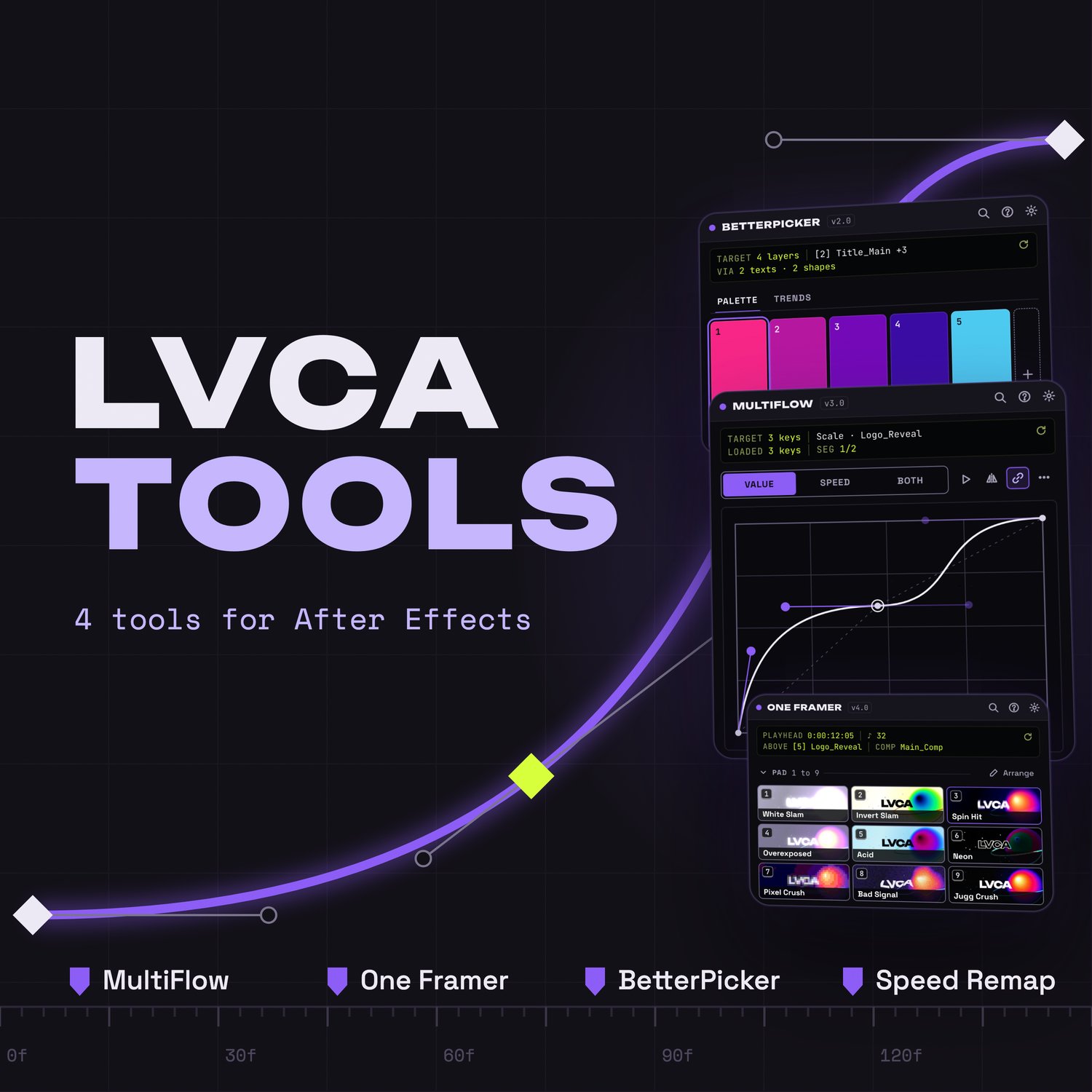
lvca tools · 4 After Effects tools for edits, AMVs and motion design
What you get
A bundle of 3 After Effects panels, packed into a single extension, plus 1 script. One license key unlocks everything. Your presets, palettes and settings are stored separately and survive After Effects updates.
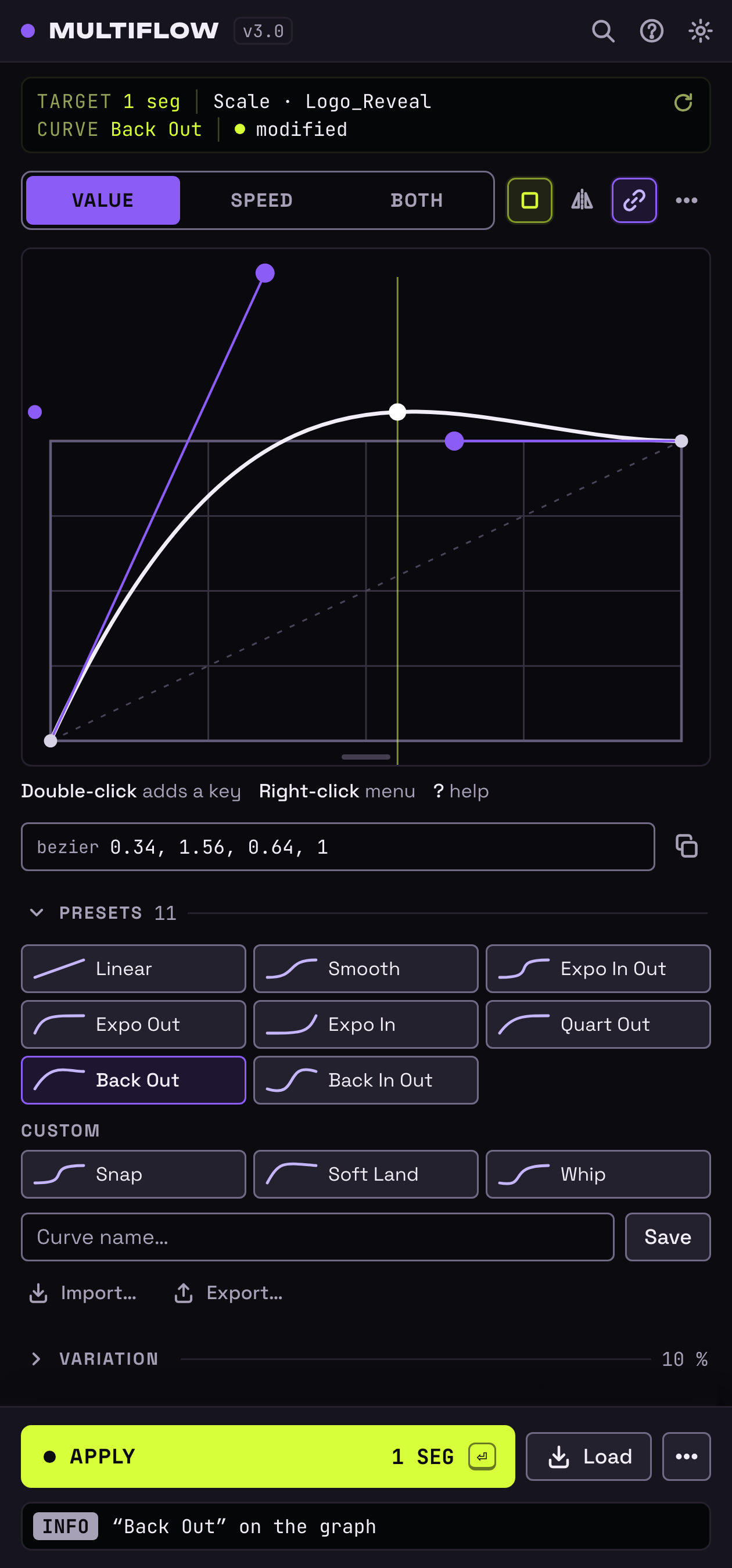
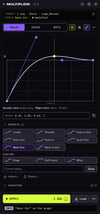
MultiFlow · ease curves without the 2-keyframe limit
The curve editor that handles a whole selection at once, where classic tools stop at 2 keyframes.
- Multi-point editor with handles, segment by segment. The graph fills the free height of the panel
- Add, move and remove a keyframe right inside the graph: the comp matches exactly what you draw
- Apply a graph to a property with a different number of keyframes: it takes on the graph's shape
- Type exact values: speed, influence, time and value (3 decimals), like AE's Keyframe Velocity dialog
- Speed in real units (°/s, px/s, %/s): hover the speed graph to read it
- Continuous speed: no more jolt at the middle keyframe
- Cascade layer by layer or property by property: even, speeding up, slowing down or following your curve
- Physics: elastic overshoot and bounce in one click, then baked into real keyframes
- Variation with adjustable intensity to break the mechanical feel, copy and paste ease, keys on markers
- Presets with thumbnails, CSS cubic-bezier import, preset packs to share
- 3D Orientation applied exactly, with a warning when a rotation goes beyond what AE can do
- New in 3.0: an "Apply" button with a count and a dot when the graph is changed but not applied yet, collapsible sections, 50+ commands in the palette
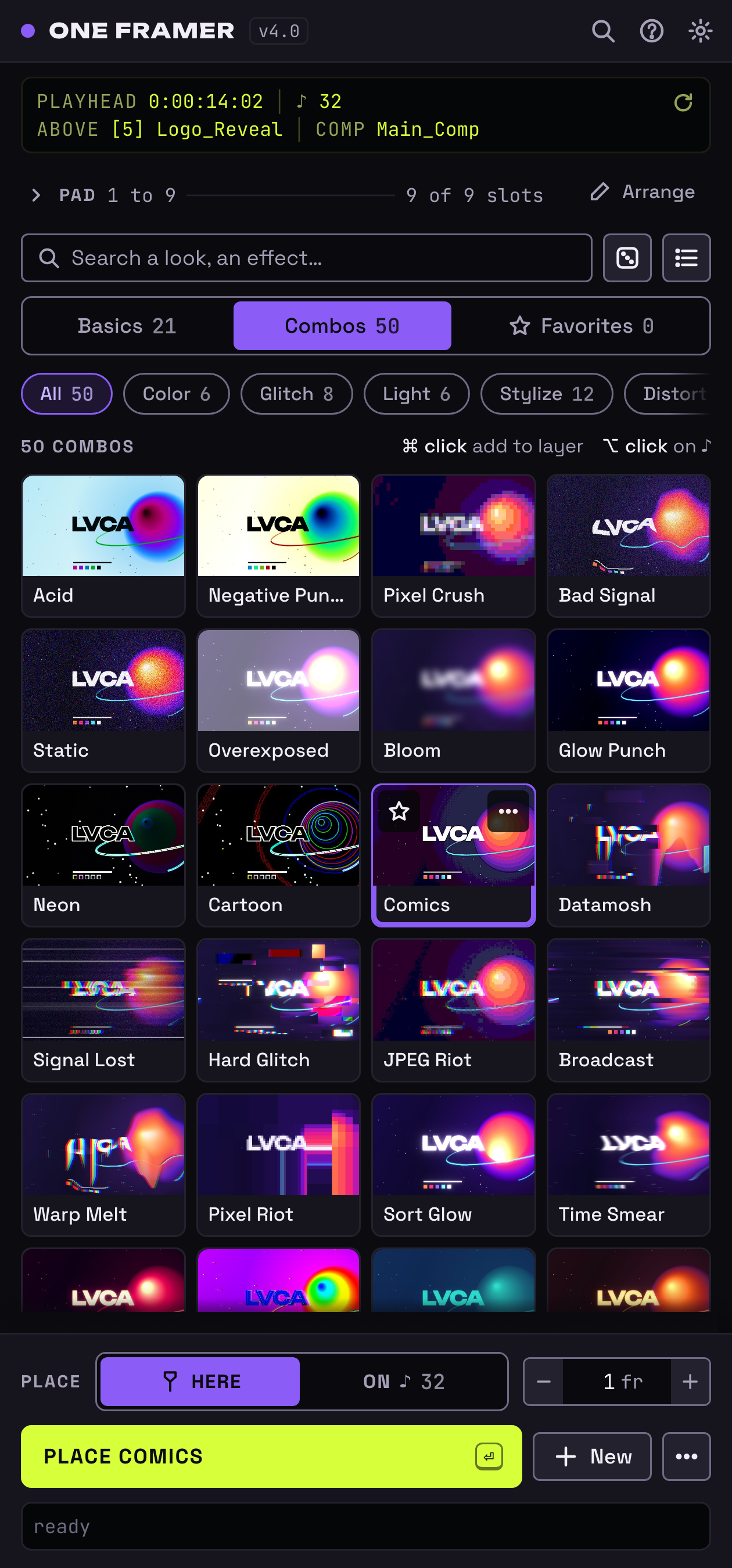
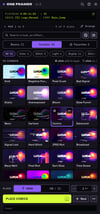
One Framer · effect frames in one click
Single-frame effect layers, the backbone of every rhythmic edit.
- New: a 1 to 9 pad at the top of the panel, your favorites at your fingertips (keys 1 to 9). Out of the box, 9 impact, light and texture combos made of native AE effects
- "On ♪" mode: one click places the preset on every ♪ marker (or, if there is none, on every comp marker). New: it is an armed mode you can't forget: the button, the screen and the key remind you, and the panel goes back to the playhead after placing (with an option to keep it armed)
- 75 built-in presets: 21 basics and 54 lvca combos (Flash, Negative, Punch, Chroma, Light, Glitch, Texture, Ink, Mono, Signature), 41 of them with native AE effects only, applied by matchName so they work in any AE language
- New: a ⚠ badge on any preset whose effect is missing from your AE
- Thumbnails: every preset shows its render on the image of your choice, updated automatically
- Capture your own effects as presets in one click
- Search by name, category or effect, favorites, drag and drop reordering
- Cmd/Ctrl + click adds the effect to the selected layer instead of creating a new one, Alt + click places it on the ♪
- Layer duration adjustable in frames (1 = a true one framer)
- Fixed: the factory presets that missed their effect (Desaturate B&W, Steel, Trip, Acid Wash…) now do what they say
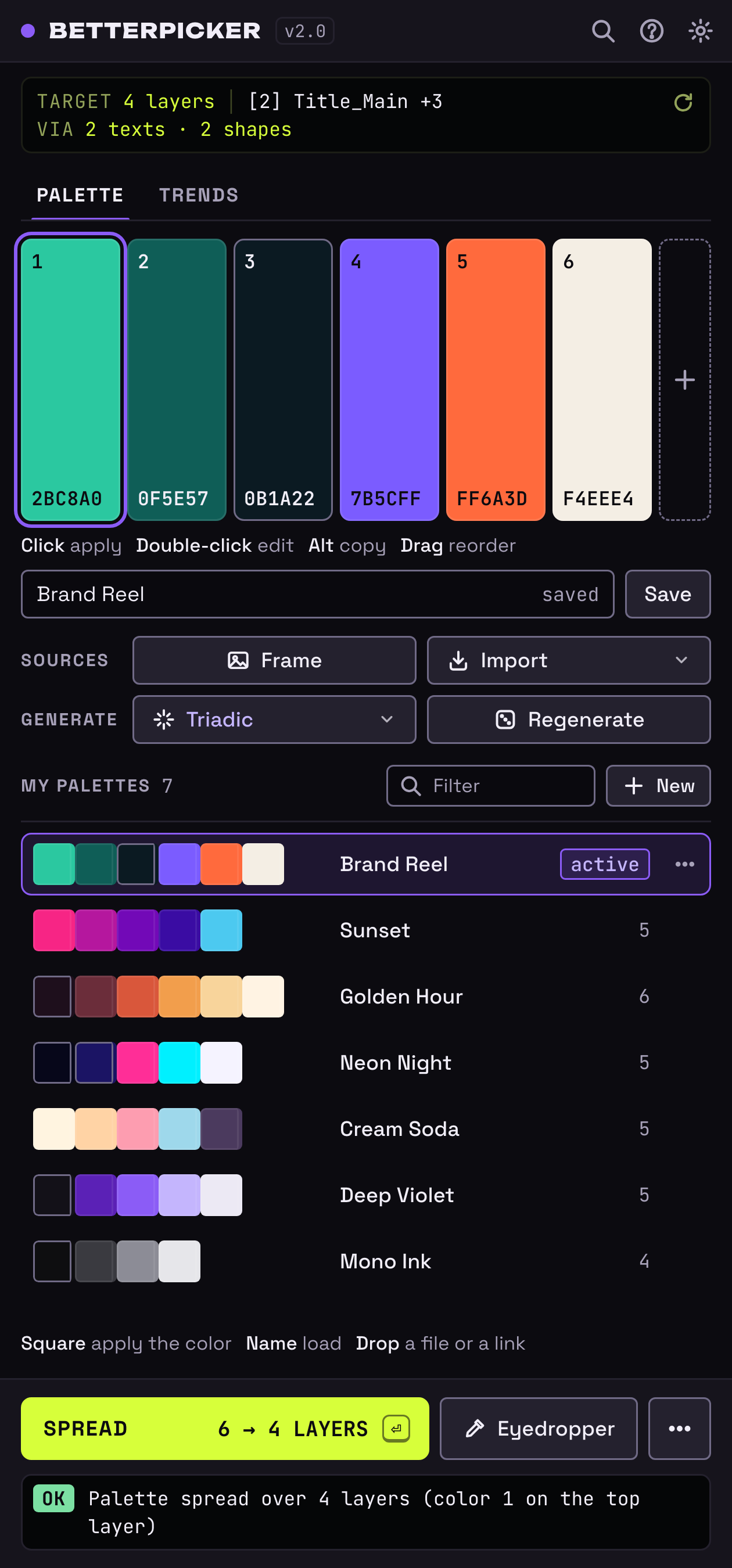
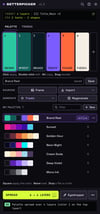
BetterPicker · color palettes, done right
- Applies the EXACT color, raw RGB values, no expression and no conversion
- New: the top screen tells you what will get the color (text, shapes, solid, Fill effect or the selected color property) and the keyframe time when it is animated
- "Spread" puts the whole palette on several layers at once (color 1 on the top layer, and so on)
- Palettes from 2 to 10 colors, saved as named presets, with a hex code and a lock on every swatch
- Native After Effects color picker with eyedropper
- Trends tab: popular palettes of the month, search by mood or by hex code. New: one-click moods (pastel, neon, sunset, dark, retro, nature, ocean)
- Extract a palette straight from the current frame of your comp
- Automatic harmonies (complementary, analogous, triadic, tetradic, monochrome), per-color locks and regeneration of the rest
- Exact-value import: .ase swatches (Illustrator, Photoshop, InDesign), .aco, .act, .gpl, .pal and .hex (Lospec) palettes, JSON, Lottie, Coolors and Color Hunt links
- Import from a web page, CSS (oklch, lab and display-p3 included), SVG or any image: the palette is detected and pre-selected
- Export to .ase, .gpl, CSS variables, JSON, or a PNG color strip for your boards
- Reorder the palette by drag and drop, copy a hex with Alt+click
Speed Remap · the time remap optimizer for SpeedX
The script that speeds up the AMV workflow with the SpeedX plugin (Vimager).
- One button: the script duplicates the layer, compacts the time remap keyframes 1 frame apart, precomposes and applies SpeedX for you, with a speed ramp on Speed Ratio that starts at the playhead
- No frame rate to pick: SpeedX detects it
- Your original layer is kept inside the precomposition, disabled and muted
- Several clips at once (a clip cut at the hit, for example): each one gets its own precomposition, and the ramp starts at the playhead for all of them
- "On ♪" mode: a ramp restarted on every ♪ marker (or, if there is none, on the comp markers). It is an armed mode that goes back to the playhead after the run (with an option to keep it armed)
- Speed ramps (Light, Medium, Heavy), fixed speeds (50, 38 and 20%) and your own ★ presets (ramp "0:100, 3:20, 10:7" or fixed speed "50")
- Ramp ease as one-click keys (Linear, Smooth, Punch) and an optional return to 100% over the duration you choose
- A context screen (keyframes used, clips, ramp, markers, playhead) and a mini curve of the ramp, ease included
- A clear report instead of alert windows, which also says what was not applied
- "SpeedX only": the same preparation, without speed keyframes
- A single Cmd/Ctrl+Z undoes the whole process
Languages
- MultiFlow, One Framer and BetterPicker: English, French, Spanish, German, Italian and Portuguese. They follow your After Effects language (English for any other language)
- Speed Remap: French when After Effects is in French, English otherwise
Requirements
- After Effects 2022 or newer
- macOS or Windows
- Speed Remap requires the SpeedX plugin (Vimager), sold separately and not included
- 34 of the 54 One Framer combos also need at least one third-party plugin, sold separately: Sapphire and Continuum (Boris FX), Deep Glow 2 and Quick Chromatic Aberration 3 (Plugin Everything), Universe (Red Giant), the Crates effects (ProductionCrate: Chromatic Aberration, VHS, Lygia Kuwahara), Data Glitch and Bad TV (Rowbyte), Pixel Melt (Satori) and omino squares (omino). When one is missing, the ⚠ badge names it and the rest of the preset is still placed. The 21 basics and the other 20 combos use native AE effects only
License and activation
- One key unlocks all 4 tools
- 1 license = 1 user on 1 machine
- Online activation once, then everything works offline, except BetterPicker's Trends tab and web page import
- Uninstaller included for Mac and Windows: removes everything in one go, keeps your license and presets for a clean reinstall
- Refunds: email contactpro.lucaruiu@gmail.com, I'll help you as soon as possible