
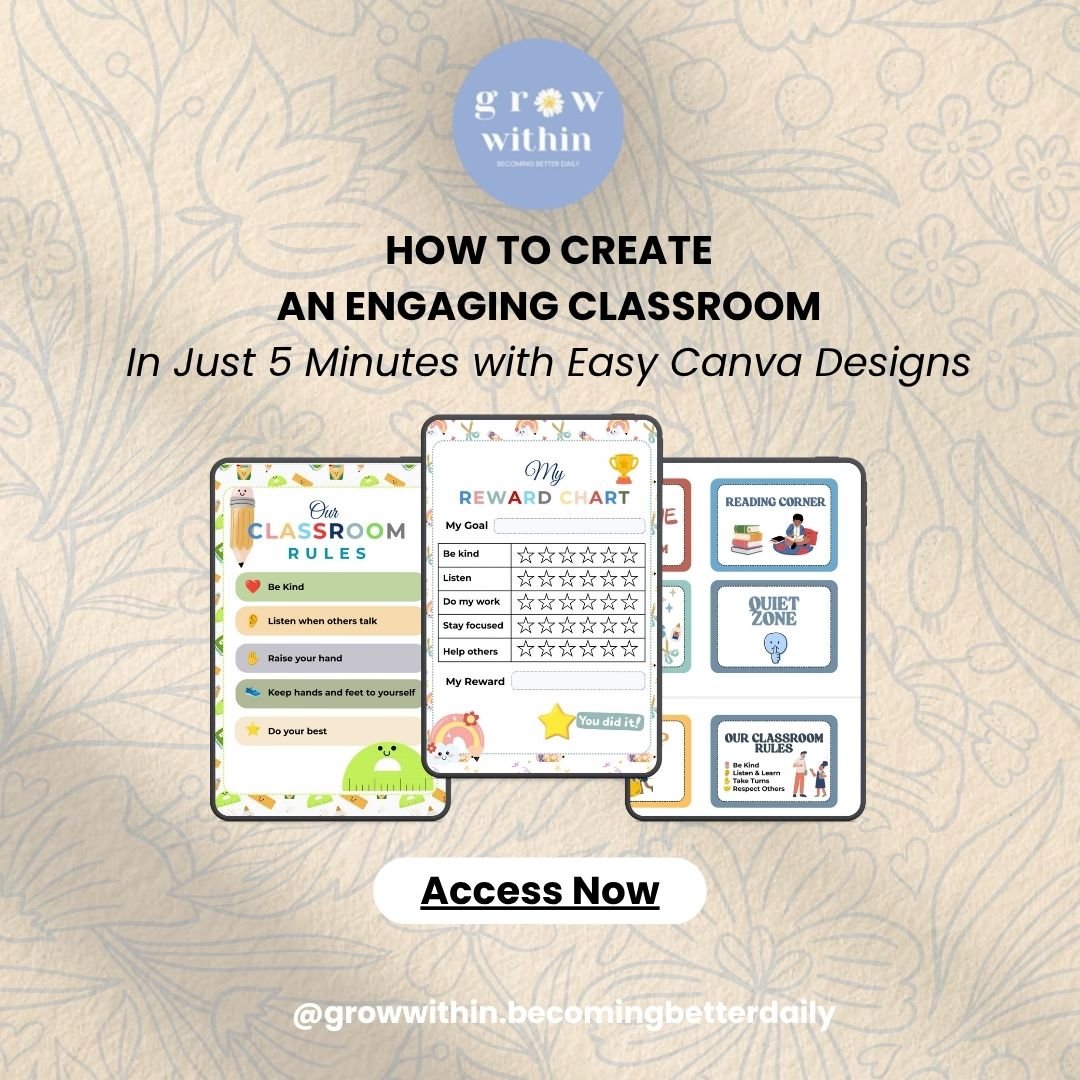
HOW TO CREATE AN ENGAGING CLASSROOM In Just 5 Minutes with Easy-to-Edit Canva Designs
HOW TO CREATE AN ENGAGING CLASSROOM
In Just 5 Minutes with Easy-to-Edit Canva Designs
Creating classroom materials doesn't have to take hours.
With these easy-to-edit Canva designs, you can quickly create practical and engaging classroom materials without starting from scratch.
Choose. Edit. Download. Done.
WHAT'S INCLUDED
✦ Classroom Rules
✦ Classroom Schedule
✦ Classroom Signs
✦ Reward Chart
✦ Name Labels
SAVE TIME ON CLASSROOM PREPARATION
No need to spend hours designing classroom materials from scratch.
Simply choose a design, make your own copy, personalize it, and you're ready to use it.
EASY TO EDIT IN CANVA
Customize your designs with your own:
✓ Text
✓ Names
✓ Colors
✓ Fonts
✓ Classroom information
Print your finished designs or use them digitally.
CANVA FREE ELEMENTS
All designs use Canva Free elements, so you can edit and customize them with a free Canva account.
No Canva Pro subscription is required.
HOW IT WORKS
1. Open the Canva link
Access your designs through the included PDF.
2. Make your own copy first
Click “Use template for new design” to create your own editable copy.
3. Personalize
Make quick changes to fit your classroom.
4. Download & use
Print your finished designs or use them digitally.
WHO IT'S FOR
✓ Preschool & Kindergarten Teachers
✓ Elementary School Teachers
✓ Classroom Educators
✓ Homeschool Teachers
✓ Back-to-School Preparation
LICENSE
Personal and commercial use of your customized final designs is allowed according to the included license terms.
Please do not resell, redistribute, or share the original Canva templates or template links.
SAVE TIME. CREATE MORE. KEEP STUDENTS ENGAGED.
Get your classroom materials ready in just a few minutes — so you can spend less time designing and more time focusing on your students.