

Editing Pack
On Sale
$4.99
$4.99
Please note: If your After Effects is 2023 or higher the effects may not work. This pack works perfectly on AE 2022.
THIS PACK INCLUDES THE FOLLOWING:
- 6 different directional blurs
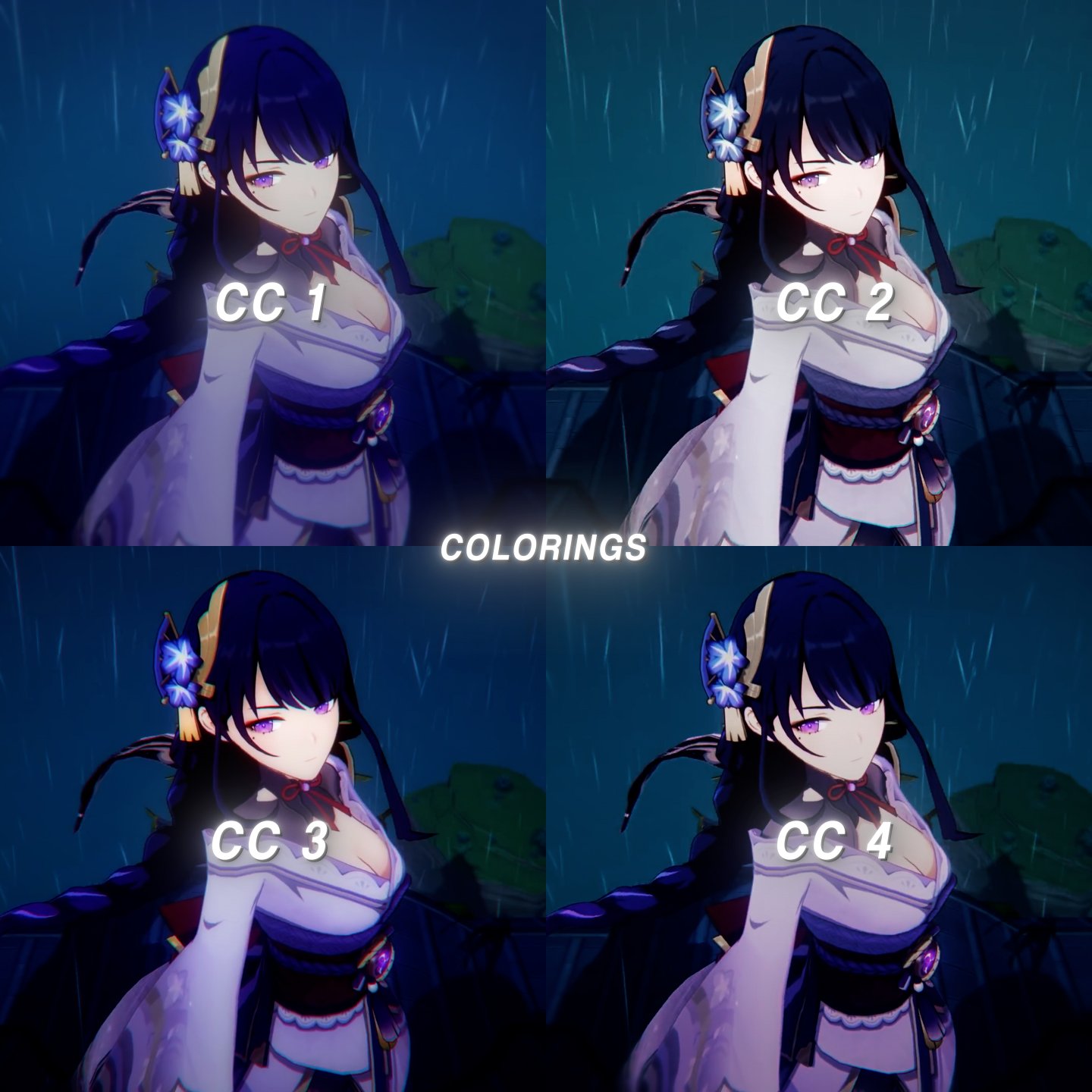
- 4 cc (colorings) - w/ sample photos
- 3 different blurs
- 2 panning effects
- 2 text effects
- 1 different twitch
- 1 ripple disolve effect + blur & exposure
SOFTWARES NEEDED:
- Adobe After Effects
PLUGINS REQUIRED:
- Magic Bullet Looks
- BCC plugin
- Twitch
- Sapphire
if you don't know how to add colorings and effects in your after effects here is a tutorial:
- Extract the ZIP file containing your After Effects plugin. After Effects plugins are usually downloaded as ZIP files, which need to be extracted. On a Mac, just double-click the ZIP file to extract it. On Windows, right-click the file, select Extract all, and then click Extract.
- Copy the .aex plugin file to your desktop. You can drag and drop the file onto the desktop. Alternatively, right-click the script, select Copy, right-click the desktop, and select Paste.
- Open File Explorer (PC) or Finder (Mac). On Windows, right-click the Start menu and select File Explorer. On a Mac, click the blue and white smiley face icon on the Dock.
- Open the After Effects plugin folder. On Windows, plugin folder is usually located in C:\Program Files\Adobe\Adobe After Effects\Support Files\Plugins. On a Mac, the plugin location is usually in Applications/Adobe After Effects/Plugins.
- Create a new folder for the plugin. Inside the After Effects plugin folder, right-click (or tap with two fingers), select "New" and click "New Folder". Name the folder after the plugin. For example, if the plugin you are installing is called VC Reflect, you should name the folder "VC Reflect."
- Copy the .aex file to the new folder. Drag the After Effects plugin file from the desktop to the new folder. Or, copy the file, right-click the new folder, and select Paste.
- If After Effects is already open and running, you'll need to save your work and restart the app before you'll be able to use the plugin in After Effects.
If you have any problem or doubt message me on discord: more,#9037
Thank you so much for buying, I appreciate it so much and at the same time it helps me a lot! ♡