Free Excel Python Toolkit: 11 Scripts for Data Cleaning, SEO and Reporting
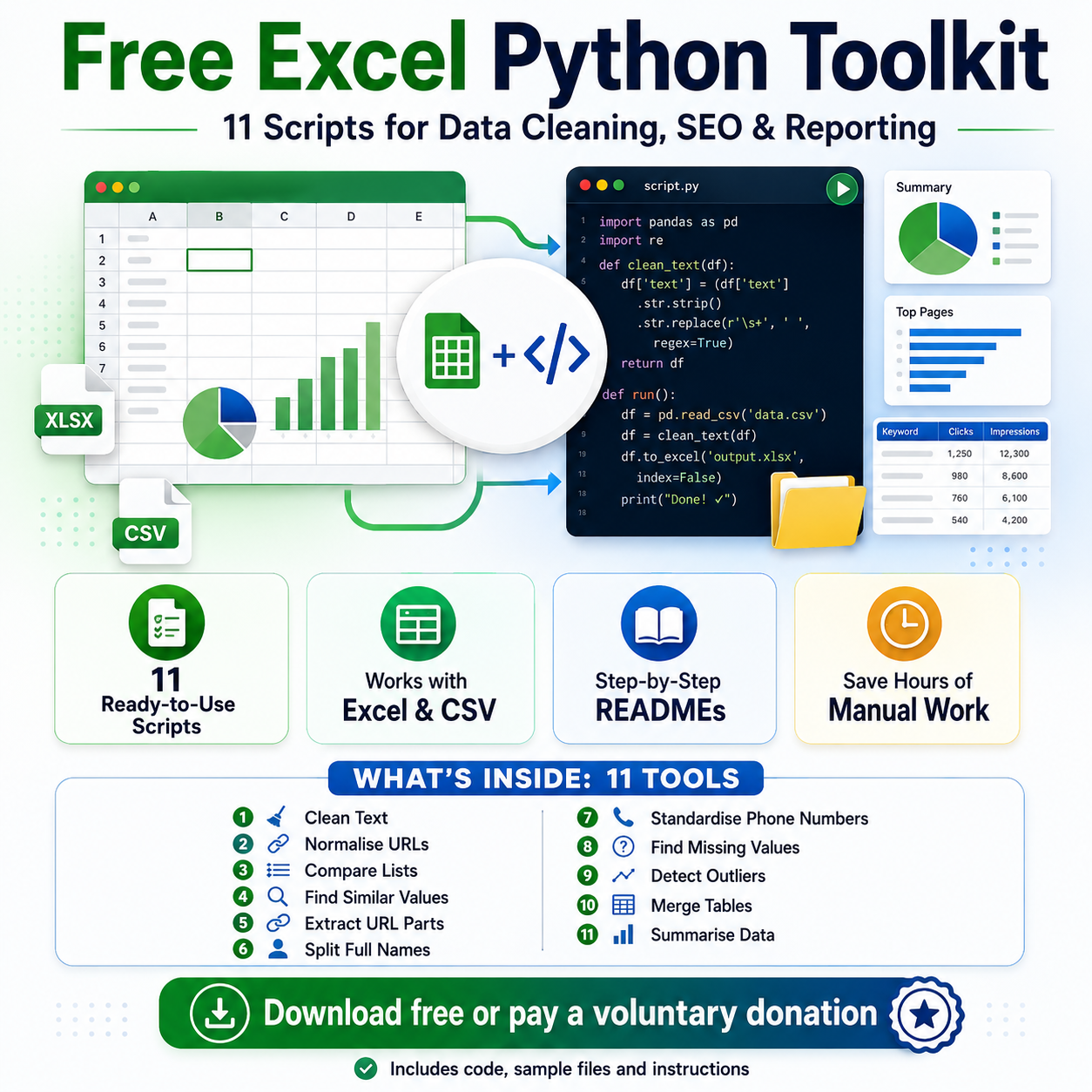
This free toolkit includes 11 ready-to-use Python scripts for cleaning, comparing, merging and analysing Excel or CSV data.
It is designed for SEO specialists, digital marketers, data analysts, virtual assistants, freelancers, researchers, small business owners and anyone who regularly works with spreadsheet exports.
The toolkit includes:
- Clean Text — remove extra spaces, hidden characters and inconsistent formatting.
- Normalise URLs — standardise URLs and remove fragments or tracking parameters.
- Compare Lists — find added, removed and shared values in two files.
- Find Similar Values — detect possible duplicates and spelling variations.
- Extract URL Parts — separate domains, subdomains, paths, parameters and file names.
- Split Full Names — divide names into title, first name, middle name and surname.
- Standardise Phone Numbers — clean phone-number formatting and prepare international versions.
- Find Missing Values — identify incomplete rows and summarise missing data by column.
- Detect Outliers — flag unusually high or low numeric values.
- Merge Tables — combine two files using a shared ID, URL, email address or another key.
- Summarise Data — calculate grouped totals, averages, counts, minimums and maximums.
How to start using it
- Download and extract the ZIP archive.
- Install Python 3.10 or newer.
- Install the required packages using the included requirements.txt file.
- Open the folder of the script you want to use.
- Read the individual README file.
- Replace the sample file with your own Excel or CSV file.
- Copy and run the provided command.
- Open the generated result file in Excel.
Each tool includes a separate Python script, detailed instructions, a sample input file, example commands and notes about safe use.
These are standalone scripts that process complete spreadsheet columns or tables. They are not native Excel formulas such as =CUSTOMFUNCTION(A1).
Measurable benefits
The toolkit can help you:
- clean 1,000 text rows in seconds;
- compare two URL or keyword lists without building lookup formulas;
- process hundreds or thousands of URLs in one run;
- find incomplete records across an entire spreadsheet;
- merge recurring exports without rebuilding VLOOKUP or XLOOKUP formulas;
- generate grouped totals and averages automatically;
- reduce repetitive spreadsheet tasks from 20–60 minutes to a few minutes;
- reduce copy-and-paste errors;
- reuse the same workflow every week or month.
Automating a task that normally takes 30 minutes and is repeated twice per week can save around 4 hours per month.
Requirements
You need:
- Python 3.10 or newer;
- Windows, macOS or Linux;
- an Excel or CSV file;
- permission to install the packages listed in requirements.txt.
Microsoft Excel is not required while the scripts are running, although it is useful for viewing the generated result files.
Price: voluntary donation
This product is available for a voluntary donation.
You choose how much to pay. You can enter 0 and download the complete toolkit for free, or contribute any amount you consider appropriate.
Everyone receives the same complete package with all 11 scripts. A donation supports future tools, improved documentation, updates and new free samples.
Always keep a backup of your original files and review generated results before using them in production.