
Cleaning Business Spreadsheet — Profit Per Hour & Job Tracker for House Cleaners (Google Sheets + Excel)
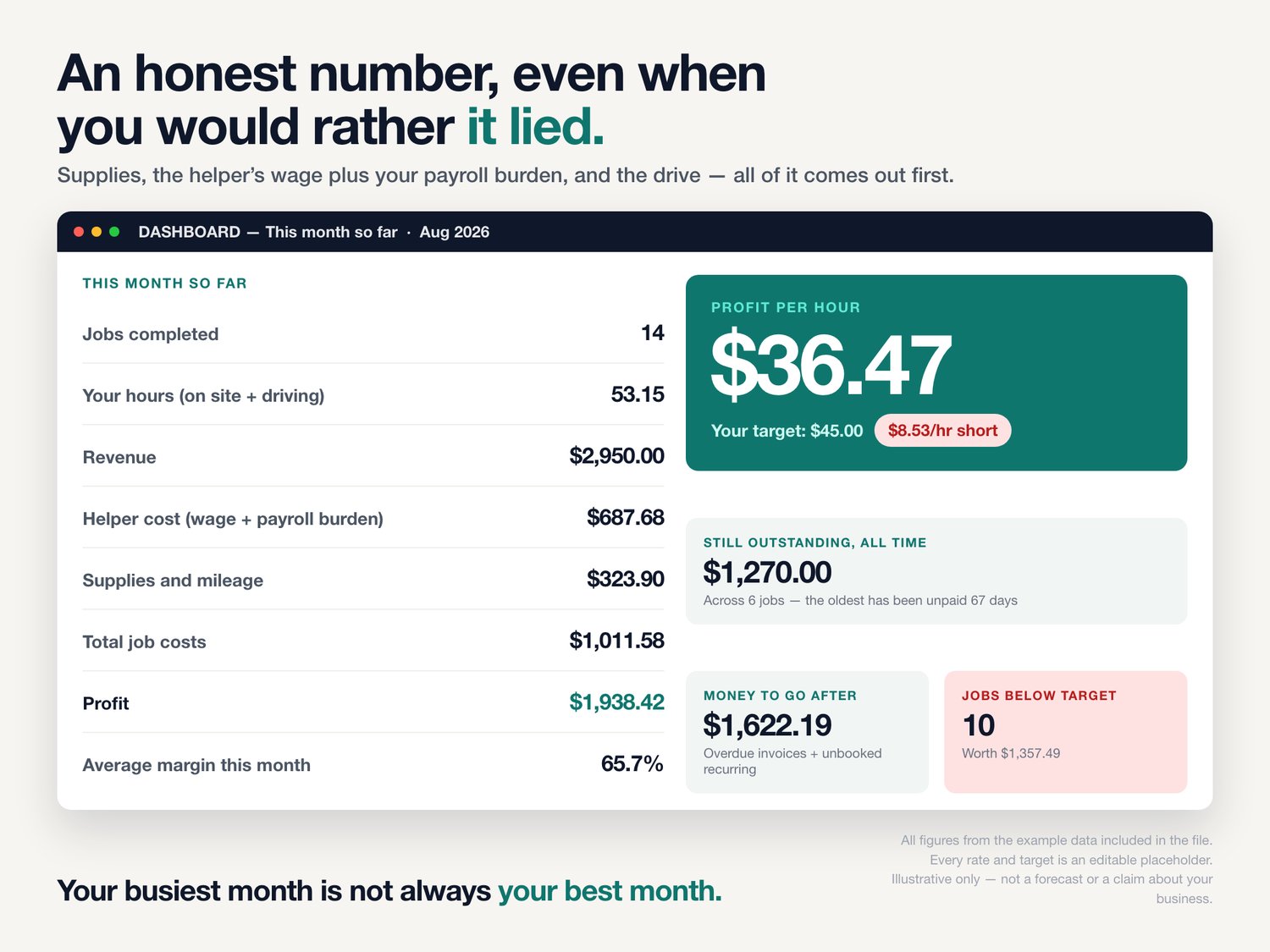
Your busiest month is not always your best month. This tells you which one you just had.
Every cleaning spreadsheet will add up what came in. Almost none of them will tell you what you kept — and not one of them will tell you what an hour of your own time actually earned after the supplies, the helper's wages and the drive across town came out of it.
That number is the whole point of this workbook.
THE JOB THAT LOOKS BIG AND PAYS SMALL
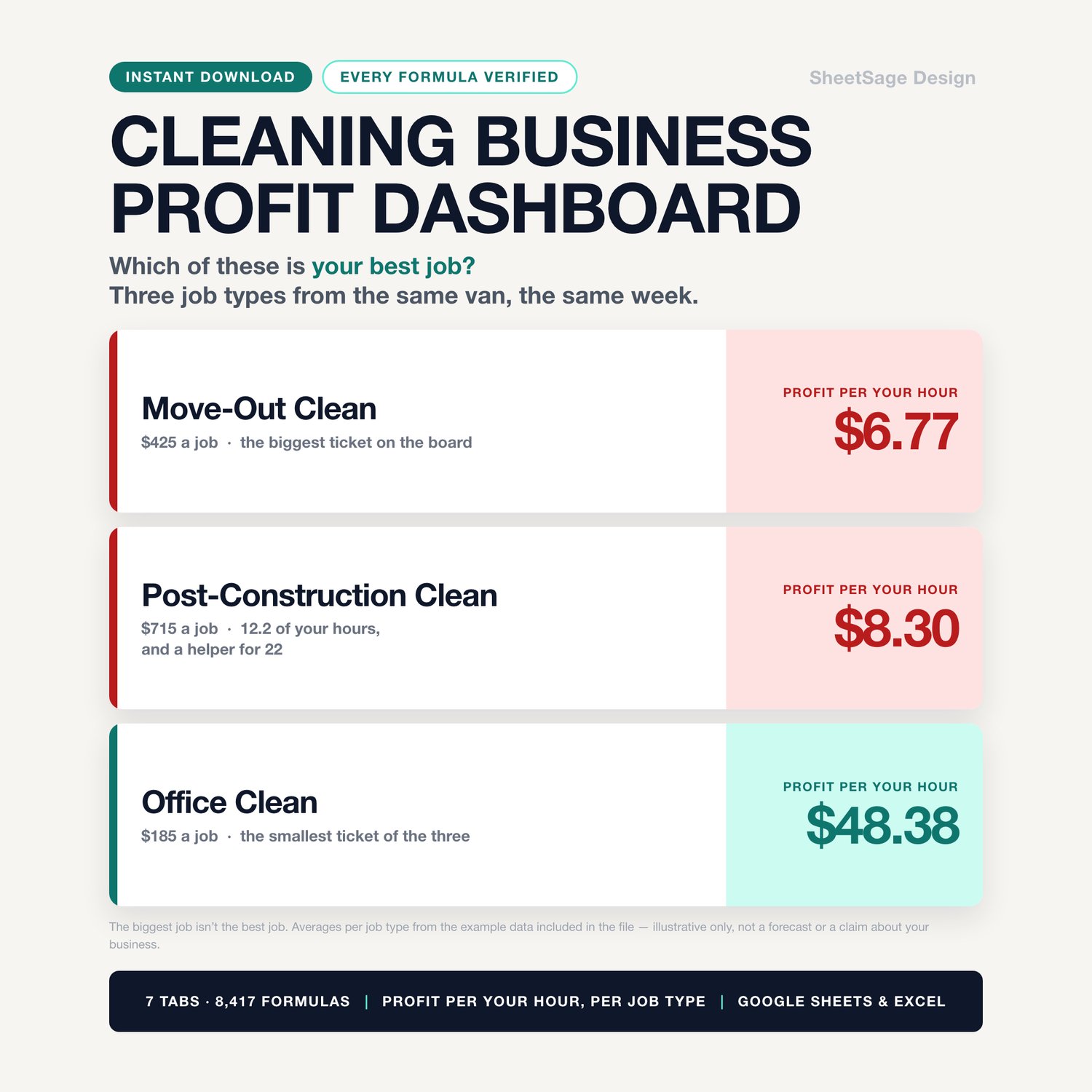
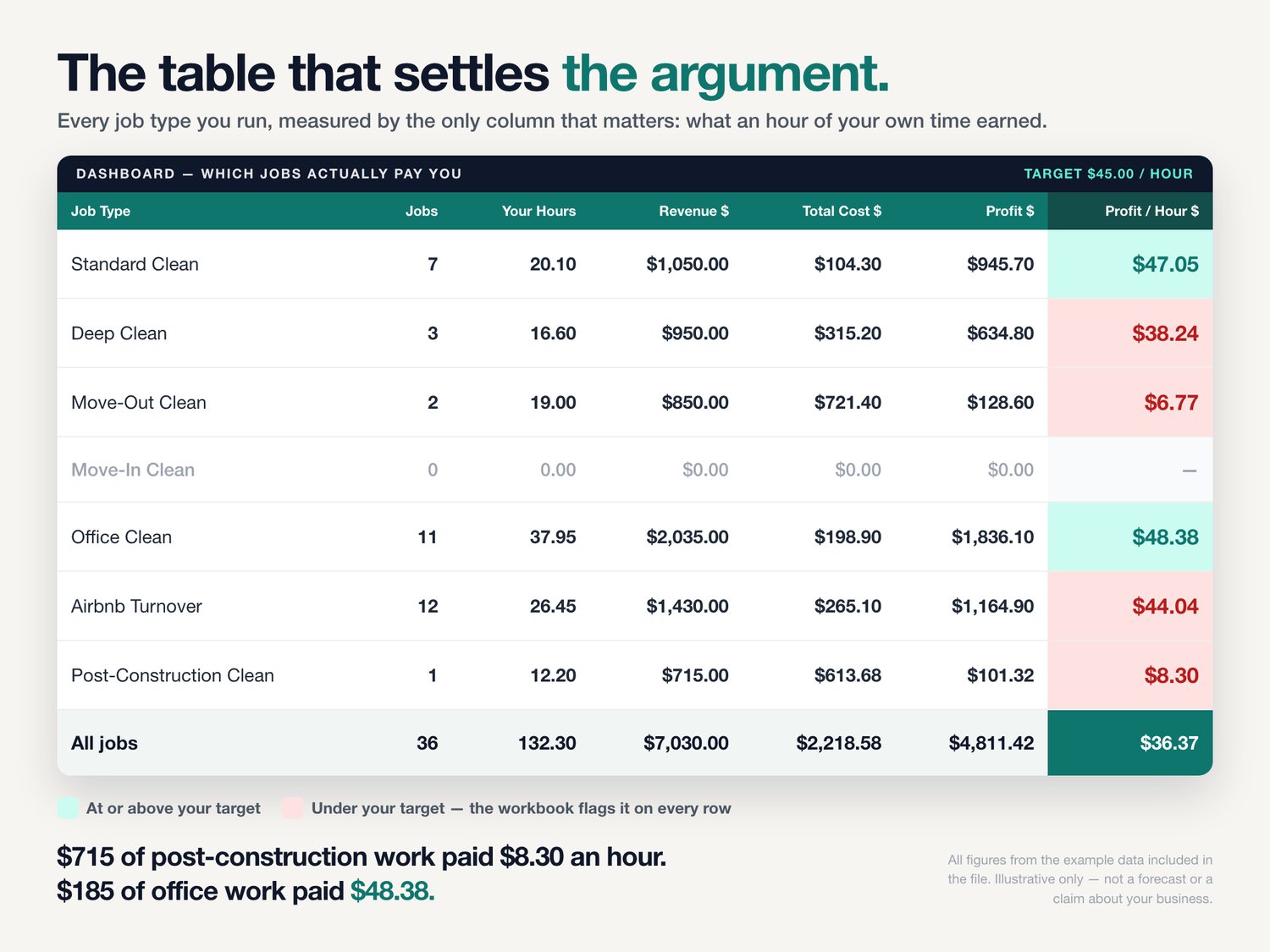
Here is what the example data in this file shows, straight off the dashboard:
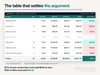
★ A move-out clean bills $425 — the biggest ticket on the board. After a helper for eleven hours, supplies and the drive, it pays $6.77 an hour.
★ An office clean bills $185. It pays $48.38 an hour.
★ A post-construction job bills $715 and pays $8.30 an hour.
Same week. Same van. One of those jobs is your business and two of them are eating it. You cannot see that in a revenue column, and revenue is all most trackers give you.
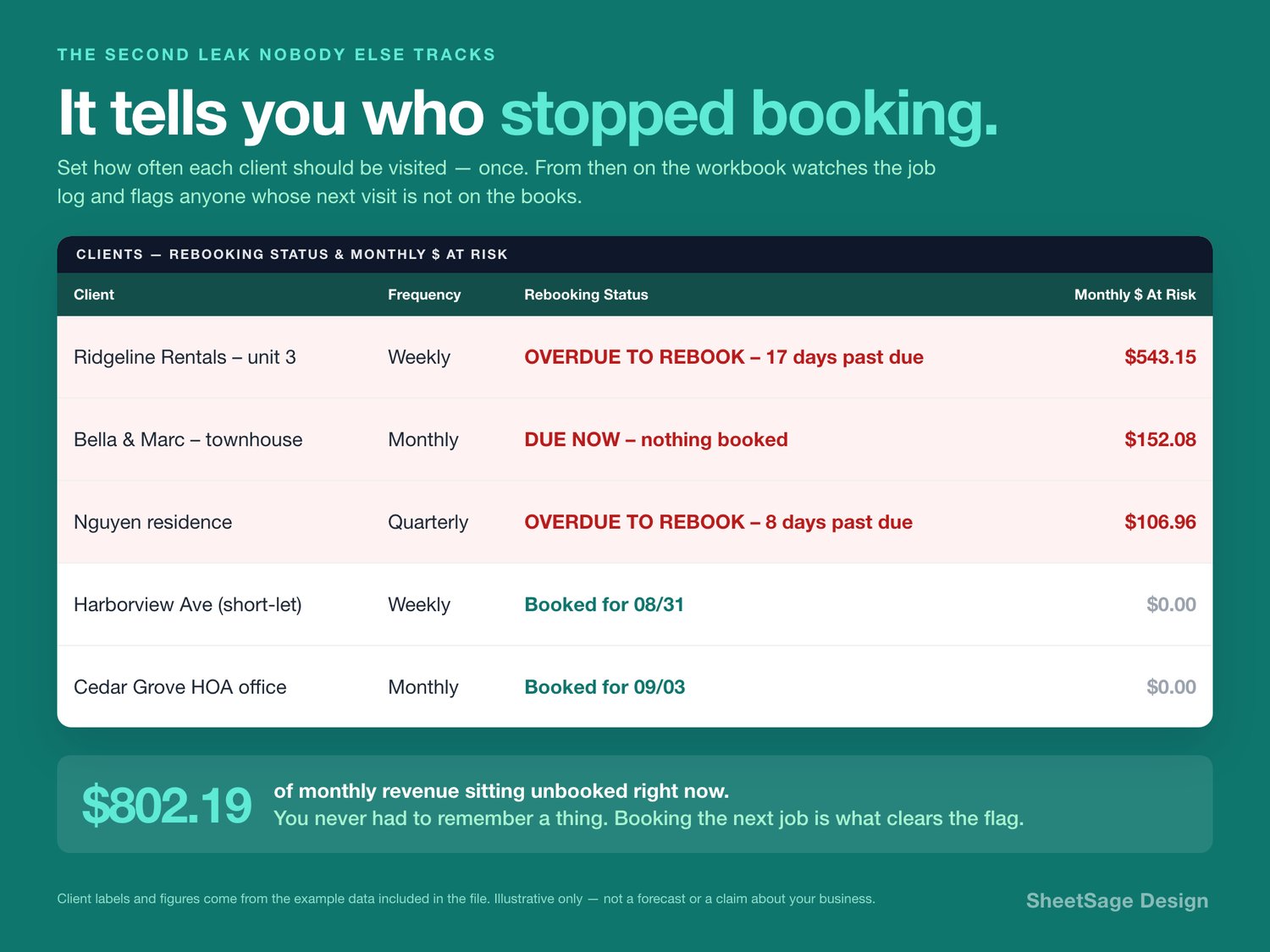
THE SECOND LEAK: THE CLIENT WHO QUIETLY STOPPED BOOKING
★ You tell the workbook once how often each client is supposed to be visited — weekly, every two weeks, monthly, quarterly.
★ From then on it watches. It knows when you last cleaned for them. It looks forward through your own job log to see whether the next visit is already on the books.
★ If it is not, that client gets flagged — with the monthly dollars beside the name. OVERDUE TO REBOOK - 17 days past due · $543.15 a month.
★ There is nothing to remember and nothing extra to type. Booking the next job is what clears the flag, because that is the only thing that should.
Losing one weekly client is not a bad week. It is six thousand dollars a year that leaves without a conversation.
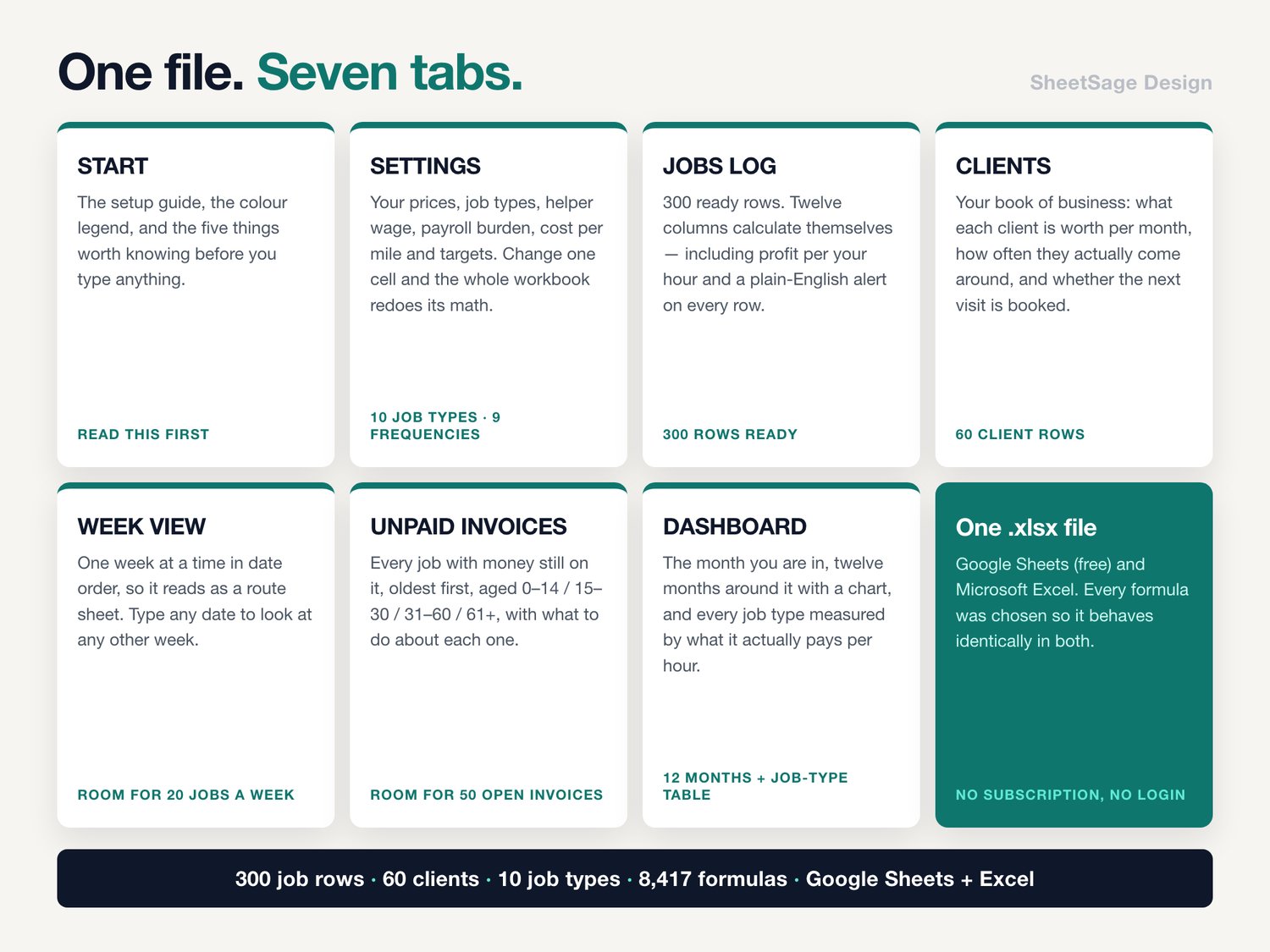
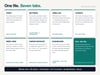
WHAT'S INSIDE (one file, 7 tabs)
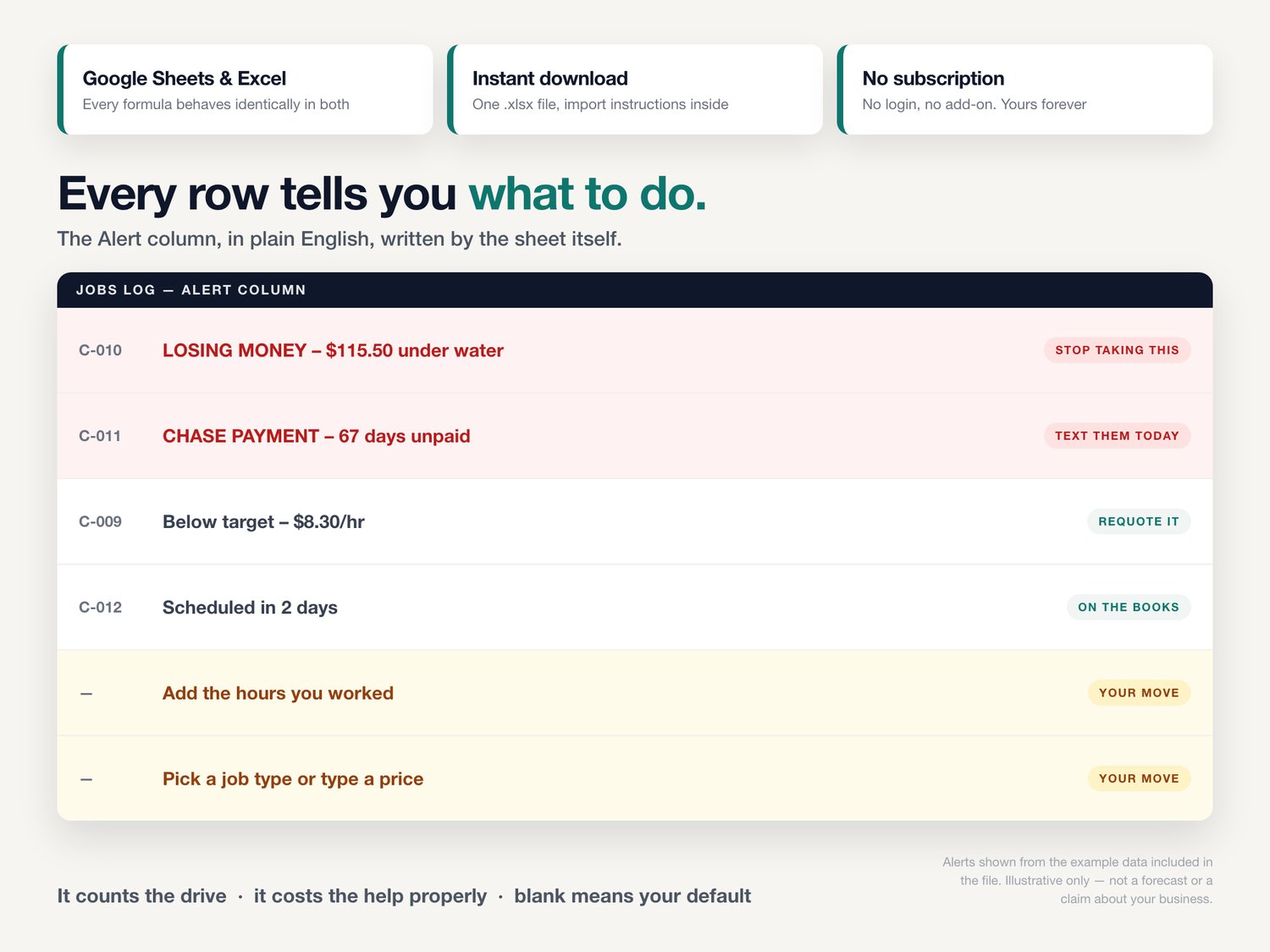
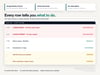
★ JOBS LOG — 300 ready rows. Date, client, site, job type, your hours, drive time, helpers, supplies, miles. Twelve columns then calculate themselves: revenue, helper cost with your payroll burden on top, supplies, mileage, total cost, profit, margin, profit per your hour, what is still owed, how long it has been owed, and a plain-English alert on every single row.
★ CLIENTS — your book of business. What each client has been worth, what they are worth per month, their profit per hour, how often they actually come around versus how often they are supposed to, when the next visit is due, and whether it is booked.
★ WEEK VIEW — one week at a time, in date order, so it reads as a route sheet. Day-by-day totals, hours, what the week should pay and what it should leave you. Type any date to look at any other week.
★ UNPAID INVOICES — every job with money still on it, oldest first, aged 0-14 / 15-30 / 31-60 / 61+, with what to do about each one.
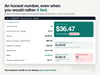
★ DASHBOARD — the month you are in, twelve months around it with a chart, and the table that settles the argument: every job type ranked by what it actually pays per hour. Plus one teal number: money to go after right now.
★ SETTINGS — your prices, your job types, your helper wage, your payroll burden, your cost per mile, your targets. Change one cell and the whole workbook redoes its math.
★ START — the setup guide, the color legend, and the five things worth knowing before you type anything.
IT COUNTS THE DRIVE
Drive time is your time. It is in the denominator of every profit-per-hour figure in this workbook, and it is deliberately not billed to the client on hourly jobs. That one decision is why the numbers in here come out lower — and truer — than the ones in your head.
IT COSTS THE HELP PROPERLY
You set a wage and a payroll burden percentage once. Every helper hour on every job is then costed at wage plus burden, not at the bare hourly rate. A crew job that looked profitable at $20 an hour often is not at $22.40.
BLANK MEANS DEFAULT
Leave the price blank and it uses that job type's price. Leave supplies blank and it uses that job type's usual supply cost. Leave the helper rate blank and it uses your standard wage. Type a number in any of them and that number wins, for that row only. Logging a repeat job takes about fifteen seconds.
WORKS WITH
Google Sheets (free) and Microsoft Excel. Every formula was chosen so it behaves identically in both. Instant digital download, one .xlsx file, import instructions inside. No subscription, no login, no add-on to install. Yours forever.
PLEASE NOTE
• Digital download — no physical item will be shipped.
• For use in your own business; please do not resell or share the file.
• This is a tracking and planning tool. It is not accounting, tax, payroll, insurance or legal advice, it is not a bookkeeping system of record, and it does not send invoices or process payments. Talk to your own accountant about anything that touches tax or payroll.
• Every rate, price, wage, burden percentage and per-mile figure in the file is an editable placeholder we put there so the examples add up — not a recommendation and not a market rate. Replace all of them with your own numbers before you rely on anything the workbook tells you.
• The dollar figures quoted above come from the example data included in the file. They illustrate how the math works. They are not a forecast, a benchmark, or a claim about your business. No income, profit margin, hourly rate or business outcome is promised.
• Designed by us and built with the assistance of AI tools, then manually reviewed and verified — every formula was hand-checked against an independent calculation before release.
Questions before you buy? Message us — we answer fast, and we are happy to help you set it up.