
Practical Project Tool Kit
Practical Project Toolkit
Plan, cost, test, and land your whole project, with four connected workbooks.
Most projects are run from a plan, a few logs and a budget spreadsheet someone emails around on Friday afternoon. Testing is tracked somewhere else, the people side of change is left until just before go-live, and the status report takes half a day.
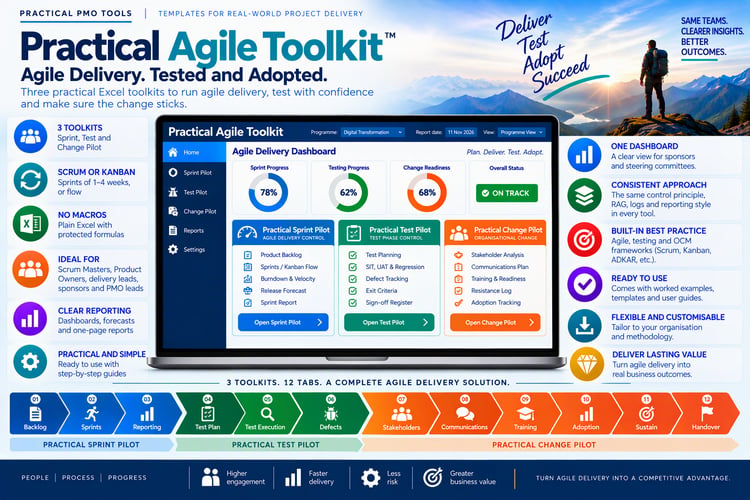
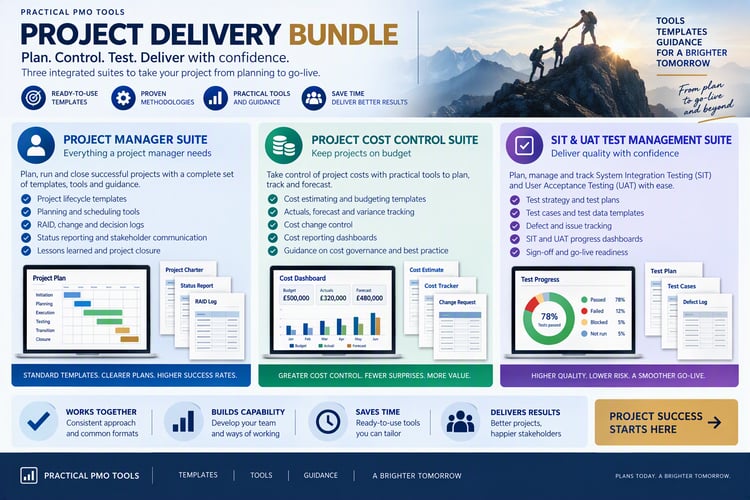
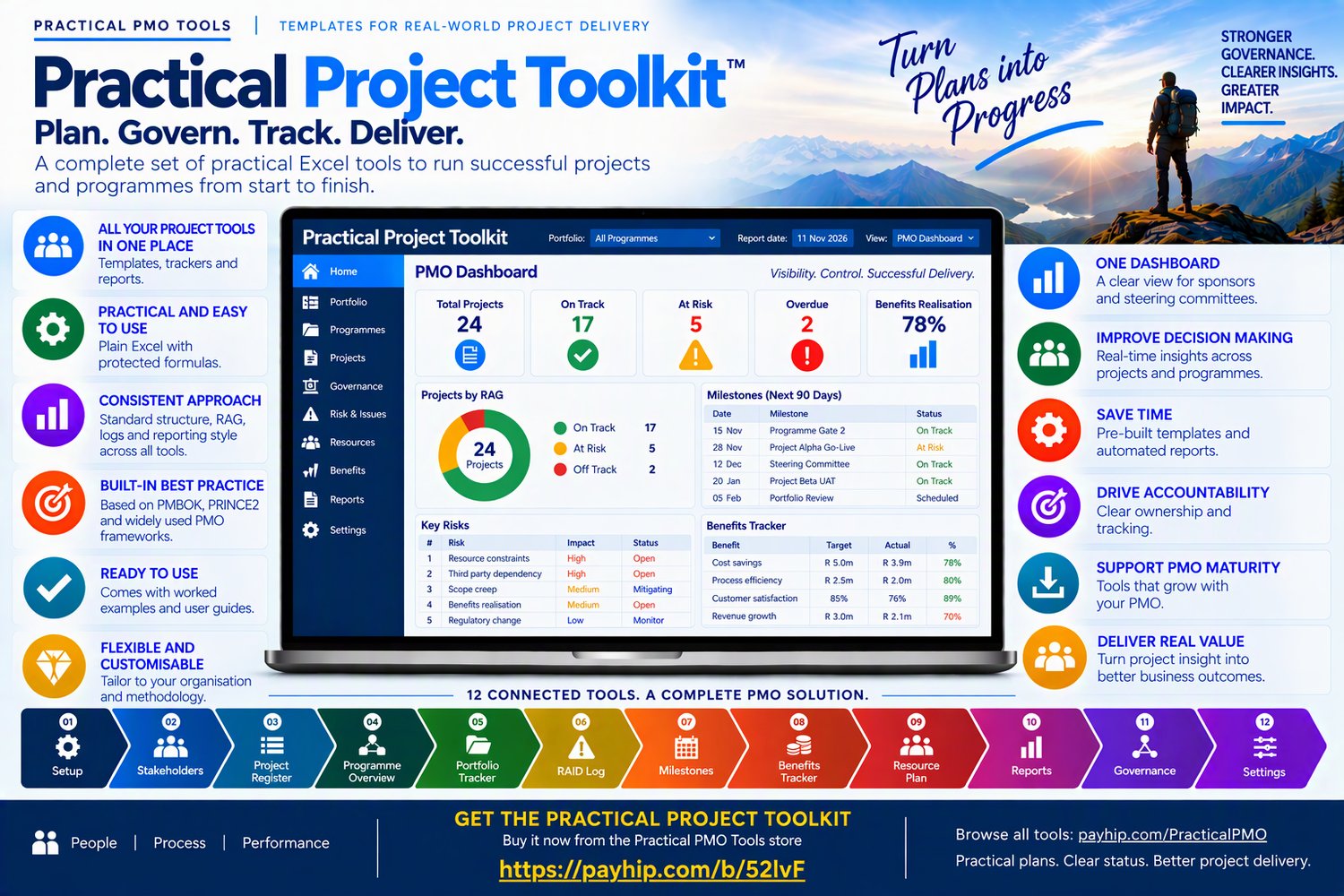
The Practical Project Toolkit replaces them with four purpose-built Excel workbooks that take a project from initiation to adoption: Practical Project Pilot, Practical Cost Pilot, Practical Test Pilot and Practical Change Pilot. Every tool has the same look, the same RAG status and the same reporting style. You update them as you work, and the dashboards and reports build themselves.
Save $57 (31%) when you buy the toolkit
- Practical Project Pilot: $59
- Practical Cost Pilot: $39
- Practical Test Pilot: $39
- Practical Change Pilot: $49
- Bought separately: $186. Toolkit price: $129. You save $57 (31%).
Who it’s for
- Project managers running waterfall and hybrid projects who need complete control without extra admin
- PMOs who want every project planned, costed, tested and reported the same way
- Test leads and change leads who need to keep the test phase and the people side of change on track
- Sponsors and finance partners who want one honest view of project health, cost and readiness
What it does for you
- Run the project from one workbook. Practical Project Pilot holds the plan, the logs, the money and the people in 28 connected sheets, with a 52-week Gantt chart showing baselines and slippage. The Gantt skips weekends and public holidays, using calendars for 16 countries.
- Report in minutes, not hours. You get a one-page weekly status report with a suggested RAG rating from live data, and a dashboard that updates itself.
- Keep every log in one place. Actions, decisions, change requests, RAID and defects sit in linked logs, with a starter plan, RACI and cutover rows to get you going.
- Control the money. Practical Cost Pilot tracks budgets, approved changes, quotes, commitments, invoices and payments for up to 20 projects. It shows actual cost, forecast at completion and variance, with a clear audit trail.
- Catch problems early. Flags warn you about overdue invoices, lapsed quotes and quotes that don’t match invoices. A portfolio summary and a one-page report for each project are ready for steering reviews.
- Run the test phase with confidence. Practical Test Pilot covers 15 test types, including SIT, UAT, regression and end-to-end. The daily stand-up report fills itself, and test end and go-live dates are forecast from the actual pace of testing.
- Sign-off on evidence. Defects are tracked by severity, with ageing and overdue flags. The workbook checks 11 exit criteria live and recommends READY FOR SIGN-OFF only when every one is met.
- Make sure the change is adopted. Practical Change Pilot takes you through five phases with gates G0 to G4. It covers ADKAR-based readiness scoring, communications planning, the resistance log and adoption tracking at 30, 60 and 90 days.
What’s included
- Four Excel workbooks (.xlsx): Practical Project Pilot, Practical Cost Pilot, Practical Test Pilot and Practical Change Pilot
- A step-by-step user manual for every tool
- Worked examples to learn from
- The OCM process document and slides for Practical Change Pilot
- Protected formulas and drop-downs in every workbook. It’s plain Excel, with no macros, add-ins or installs.
Spend your week managing the project, not maintaining spreadsheets. Download the toolkit today, and have your plan, budget, test tracker and change plan ready this week.
Compatibility
- Works in Microsoft Excel 2019 or later, Microsoft 365 on Windows and Mac, and Excel for the web
- Word and PowerPoint files open in Microsoft Office 2016 or later and Microsoft 365
- Not designed for Google Sheets or Apple Numbers: protected formulas and some features may not work there
Licence
One purchase licenses one named user to use and adapt the files for internal use. Consultants may use the files to deliver work for their clients. You may not resell, share or redistribute the files, in original or modified form.
Refunds
Because these are instant digital downloads, all sales are final. If anything doesn’t work as described, contact us through the Contact page, and we’ll help.
Frequently asked questions
Can I edit the files? Yes. Excel formulas are protected so they can’t break by accident; you fill in the white input cells. Word and PowerPoint files are fully editable, so you can add your own logo and terminology.
Will it work in my currency? Yes. All the templates are currency-neutral and work anywhere in the world.
Can I buy one tool first? Yes. Each tool is also sold on its own, so you can start with the tool you need today and add the rest as you go. The toolkit is the best value if you need two or more.
Do I get updates? Yes. Free updates to this version are sent to your download link.
How do I get my files? You get a download link by email straight after purchase.
Can I see it before I buy? Yes. Download the free previews from the store to see what’s inside each tool.