


Hurdle Calculator Program for Windows PC
Hurdle Calculator Program – WINDOWS Version
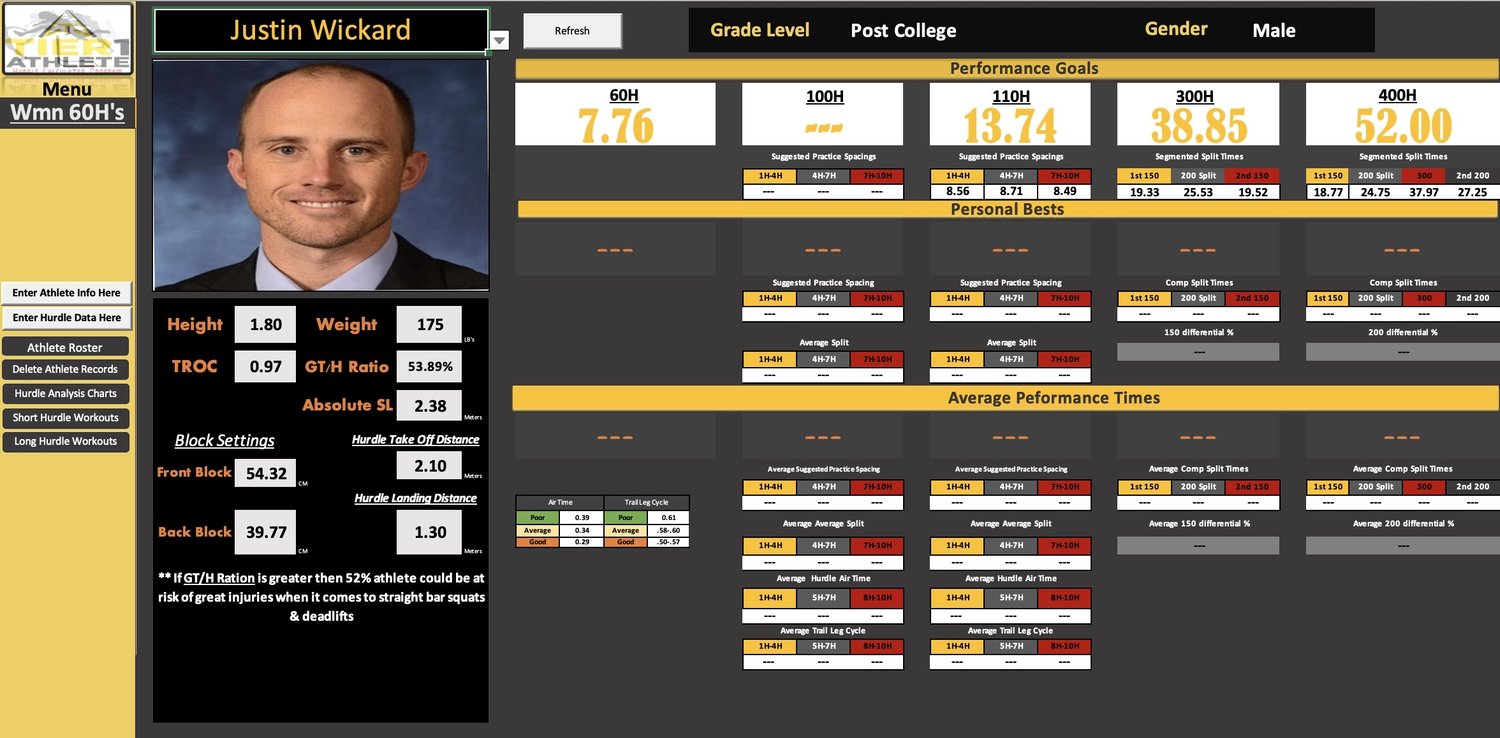
The Hurdle Calculator Program is a data-driven coaching system built specifically for hurdle coaches who want to analyze race performances, design smarter practices, and improve hurdler consistency using real performance data.
Developed from 14+ years of NCAA Division I coaching experience, this program turns raw times, splits, and hurdle data into actionable coaching insights you can immediately apply on the track.
This is not a basic spreadsheet — it is a protected, macro-enabled Excel performance tool designed to save time, remove guesswork, and bring structure to hurdle development.
What the Program Does
The Hurdle Calculator Program allows coaches to:
- Analyze hurdle races using split and finish times
- Calculate optimal hurdle spacings for practice sessions
- Identify where athletes gain or lose time during races
- Visualize performance trends with charts and graphs
- Design targeted workouts instead of using generic spacings
- Organize athlete data cleanly in one centralized system
This tool supports both short hurdles (100/110m) and long hurdles (300/400m).
How It Helps Improve Hurdlers
🎯 Smarter Practice Design
Practice spacings are generated from real performance data — helping athletes train rhythm, spacing, and execution with greater precision.
📊 Clear Performance Analysis
Coaches can break races into meaningful segments, track improvement over time, and identify technical breakdown points.
📈 Visual Feedback
Charts and summaries make it easier to communicate feedback and connect practice execution to race performance.
⏱ Saves Coaching Time
All calculations are automated, allowing coaches to focus on coaching — not spreadsheets.
⚠️ IMPORTANT SOFTWARE REQUIREMENTS (READ BEFORE PURCHASING)
This product is delivered as a Windows executable (.exe) file that securely launches the Hurdle Calculator Program.
To use this program, you must have:
✅ Windows PC
✅ Microsoft Excel (Desktop Version) installed on Windows
❌ Microsoft Excel Online is NOT supported
❌ Google Sheets and browser-based spreadsheets are NOT supported
❌ macOS is NOT supported for this version
🔒 Why This Program Uses an Activation System
To protect the integrity of the program and prevent unauthorized sharing, the Windows version is distributed as a protected .exe file.
Each license is activated per user.
This ensures:
- Fair use for legitimate buyers
- Continued updates and support
- Protection of proprietary coaching systems
🏫 Important Note for School-Issued or IT-Managed Computers
If you plan to use this program on a school-issued or district-managed computer, you may need approval from your IT department before the program can be opened.
Many school systems restrict .exe files by default due to security policies.
Important Clarification for IT Departments
This file is NOT a traditional software application and does NOT install anything on the computer.
- The program is a Microsoft Excel–based tool
- It was built entirely using Excel + VBA/Macros
- The .exe file is simply a protective wrapper
- The wrapper exists only to prevent unauthorized sharing
- The program ultimately runs inside Microsoft Excel
No system files, drivers, background services, or external software are installed.
📄 Suggested Message to Share with Your IT Department
You may copy and paste the message below when requesting approval:
This file is not a standalone software program.
It is a Microsoft Excel workbook built using VBA/Macros and launches through a protective wrapper (.exe) to prevent unauthorized sharing.
The program runs entirely within Microsoft Excel (desktop version) and does not install software, drivers, or background services.
WINDOWS SETUP & ACTIVATION INSTRUCTIONS
⚠️ Please follow ALL steps below to activate the program successfully.
Step 1: Download the Program
- Download the .exe file after purchase
- Save it to your Desktop
Step 2: Allow the File to Run
Windows may display a security warning.
- Click More Info
- Click Run Anyway
Step 3: Retrieve Your System ID
- Open the program
- A System ID number will be displayed
- Copy or record this number
Step 4: Activate Your License
Email the following to:
📧 [tier1athlete@gmail.com]
Include:
- Your System ID number
- The email address used at checkout
You will receive a unique Activation Key.
⏱ Activation is typically completed within 24 to 48 hours (often sooner).
Step 5: Enter the Activation Key
- Reopen the program
- Enter the Activation Key when prompted
- The program will unlock and function normally
Important Activation Notes
- Activation is required one time per system
- Activation keys are non-transferable
- Hardware or OS changes may require re-activation
- Sharing the .exe file will not allow others to use the program
By Purchasing This Product, You Acknowledge:
- This is a Windows-only version
- Activation is required
- Excel Online is not supported
- You are responsible for obtaining IT approval if required
- Refunds are not issued due to school or IT security restrictions
After Purchase
Your download includes:
- The Hurdle Calculator Program – Windows (.exe)