
Small Business Bookkeeping Spreadsheet, Income and Expense Tracker with Tax Set-Aside, Mileage Log, Sales Tax and Profit Dashboard
Most bookkeeping spreadsheets go wrong in the same places. Reviews and listing fine print point to the same problems:
- "Too much going on." Twelve dashboards when you just want to know what you made.
- Formulas break, or the file only works in the newest version of Excel.
- There's nowhere to put the vendor, the payment method, or which account the money hit, so the books never match the bank.
- Setup takes an evening.
- The tax percentage is calculated wrong.
ColumnFolio Small Business Bookkeeping Kit is built to fix those problems:
- Simple: 8 tabs and one Dashboard. Type in the cream cells; the grey cells fill in by themselves.
- Works in Excel and Google Sheets: standard formulas, no macros or add-ins. Results were checked cell by cell in Google Sheets and LibreOffice.
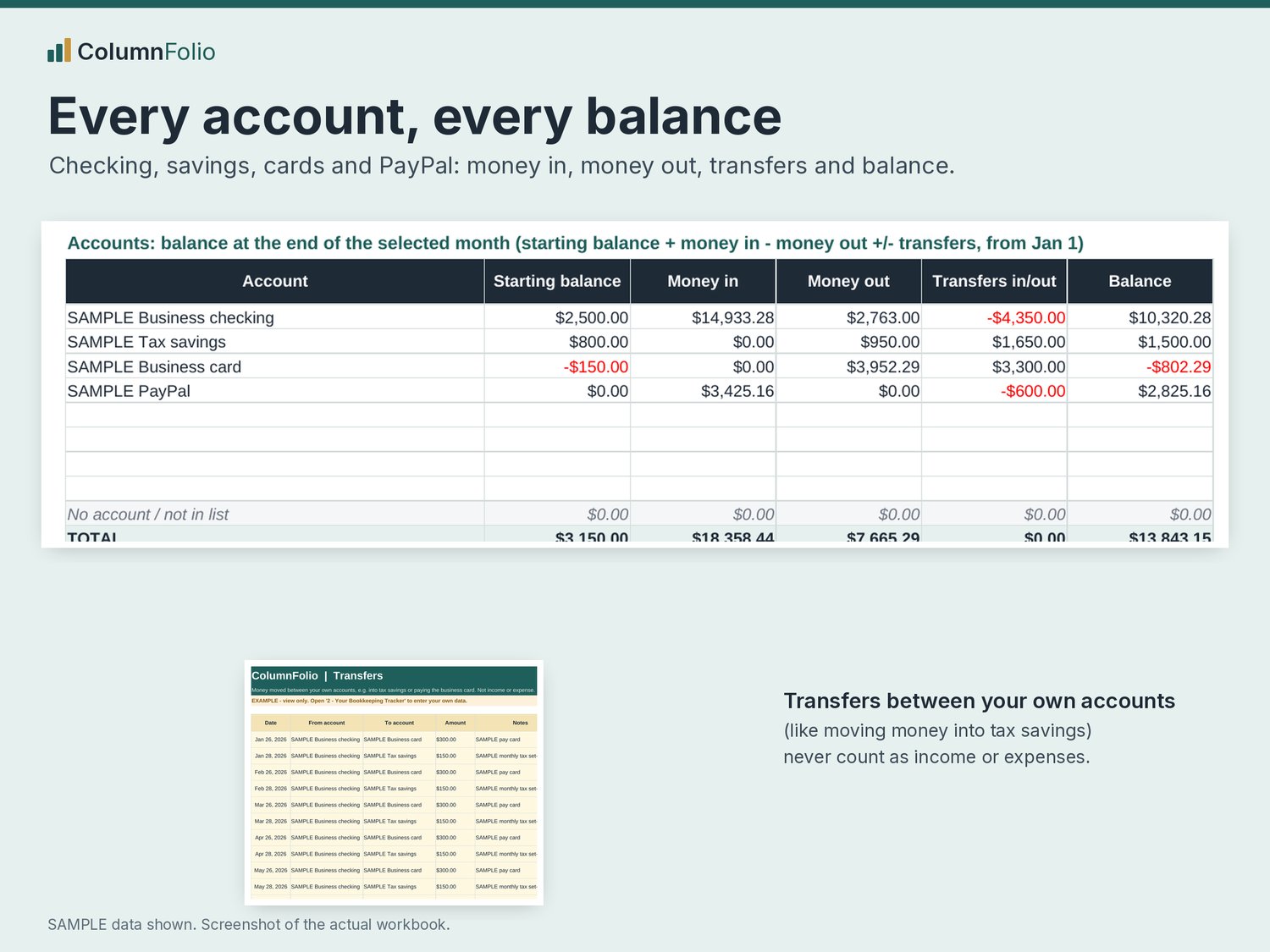
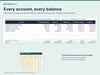
- Accounts that match the bank: every row has the account and payment method. Expenses also have a vendor. Up to 8 accounts (checking, savings, card, PayPal...) with balances, plus transfers between them.
- 5-minute setup: four short steps on the first tab and a one-page Start Here PDF.
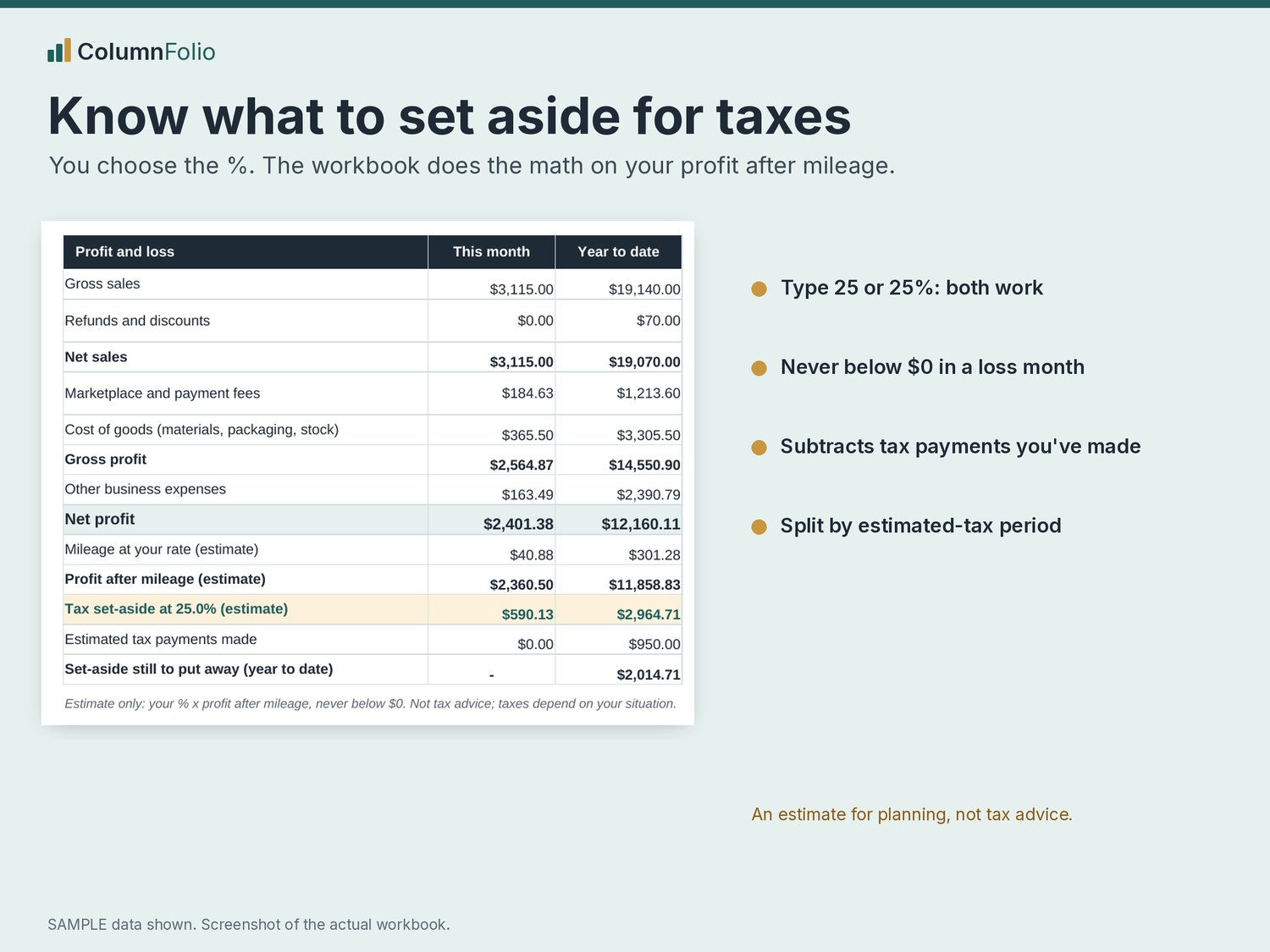
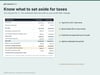
- A tax set-aside you control: you choose the % (typing 25 or 25% both work). It's figured on profit after mileage, never below $0, minus the estimated payments you've already made. Shown for the month, the year to date, and each estimated-tax payment period. It's an estimate for planning, not tax advice.
- Tested: over 5,000 automated checks, covering losses, refunds, leap years, missing information, and deleted or inserted rows.
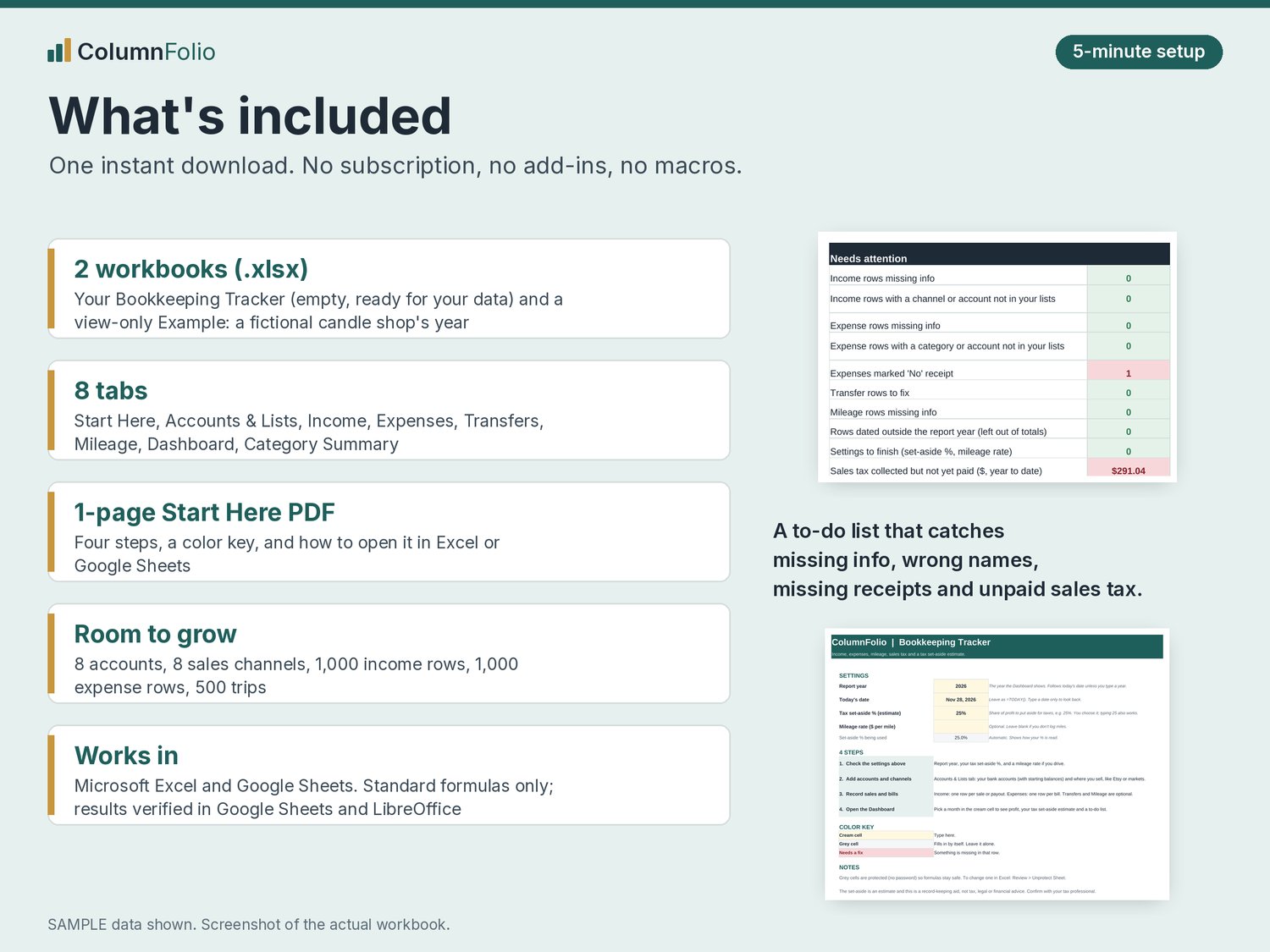
WHAT'S INSIDE (8 tabs)
1. Start Here: settings (report year, your set-aside %, your mileage rate), four steps and a color key.
2. Accounts & Lists: your accounts and starting balances, your sales channels with an optional fee %, and payment methods.
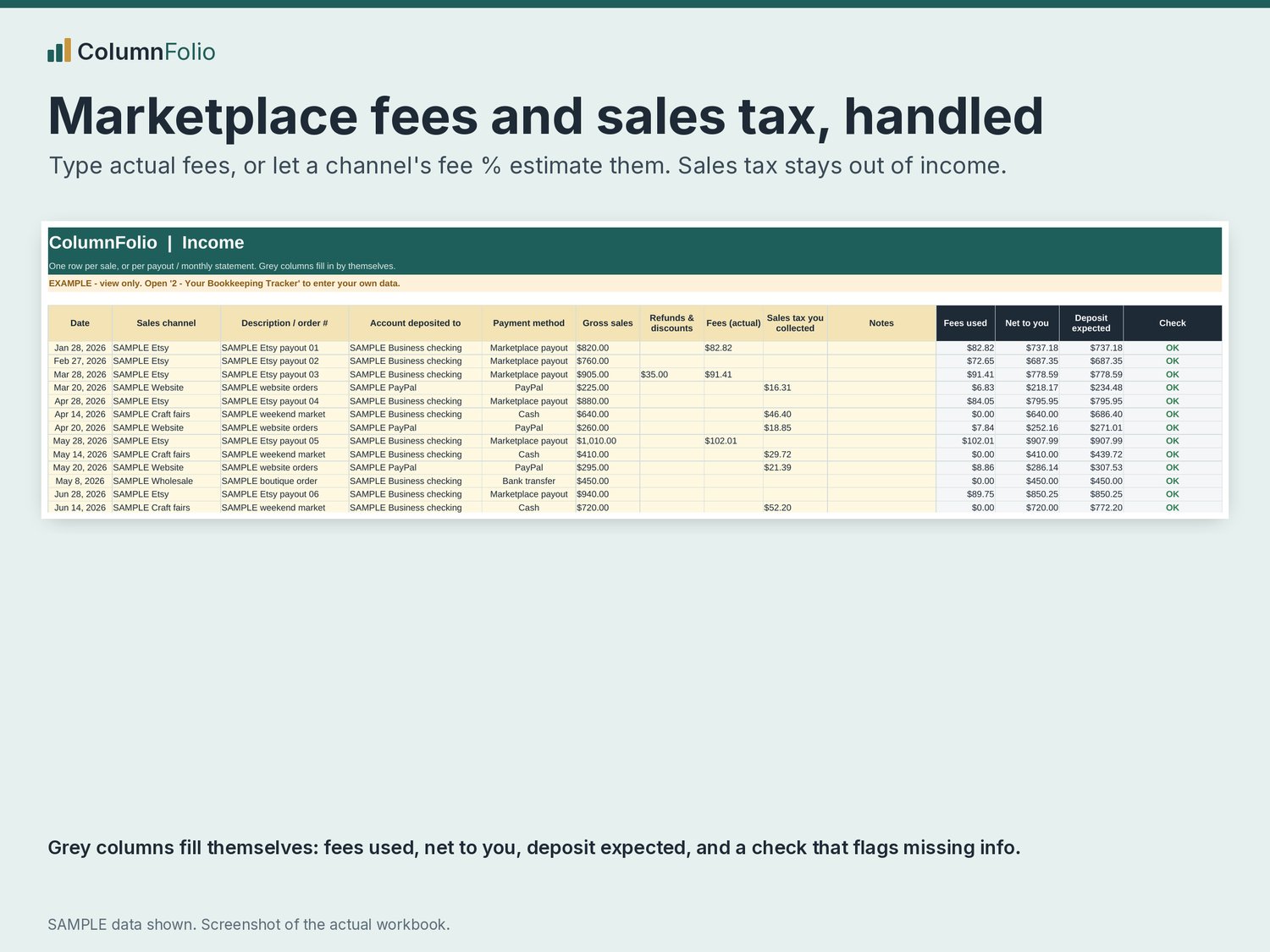
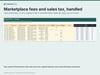
3. Income: date, channel, description, account, payment method, gross sales, refunds, fees and sales tax you collected.
- Automatic: fees used, net to you, the deposit you should see in the account, and a check column.
4. Expenses: date, vendor, category (Schedule C-style dropdown), account, payment method and amount, with optional business-use % and receipt check.
5. Transfers: money moved between your own accounts. It never counts as income or expense.
6. Mileage: business drives, with an estimate at your rate.
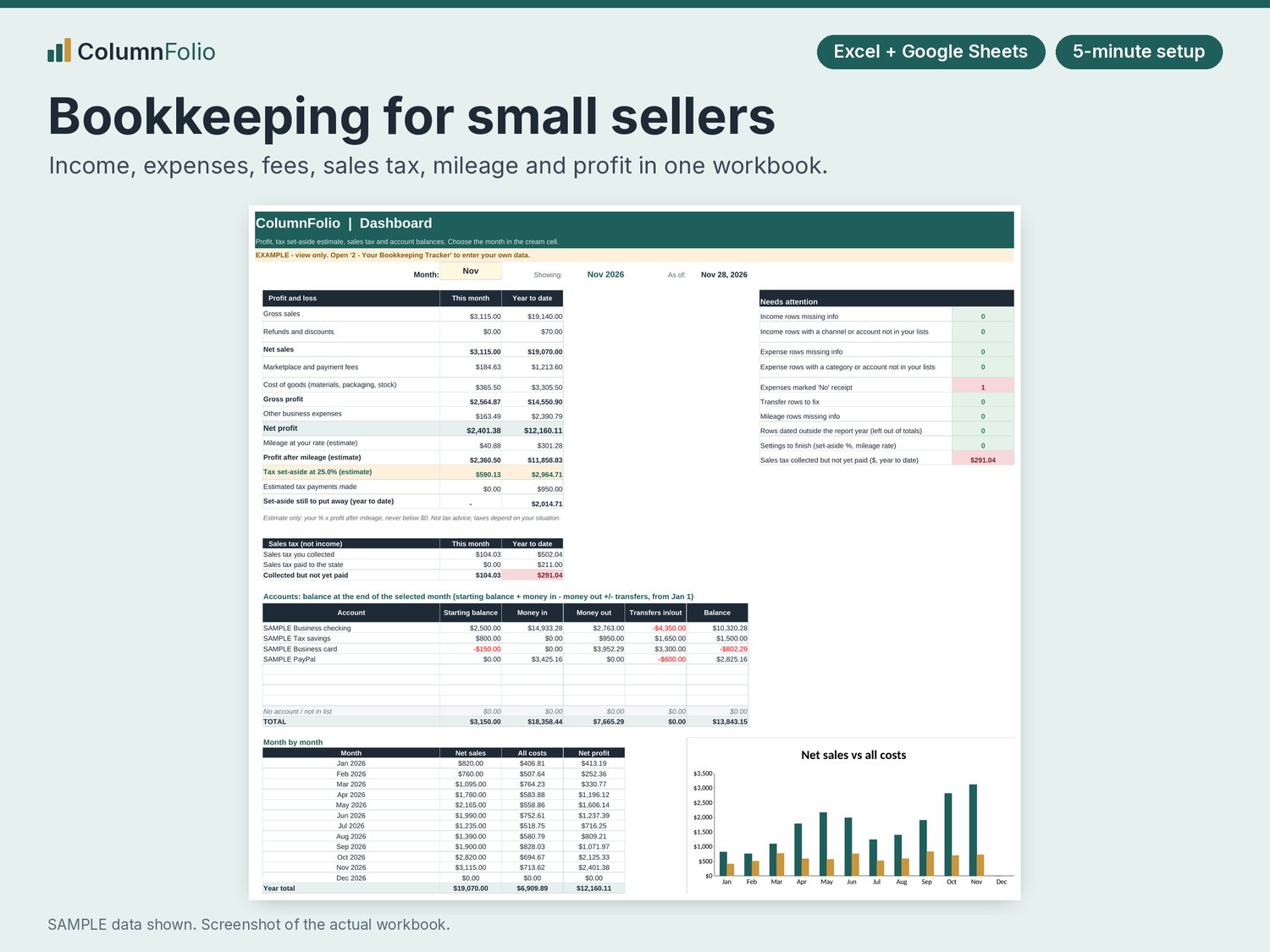
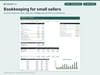
7. Dashboard:
- Profit and loss for the month and year to date.
- Marketplace fees and cost of goods.
- Tax set-aside estimate.
- Sales tax collected vs paid.
- Account balances.
- A month-by-month table and chart.
- A "Needs attention" list: missing info, names not in your lists, missing receipts, rows outside the year, settings to finish, and unpaid sales tax.
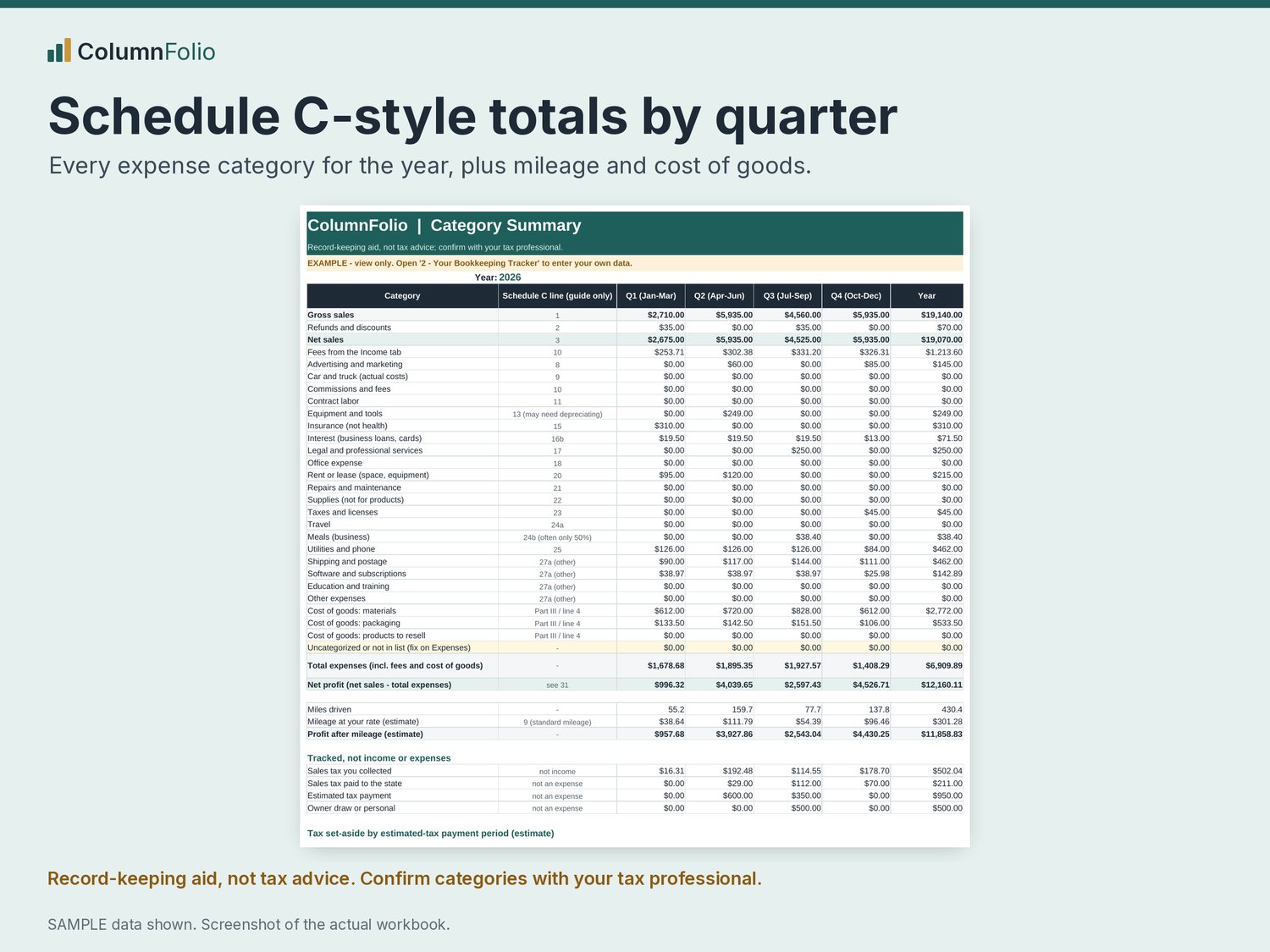
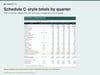
8. Category Summary: every category by quarter and for the year, plus mileage, cost of goods, the "not an expense" items, and the set-aside by payment period.
FEES AND SALES TAX, YOUR WAY
- Fees: type the actual fee on each row, OR set a fee % on the channel to estimate it, OR log the fees from your monthly statement as one expense.
- Sales tax: sales tax a marketplace collects and pays for you stays out. Sales tax you collect yourself (markets, your website) is tracked separately, never counted as income, and the Dashboard shows what's still owed.
WHAT'S INCLUDED
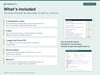
- 1 - Start Here.pdf: one page, four steps.
- 2 - Your Bookkeeping Tracker.xlsx: the workbook, empty and ready for your business.
- Example (view only).xlsx: a fictional candle shop's year of clearly marked SAMPLE data, locked so you can look around without changing anything.
- How to fill it in (video).mp4: a short silent demo with captions (about a minute).
- Room for 1,000 income rows, 1,000 expense rows, 200 transfers and 500 trips per file. Start a fresh copy each year.
COMPATIBILITY
- Microsoft Excel 2010 or newer (Windows and Mac) and Excel for the web.
- Google Sheets (free account): File > Import > Upload.
- Google Sheets doesn't keep sheet protection on import. Everything still calculates.
- Apple Numbers isn't supported.
- Best on a computer.
THIS IS A DIGITAL DOWNLOAD
Nothing is shipped. The workbook doesn't connect to your bank or any marketplace; you type in or paste your numbers.
HOW IT WAS MADE
Made with AI assistance, designed and tested by the seller. Every formula was checked against independently calculated results. The listing images are screenshots of the actual workbook with SAMPLE data.
LICENSE
Personal use, for your own business. Please don't resell, share or redistribute the files.
NOT TAX ADVICE
This is a record-keeping tool, not tax, legal or accounting advice.
- Schedule C line references are a guide only, and forms change.
- The tax set-aside is an estimate based on the % you choose.
- Inventory, depreciation, meals and mileage rules depend on your situation.
Confirm with your tax professional.
Need both? Get the Landlord + Bookkeeping Bundle for $21.99 and save: https://payhip.com/b/QRVT9