

SmartQueue Pro
---------------Description English -------------
Are you suffering from wait chaos in your establishment? 😫 Are you losing customers due to long queues and boredom?
Traditional queue systems cost thousands of dollars. Expensive hardware, complex installation, and monthly subscriptions... but what if the solution was much simpler?
Introducing: SmartQueue Pro — the smart, all-in-one queue management system that works instantly... no internet required! ✅
This software is specifically designed to transform the waiting experience from a chaotic hassle into an organized, fast, and comfortable process, increasing customer satisfaction and the professionalism of your establishment.
(2) Key Features (Why SmartQueue Pro?):
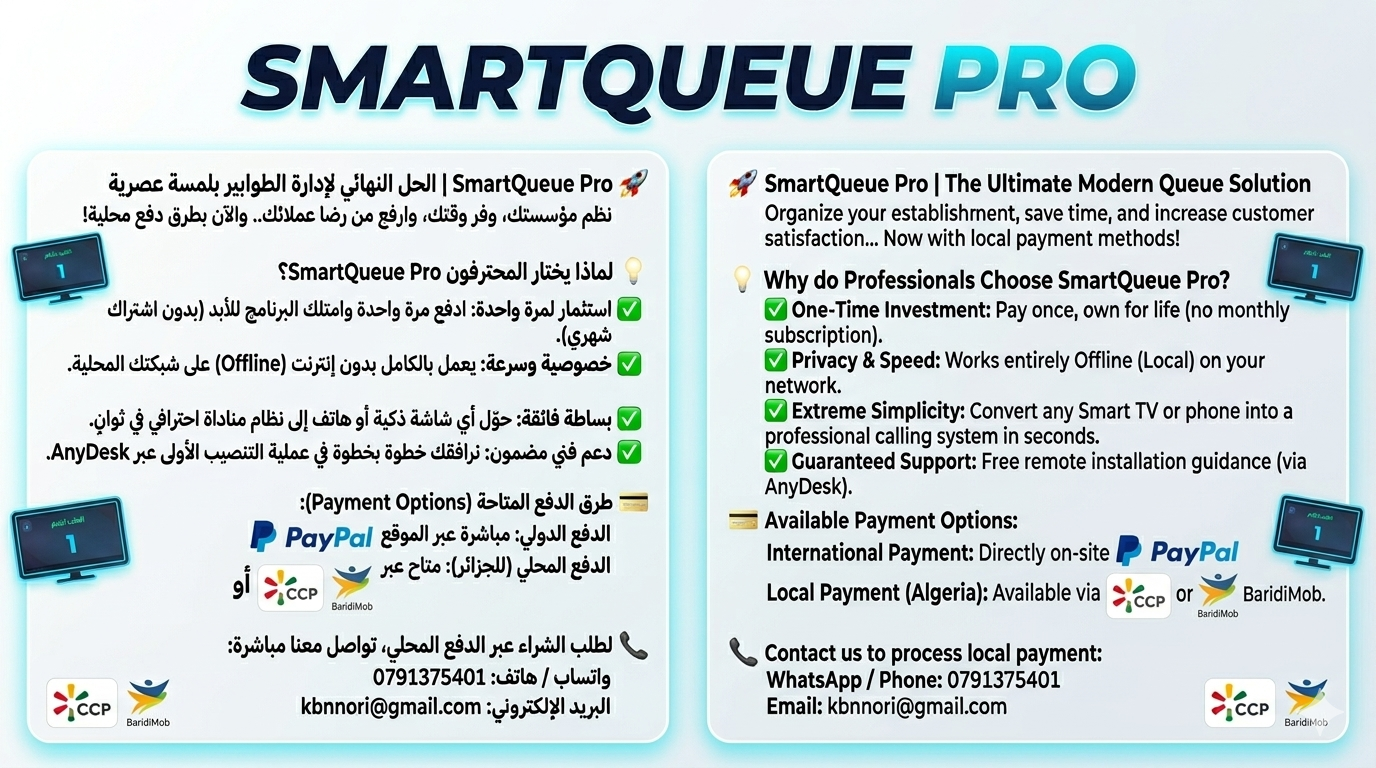
✅ Pay Once: No monthly subscriptions or hidden costs.
✅ Offline (Total Privacy): The system operates entirely locally on your local network (Offline). Complete privacy, blazing-fast speed, and zero reliance on the internet.
✅ Lightweight and Simple: No bulky equipment required. Instantly! Convert your phone, tablet, or smart TV into a display screen for the numbers. Use any simple thermal printer to print tickets.
✅ Multilingual Support: Complete interfaces in Arabic, English, and French.
(3) Requirements (Everything You Need):
No special printers or expensive equipment. Here is the simple hardware you will need:
- One Computer: A standard (Windows-based) computer is all you need, at least to serve as the system Server.
- Display Screen: Preferably a Smart TV or a large Android screen to clearly display the numbers.
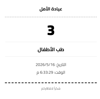
- Thermal Printer: Any simple Mini Thermal Printer to print waiting tickets.
- Local Network (LAN/Wi-Fi): All equipment must be connected to a single local network.
- Calling Devices: Any phone, tablet, or computer in the employee's office can be used to call numbers.
(4) Workflow and Setup (Total Organization in Seconds):
We have simplified the setup process to be ready in seconds:
- Placement: Place the SmartQueue Pro software file on the computer you chose to be the Server.
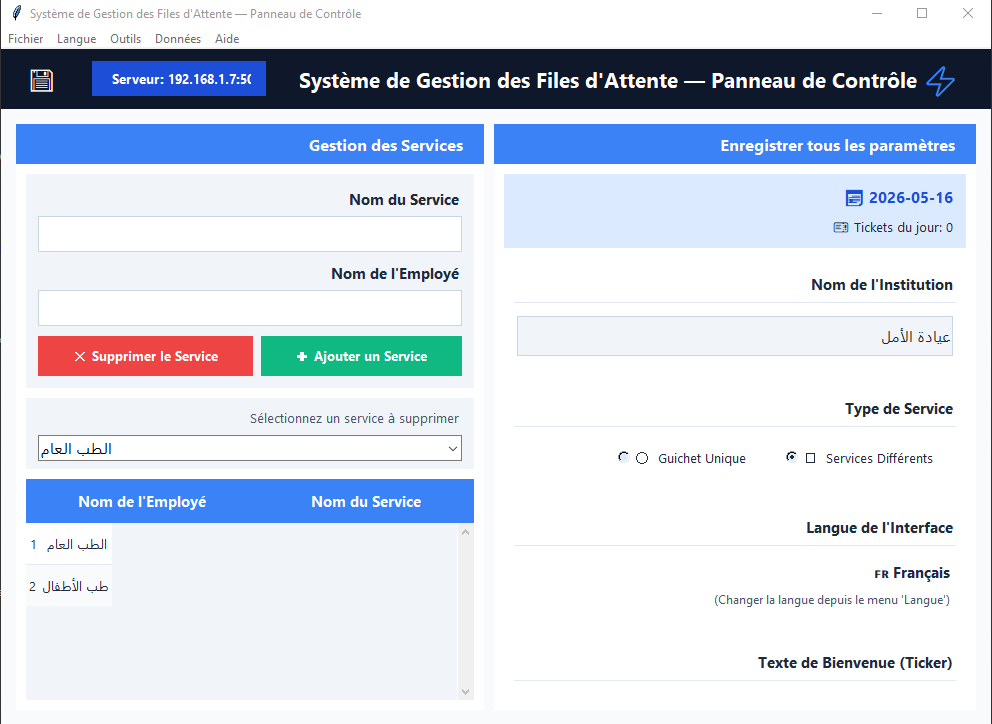
- Fill Institution Information: Open the program and fill in your institution's basic information: (Institution Name – Names of Departments or a Single Department – Institution Logo if available – Preferred Language – Text for the advertising ticker).
- Smart Save: Once you save the information, the program will automatically create shortcut links (Links) on the desktop for:
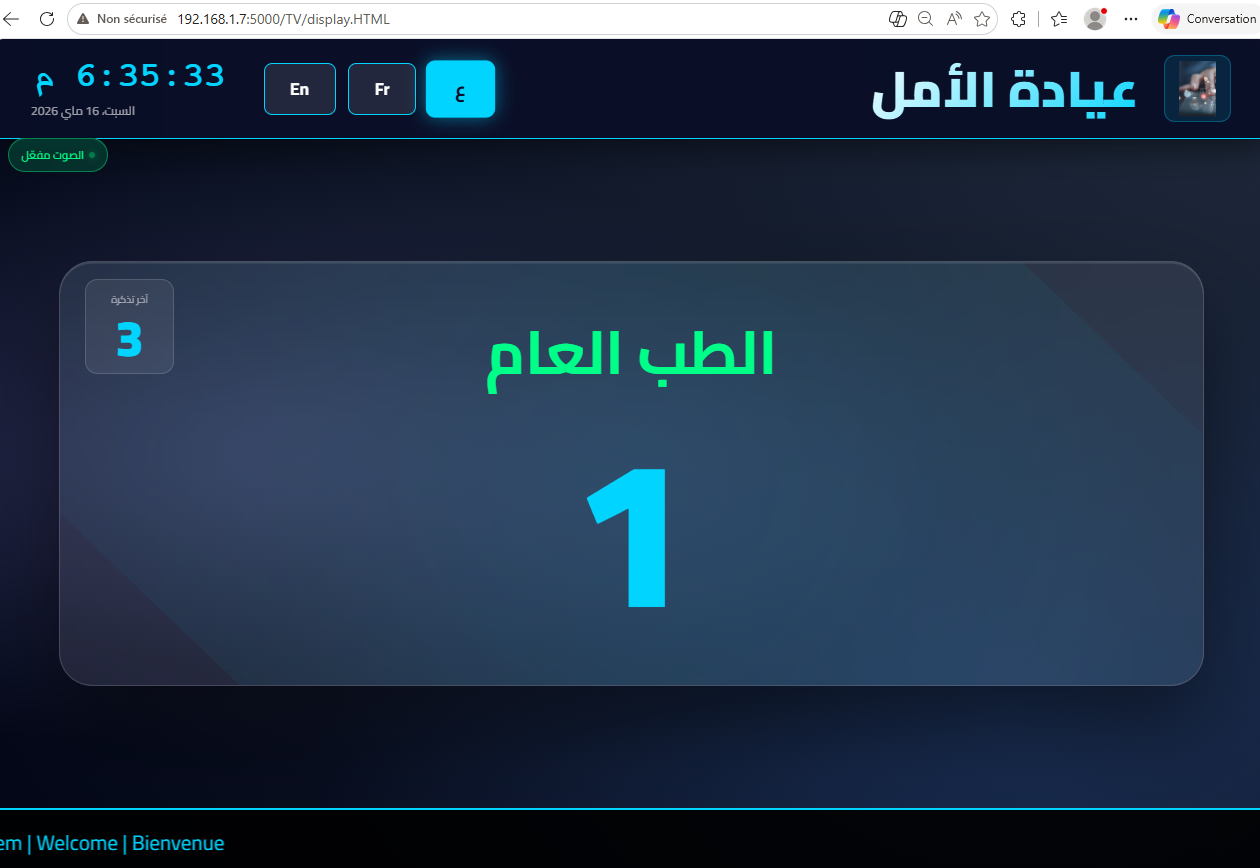
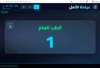
- The Screen: The number display interface.
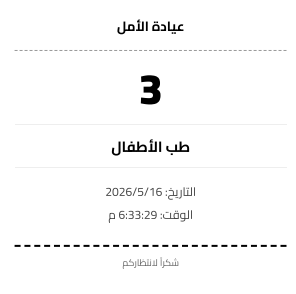
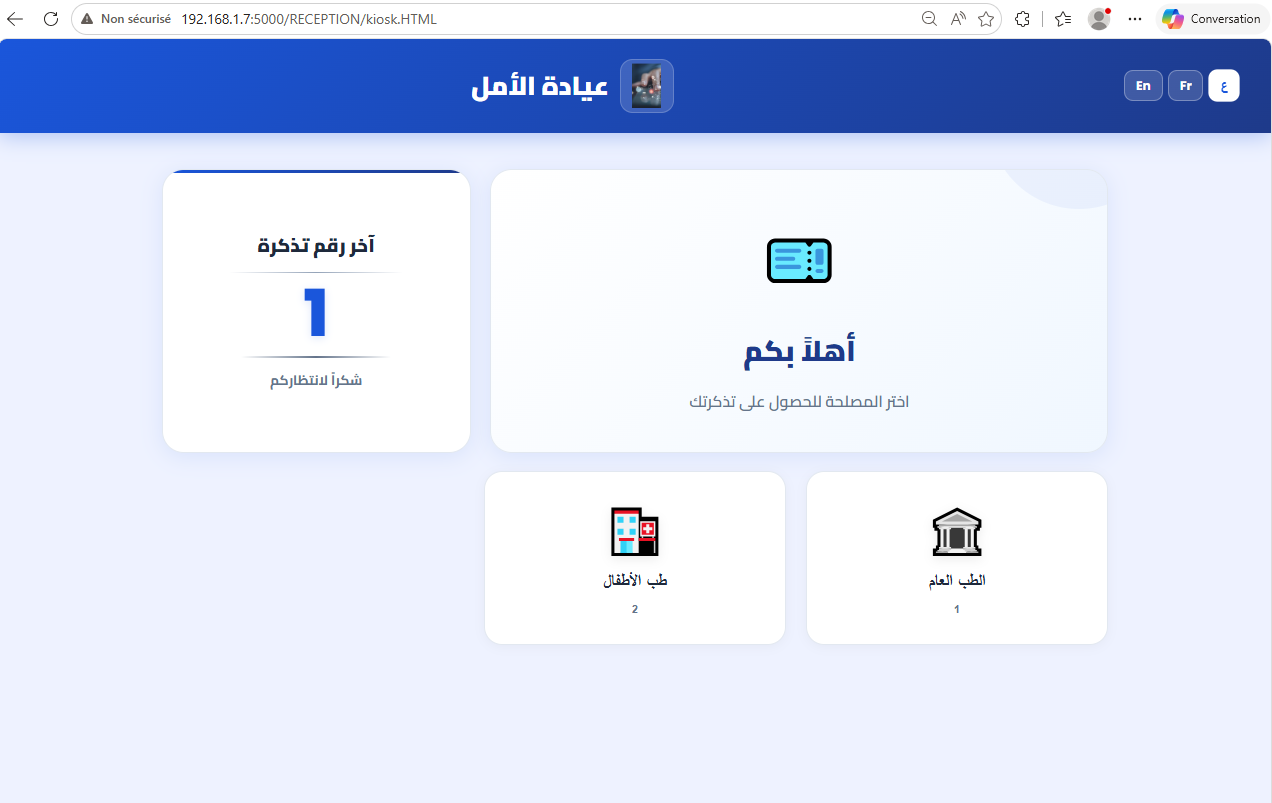
- The Reception: The ticket printing interface.
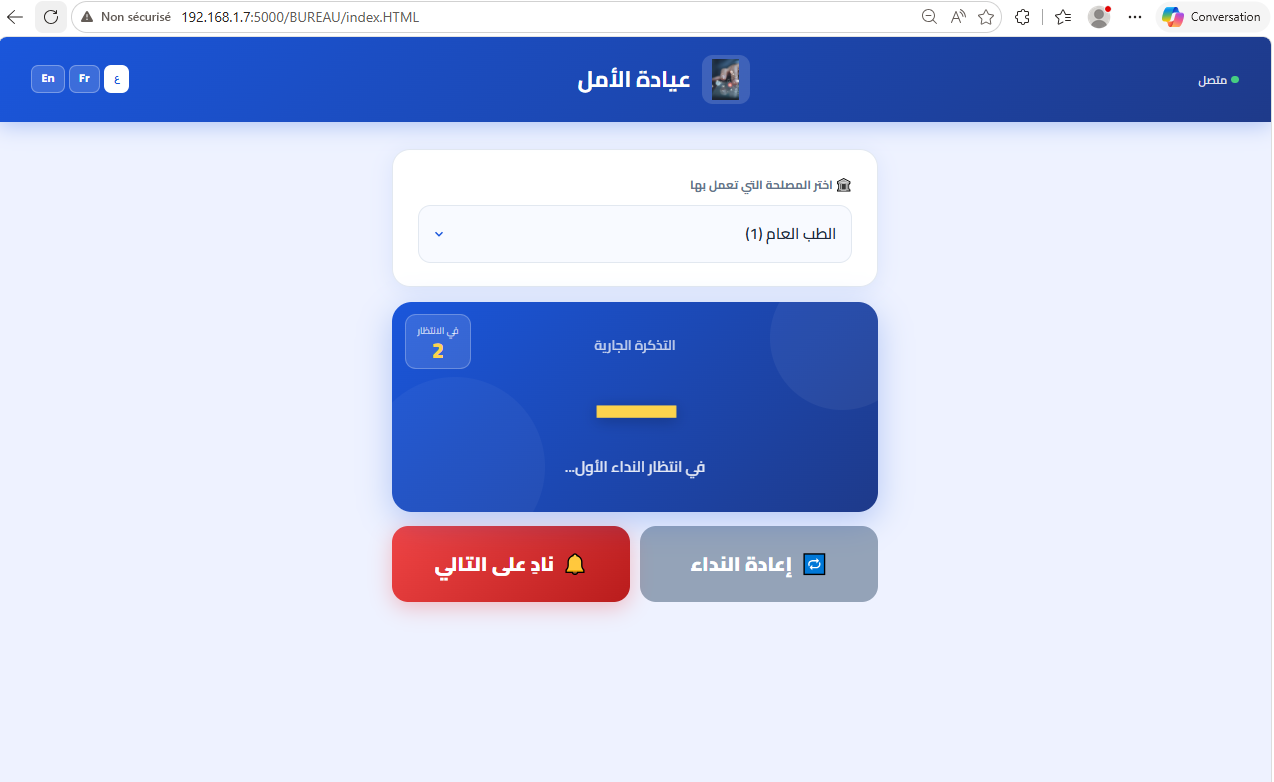
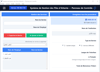
- The Offices: The employee calling interface.
- Link Distribution: Now, transfer each shortcut link to its specific location:
- The Screen Link: Put it on the large display screen (Smart TV or Android).
- The Reception Link: Put it on the reception device connected to the thermal printer to print tickets instantly for customers.
- The Offices Link: Put it on the employees' devices in the offices (their phones, tablets, or computers). With just a click of a button to call, the ticket number appears on the display screen immediately, and the call is made with an audio alert.
Then.. you enjoy total organization! Goodbye to wait chaos forever. 👋
Whether you manage a clinic, bank, government institution, or salon — SmartQueue Pro is the ultimate solution for you.
Achieve total organization, customer comfort, and unmatched professionalism today! Pay once, and enjoy the system for life. Goodbye to wait chaos forever! 👋
-------Description Arabic------------
هل تعاني من فوضى الانتظار في مؤسستك؟ هل تفقد زبائنك بسبب الطوابير الطويلة والملل؟
(1) تعريف البرنامج:
أنظمة الطوابير التقليدية تكلفك آلاف الدولارات. أجهزة غالية، تركيب معقد، واشتراكات شهرية... لكن ماذا لو كان الحل أبسط بكثير؟
نقدم لك SmartQueue Pro — نظام إدارة الانتظار الذكي والمتكامل الذي يعمل فوراً وبدون إنترنت!
✅ تم تصميم هذا البرنامج خصيصاً لتحويل تجربة الانتظار من فوضوية إلى عملية منظمة، سريعة، ومريحة، مما يزيد من رضا العملاء واحترافية مؤسستك.
(2) المميزات :
✅ ادفع مرة واحدة: لا يوجد اشتراك شهري أو تكاليف مخفية.
✅ بدون إنترنت (كامل الخصوصية): يعمل النظام محلياً بالكامل على شبكتك المحلية (Offline). خصوصية تامة، سرعة فائقة، وصفر اعتماد على الإنترنت
✅ خفيف الحجم وبسيط: لا يتطلب معدات كبيرة. فوراً! قم بتحويل هاتفك، جهازك اللوحي، أو تلفزيونك الذكي إلى شاشة عرض للأرقام. استخدم أي طابعة حرارية بسيطة لطباعة التذاكر.
. ✅ دعم متعدد اللغات: واجهات كاملة بالعربية، الإنجليزية، والفرنسية.
(3) المتطلبات (كل ما تحتاجه):
لا طابعات خاصة أو معدات مكلفة. هذه هي المعدات البسيطة التي ستحتاجها:
- جهاز حاسوب واحد: عادي (بنظام ويندوز) على الأقل نجعله كسرفور (Server) للنظام.
- شاشة العرض: من الأحسن شاشة ذكية (Smart TV) أو شاشة أندرويد كبيرة لعرض الأرقام بوضوح.
- طابعة حرارية: أي طابعة حرارية بسيطة (Mini Thermal Printer) لطباعة تذاكر الانتظار.
- شبكة محلية (LAN/Wi-Fi): يجب أن تكون جميع المعدات متصلة بشبكة محلية واحدة.
- أجهزة المناداة: يمكن استخدام أي هاتف، جهاز لوحي، أو جهاز حاسوب في مكتب الموظف للقيام بالمناداة.
(4) طريقة العمل والإعداد (التنظيم الراقي في ثوانٍ):
لقد قمنا بتبسيط عملية الإعداد لتكون جاهزة في ثوانٍ معدودة:
- وضع البرنامج: قم بوضع ملف البرنامج (SmartQueue Pro) في جهاز الحاسوب الذي اخترته ليكون السرفور (Server).
- ملأ معلومات المؤسسة: افتح البرنامج واملاً معلومات مؤسستك الأساسية: (اسم المؤسسة – أسماء المصالح أو مصلحة موحدة – شعار المؤسسة إن وجد – اللغة المفضلة – النص على الشريط الإعلاني).
- الحفظ الذكي: بمجرد حفظ المعلومات، سيقوم البرنامج تلقائياً بإنشاء روابط اختصار (Links) على سطح المكتب الخاص بالـ:
- الشاشة: شاشة عرض الأرقام.
- الاستقبال: واجهة طباعة التذاكر.
- المكاتب: واجهة الموظفين للمناداة.
- توزيع الروابط: الآن، قم بنقل كل رابط اختصار إلى المكان المخصص له:
- رابط الشاشة: ضعه في شاشة العرض الكبيرة (الذكية أو الأندرويد).
- رابط الاستقبال: ضعه في جهاز الاستقبال المتصل بالطابعة الحرارية لطباعة التذاكر فوراً للزبائن.
- رابط المكاتب: ضعه في أجهزة الموظفين في المكاتب (هواتفهم، أجهزتهم اللوحية، أو حواسيبهم). بمجرد ضغطة زر للمناداة، يظهر رقم التذكرة على شاشة العرض مباشرة ويتم المناداة بتنبيه صوتي.
ثم.. تتمتع بتنظيم راقي! وداعاً لفوضى الانتظار للأبد. 👋
سواء كنت تدير عيادة، بنك، مؤسسة حكومية، أو صالون
حقق التنظيم التام، راحة الزبائن، والاحترافية لا مثيل لها اليوم! ادفع مرة واحدة فقط، وتمتع بالنظام مدى الحياة. وداعاً لفوضى الانتظار للأبد! 👋
----------------Description en Français----------------
Est-ce que le désordre de l'attente pèse sur votre établissement ? Perdez-vous des clients à cause des longues files d'attente et de l'ennui ?
(1) Définition du Logiciel :
Les systèmes de gestion de file d'attente traditionnels coûtent des milliers de dollars : matériel coûteux, installation complexe et abonnements mensuels... Mais, et si la solution était bien plus simple ? Nous vous présentons SmartQueue Pro — le système de gestion d'attente intelligent et complet qui fonctionne instantanément et sans internet ! ✅ Ce logiciel a été conçu spécifiquement pour transformer l'expérience d'attente d'un chaos total en un processus organisé, rapide et confortable, augmentant ainsi la satisfaction de vos clients et le professionnalisme de votre établissement.
(2) Caractéristiques :
- ✅ Paiement unique : Aucun abonnement mensuel ni frais cachés.
- ✅ Sans Internet (Confidentialité Totale) : Le système fonctionne entièrement en local sur votre réseau (Offline). Confidentialité totale, vitesse fulgurante et zéro dépendance au web.
- ✅ Léger et Simple : Ne nécessite pas d'équipement lourd. Transformez immédiatement votre téléphone, tablette ou Smart TV en écran d'affichage des numéros. Utilisez n'importe quelle imprimante thermique standard pour imprimer les tickets.
- ✅ Support Multilingue : Interfaces complètes en Arabe, Anglais et Français.
(3) Configuration Requise (Tout ce dont vous avez besoin) :
Pas d'imprimantes spéciales ni d'équipements onéreux. Voici le matériel simple nécessaire :
- Un ordinateur : Un PC standard (sous Windows) fera office de Serveur pour le système.
- Écran d'affichage : De préférence une Smart TV ou un grand écran Android pour afficher les numéros clairement.
- Imprimante Thermique : N'importe quelle imprimante thermique simple (Mini Thermal Printer) pour les tickets d'attente.
- Réseau Local (LAN/Wi-Fi) : Tous les équipements doivent être connectés au même réseau local.
- Appareils d'appel : N'importe quel téléphone, tablette ou ordinateur au bureau de l'employé peut être utilisé pour appeler les clients.
(4) Mode d'emploi et Installation (L'organisation haut de gamme en quelques secondes) :
Nous avons simplifié le processus pour qu'il soit prêt en un clin d'œil :
- Installation : Placez le dossier du programme (SmartQueue Pro) sur l'ordinateur choisi comme Serveur.
- Configuration : Ouvrez le logiciel et remplissez les informations de base : (Nom de l'établissement – Liste des services – Logo – Langue préférée – Texte de la barre défilante publicitaire).
- Sauvegarde Intelligente : Une fois les informations enregistrées, le programme créera automatiquement des raccourcis (Links) sur le bureau pour :
- L'Écran : Interface d'affichage des numéros.
- La Réception : Interface d'impression des tickets.
- Les Bureaux : Interface des employés pour l'appel des clients.
- Distribution des liens : Transférez chaque lien vers l'appareil dédié :
- Lien Écran : À ouvrir sur le grand écran (Smart TV ou Android).
- Lien Réception : À ouvrir sur l'appareil connecté à l'imprimante thermique.
- Lien Bureaux : À ouvrir sur les appareils des employés. D'un simple clic, le numéro s'affiche sur l'écran principal avec une alerte sonore.
Et voilà ! Profitez d'une organisation d'élite. Dites adieu au chaos de l'attente pour toujours ! 👋
Que vous gériez une clinique, une banque, une administration publique ou un salon : Optez pour une organisation totale, le confort de vos clients et un professionnalisme inégalé dès aujourd'hui ! Payez une seule fois et profitez du système à vie. 👋